Is a Laser Printer the Same as a Photocopier?
On this page (4 sections)
No, a laser printer is not the same as a photocopier, though they often share similar technology. While both can produce copies of documents, a laser printer primarily creates new documents from digital files, whereas a photocopier‘s main job is to duplicate existing physical pages. Think of it this way: printers create, copiers duplicate.
You might have a device that does both, often called a multifunction printer or all-in-one. These handy machines combine the functions of a printer, scanner, and copier into one unit. Understanding the core difference helps you choose the right tool for your home or office needs, saving you time and confusion. It’s all about what you want to achieve with your document.
- Laser printers create new documents from computers.
- Photocopiers duplicate existing physical pages.
- Many modern devices combine both functions (all-in-ones).
- They use similar light-based technology but for different main purposes.
- Knowing the difference helps you buy the right machine.
Let’s break down the technologies and functions so you can see exactly how they differ.
Understanding the Difference Between Laser Printers and Photocopiers
While both machines deal with documents, their core jobs are distinct. A laser printer creates brand new documents from a computer’s digital data. A photocopier‘s main task is to make duplicates of existing paper documents. Think of it like this: your computer is the artist, and the laser printer is its brush. A photocopier is more like a talented mimic.
How Laser Printers Work: Bringing Digital to Paper
Laser printers use a clever process involving light and static electricity. It starts when your computer sends a document file to the printer. Inside, a laser beam “draws” the image of the page onto a rotating drum. This drum is coated with a light-sensitive material. Where the laser hits, it creates an electrical charge.
The Drum and Toner Interaction
Next, a fine powder called toner is applied to the drum. Toner particles stick only to the charged areas created by the laser. Then, the paper passes over the drum. The toner is transferred from the drum to the paper. Heat and pressure then permanently fuse the toner onto the paper. This process is incredibly fast and precise, perfect for creating multiple copies of digital documents. Learn how heat and pressure fuse the toner onto the paper permanently.
Key Features of Laser Printers
- Speed: Laser printers are known for their high printing speeds, especially for text-heavy documents.
- Quality: They produce sharp, crisp text and clear graphics.
- Cost-effectiveness: Toner cartridges often last longer than ink cartridges, making the cost per page lower for high-volume printing.
- Versatility: They can handle various paper types and sizes, from envelopes to legal-sized paper.
How Photocopiers Work: Duplicating Existing Pages
Photocopiers are designed for one primary purpose: copying. They use a similar light-based technology but in a different way. When you place a document on the glass and press “copy,” a bright light scans across the original page. This light reflects off the white areas of the paper but is absorbed by the printed text and images.
Capturing the Image for Duplication
A lens system captures this reflected light and focuses it onto a charged drum. Similar to a laser printer, toner particles are attracted to the charged areas on the drum, creating an image of the document. This toner image is then transferred to a blank sheet of paper and fused, just like in a laser printer. The key difference is that the original scan comes from a physical document, not a digital file.
Key Features of Photocopiers
- Simplicity: They are generally straightforward to use for the core function of copying.
- Scanning: They capture images from physical originals directly.
- Speed: Dedicated copiers can be very fast for producing multiple copies of a single page.
- Resolution: Modern copiers offer good resolution, ensuring faithful reproductions of originals.
The Rise of the All-in-One: Combining Technologies
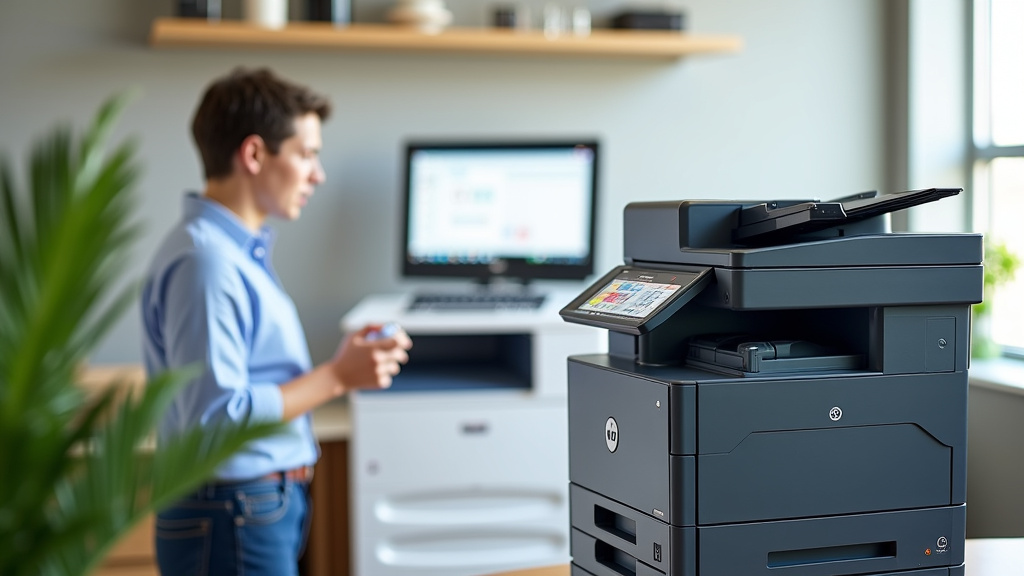
Today, many homes and offices use devices that are both printers and copiers. These are often called multifunction printers (MFPs) or all-in-one printers. They cleverly integrate the technologies of a laser printer, a scanner, and a copier into a single unit.
What an All-in-One Device Can Do
An MFP allows you to print documents from your computer just like a standard laser printer. But it also has a scanner bed or an automatic document feeder (ADF). This lets you scan physical documents into your computer, creating digital files. And, of course, you can use this scanning function to make copies of existing documents.
Benefits of Having an All-in-One
- Space-saving: One machine replaces three or more.
- Cost-effective: Often cheaper than buying separate devices.
- Convenience: All functions are integrated and accessible from one interface.
- Versatility: Handles printing, scanning, and copying tasks efficiently.
Laser Printer vs. Photocopier: A Simple Comparison
To make it even clearer, let’s look at their primary functions side-by-side. It’s like comparing a chef to a food critic. The chef (printer) creates the meal. The critic (copier) reviews and duplicates an existing plate.
| Feature | Laser Printer | Photocopier |
|---|---|---|
| Primary Purpose | Create new documents from digital files | Duplicate existing physical documents |
| Input Source | Computer, mobile device, network | Physical document placed on glass or in ADF |
| Output | New hard copy of a digital file | Duplicate hard copy of a physical original |
| Technology Core | Laser, drum, toner, heat for creation | Light, lens, drum, toner, heat for duplication |
When to Choose Which Type of Device
Your choice depends entirely on your needs. If you mostly print documents created on your computer or phone, a standalone laser printer is perfect. It excels at producing high-quality output from digital sources.
If your main requirement is to quickly make copies of physical papers, a dedicated photocopier might seem like the answer. However, most people find that the multifunctionality of an all-in-one device covers these needs and more. We found that most home users and small businesses benefit most from an all-in-one.
Considering Your Printing and Copying Habits
Ask yourself a few questions:
- Do you print more than you copy?
- Do you need to scan documents into your computer?
- How much physical document duplication do you do regularly?
- What is your budget for a new machine?
- Do you need features like faxing or mobile printing?
By answering these, you can determine if a basic laser printer, a simple copier, or a versatile all-in-one device is the right fit for your tasks. Many sources, like consumer reports, suggest that for general home use, an MFP often provides the best value (Consumer Reports).
The Technology Behind the Scenes: Light Sensitivity
Both technologies rely on the principle of photoconductivity. Our guide to LED and laser printers explains this topic in more detail. This means certain materials become electrically conductive when exposed to light. In both laser printers and photocopiers, a photosensitive drum is key. It holds an electrostatic charge, which is manipulated by light (either from a laser or an external light source) to attract toner particles.
Understanding Toner and Its Application
Toner is a very fine powder, typically made of plastic and pigment. Unlike liquid ink, toner sits on the surface of the paper. The heat and pressure from the printer’s fuser unit melt the plastic particles, binding them to the paper fibers. This is why laser prints don’t smudge easily once fused. Research shows this fusion process is what gives laser prints their durability (The National Academies of Sciences, Engineering, and Medicine).
What About Inkjet Printers?
It’s worth noting that inkjet printers use a different technology altogether. Our guide to printers for photo printing explains this topic in more detail. Inkjet printers spray tiny droplets of liquid ink onto the paper. While they can also be part of all-in-one devices, their printing method is distinct from laser technology. This often makes them better for photos but sometimes slower or more expensive per page for text-heavy documents compared to laser printers.
Making the Right Choice for Your Needs
So, are they the same? No, but they are closely related, especially in modern devices. A laser printer is built for creating new documents from digital sources. A photocopier is designed to duplicate existing physical documents. Most likely, you’re looking for an all-in-one device that does both beautifully.
Think about your daily workflow. Do you spend more time bringing digital ideas to life on paper, or do you spend more time making physical copies of existing reports? Your answer will guide you to the machine that will serve you best. We found that understanding these core differences makes purchasing decisions much simpler.
Conclusion
You’ve learned that while laser printers and photocopiers use similar light-based technology, they serve different primary purposes. A laser printer creates new documents from digital files, while a photocopier duplicates existing physical ones. For many, the all-in-one multifunction printer offers the best of both worlds, combining printing, scanning, and copying into one convenient unit. We found that most everyday needs are best met by these versatile devices. To make your decision, consider whether your main task is creating from scratch or duplicating what you already have, and let that guide you to the right machine.
Frequently Asked Questions
Can a laser printer make copies of a document?
A standard laser printer cannot make copies on its own because it lacks the scanning function to read a physical document. You need a photocopier or a multifunction printer for that task. Laser printers are designed to print digital files from a computer.
What is the main difference between a laser printer and a copier?
The main difference lies in their primary function: a laser printer creates new documents from digital sources, while a photocopier duplicates existing physical documents. Think of printers as creators and copiers as duplicators.
Are all-in-one printers laser printers?
Not all all-in-one printers are laser printers; some use inkjet technology. However, many modern all-in-one devices do incorporate laser printing technology along with scanning and copying capabilities, offering a comprehensive solution.
Why are laser printers faster than copiers sometimes?
Laser printers are often optimized for speed when printing multiple copies of a digital file. Dedicated photocopiers can also be very fast for single-page duplication, but a laser printer’s efficiency comes from directly processing digital data.
If I need to scan documents, do I need a separate scanner?
No, if you have a photocopier or an all-in-one multifunction printer, it typically includes a scanner. This allows you to digitize physical documents and save them as files on your computer or other devices.