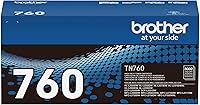
How to Replace Toner in a Brother HL-L2460DW
Open the front cover, remove the toner and drum assembly, release the used cartridge, then fit a replacement into the drum. Reinstall the assembly and follow the printer's instructions if its display shows a different message.
On this page (6 sections)
- How do you replace toner in a Brother HL-L2460DW?
- Which toner fits the HL-L2460DW?
- How do you remove toner without replacing the drum?
- How do you know if the toner or drum needs replacement?
- What should you check after installing a cartridge?
- How do you choose a replacement without buying the wrong part?
To replace toner in a Brother HL-L2460DW, remove the toner and drum assembly, release the used cartridge, fit a compatible replacement into the drum, and reinstall the assembly. For another model's steps, see how to replace toner in the HL-L2405W.
TN830 and TN830XL cartridges are compatible with this printer, and the drum is a separate part.
Keep the printer's instructions nearby for the exact controls and prompts. For another model's steps, see the Brother MFC-L2820DW toner replacement guide.
The cartridge yield depends on print coverage.
How do you replace toner in a Brother HL-L2460DW?
Open the front cover and remove the toner and drum assembly before swapping the cartridge. Follow the printer's instructions for its controls and display prompts.
- Turn on the printer and open the front cover.
- Hold the toner and drum assembly by its handle and lift it out.
- Place the assembly on disposable paper to catch loose toner.
- Press the green lock lever on the drum unit and remove the old toner cartridge.
- Unpack the new cartridge and follow its preparation instructions.
- Fit the cartridge into the drum unit until it locks into place.
- Slide the green tab on the drum unit from side to side several times, then return it to its home position if the printer's instructions direct you to do so.
- Reinstall the assembly and close the cover.
Don't force a cartridge that doesn't seat easily. Check its orientation, model number, and instructions before trying again.
Which toner fits the HL-L2460DW?
The Brother HL-L2460DW is compatible with TN830 and TN830XL toner cartridges. The TN830 is standard yield with up to 1,200 pages; the TN830XL is high yield with up to 3,000 pages.
The stated yields are based on ISO/IEC 19752 and vary with print coverage. Choose based on how much you print and how often you want to replace a cartridge.
For more options, see our best Brother HL-L2460DW toner and drum picks. If you need magnetic ink character recognition for checks, first review what MICR toner works with the Brother HL-L2460DW.
How do you remove toner without replacing the drum?
Release the toner cartridge from the drum unit with the green lock lever. The toner and drum are separate parts, so a toner prompt does not by itself mean you need to replace the drum.
Keep the drum unit level and avoid touching its surface. Follow the printer's instructions for handling and disposing of toner supplies.
The E-Z Ink compatible set includes 2 TN830XL toner cartridges and 1 DR830 drum unit. It's compatible with the HL-L2460DW.
Choose a toner-and-drum set when you need supplies for both parts. If only the toner needs replacing, you can replace the cartridge alone.
How do you know if the toner or drum needs replacement?
Use the printer's message to identify which part needs attention. Toner cartridges hold toner powder; the drum unit transfers the image onto paper.
If the printer asks for toner, replace the cartridge. If it reports a drum issue or a drum-life message, check the printer's instructions for the correct procedure.
Faded or uneven pages can have more than one cause. Check the printer messages and print settings before assuming both parts need replacing.
What should you check after installing a cartridge?
Confirm the assembly is seated and the front cover is fully closed. If a toner message remains, remove the assembly and check that the cartridge is locked into the drum.
Print a page to check the text. If the message persists or print quality remains poor, consult the printer's troubleshooting steps.
Keep replacement supplies matched to the HL-L2460DW. For a broader comparison of printer types and tasks, see whether a laser printer can replace an inkjet printer.
How do you choose a replacement without buying the wrong part?
For a Brother HL-L2460DW toner replacement, check for TN830 or TN830XL compatibility before ordering. The TN830 has a stated yield of up to 1,200 pages, while the TN830XL has a stated yield of up to 3,000 pages.
Choose genuine Brother toner for the brand's recommended option for Brother monochrome laser printers. If you choose a compatible cartridge, confirm the exact printer model and follow its instructions.
Choose toner alone when the drum is still serviceable. Choose a toner-and-drum bundle when you need supplies for both parts.
Frequently asked questions
Which toner cartridge fits the Brother HL-L2460DW?
The Brother HL-L2460DW is compatible with TN830 and TN830XL toner cartridges. The standard-yield TN830 has a stated yield of up to 1,200 pages, while the high-yield TN830XL has a stated yield of up to 3,000 pages.
Actual yield varies with print coverage.
Do I replace the drum when I replace toner?
No, you can replace the toner cartridge on its own when toner needs replacing. The E-Z Ink set also includes a DR830 drum unit, but a toner prompt alone does not mean you need a new drum.
How do you remove a toner cartridge from the drum?
Remove the toner and drum assembly, then press the green lock lever to release the cartridge from the drum unit. Avoid touching the drum surface.
Follow the printer's instructions for the removal procedure.
Can I use compatible toner in the Brother HL-L2460DW?
An E-Z Ink set is described as compatible with the HL-L2460DW and includes TN830XL toner cartridges. Check the cartridge instructions before fitting it.
For Brother's recommended toner brand, choose a genuine TN830 or TN830XL cartridge.