9 Best Scanners for Old Photos (November 2026)
The best scanners for old photos include the Epson FastFoto FF-680W High-Speed Duplex Photo for large print collections, the KODAK Slide N Scan Film & Slide for slides and negatives on a screen, and the Epson Workforce ES-50 Compact & Lightweight Mobile for compact document scanning.
On this page (9 sections)
- Which scanner should you buy for old photos?
- How we compared these scanners
- What type of photos do you have most?
- How fragile are your old photos?
- What resolution and restoration tools matter?
- How do you want to save and share scans?
- What size photos do you need to scan?
- How should you set up and care for the scanner?
- Our verdict: which scanner should you buy?
The best scanner for old photos for most families is the Epson FastFoto FF-680W, because it handles thousands of prints fast and copies notes on the back. We compared nine models by media type, handling, speed, resolution and restoration tools.
Start with what you own: loose prints, slides, film negatives, or a mix.
Preserving aging photographs means choosing a feeder that will not crease a curled print, or a flatbed that lets you place a fragile photo by hand. It also means saving at a resolution you can share now and enlarge later.
Our score weighs specs, features and buyer feedback for photo preservation. A film scanner scores well for film even though it cannot scan prints.
A document scanner scores well for paper even though it is not ideal for a box of family photos.
Our picks at a glance
-
1
 Best for large print collections
Epson FastFoto FF-680W High-Speed Duplex Photo
9.7/10 our score
See it on Amazon -
2
 Best for slides and negatives on a screen
KODAK Slide N Scan Film & Slide
9.6/10 our score
See it on Amazon -
3
 Best for compact document scanning
Epson Workforce ES-50 Compact & Lightweight Mobile
9.6/10 our score
See it on Amazon
- 4
 Check it
Magnasonic All-in-One 24MP Film Scanner with Large
Best for Super 8 and varied film formats - 5
 Check it
Canon CanoScan LiDE 400 Slim Scanner
Best for gentle flatbed scanning - 6
 Check it
ClearClick QuickConvert 2.0 Photo
Best for standalone photo and film conversion - 7
 Check it
ScanSnap iX1300 Wireless or USB Double-Sided Color
Best for small-space double-sided scanning - 8
 Check it
Plustek ePhoto Z300 Photo Scanner
Best for photos up to 8x10 in - 9
 Check it
ScanSnap iX2500 Photo Edition Wireless or USB
Best for high-volume photo batches
Which scanner should you buy for old photos?
The Epson FastFoto FF-680W is the best overall pick for loose prints. The KODAK Slide N Scan and Magnasonic FS71 are better when slides and negatives dominate.
The Canon CanoScan LiDE 400 is better when you need to scan a few fragile prints slowly and carefully.
If you are still deciding between a feeder and a flatbed, our guide to a digital scanner for documents explains paper handling, duplex scanning and OCR. That helps you see why a document-first machine may not suit a box of old prints.
If your collection includes slides and negatives, read our roundup of the best scanner for photos slides and negatives before you choose. Film scanners use different holders and sensors than print scanners.
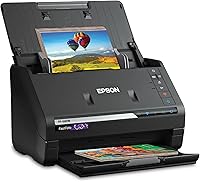
Epson FastFoto FF-680W High-Speed Duplex Photo: Best for large print collections
- Batch-scans up to 36 photos at a time
- 1 photo per second at 300 dpi
- Duplex scanning captures photo backs
- Carrier sheet and microfiber cloth included
- 600 dpi optical resolution
Fast batch scanning for thousands of prints, with restoration tools and duplex capture for notes on the back.
Pros
- Very fast batch scanning
- Captures both sides in one pass
- Photo up to 8 x 10 in
- Restoration and red-eye tools
Cons
- Feed path needs care with fragile prints
- Larger desktop footprint at 11.7 x 11.7 in
The Epson FastFoto FF-680W suits families with a box or shoebox full of loose prints. Epson says it scans as fast as 1 photo per second at 300 dpi and batch-scans up to 36 photos at a time.
That speed matters with hundreds or thousands of prints to sort.
Its duplex scanning captures the photo and handwritten notes on the back in a single scan. Names, dates and places often sit on the back, so that feature protects the story as well as the image.
Resolution choices cover different jobs. Epson lists 300 dpi for sharing, 600 dpi TIFF for archiving and 1200 dpi for enlarging.
It scans photos up to 8 x 10 in, plus Polaroid photos, panoramas and postcards. Auto enhancement, color restoration, red-eye reduction, de-skew and cropping are built in.
The trade-off is the feed path. Curled or sticky prints need extra care with a feeder.
Epson includes a carrier sheet and a microfiber cloth, so use the carrier sheet for delicate prints rather than forcing them through alone.
KODAK Slide N Scan Film & Slide: Best for slides and negatives on a screen
- 22MP film scanner
- 5 in LCD screen with gallery mode
- 135, 110, 126 mm film and 50 mm slides
- SD card saving, card not included
- HDMI and USB connection
Standalone film scanning with a large preview screen, so you can view and edit without a computer.
Pros
- Large 5 in preview screen
- No computer needed
- Handles 135, 110 and 126 film
- Easy-load film inserts
Cons
- One image at a time
- SD card not included
- Not for loose prints
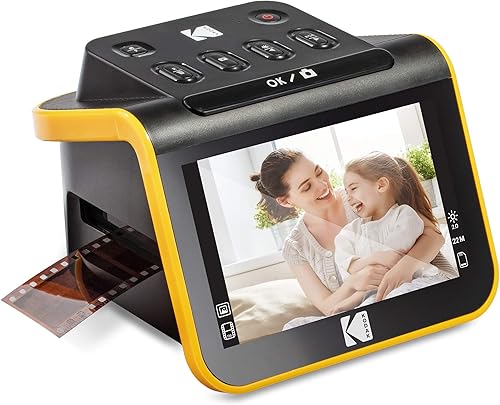
The KODAK Slide N Scan suits people whose old photos are mostly slides and film negatives. It converts 135, 110, 126 mm negatives and 50 mm slides to digital files and saves them directly to an SD card.
The card is not included, so add one before you start.
Its 5 in LCD screen is the main reason to pick it. You can preview and edit on the scanner itself, use gallery mode to share with family, or use it as a picture frame.
There is no need to connect a computer for basic scanning.
Easy-load film inserts allow continuous loading, which speeds up a long session. A single touch scan button, plus brightness, color and date controls, keep the process simple for non-technical users.
It connects to a Type-C USB computer and supports SD or SDHC cards up to 32 GB.
The trade-off is simple. This scanner does not handle loose prints.
If your collection mixes prints and film, you would need a second scanner or a different model. For film-only archives, though, the large screen and simple controls make long sessions easier.
Epson Workforce ES-50 Compact & Lightweight Mobile: Best for compact document scanning
- Single page in 5.5 seconds
- Scans up to 8.5 x 72 in
- USB powered, no external supply
- Nuance OCR for searchable PDFs
- 9.44 oz weight
A light, portable single-sheet scanner for documents, receipts and ID cards rather than photo batches.
Pros
- Very light and portable
- USB powered
- Long document support
- Editable OCR output
Cons
- Single-sheet feed only
- Not built for mixed photo sizes
- No batch photo feeder
The Epson Workforce ES-50 suits people who need a light scanner for documents, receipts and ID cards, not a dedicated photo archive. It scans a single page in as fast as 5.5 seconds and weighs 9.44 oz.
It is USB powered, so you do not need batteries or a separate power supply.
Its 8.5 x 72 in paper handling is useful for long documents. It also digitizes receipts and ID cards for bookkeeping and organizing.
Nuance OCR creates searchable PDFs and editable Word and Excel files, which helps when scanned pages contain names, dates and text.
Automatic feeding mode combines multi-page scans into one file. Epson ScanSmart software helps you scan, review and save, and the included TWAIN driver works with other imaging software.
It is Windows and Mac compatible.
The trade-off is photo handling. This is a single-sheet document scanner with a 1-sheet capacity.
It has no photo feeder, no carrier sheets and no film holders. Choose it for portable paper scanning.
For a box of old family prints, the Epson FastFoto or ScanSnap iX2500 is a better fit.
Magnasonic All-in-One 24MP Film Scanner with Large: Best for Super 8 and varied film formats
- 24MP JPEG output
- 5 in LCD display and HDMI output
- 35mm, 110, 126 and Super 8 film
- 135, 126 and 110 slides
- SD cards up to 128 GB, card not included
Standalone film conversion with Super 8 support and on-device brightness and color adjustment.
Pros
- Super 8 support
- No computer needed
- HDMI viewing on a TV
- Large SD capacity
Cons
- SD card not included
- HDMI cable not included
- Not for loose prints
The Magnasonic FS71 suits film owners who also have Super 8 reels. It converts 35mm, 110, 126 and Super 8 film negatives, plus 135, 126 and 110 slides, into 24MP JPEG files.
It scans in less than 5 seconds per image, with fast-loading film trays.
Its 5 in LCD screen and HDMI output give you two ways to view results. Watch scans on the scanner, or connect an HDMI cable, not included, to a TV for family viewing.
Slideshow mode helps when you share memories in a group.
No computer is needed. You can adjust brightness, RGB color correction, flip and mirror directly on the scanner.
That reduces the need for photo-editing software, especially for faded or color-shifted film.
An SD card slot supports up to 128 GB, and Magnasonic says that can store up to 20,000 images. The card is not included.
USB transfer to a PC or Mac is also available. It does not scan loose prints, so pick a print scanner if prints dominate your collection.
Canon CanoScan LiDE 400 Slim Scanner: Best for gentle flatbed scanning
- 4800 x 4800 dpi resolution
- 48-bit color depth
- 8 second high-speed scanning
- Color restore and dust removal
- One USB Type-C cable for power and data
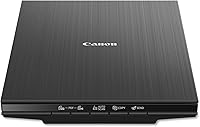
A slim flatbed for careful one-by-one scanning of prints and documents, with strong resolution for enlargements.
Pros
- High 4800 dpi resolution
- Gentle flatbed handling
- Slim space-saving design
- Color restore and dust removal
Cons
- One print at a time
- Slower for thousands of photos
- No auto feeder
The Canon CanoScan LiDE 400 suits careful scanning of individual prints, documents and fragile originals. Its flatbed design lets you place each photo by hand and check its position before you scan.
That control matters for curled, torn or valuable prints.
Its 4800 x 4800 dpi resolution is the highest in this group. That gives more detail for enlargements and for photos with fine text or small faces.
Color restore and dust removal help with faded images, while auto scan mode detects what you are scanning.
Five built-in EZ buttons, including PDF buttons, simplify common jobs. You can scan and save multi-page PDFs that are editable and searchable.
Scanning takes as fast as 8 seconds, and one USB Type-C cable carries both power and data.
The slim size, 7.7 x 14.5 x 0.4 in, and 3.6 lb weight make it easy to store upright. Paper size support includes 8.27 x 11.69 in and 8.50 x 11.69 in.
The trade-off is speed, as a flatbed scans one photo at a time with no auto feeder, so thousands of prints will take much longer than with a batch feeder.
ClearClick QuickConvert 2.0 Photo: Best for standalone photo and film conversion
- 14MP, 22MP interpolated
- 5 in instant preview LCD
- Built-in rechargeable battery
- 4x6 photos or smaller
- 35mm, 110, 126 film and slides
Cord-free standalone scanning for small prints, slides and negatives, saved as JPEG files on an SD card.
Pros
- Rechargeable battery
- No computer required
- 5 in preview screen
- 2 to 3 second scans
Cons
- Does not support 5x7 photos
- One at a time, no auto feeder
- 4x6 or smaller only
The ClearClick QuickConvert 2.0 suits people who want cord-free scanning for small prints, slides and negatives. It scans 4x6 photos or smaller, plus 35mm slides and 35mm, 110 and 126 negatives.
It does not support 5x7 photos.
Its built-in rechargeable battery lets you scan without a computer or drivers. Charge it fully before use, turn it on, and save JPEG files to an SD memory card.
A 5 in instant preview LCD shows each scan as you work.
Scanning takes only 2 to 3 seconds per item. Resolution is 14 megapixels, or 22 megapixels interpolated, at about 3824 x 2512 pixels.
That is enough for sharing, screen viewing and small prints.
You can scan photos without removing them from albums or mounts in some cases. Press the size button to adjust scan size for different media.
The trade-off is that it scans 1 item at a time with no auto feeder, so large print boxes are better handled by the Epson FastFoto or Plustek ePhoto Z300.
ScanSnap iX1300 Wireless or USB Double-Sided Color: Best for small-space double-sided scanning
- 30 ppm duplex scanning
- 20-sheet capacity
- 600 dpi resolution
- Wi-Fi and USB
- Automatic de-skew and blank page removal
A compact duplex document scanner that also handles photos and cards, with strong automatic cleanup.
Pros
- Compact footprint
- Fast duplex scanning
- Automatic de-skew
- Wi-Fi and USB
Cons
- Document-first design
- Photo carrier sheets not included
- 20-sheet limit
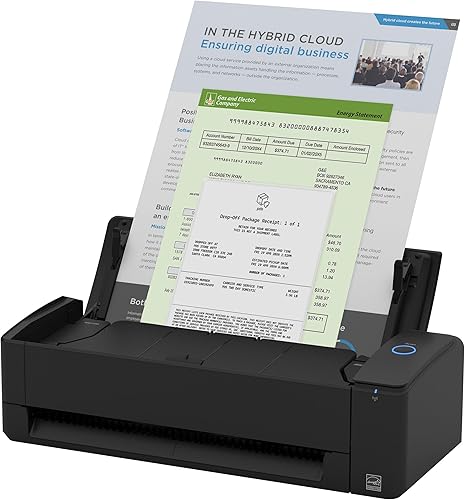
The ScanSnap iX1300 suits people who scan documents, photos, cards and receipts in a small space. Its design saves desk space even while it is in use, which helps on a crowded desk.
It scans at up to 30 ppm duplex, with automatic de-skew, color optimization and blank page removal. That cleanup helps when pages are slightly crooked or blank pages would fill a batch.
Resolution is 600 dpi, and the feeder holds 20 sheets.
USB and Wi-Fi connections let you send scans to a Mac, PC, mobile device or cloud service. It can also be used without a computer, and Chromebook scanning is available through the mobile app.
ScanSnap Home software helps you manage and edit scanned data.
Quick Menu lets you scan and drag files to favorite apps, which suits receipts and business cards as well as photos. The trade-off is that this is a document-first scanner, and photo carrier sheets are not included.
For delicate old prints, use a carrier sheet or pick a photo-focused model such as the Epson FastFoto.
Plustek ePhoto Z300 Photo Scanner: Best for photos up to 8x10 in
- CCD sensor, 600 dpi
- 3x5 to 8x10 in photos
- 4x6 photo in 2 seconds
- Letter and A4 paper support
- Photo enhancement tools
A dedicated photo scanner with a gentle roller system for fragile prints up to 8x10 in.
Pros
- Handles up to 8x10 in
- Gentle roller design
- CCD color accuracy
- Fast one-by-one feeding
Cons
- Single-sided only
- One photo at a time
- No batch feeder
The Plustek ePhoto Z300 suits people who scan photos one by one and need support up to 8x10 in. It supports 3x5, 4x6, 5x7 and 8x10 in photos, plus letter and A4 paper.
Optical resolution reaches 600 dpi, with 300 dpi and 600 dpi settings.
Its CCD sensor is a key difference. Plustek describes CCD as giving better color accuracy and dynamic range than CIS, with deeper focus for non-flat surfaces.
That can help with old prints that are not perfectly flat. Highlights and dark areas are easier to preserve.
The roller design is gentle on fragile photos. Plustek says old photos are often fragile and sticky, so the roller system is designed to reduce damage compared with tight document rollers.
It can scan photos or papers less than 0.76 mm thick, including Polaroid-style photos.
Speed is quick for single prints. Plustek says 2 seconds for one 4x6 photo at 300 dpi and 5 seconds for one 8x10 photo.
The trade-off is that it is simplex only, with no batch feeder, though software can merge two images into one.
ScanSnap iX2500 Photo Edition Wireless or USB: Best for high-volume photo batches
- Up to 100 photos per minute
- 100-document ADF, 36 photos
- 3 photo carrier sheets included
- 600 dpi resolution
- Touchscreen profiles and Wi-Fi 6
A high-capacity photo edition scanner with carrier sheets for delicate prints and touchscreen profiles.
Pros
- Very large feeder
- Carrier sheets included
- Touchscreen profiles
- Strong automatic optimization
Cons
- Larger 7.7 lb unit
- Photo batches limited to 36
- Newer model with smaller buyer history
The ScanSnap iX2500 Photo Edition suits people with a large photo collection who want high-speed batch scanning with carrier sheets. ScanSnap says it scans up to 100 photos per minute, and the feeder holds up to 100 documents or up to 36 photos.
Its 3 included photo carrier sheets protect delicate prints during scanning. That matters for thin, curled or sticky old photos that you do not want to feed directly.
Quick start instructions help you create photo scanning profiles.
A large touchscreen, automatic optimizations and customizable profiles simplify repeated jobs. You can select profiles from the touchscreen and send scans to a PC, Mac, mobile devices or cloud services.
Quick Menu lets you scan and drag files to favorite apps.
Wi-Fi 6 and USB-C provide stable wireless or wired connections. It can connect to smart devices or cloud services without a computer.
Resolution is 600 dpi, with automatic rotation, cropping, color restoration and red-eye reduction. The trade-off is size, at 7.7 lb and 6.26 x 11.5 x 6.34 in, with photo batches limited to 36.
How we compared these scanners
We separated loose prints from slides and film, because those media need different holders and sensors. A print scanner cannot replace a film scanner for negatives.
We checked resolution, feeder capacity, duplex support, carrier sheets and restoration tools. Resolution matters for enlargements, but 300 dpi is enough for sharing.
Feeder capacity matters with hundreds of prints. Carrier sheets matter when prints are curled or fragile.
We also checked portability, power needs and standalone use. Some scanners need a computer.
Others save to an SD card and preview on a screen. That difference affects setup time and ease of use at home.
If you plan to scan both prints and documents, a photo adf scanner how to use guide explains feeder loading, carrier sheets and duplex settings. That will help you load mixed sizes without jamming fragile prints.
What type of photos do you have most?
For loose prints, the Epson FastFoto FF-680W and ScanSnap iX2500 Photo Edition lead on batch speed. The Canon CanoScan LiDE 400 leads on careful flatbed handling.
The Plustek ePhoto Z300 leads on gentle single-photo feeding up to 8x10 in.
For film, the KODAK Slide N Scan, Magnasonic FS71 and ClearClick QuickConvert 2.0 save to an SD card and preview on a screen. Check film sizes before you buy.
The KODAK handles 135, 110 and 126 mm film and 50 mm slides. The Magnasonic adds Super 8.
Loose prints in a box or album
Pick a batch feeder if you have hundreds of prints. The Epson FastFoto scans up to 36 photos at a time.
The ScanSnap iX2500 also holds 36 photos and includes carrier sheets.
Pick a flatbed if prints are fragile or irregular. The Canon LiDE 400 lets you place each print by hand at 4800 dpi.
That gives you control over position and focus.
Slides, negatives and film strips
Pick a film scanner if film is your main media. Standalone models with a 5 in screen, such as the KODAK and Magnasonic, let you preview without a computer.
Check SD card limits and included holders.
Mixed prints, documents and cards
Pick a duplex document scanner if paper matters as much as photos. The ScanSnap iX1300 scans documents, photos, cards and receipts at 30 ppm duplex.
The Epson FastFoto also scans documents up to 240 in long.
How fragile are your old photos?
Fragile photos need gentle handling more than raw speed. Curled, torn, sticky or faded prints can jam a feeder or crease during scanning.
A carrier sheet or flatbed reduces that risk.
The Epson FastFoto includes a carrier sheet and a microfiber cloth. Use the cloth to lightly dust photos before scanning.
Use the carrier sheet for delicate prints rather than feeding them alone.
The ScanSnap iX2500 Photo Edition includes 3 photo carrier sheets. That helps when you have several fragile prints to move through a feeder.
The Plustek ePhoto Z300 uses a gentle roller system designed for fragile photos.
For the most fragile originals, use the Canon CanoScan LiDE 400 flatbed. You place the print face down by hand, close the lid, and check the preview.
That is slower, but it gives you the most control.
Learn the loading steps in our guide to how to use an ADF photo scanner. Pay attention to size sorting and carrier sheet use before a batch.
What resolution and restoration tools matter?
At 300 dpi, a 4x6 photo is good for sharing and small prints. At 600 dpi, you get more detail for archiving and enlargements.
The Epson FastFoto offers 300 dpi for sharing, 600 dpi TIFF for archiving and 1200 dpi for enlarging. The Canon LiDE 400 offers 4800 dpi for the most detail.
Restoration tools help with faded color, red eyes, dust and crooked scans. The Epson FastFoto includes auto enhancement, color restoration, red-eye reduction, de-skew, crop and rotate.
The Canon includes color restore and dust removal. The ScanSnap iX2500 includes automatic rotation, cropping, color restoration and red-eye reduction.
If you want to scan many prints quickly, our roundup of the best photo scanner for multiple photos shows which feeders handle mixed sizes. If space matters, our best compact photo scanner roundup covers smaller models, so compare feeder capacity before you choose one for a large archive.
How do you want to save and share scans?
Some scanners save to a computer, cloud service or mobile app. Others save to an SD card and let you move files later.
The Epson FastFoto supports USB and wireless connections, plus Dropbox and Google Drive backup. Its app lets you add voice and text over photos or create slideshows.
Film scanners such as the KODAK Slide N Scan and Magnasonic FS71 save directly to an SD card. That is simple, but you must buy the card separately and back up files yourself.
The ClearClick QuickConvert 2.0 also saves JPEG files to an SD card and runs on a rechargeable battery.
ScanSnap models send scans to a PC, Mac, mobile devices and cloud services. Touchscreen profiles on the iX2500 help you repeat the same destination without changing settings each time.
After you digitize prints, decide how you will view and print them. Our guide on Which Printer Is Better for Printing Photos? explains printer types for photo output.
Our article on Why Is Inkjet Better for Photo Printing? explains ink and paper choices for printed copies.
What size photos do you need to scan?
Many standalone film scanners handle only 4x6 prints or smaller. Larger prints need a feeder, a flatbed or a dedicated photo scanner.
The Epson FastFoto scans photos up to 8 x 10 in. The Plustek ePhoto Z300 supports 3x5, 4x6, 5x7 and 8x10 in photos, plus letter and A4 paper.
The ClearClick QuickConvert 2.0 supports 4x6 photos or smaller and does not support 5x7 photos. That limit matters if your albums contain larger prints.
Check your largest print before you buy a standalone scanner.
For oversized prints or panoramas, use a flatbed or a scanner with a stated large-size limit. The Epson FastFoto also lists panoramas and postcards among supported items.
For larger flatbed options, our roundup of the best a3 flatbed scanner covers models for oversized originals, so measure your work area first.
How should you set up and care for the scanner?
Good setup prevents jams and protects old photos. Sort prints by size before a batch.
Remove staples, tape and debris. Lightly dust photos with a microfiber cloth, such as the cloth included with the Epson FastFoto.
Use a carrier sheet for curled, torn or sticky prints. Never force a print through a feeder.
If a print catches, stop and remove it gently by hand. Keep the feed path clean, and follow the maker instructions for cleaning rollers and the sensor area.
Save originals until you check the scans. Open files at full size and look for cut-off edges, dust spots and faded color.
Re-scan a few prints before you pack away the originals, in case a batch setting was wrong.
Back up digital files in at least two places. Keep one copy on a computer and one copy on an external drive or cloud service.
Name files by event, year or family member so future viewers can find them. Store paper originals in acid-free sleeves or boxes, away from heat, humidity and direct light.
Our verdict: which scanner should you buy?
Buy the Epson FastFoto FF-680W if you have a large collection of loose prints. It is the best scanner for old photos for most families because it batch-scans up to 36 prints, captures notes on the back, and includes restoration tools.
Buy the KODAK Slide N Scan if your collection is mostly slides and negatives. Its 5 in screen and simple controls make film scanning easy without a computer.
Add an SD card before you start.
Buy the Canon CanoScan LiDE 400 if you want careful flatbed scanning. Its 4800 dpi resolution and gentle handling suit fragile prints that should be scanned one at a time.
Buy the ScanSnap iX2500 Photo Edition if you want high-volume batches with carrier sheets. Its 100-document feeder, 36-photo batches and touchscreen profiles suit large archives.
For a photo-focused next step, read our guide to how to use an ADF photo scanner. It explains loading, carrier sheets and settings for mixed photo sizes.
That guide will help you finish a large batch with fewer jams and fewer damaged prints.
Our top 3 picks at a glance
-
1
Best for large print collections
Epson FastFoto FF-680W High-Speed Duplex Photo
9.7/10 our score
See it on Amazon -
2
Best for slides and negatives on a screen
KODAK Slide N Scan Film & Slide
9.6/10 our score
See it on Amazon -
3
Best for compact document scanning
Epson Workforce ES-50 Compact & Lightweight Mobile
9.6/10 our score
See it on Amazon
Frequently asked questions
How many dpi do I need for old photos?
300 dpi suits sharing and everyday prints. 600 dpi suits archiving and enlargements.
The Epson FastFoto offers 300 dpi for sharing, 600 dpi TIFF for archiving and 1200 dpi for enlarging.
Use higher settings only for prints you plan to enlarge.
Can a scanner copy the back of a photo?
Yes. The Epson FastFoto FF-680W uses duplex scanning to capture the image and handwritten notes on the back in a single scan.
Flatbed scanners also do this, but you flip the print yourself.
Check that the model you pick supports duplex or flatbed scanning.
What is best for slides and film negatives?
Use a dedicated film scanner, not a print scanner. The KODAK Slide N Scan handles 135, 110 and 126 mm film and 50 mm slides.
The Magnasonic FS71 adds Super 8 film.
Both save to an SD card and preview on a screen.
How do I protect fragile or sticky old photos?
Use a flatbed or a carrier sheet for curled, torn or sticky prints. The Epson FastFoto includes a carrier sheet.
The ScanSnap iX2500 Photo Edition includes 3 photo carrier sheets.
Clean prints lightly with a microfiber cloth before scanning.
Do I need a computer to scan film?
No. The KODAK Slide N Scan, Magnasonic FS71 and ClearClick QuickConvert 2.0 save directly to an SD card and preview on a 5 in screen.
You still need an SD card, which is not included with the KODAK or Magnasonic.
Move files to a computer later for backup.