How to Choose an Automatic Book Scanner
An automatic book scanner is only automatic at capture or feeding, not at page turning: choose a scanner that fits your largest page, holds the book flat or in a cradle, and produces the file type you need. Check page size, image quality, OCR, speed, software and connection before you buy.
On this page (11 sections)
- What does automatic book scanner mean?
- How does an automatic book scanner handle page size?
- What resolution and image quality do you need?
- When do you need OCR on an automatic book scanner?
- How fast should an automatic book scanner be?
- Which scanner type fits a bound book best?
- What software and file formats should you check?
- What connectivity and power do you need?
- How do you scan a book without damaging it?
- What are the trade-offs between feeder, flatbed and mobile scanners?
- How should you choose an automatic book scanner today?
An automatic book scanner is often a scanner that starts capture on its own, not a machine that turns pages on its own. You still place the book, turn each page and check each spread.
Check page size, capture type, image quality, OCR, speed, software and connection before you buy. A fast feeder helps with loose pages, while a flatbed or cradle helps with bound pages.
What does automatic book scanner mean?
Automatic describes how a scan starts or how paper moves, not how a bound book turns. A sheet-fed scanner can pull each loose page through, and a book scanner can start capture when it senses a new page.
Most readers still turn pages by hand. That step controls speed, spine stress and image quality more than any automatic label does.
Automatic capture can reduce button presses between spreads. It can also save a page before you are ready, so check the preview delay and the save folder first.
Sensored capture helps most on a long book where you already hold each page flat. A short book may be just as fast with a single press per spread.
Automatic capture on a book scanner
Automatic capture starts when the scanner detects a page change or a set exposure. It can save both pages of a spread without a button press.
You still choose the page, hold it flat and wait for the beep or preview. Slower, careful turning gives cleaner edges than fast flipping.
Some systems need a pause while the image is written to disk. Build that pause into your rhythm so you do not lift the book too early.
A clear preview after each capture helps you spot a missed corner before you move on. That check matters more than a small gain in capture speed.
Automatic feeding on a sheet scanner
Automatic feeding pulls loose sheets through a path. It suits unbound pages, photos and documents, not a bound book.
A feeder can jam on curled, torn or thick pages. Books need flat capture, so you should not judge a book scanner by feeder speed alone.
Duplex feeding scans both sides of a loose sheet. That helps with notes on the back of a photo, but it does not help a bound spread stay open.
Carrier sheets can protect delicate originals in some feeders. They still require loose pages, so they are not a way to feed a whole book.
Rule: buy automatic capture for books, and automatic feeding for loose pages.
How does an automatic book scanner handle page size?
Page size decides whether a scanner fits your book. Measure the open spread, not just one page, and leave room for the lid or cradle.
A common book can open wider than its closed width. Thick books also rise at the spine and curve near the gutter.
Measure width, height and the height of the spine when the book lies open. A scanner that fits the cover may still crop the outer edge of a spread.
Leave extra room for your hands when you turn pages. A tight fit forces you to lift and shift the book, which can bend the spine.
For loose pages, feeder limits give a contrast. One compact model handles sheets up to 8.5 x 72 in, while a photo feeder handles photos up to 8 x 10 in, but neither limit proves a bound book will fit.
Flatbed capture for full spreads
A flatbed scanner lays the open book face down. It suits small books, fragile pages and single pages that need high detail.
You close the lid for each page or spread. Flat glass gives even light, but you must press pages gently into place.
Glass size sets a hard limit on the spread you can capture in one image. Check the full open width against the glass, not against the closed book size.
Our best book scanner flatbed guide compares flatbed options for book pages.
Cradle capture for thick books
A cradle holds the spine in a V shape. It reduces bending and helps both pages lie flatter.
You still turn each page. The cradle matters most for thick, stiff or valuable books.
Check the maximum book thickness and the angle of the V before you buy. A shallow cradle may not support a very thick spine, and a deep cradle may leave outer pages curved.
Padding in the cradle can reduce pressure on the cover. It does not replace slow page turning, but it spreads the load across the spine.
Our book scanner with cradle guide explains cradle fit and spine support.
Rule: check open spread size and spine clearance before you check speed.
What resolution and image quality do you need?
Resolution controls detail, file size and scan time. Use 300 dpi for reading and sharing, and 600 dpi for archiving and enlargement.
A 1,200 dpi setting can enlarge a scan, but it does not add detail the book lacks. Large files also slow storage, backup and search.
Image quality depends on focus, light, glass cleanliness and page flatness. A curved gutter can lose more detail than a lower resolution setting.
Optical resolution comes from the sensor, while interpolated resolution is added by software. A 600 dpi optical scanner is a clear step for archiving, while a 4,800 x 4,800 dpi flatbed suits detailed photo capture rather than normal book reading.
Color depth affects tone range, but flatness and clean glass often matter more for a printed page. Use a test page with small type, a photo and a page edge.
Rule: match resolution to your reading or archive use, not to the highest number.
When do you need OCR on an automatic book scanner?
OCR turns a page image into searchable text. Choose OCR if you want to search, copy, quote or edit scanned pages.
OCR works best with clear print, good contrast and flat pages. Old type, show-through, handwriting and tight gutters can cause errors.
Our best book scanner with ocr guide compares scanners that create searchable text. Some save a searchable PDF and a plain text file, while others create editable Word or Excel files from documents.
Test a dense page from your own book if accurate text matters. Correcting a full chapter can take longer than scanning it.
Skew, blur and shadow near the gutter can break words even when the OCR engine is strong. Indexes, footnotes, tables and two-column pages can also be read in the wrong order, and language support matters for older books.
Rule: buy OCR for search and reuse, not for simple page images.
How fast should an automatic book scanner be?
Speed means different things for loose pages and bound books. A feeder may scan one page in seconds, while a book scanner waits for you to turn the page.
Total time includes placing the book, turning pages, checking previews and saving files. Fast capture helps only when page handling stays steady.
Batch scanning helps with photos and loose documents. It does not turn bound pages, so do not use it as a book speed claim.
Our best book and document scanner comparison shows how mixed-use scanners handle different page types.
Batch speed versus spread speed
Batch speed counts loose sheets fed in a row. One photo feeder can scan as fast as 1 photo per second at 300 dpi and batch-scan up to 36 photos at a time.
Spread speed counts a full open book page by page. You must place the book, turn the page, hold it flat and confirm the capture for each spread.
Document feeder speed is stated in pages per minute. One model is rated up to 45 ppm and 90 ipm for duplex document scanning, which applies to loose sheets rather than a bound book.
A mobile single-sheet scanner can scan a single page in as fast as 5.5 seconds at 300 dpi. That pace suits one loose sheet at a time, not a full book session.
Time your own workflow with ten spreads, including page turning, preview checks and file saving. Cold starts and slow software saves can add time between spreads.
Rule: time a full spread, including page turning, not just one feed.
Which scanner type fits a bound book best?
A bound book needs flat, gentle capture. Choose a flatbed for small or fragile books, a cradle model for thick books, and a feeder only for loose pages.
A flatbed gives the most control over one page at a time. A cradle spreads spine stress and can keep both pages of a spread in view.
A sheet-fed scanner suits unbound pages, receipts and documents. It cannot scan a bound book without removing pages.
A digital scanner for documents suits loose paper, while book capture needs a different shape and workflow. Flatbed capture is safest for a book you do not want to bend, with light pressure near the gutter.
Cradle capture is safer for a thick book that will not lie flat on glass. The V shape supports the spine, though you still press each page gently into view.
Feeder capture is only for pages you can remove, so it is a last resort for a valuable copy. CIS sensors work well in compact scanners when the page sits close and flat.
A 3.6 pound slim flatbed is easier to move than an 8.2 pound desktop feeder, but neither weight tells you how a thick spine will sit.
Rule: pick the capture shape for bound pages before you compare feeder speed.
What software and file formats should you check?
Software decides how you name, save, search and share scans. Choose a scanner that saves the formats you use, with names you can find later.
Look for PDF for reading, TIFF for archiving and JPEG for sharing. Book readers often want one PDF per chapter or one file per spread.
Check whether the software can split a spread into two pages. That step helps e-readers, search and printing.
Our office setup guide on why choose a laser printer for a home office pairs well with scanned files that you plan to print.
Software can handle rotation, cropping, deskew and color restore. Those tools fix page images after capture, but they cannot flatten a badly curved gutter.
File naming should carry book title, chapter and page number. A consistent name pattern saves far more time than a slightly faster scan.
Check the destination folder before a long session. A scanner that saves to a default folder can scatter hundreds of files across a drive.
For archiving, 600 dpi TIFF is a common choice for a master file. For sharing, 300 dpi JPEG or PDF is smaller and easier to send.
A mobile app can add voice notes, text and slideshows for photos, but book readers usually need page order, search and print files first. Cloud upload can back up scans, so check that the service, file type and folder match your plan.
Rule: save one test file in the format you will actually use, then check search and print quality.
What connectivity and power do you need?
Connectivity decides where the scanner sits and how files reach your computer. Choose USB for a fixed desk, Wi-Fi for shared placement, and USB power for a portable scanner.
A wired connection avoids network setup and keeps files local. It also ties the scanner to one computer.
Wireless scanning adds placement freedom, but setup and signal strength matter. Check whether the app or software supports your computer and phone.
USB-powered compact scanners suit travel and small desks. They still need a computer connection for each scan.
A USB Type-C cable can carry data and power in one cable for a slim flatbed. That reduces desk clutter, but the scanner stays close to the computer.
A USB 2.0 connection is enough for a single-sheet mobile scanner. A SuperSpeed USB 3.0 cable on a desktop feeder suits faster batch work and larger files.
Wi-Fi setup through a phone app is convenient for flexible placement. It also adds a network step a wired scanner does not need.
Power needs differ by design. One mobile scanner uses 2.1 watts and needs no battery or external supply over USB, while a desktop system includes an AC adapter with a power cable.
Check system requirements before you buy. Windows 7 is listed as a minimum for the models compared here.
Rule: choose connection by placement first, then by app features.
How do you scan a book without damaging it?
Gentle handling protects the spine and pages. Support the book, turn pages slowly and use only light pressure near the gutter.
Open the book to the spread, then let the cradle or glass support the weight. Avoid forcing the spine flat to gain a sharper image.
Clean the glass or sensor area before a long session. Dust and hair can appear as dark lines in every scan, so check a test scan for streaks and clean again if lines repeat.
Our best scanner for old photos guide covers gentle handling for fragile paper and photo originals. Save scans often during a long book, so a missed page is easier to fix.
Start with a short session on a less valuable book if you can. Learn the pressure, pause and preview rhythm before you scan a rare copy.
Keep food, drink and ink away from the scan area.
Rule: if a page resists, stop and use less pressure rather than forcing it flat.
What are the trade-offs between feeder, flatbed and mobile scanners?
Each design solves a different job. A feeder wins on loose-page speed, a flatbed wins on detail and control, and a mobile scanner wins on size and travel.
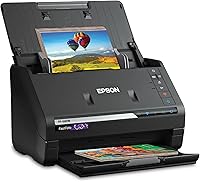
The Epson FastFoto FF-680W handles photos and documents up to 8 x 10 in, with duplex capture and OCR. It suits loose pages, not bound books.
The Epson WorkForce ES-50 is a 9.44 oz mobile scanner for single sheets up to 8.5 x 72 in. It suits on-the-go documents, receipts and ID cards.
The Canon CanoScan LiDE 400 is a slim flatbed for documents and photos. Its 4,800 x 4,800 dpi resolution suits detailed single pages, including book pages placed by hand.
Our best document scanner with automatic feeder guide compares feeder models for loose-page work.
The desktop feeder weighs 8.2 pounds, measures 11.7 x 11.7 x 6.9 in, holds 10 sheets, and has Wi-Fi, USB and a 1-year limited warranty in the U.S. and Canada. The mobile model weighs 9.44 ounces, measures 10.7 x 10.7 x 1.3 in, holds 1 sheet, uses USB 2.0, and has Nuance OCR for searchable PDFs and editable Word and Excel files.
The slim flatbed measures 7.7 x 0.4 x 14.5 in, weighs 3.6 pounds, and has LED light, CIS sensor, 48-bit color depth, 16-bit greyscale depth, a 1-year limited warranty and InstantExchange program.
Rule: buy the scanner shape that matches your pages, then compare speed and software.
How should you choose an automatic book scanner today?
Choose an automatic book scanner by page fit, capture type, file quality, OCR need and handling care. Automatic capture can reduce button presses, but it does not replace page turning.
Pick a cradle model for thick books, a flatbed for fragile or small books, and a feeder for loose pages. Test resolution, OCR and file format with one spread from your own book before a long scan.
For your next step, compare a book scanner with cradle for thick books, a best book scanner flatbed for fragile pages, and a best book scanner with ocr for searchable text.
Frequently asked questions
What does automatic mean on a book scanner?
Automatic usually means the scanner feeds a loose sheet, captures pages without a button press, or starts a scan when a page is detected. It rarely means the machine turns bound pages by itself.
Check whether paper feeds, pages turn, or capture starts on its own.
Can a flatbed scanner digitize a whole book?
A flatbed can digitize a whole book, but you place and turn each page by hand. It works well for fragile or valuable books where you want a flat, high-resolution image of each spread.
A cradle scanner reduces bending, but it still needs hand turning.
What resolution do I need for a book scanner?
Use 300 dpi for normal reading and sharing, and 600 dpi for archiving or enlargement. Higher settings create larger files and longer scans without adding detail beyond the source.
Match the resolution to how you will read, print or preserve the pages.
Do I need OCR on a book scanner?
Choose OCR if you want searchable text, copying, quoting or editing from scanned pages. OCR turns page images into readable text, but old type, handwriting and two-column layouts can need correction.
Test one dense page if accuracy matters more than speed.
What is the difference between automatic capture and automatic page turning?
Automatic capture starts or saves an image when you move a page or press a sensor. Automatic page turning would move pages with no hand contact, which is rare for bound books.
Most book scanners still need you to turn each page.