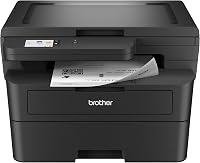
9 Best Brother All-in-One Laser Printers (November 2026)
The best Brother all-in-one laser printers include the Brother MFC-L2820DW Wireless Compact Monochrome All-in-One Laser for most small offices, the Canon Color imageCLASS MF753Cdw II for color laser documents, and the HP LaserJet Pro 3101fdw for small teams.
On this page (13 sections)
- Which Brother all-in-one laser printer is best for your workload?
- 1. Brother MFC-L2820DW: Best for most small offices
- 2. Canon MF753Cdw II: Best for color laser documents
- 3. HP LaserJet Pro 3101fdw: Best for small teams
- 4. Brother MFC-L5915DW: Best for high-volume scanning
- 5. Brother MFC-L2900DW: Best for flexible document workflows
- 6. Brother MFC-L2820DW XL: Best for extra in-box toner
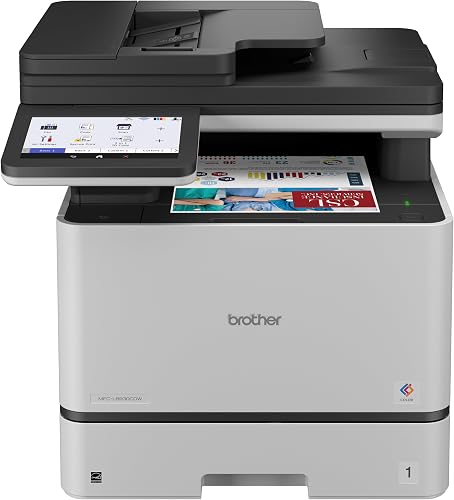
- 7. Brother MFC-L8930CDW: Best for business color workloads
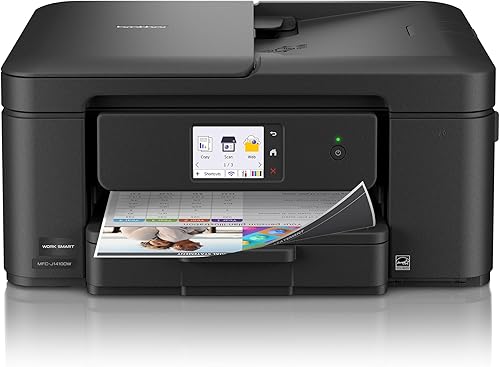
- 8. Brother Work Smart 1410: Best for compact color printing
- 9. Brother MFC-L5710DW: Best for expanding office capacity
- How do you choose a Brother laser printer all in one?
- More guides on this topic
- Which Brother multifunction model should you pick?
The best Brother laser printer all in one for most small offices is the Brother MFC-L2820DW, because it combines black-and-white printing, copying, scanning and faxing in a compact body.
That mix suits offices where most pages are text, forms and routine reports rather than color work. Choose the Canon for color laser work, the MFC-L5915DW for high-volume scanning, or the MFC-L5710DW if you may expand paper capacity.
This roundup compares Brother multifunction models across monochrome laser, color laser and compact color inkjet categories. We looked at print speed, document handling, connections, paper capacity and the work each model supports.
Print speed helps when a queue builds, but feeder capacity and duplex handling shape how much manual attention a job needs. Wireless suits mixed laptop and phone use, while Ethernet suits a shared network.
Paper capacity affects interruptions rather than headline speed. A larger tray means fewer refills, and size matters because a compact printer can share a desk while a larger business model often needs its own stand.
For a wider explanation of why laser models suit text-heavy offices, see the advantages of a laser printer. If color output is essential, our guide to whether all laser printers print in color explains the difference between monochrome and color laser printers.
Our picks at a glance
-
1
 Best for most small offices
Brother MFC-L2820DW Wireless Compact Monochrome All-in-One Laser
9.6/10 our score
See it on Amazon -
2

-
3

- 4
 Check it
Brother Professional Laser Printer All-in-One with Scanner
Best for high-volume scanning - 5
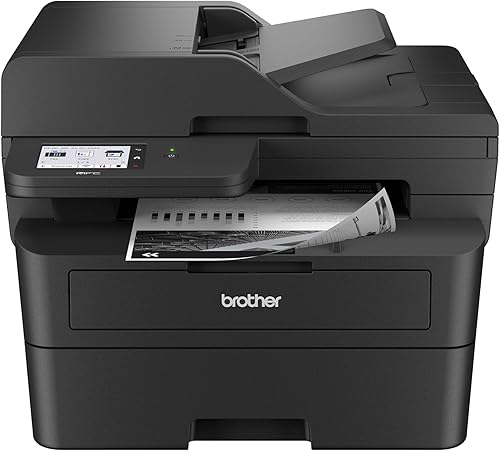 Check it
Brother Professional Laser Printer with Scanner
Best for flexible small-business workflows - 6
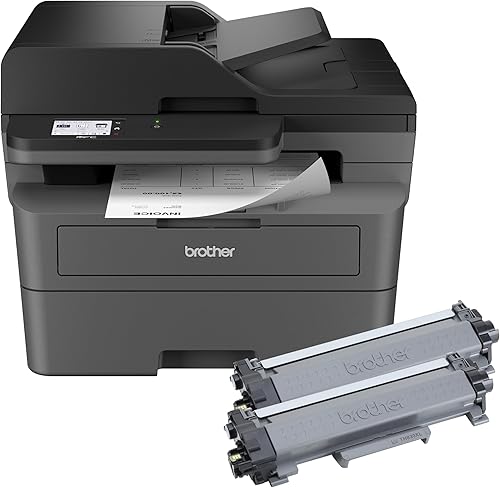 Check it
Brother MFC-L2820DW XL Wireless Compact Monochrome All-in-One
Best for extra in-box toner - 7
 Check it
Brother MFC-L8930CDW Business Color Laser All-in-One Printer
Best for business color workloads - 8
 Check it
Brother Work Smart 1410 Wireless Color Inkjet
Best for compact color printing - 9
 Check it
Brother MFC-L5710DW Business Monochrome Laser All-in-One Printer
Best for expanding office capacity
Which Brother all-in-one laser printer is best for your workload?
The best choice depends on whether you need monochrome speed, color output, compact size or high-volume document handling. The MFC-L2820DW is the balanced pick, while larger business models suit shared office workloads.
Start with the pages you produce most often. Text-heavy work usually fits a monochrome laser, while charts, covers and client facing pages usually need color.
Next, think about scanning. A small feeder works for a few pages, while a larger feeder and two-sided scanning help when stacks are routine.
Then check paper handling and connections. A tray that holds more sheets reduces the chance of running empty, wireless helps when devices move, and Ethernet helps when a stable shared connection matters.
Our score weighs specs, features and buyer feedback against what you are shopping for. Scores are not a promise of print results, and actual output can vary with settings, paper and documents.
Use the score as a starting point rather than a final verdict. Your desk space, network setup and daily page volume should guide the last step.
Care is simple when the workflow is clear. Use the right paper for the tray, keep feeder guides set to the page size and replace toner with the cartridge type listed for the model.
| Product | Best for | Print type | Connections | Maximum media size | Our score |
|---|---|---|---|---|---|
| Brother MFC-L2820DW Wireless Compact Monochrome All-in-One Laser | most small offices | Monochrome laser | Dual-band wireless, Ethernet and USB | 8.5 x 14 in | 9.6 |
| Canon Color imageCLASS MF753Cdw II | color laser documents | Color laser | 9.4 | ||
| HP LaserJet Pro 3101fdw | small teams | Monochrome laser | Letter | 9.4 | |
| Brother Professional Laser Printer All-in-One with Scanner | high-volume scanning | Monochrome laser | 8.5 x 14 in | 9.3 | |
| Brother Professional Laser Printer with Scanner | flexible small-business workflows | Monochrome laser | Dual-band wireless, Ethernet and USB 2.0 | 8.5 x 14 in | 9.3 |
| Brother MFC-L2820DW XL Wireless Compact Monochrome All-in-One | extra in-box toner | Monochrome laser | Dual-band wireless, Ethernet and USB | 8.9 | |
| Brother MFC-L8930CDW Business Color Laser All-in-One Printer | business color workloads | Color laser | Legal | 8.7 | |
| Brother Work Smart 1410 Wireless Color Inkjet | compact color printing | Wireless and USB | 8.5 x 14 in | 8.7 | |
| Brother MFC-L5710DW Business Monochrome Laser All-in-One Printer | expanding office capacity | Monochrome laser | 8.5 x 14 in | 8.4 |
1. Brother MFC-L2820DW: Best for most small offices
The Brother MFC-L2820DW is the best all-around choice for a small office that mainly prints black-and-white documents. It prints at up to 34 pages per minute and combines copy, scan and fax functions in one compact multifunction printer.
Automatic duplex printing reduces manual page turning for two-sided documents. The 50-page automatic document feeder also helps with multi-page copy, scan and fax jobs, while the 250-sheet tray reduces how often you refill paper.
Dual-band wireless, Ethernet and USB connections give you several ways to connect laptops, PCs, smartphones and tablets. The 2.7 in touchscreen can also access cloud apps such as Google Drive, Dropbox, Evernote and OneNote.
The main trade-off is color. This is a black-and-white printer, so choose a color model if your work includes color charts, presentations or marketing pages.
For a closer look at this model, read our Brother HL-L2480DW review as a related compact Brother laser comparison.
2. Canon MF753Cdw II: Best for color laser documents
Canon Color imageCLASS MF753Cdw II: Best for color laser documents
- Color, wireless and duplex printing
- Print, scan, copy and fax
- Up to 35 pages per minute
- 5 in color touchscreen
The Canon MF753Cdw II is the strongest color laser choice in this group. Its 4-in-1 design and 35-page-per-minute speed fit home offices and small teams that need color output.
Pros
- Color laser printing
- Automatic duplexing
- 50-sheet duplex automatic document feeder
Cons
- Heavier than the compact monochrome models
- Uses separate cyan, magenta, yellow and black toner
The Canon Color imageCLASS MF753Cdw II is the best fit when color printing is a firm requirement. It is a color, wireless and duplex 4-in-1 printer with print, scan, copy and fax functions.
Its print speed reaches 35 pages per minute, and the standard paper setup includes a 250-sheet cassette plus a 50-sheet multipurpose tray. Optional expansion can bring total paper capacity to 850 sheets with the specified cassette.
A 5 in color touchscreen provides the main control surface. The 50-sheet duplex automatic document feeder helps process two-sided documents without turning each page by hand.
That feeder matters for routine office stacks. It lets a multi-page original move through in order, which can save time when copying or scanning invoices, forms and reports.
The multipurpose tray adds flexibility for media that does not sit well in the main cassette. Envelopes and custom sheets may need that path, so check the size guide before a large job.
This model is larger and heavier than the compact monochrome choices. It also uses cyan, magenta, yellow and black toner, so it is best for an office that will use color often enough to justify a four-color laser setup.
Setup should account for space and airflow. Leave room to open trays and access toner, and keep the touchscreen within easy reach for daily scan destinations.
3. HP LaserJet Pro 3101fdw: Best for small teams
HP LaserJet Pro 3101fdw: Best for small teams
- Print, scan, copy and fax
- Up to 35 black-and-white pages per minute
- Automatic two-sided printing
- Wi-Fi, Ethernet and Bluetooth
The HP LaserJet Pro 3101fdw is built around small-team workflows. It combines 35-page-per-minute black-and-white printing with automatic two-sided printing, wireless connectivity and HP Wolf Pro Security.
Pros
- Automatic document feeder
- Wireless printing from mobile devices
- Customizable security settings
Cons
- Black-and-white output
- Cartridges require original HP chips or circuitry
The HP LaserJet Pro 3101fdw suits teams of up to 7 users that need fast black-and-white office printing. It reaches up to 35 pages per minute and includes printing, scanning, copying and faxing.
Automatic two-sided printing and an automatic document feeder support routine reports and multi-page jobs. Intelligent Wi-Fi looks for the best connection, while Ethernet and Bluetooth provide other connection choices.
HP includes Wolf Pro Security with customizable settings. The printer also supports wireless printing from mobile devices, PCs and tablets, with compatibility that includes Microsoft, Mac, AirPrint, Android and Chromebook environments.
That range of compatibility helps in a mixed device office. A newer laptop, an older desktop and a phone can share the same printer without forcing everyone onto one cable.
The trade-off is clear on output type. This is black-and-white printing, so color charts or photos will need a color model instead.
The key supply consideration is that cartridges need original HP chips or circuitry. That makes cartridge selection part of the ownership decision, especially for a small team that prints regularly.
For daily care, keep the paper tray loaded for the main page size used in the office. Check toner levels before a large report run rather than during it.
Setup is easier when the network choice is made first. Choose Wi-Fi for flexibility or Ethernet for a fixed team location, then confirm mobile printing from the devices that will use it most.
4. Brother MFC-L5915DW: Best for high-volume scanning
Brother Professional Laser Printer All-in-One with Scanner: Best for high-volume scanning
- Up to 50 pages per minute
- 70-page automatic document feeder
- Single-pass two-sided scanning
- Gigabit Ethernet and dual-band wireless
The Brother MFC-L5915DW is designed for busy offices that need fast printing, copying and scanning. Its 70-page feeder and single-pass two-sided scanning reduce manual handling for large document jobs.
Pros
- Fastest print speed in this roundup
- Large automatic document feeder
- 5 in touchscreen
Cons
- Larger footprint than compact models
- Monochrome only
The Brother MFC-L5915DW is the strongest pick for a busy office that processes many pages at once. Its print and copy speed reaches 50 pages per minute, the fastest stated speed in this roundup.
A 70-page automatic document feeder supports larger scan, copy and fax jobs. Single-pass two-sided scanning can process both sides of a document during one pass, which reduces the handling needed for double-sided paperwork.
The printer supports dual-band wireless and Gigabit Ethernet for shared wired or wireless use. Its 5 in touchscreen gives you a larger control area than the compact MFC-L2820DW.
That larger screen helps with repeated workflows. Custom shortcuts can make common scan destinations easier to reach, which matters when several people use the same machine.
The TN920UXXL toner option points to high-volume planning. A higher yield cartridge can reduce how often a busy office changes toner, but the machine still needs space for supplies and paper.
The trade-off is size. At 18.6 in deep, 19.5 in wide and 19.1 in high, it needs more desk or stand space than the compact models.
It is a better fit for a shared work area than a tight home-office corner. Plan the landing spot early, including room to lift the lid and load the feeder.
For care, use the feeder for multi-page originals and the glass for fragile or uneven items. That simple habit protects both document quality and the scanning path.
5. Brother MFC-L2900DW: Best for flexible document workflows
Brother Professional Laser Printer with Scanner: Best for flexible small-business workflows
- Up to 36 pages per minute
- 50-page automatic document feeder
- Single-pass two-sided scanning
- 3.5 in touchscreen
The Brother MFC-L2900DW adds single-pass two-sided scanning and a 3.5 in touchscreen to a compact monochrome office printer. It fits buyers who need more document workflow control than a basic home model.
Pros
- Automatic duplex printing and scanning
- Cloud app access from the touchscreen
- 250-sheet paper tray
Cons
- Monochrome output
- Larger and heavier than the MFC-L2820DW
The Brother MFC-L2900DW balances compact design with more advanced document handling. It prints at up to 36 pages per minute and includes automatic duplex printing, single-pass two-sided scanning and a 50-page automatic document feeder.
Its 3.5 in touchscreen gives more room for controls and cloud functions than the smaller 2.7 in display on the MFC-L2820DW. You can connect through dual-band wireless, Ethernet or USB 2.0.
The printer uses Brother TN830, TN830XL or TN830V toner. Its 250-sheet tray helps reduce refill frequency, while the maximum media size reaches 8.5 x 14 in.
That media size helps with legal documents and longer forms. Mixed paper jobs need the tray guides set carefully before printing.
This model suits buyers when scanning workflow matters as much as printing. Single-pass duplex scanning keeps double-sided originals in order without a second pass by hand.
The 50-page feeder suits steady multi-page work, while very large batches may still need splitting into smaller loads.
Setup should include cloud accounts before the first scan. Connect the services you use, then test one scan to confirm the destination and file format.
For care, match replacement toner to the TN830 family listed for this printer. Keeping the touchscreen clean also makes daily menu use faster.
Compare it with our Brother MFC-L2900DW review and our guide to setting up a Brother HL-L2480DW printer for related setup planning.
6. Brother MFC-L2820DW XL: Best for extra in-box toner
Brother MFC-L2820DW XL Wireless Compact Monochrome All-in-One: Best for extra in-box toner
- Copy, scan and fax
- Up to 34 black-and-white pages per minute
- Up to 4,200 pages of included toner
- 50-page automatic document feeder
The MFC-L2820DW XL has the same compact 4-in-1 focus as the standard model but includes up to 4,200 pages of toner. It suits buyers who expect regular black-and-white printing.
Pros
- More toner included than the standard version
- Automatic duplex printing
- Compact footprint
Cons
- Black-and-white only
- Print speed is lower than the business models
The Brother MFC-L2820DW XL is a compact monochrome all-in-one with up to 4,200 pages of toner included. It prints, copies, scans and faxes at up to 34 pages per minute, matching the standard MFC-L2820DW.
A 50-page automatic document feeder supports multi-page tasks, and automatic duplex printing helps with two-sided documents. Dual-band wireless, Ethernet and USB provide flexible connection options.
The XL version makes more sense when you expect steady black-and-white printing and want more toner included from the start. Its compact dimensions are 15.7 in deep, 16.1 in wide and 12.5 in high.
More included toner can mean a much longer wait before buying a replacement cartridge. The speed is the same as the standard version, so the choice comes down to toner and timing.
It remains monochrome, so color pages will still need a separate color printer or an outside print service. For setup, test copy and scan functions early so the feeder path is confirmed before busy work arrives.
Care is mostly about using Brother Genuine TN830 or TN830XL toner. Compare the two sizes with our guide to the Brother MFC-L2820DW versus MFC-L2820DW XL.
7. Brother MFC-L8930CDW: Best for business color workloads
Brother MFC-L8930CDW Business Color Laser All-in-One Printer: Best for business color workloads
- Color and black printing
- Up to 33 pages per minute
- 80-page automatic document feeder
- 7 in color touchscreen
The MFC-L8930CDW is the business color option for teams that need color documents and heavier scanning. Its 80-page feeder, legal-size glass and 7 in touchscreen support larger workflows.
Pros
- Color laser output
- High-capacity automatic document feeder
- Advanced security features
Cons
- Largest and heaviest printer here
- Higher toner complexity than monochrome models
The Brother MFC-L8930CDW is the better Brother choice for teams that need color laser printing and heavier scanning. It prints color and black documents at up to 33 pages per minute and supports print, scan and copy functions.
Its 80-page automatic document feeder is the largest in this roundup. The printer also has a legal-size glass, a 7 in color touchscreen and scanning destinations that include cloud services, email and SharePoint.
Dual-band wireless and Gigabit Ethernet support shared office use. Brother lists TN635, TN635XL and TN635XXL toner options, including higher-yield choices for color and black output.
Those toner choices help a team plan around color use. A team that prints color daily may favor a higher yield option, while light color use may suit a standard option.
This is a large business printer at 20.7 in deep, 16.1 in wide and 21.6 in high, with a listed weight of 71.2 lb. Measure the space and route to the installation area before choosing it.
That weight affects placement as much as size. A stable stand with room to open every tray is safer than a crowded desk corner.
Setup should include scan destinations and user access rules. A shared business printer works best when each person knows where scans should go.
8. Brother Work Smart 1410: Best for compact color printing
Brother Work Smart 1410 Wireless Color Inkjet: Best for compact color printing
- Color inkjet printing
- Automatic duplex printing
- 20-sheet automatic document feeder
- 150-sheet paper tray
The Brother Work Smart 1410 is an inkjet rather than a laser printer, but it belongs in this comparison for buyers who want a compact Brother color all-in-one. It prints, copies and scans with a 2.7 in touchscreen.
Pros
- Smallest stated dimensions in this group
- Color printing
- Automatic duplex printing
Cons
- Slower than the laser models
- Uses ink rather than toner
The Brother Work Smart 1410 is included as a compact Brother color all-in-one, though it uses inkjet printing rather than laser printing. It prints, copies and scans, with automatic duplex printing and a 20-sheet single-sided automatic document feeder.
Black-and-white speed reaches up to 16 pages per minute, while color speed reaches up to 9 pages per minute. Its 150-sheet paper tray is smaller than the trays on the business laser models, but the printer's stated dimensions are only 13.5 in deep, 15.4 in wide and 7.2 in high.
A 2.7 in color touchscreen connects to cloud apps, and wireless plus USB connections support laptops, PCs, smartphones and tablets. The Brother Mobile Connect app can help with printing, copying, scanning and device management.
Choose this model when compact color output matters more than laser speed. For black-and-white work, a monochrome laser model will be the better match.
9. Brother MFC-L5710DW: Best for expanding office capacity
Brother MFC-L5710DW Business Monochrome Laser All-in-One Printer: Best for expanding office capacity
- Up to 48 pages per minute
- 50-page automatic document feeder
- Single-pass two-sided scanning
- Expandable capacity up to 1,390 sheets
The MFC-L5710DW suits growing workgroups that need fast monochrome output and expandable paper handling. It includes a 250-sheet tray and 100-sheet multipurpose tray before optional expansion.
Pros
- Fast 48-page-per-minute output
- Expandable paper capacity
- Gigabit Ethernet and dual-band wireless
Cons
- Monochrome only
- Bigger than compact home-office models
The Brother MFC-L5710DW is a fast monochrome all-in-one for workgroups that may need more paper capacity over time. It prints and copies at up to 48 pages per minute and scans two-sided documents through a 50-page automatic document feeder.
Its standard paper setup includes a 250-sheet tray and a 100-sheet multipurpose tray. Optional trays can expand total capacity up to 1,390 sheets, giving this model more room to grow than the compact picks.
The printer supports dual-band wireless and Gigabit Ethernet. Its touchscreen can send scans to cloud services, email, SharePoint and SSH Server, and it can create searchable and editable Microsoft Office documents.
That scanning set suits offices that file digital copies. Searchable documents can save time later when someone needs to find a clause, total or signature.
This model is best when speed and expandable paper handling outweigh a small footprint. The TN920XXL toner option supports that growth plan with higher yield output.
For setup, Gigabit Ethernet suits a fixed office location, while dual-band wireless helps when the printer may move. Keep trays labeled by paper type to reduce wrong-tray jobs.
For maintenance basics on a related Brother model, see how to maintain the Brother HL-L2380DW.
How do you choose a Brother laser printer all in one?
Choose a monochrome Brother all-in-one laser printer for text-heavy work, a color laser for color documents, and a business model when several people share scanning and printing. Print speed alone should not decide the purchase.
Should you choose monochrome or color?
Monochrome models use black toner for black-and-white documents. The MFC-L2820DW, MFC-L2900DW, MFC-L2820DW XL, MFC-L5915DW and MFC-L5710DW fit reports, forms and text-heavy office work.
Color models add cyan, magenta and yellow supplies. The Brother MFC-L8930CDW and Canon MF753Cdw II fit presentations, signs and documents where color is part of the message.
How much document handling do you need?
A 50-page automatic document feeder is enough for routine multi-page jobs. Choose the 70-page Brother MFC-L5915DW or 80-page MFC-L8930CDW when you regularly process larger stacks.
Single-pass two-sided scanning also matters. It can reduce manual page turning for double-sided originals, which makes the MFC-L2900DW, MFC-L5915DW and MFC-L5710DW better suited to document-heavy workflows.
If scanning is your main concern, read how to scan with the Brother HL-L2480DW for a related workflow guide.
Does paper capacity affect the choice?
Yes. A 250-sheet tray reduces refill frequency for a small office, while a multipurpose tray helps with envelopes or other custom media.
The MFC-L5710DW stands out when optional trays may eventually raise total capacity to 1,390 sheets.
Before buying, measure the printer's depth, width and height. The larger business models need more room, and the MFC-L8930CDW is much heavier than the compact choices.
Which connections should you look for?
Wireless is useful when several devices need access without a direct cable. Ethernet is useful for a shared office network, while USB provides a direct connection to one computer.
The Brother MFC-L2820DW, MFC-L2900DW and MFC-L2820DW XL support dual-band wireless, Ethernet and USB. For another compact comparison, see how to add a Brother HL-L2380DW printer.
More guides on this topic
Use these guides to narrow the choice before you buy. Each one focuses on a specific model or a close comparison, so you can check details that matter for your daily workflow.
- Brother MFC-L2820DW Review This review is useful if the compact MFC-L2820DW is your leading choice.
- Is the Brother MFC-L2820DW a Color Printer? Read this if color output is unclear.
- Brother MFC-L2807DW vs MFC-L2820DW: Which Should You Choose? This comparison helps when two compact Brother models look similar.
- Brother MFC-L2820DW vs MFC-L2900DW: Which Should You Choose? This guide suits buyers weighing basic compact printing against stronger scanning.
- Can the Brother DCP-L2640DW Print in Color? This answer keeps color expectations clear before you shop for toner or ink.
- Brother DCP-L2640DW vs HL-L2480DW: Which Should You Choose? This comparison is useful for buyers split between an all-in-one and a simpler printer.
- Brother DCP-L2640DW vs MFC-L2820DW: Which Should You Choose? Read this when fax, feeder capacity and touchscreen controls matter.
- Brother DCP-L2640DW vs HL-L2465DW: Which Should You Choose? Compare daily workflow first, then check speed and connections.
After reading, choose the printer whose print type, feeder, paper capacity and connections match the work you do most often.
Which Brother multifunction model should you pick?
Pick the Brother MFC-L2820DW for the best balance of compact size and everyday monochrome functions. It is the safest starting point for a small office that prints mostly black and white pages.
Pick the MFC-L2820DW XL if extra included toner matters, the MFC-L5915DW for high-volume scanning, or the MFC-L5710DW for fast output with expandable paper capacity. Each one solves a different problem rather than offering the same result.
For color laser documents, choose the Canon MF753Cdw II or Brother MFC-L8930CDW. The Canon fits a smaller color laser setup, while the Brother model suits a larger business workload with heavier scanning.
If your main goal is a compact Brother color all-in-one and slower inkjet speed is acceptable, consider the Work Smart 1410. It trades laser speed for a smaller body and color output in a tight space.
Before ordering, compare the model's print type, feeder capacity, connection needs and physical dimensions with your daily workflow. Check whether paper trays can expand, whether scanning is one-sided or two-sided and whether the touchscreen suits your routine tasks.
Also plan supplies before the printer arrives. Confirm the correct toner or ink type, keep the paper size set for your main tray and test one print, copy and scan job on day one.
The right Brother printer all-in-one is the one whose document handling matches the work you actually do. A thoughtful match saves time, reduces refill stress and keeps shared office printing smooth.
Our top 3 picks at a glance
-
1
Best for most small offices
Brother MFC-L2820DW Wireless Compact Monochrome All-in-One Laser
9.6/10 our score
See it on Amazon -
2
-
3
Frequently asked questions
What is the best Brother laser printer all in one?
The Brother MFC-L2820DW is the best Brother laser printer all in one for most small offices because it combines printing, copying, scanning and faxing with automatic duplex printing, wireless connectivity and a 50-page automatic document feeder. Choose a business model if your workload needs faster output.
Which Brother all-in-one laser printer prints in color?
The Brother MFC-L8930CDW is the color Brother all-in-one laser printer in this roundup. It prints color and black documents at up to 33 pages per minute and includes an 80-page automatic document feeder.
The Canon MF753Cdw II is another color laser option.
Is the Brother MFC-L2820DW a color printer?
No. The Brother MFC-L2820DW is a monochrome laser printer, so it prints in black and white.
It can copy and scan documents, but those functions do not change its print type.
See our guide to whether the Brother MFC-L2820DW is a color printer for a closer explanation.
What should you compare in a Brother printer all-in-one laser?
Compare print type, pages per minute, automatic document feeder capacity, duplex scanning, paper capacity and connections. Monochrome models suit text-heavy work, while color laser models add color output.
A larger feeder and faster speed matter more when several people process multi-page documents.