Do All Laser Printers Print in Color? What to Know
On this page (6 sections)
No, not all laser printers print in color. Our guide to laser color printing explains this topic in more detail. Most laser printers are monochrome, meaning they only print in black and white. Color laser printers are a separate category, often costing more and using four toner cartridges instead of just one. So, if you need color, you must look for a printer specifically labeled as a color laser printer.
It’s easy to get confused when shopping for a new printer. You might think “laser printer” implies speed and quality, which is true, but color capability isn’t a standard feature. Understanding the difference between monochrome and color models can save you from buying the wrong device and ensure your printing needs are met without any surprises. This is especially important if your work or home use requires vibrant documents or photos.
- Not all laser printers print in color; many are black and white only.
- Printers that print in color are specifically called color laser printers.
- Color laser printers typically use four toner cartridges (black, cyan, magenta, yellow).
- Monochrome laser printers use only one black toner cartridge.
- Check the printer’s specifications carefully before purchasing if you need color.
Let’s walk through exactly what you need to know to make sure you pick the right laser printer for your printing needs.
You’re looking for a laser printer, and that’s a smart choice for speed and crisp text. But then you see “color laser printer” and “monochrome laser printer,” and you start to wonder: do all laser printers come in color?
Understanding Laser Printer Color Capabilities
No, not all laser printers print in color. The vast majority of laser printers you’ll encounter are designed to print only in black and white. These are known as monochrome laser printers. If you need to print in color, you must specifically search for and purchase a device labeled as a color laser printer.
Think of it like this: a standard car gets you from point A to point B. A sports car can also do that, but with added speed and flair. Monochrome laser printers are the workhorses for everyday documents. Color laser printers add that extra capability for graphics, photos, and vibrant presentations.
Monochrome vs. Color Laser Printers: The Core Difference
The fundamental distinction lies in their internal mechanisms and, most importantly, their toner cartridges. This difference dictates whether you’ll see just black ink or a full spectrum of colors on your paper.
How Monochrome Laser Printers Work
Monochrome laser printers are built for simplicity and efficiency in printing black and white. They use a single toner cartridge, which contains black powdered ink. The printer uses a laser to create an image on a drum, which then picks up the toner. This toner is transferred to your paper and fused by heat. It’s a straightforward process designed for speed and sharp text output. The print engine is the core mechanical assembly inside a laser printer that actually creates the image on paper.
- Single Toner Cartridge: Always just black.
- Efficient for Text: Ideal for documents, reports, and invoices.
- Lower Cost: Generally less expensive to buy and maintain.
How Color Laser Printers Work
Color laser printers are more complex. They typically use four separate toner cartridges: one for black, one for cyan (blue-green), one for magenta (reddish-purple), and one for yellow. By mixing these primary colors in varying amounts, the printer can create a wide range of colors on the page. This process is similar to monochrome, but it happens multiple times in succession for each color layer, resulting in a full-color image.
- Four Toner Cartridges: Black, Cyan, Magenta, Yellow.
- Versatile Printing: Capable of printing documents, graphics, and photos.
- Higher Cost: Typically more expensive to purchase and replace toner.
You might also find some color laser printers that use a single, multi-color cartridge. However, these are far less common and often don’t offer the same print quality or longevity as models with separate cartridges. We found that most manufacturers stick to the four-cartridge system for better color mixing and replacement flexibility.
Key Factors to Consider for Your Needs
Choosing between a monochrome and a color laser printer depends entirely on what you plan to print. Our guide to color laser printers explains this topic in more detail. Think about your daily tasks and what kind of output you expect from your printer.
What Will You Be Printing Most Often?
This is the most important question you can ask yourself. If your printing primarily consists of text-based documents like emails, reports, letters, or invoices, a monochrome laser printer will serve you perfectly. These devices excel at producing sharp, clear text quickly and cost-effectively.
However, if your work or hobbies involve printing presentations with charts and images, marketing materials, brochures, or even photos, then a color laser printer is essential. Our guide to laser print resolution explains this topic in more detail. Trying to print color graphics on a monochrome printer will result in grayscale images, which often lose the impact and clarity of the original design.
Cost of Ownership: Purchase Price and Toner
Color laser printers generally have a higher upfront purchase price than their monochrome counterparts. This is due to the more complex technology and the need for multiple toner cartridges.
The ongoing cost of toner is also a significant factor. For monochrome printers, you only need to worry about replacing one black toner cartridge. For color laser printers, you’ll need to replace all four, often much sooner than you might expect, especially if you print color documents frequently. We found that toner costs can add up quickly, so it’s wise to research the price and yield of replacement cartridges for any color model you consider.
A general guideline we found from industry reviews is that the cost-per-page for color laser printing is substantially higher than for monochrome. This is a key point to consider for budget-conscious shoppers.
Print Quality and Speed Expectations
Laser printers are renowned for their speed and crisp text output, and this applies to both monochrome and color models. However, when it comes to color accuracy and photo reproduction, inkjet printers often hold an advantage. Color laser printers are excellent for business graphics and text-heavy documents with color elements.
If your primary need is high-quality photo printing, you might want to consider a dedicated photo printer, which could be an inkjet. Color laser printers can produce acceptable photos, but they might not match the vibrancy and detail of specialized photo printers. Many experts suggest that for business graphics and sharp text in color, laser is superior. For photos, it’s a trade-off.
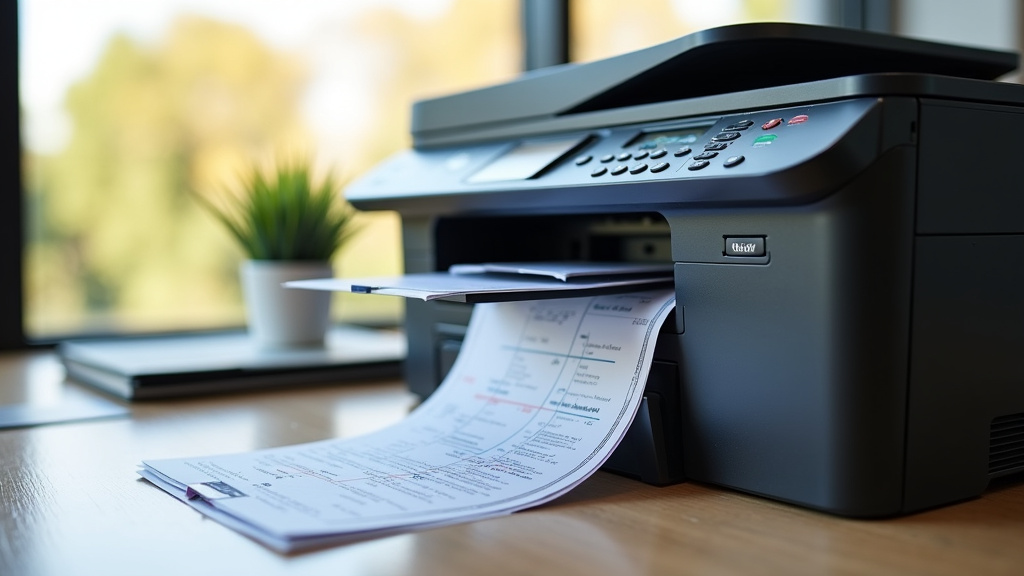
Identifying a Color Laser Printer When Shopping
Navigating the printer aisle can be overwhelming, but spotting a color laser printer is usually straightforward if you know what to look for. The product name and specifications are your best guides.
Look for the “Color” Designation
Manufacturers are usually quite clear about a printer’s capabilities. If a laser printer prints in color, it will almost always be advertised as a “Color Laser Printer” or something similar, like “Multi-Function Color Laser Printer.” If the word “color” is absent from the description, especially on a laser printer, assume it’s monochrome.
Check the Specifications Sheet
Every printer comes with a detailed specifications sheet, either online or on the packaging. This document is your ultimate reference. Look for sections detailing:
- Print Technology: Should state “Laser” or “Color Laser.”
- Print Speed: Often listed separately for black and color. A significant difference might indicate a color model, but usually, they’re similar if it’s a true color laser.
- Color Output: This should explicitly state “Color” or list the number of colors
Conclusion
So, to wrap things up: not all laser printers print in color. The decision between a monochrome and a color laser printer really comes down to your printing habits and budget. If you mainly print text documents, a black and white model is likely your best bet for speed and cost savings. But if you need vibrant graphics, presentations, or marketing materials, a dedicated color laser printer is what you’ll need. Always check the printer’s name and specifications to ensure you’re getting the color capability you expect before you buy.
Frequently Asked Questions
Will a black and white laser printer show color documents in grayscale?
Yes, a monochrome laser printer will print color documents in shades of gray. It cannot produce actual colors, so any colored elements in your file will appear as different tones of black and white. This is why you need a color laser printer for anything requiring actual color output.
Are color laser printers good for printing photos?
Color laser printers can print photos, but they might not offer the same vibrant detail and color accuracy as a dedicated photo printer, which is often an inkjet model. Laser printers are generally better suited for business graphics and documents with color elements rather than high-quality photo reproduction.
How do I know if a printer is color if it doesn’t explicitly say “color laser printer”?
If the product description doesn’t clearly state “color,” look at the specifications sheet. Check for details about the number of toner cartridges used. Color laser printers typically list four toner colors (black, cyan, magenta, yellow), while monochrome models will only mention a single black toner cartridge.
Is toner for color laser printers much more expensive than for black and white?
Yes, toner for color laser printers is generally more expensive than for monochrome models. You have to purchase four different toner cartridges instead of just one, and the cost of color toner itself can add up quickly. This makes the ongoing cost of ownership higher for color laser printers.
Can I add color printing capability to an existing monochrome laser printer?
No, you cannot add color printing capability to a monochrome laser printer. These printers are built with fundamentally different internal mechanisms and toner systems. If you need to print in color, you must purchase a printer that is designed as a color laser printer from the start.


