Can a Laser Printer Print in Color? A Simple Guide
On this page (5 sections)
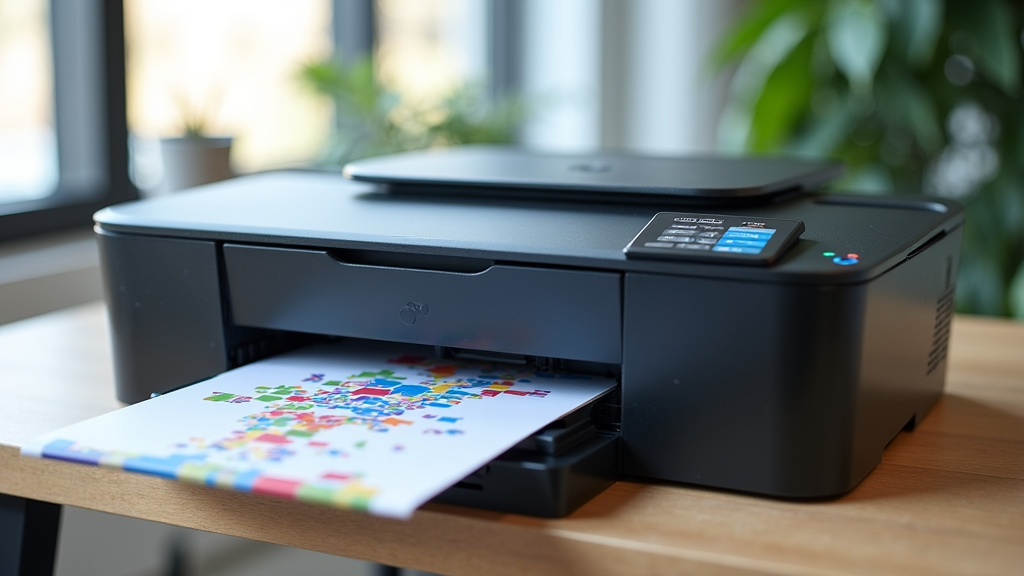
Yes, a laser printer can absolutely print in color. Many modern laser printers are designed to produce full-color documents. You just need to make sure you buy a color laser printer, not a monochrome one.
For years, laser printers were mostly known for sharp, black-and-white text. But technology has advanced, and now full-color laser printing is common. This means vibrant images and graphics are possible from your laser printer. We found that choosing the right type is key.
- Yes, laser printers can print in color.
- You need a dedicated color laser printer.
- Monochrome printers only print black and white.
- Color laser printers use four toner cartridges for full-color output.
Let’s walk through exactly how color laser printing works and what you should know before you buy one.
So, you’re wondering if your laser printer can handle a splash of color, right? It’s a common question because for a long time, laser printers were the kings of black and white. Think crisp text documents and sharp line art. But the world of printing has moved on! Today, many laser printers are fully equipped to print in vibrant color.
Understanding Color Laser Printing Technology
The simple answer is yes, a laser printer can print in color. Our guide to laser color printing explains this topic in more detail. But here’s the catch: you need to make sure you’re looking at a color laser printer. If you have a monochrome laser printer, it’s designed for black ink only. It’s like asking a black-and-white TV to show you the latest blockbuster in full HD color – it just doesn’t have the capability.
How Color Laser Printers Work: The Basics
A color laser printer uses a process similar to its black-and-white counterpart, but with a few key additions. Instead of just one black toner cartridge, a color laser printer typically uses four. These cartridges contain toner in the primary colors: cyan, magenta, yellow, and black (CMYK). Each color plays a vital role in creating the final image.
When you send a color document to print, the printer doesn’t just lay down one layer of ink. It uses a laser to “draw” an image of the first color (say, cyan) onto a drum. This drum then picks up cyan toner and transfers it to the paper. This process repeats for magenta, yellow, and black. The toner particles are then fused onto the paper using heat, creating your colorful print. When you send a color document to print, the printer doesn’t just lay down one layer of ink; the printer’s print engine handles the process.
The CMYK Color Model Explained
You’ll often hear about the CMYK color model when discussing color printing. This stands for Cyan, Magenta, Yellow, and Key (which is black). Think of these as the printer’s fundamental building blocks for color. By combining these four primary colors in different amounts, a color laser printer can create a vast spectrum of other colors.
For example, mixing yellow and magenta toner creates red. Cyan and yellow combine to make green. Magenta and cyan produce blue. Black toner is added for deeper shadows, richer blacks, and to make text stand out. This four-color system is what allows your laser printer to reproduce everything from photographs to colorful charts.
Monochrome vs. Color Laser Printers: What’s the Difference?
The main distinction, as we’ve touched on, is the ability to print in color. A monochrome laser printer is designed for speed and cost-efficiency when producing black-and-white documents. It has a single toner cartridge (black) and a simpler internal mechanism. These are often chosen for offices that primarily print text-heavy reports or invoices.
A color laser printer, on the other hand, is built for versatility. It can print in black and white just like a monochrome unit, but it also has the capability to produce full-color output. This means you can print marketing brochures, presentations with graphics, photos, and any other document where color is important for impact and clarity.
When to Choose a Color Laser Printer
If your daily printing needs include anything beyond basic text, a color laser printer is likely a better fit. Think about printing flyers for a local event, full-color reports for clients, or even just adding a bit of visual flair to your personal projects. Many home offices and small businesses find that the added capability of color printing significantly enhances their output.
We’ve found that for many users, the ability to print high-quality color documents in-house saves time and money compared to outsourcing color printing. It also offers more control over the final look of your printed materials. Plus, modern color laser printers are quite good at producing sharp text and graphics. Research and expert reviews often highlight their suitability for business documents.
Key Features to Consider in a Color Laser Printer
When you’re in the market for a color laser printer, several features can make a big difference in your experience. It’s not just about whether it can print color; it’s about how well it does it and what other functions it offers. You want a printer that fits your specific needs and budget.
Print Speed and Quality
Print speed is often measured in pages per minute (ppm). Our guide to laser printer print speed explains this topic in more detail. For color laser printers, the ppm for color printing is usually lower than for black and white. You’ll want to look at the specifications for both. We found that print speed can vary quite a bit between models, so consider how quickly you need documents printed.
Print quality is also paramount. Look for resolutions measured in dots per inch (dpi). Higher dpi generally means sharper text and more detailed images. Many color laser printers offer resolutions of 600 x 600 dpi or even higher, which is excellent for most business and home use. Many consumer guides suggest that resolutions of 1200 x 1200 dpi are ideal for professional-looking prints (PCMag).
Cost of Ownership: Toner and Maintenance
This is where many shoppers get surprised. While the initial price of a color laser printer might seem reasonable, the cost of toner cartridges can add up. Because you need four cartridges (CMYK), replacing them all can be an investment. Some printers come with starter cartridges that have less toner than standard ones.
We recommend looking at the yield of the toner cartridges, which is the number of pages they are rated to print. You can then calculate the cost per page. High-yield cartridges can often be more cost-effective in the long run. Also, consider if the printer requires a separate drum unit or other maintenance parts that have a limited lifespan. A printer’s monthly duty cycle can also help you judge whether it suits your regular workload. Researching the total cost of ownership before you buy is a smart move. Many consumer reports highlight this as a critical factor.
| Cartridge Type | Color | Typical Yield (Pages) | Cost Per Cartridge (Estimated) | Cost Per Page (Estimated) |
|---|---|---|---|---|
| Standard Yield | Black | 1,500 – 2,500 | $40 – $70 | $0.02 – $0.03 |
| Standard Yield | Color (CMY) | 1,000 – 2,000 | $50 – $80 each | $0.03 – $0.08 each |
| High Yield | Black | 3,000 – 6,000 | $60 – $100 | $0.01 – $0.02 |
| High Yield | Color (CMY) | 2,500 – 5,000 | $70 – $120 each | $0.02 – $0.05 each |
Note: These are estimated costs and can vary significantly based on brand, model, and retailer. Always check specific product details for accurate pricing.
Connectivity and Features
Think about how you’ll connect to the printer. Most modern color laser printers offer USB connectivity, but Wi-Fi is almost standard now. This allows you to print wirelessly from your computer, smartphone, or tablet. Some models also support Ethernet for network printing in an office environment.
Other features to consider include automatic duplexing (two-sided printing), an automatic document feeder (ADF) for scanning or copying multi-page documents, and whether it’s an all-in-one (multifunction) printer that can also scan and copy. We found that duplex printing is a real paper-saver, and an ADF is incredibly convenient for busy users.
Getting the Most Out of Your Color Laser Printer
Once you have your color laser printer, a few tips can help you maintain its performance and ensure you get the best results. It’s not just about hitting print; a little care goes a long way.
- Use the right paper: For vibrant color prints, especially photos or graphics, using paper specifically designed for color printing can make a big difference. Standard copier paper is fine for everyday documents.
- Manage your toner: Keep an eye on toner levels. Replacing cartridges before they are completely empty can sometimes prevent print quality issues. Many printers will warn you when toner is low.
- Clean regularly: Dust and debris can affect print quality. Refer to your printer’s manual for instructions on how to clean the paper path and rollers.
Tips for Color Printing Success
Don’t be afraid to experiment with your printer’s settings. You can often adjust color intensity, brightness, and contrast to achieve the look you want. For photographs, using your photo editing software before printing can also help you fine-tune the colors. Many experts suggest that calibrating your monitor can also lead to more accurate color reproduction on your prints (TechRadar).
Remember that what you see on your screen is not always exactly what you’ll get on paper. Different screens and different printers interpret colors slightly differently. This is normal. The goal is to get a print that is pleasing and effectively conveys your message or image.
When to Call in the Pros (or Consider a Different Printer)
If you’re consistently printing professional-quality photos or detailed graphics for commercial use, you might eventually outgrow a standard color laser printer. For those specialized needs, inkjet printers with pigment-based inks or even professional printing services might be a better fit. However, for general office use and vibrant documents, color laser printers are incredibly capable.
If you notice recurring issues like streaks, faded colors, or paper jams that you can’t resolve with basic cleaning, it might be time to consult your printer’s manual or contact the manufacturer’s support. Sometimes, a minor issue can be fixed easily, but other times, it might indicate a more serious hardware problem.
Here’s a quick checklist to help you decide if a color laser printer is right for you:
- Do you need to print in color regularly?
- Are you printing more than just basic text documents?
- Are you aware of the ongoing cost of toner cartridges?
- Do you need features like Wi-Fi or duplex printing?
- Is your budget sufficient for both the printer and its consumables?
- Are you looking for good quality color for presentations and reports?
Conclusion
So, can a laser printer print in color? Absolutely, but only if you choose a color laser printer. Remember, monochrome units stick to black and white. For vibrant documents, presentations, or marketing materials, a color laser is your go-to. While the initial purchase is important, always factor in the ongoing cost of toner. We’ve found that understanding the CMYK color model and checking toner yield will save you money. Your next step is to assess your specific printing needs and budget to select the perfect color laser printer for your home or office.
Frequently Asked Questions
Do color laser printers print black and white documents too?
Yes, they do. A color laser printer can print in black and white just as effectively as a monochrome laser printer. You don’t need to worry about switching modes; the printer will automatically use the black toner cartridge for black-and-white jobs.
How often do I need to replace toner cartridges in a color laser printer?
The frequency of toner replacement depends on your printing volume and the yield of the cartridges you use. Printers will typically warn you when toner is low, but high-yield cartridges last longer and can be more cost-effective for frequent printing.
Are color laser printers good for printing photos?
Color laser printers can produce good quality color prints for documents, charts, and graphics. For professional-quality photos, especially with a wide color gamut and fine detail, inkjet printers with photo-specific inks might offer superior results. However, for everyday photo printing, many color laser printers are perfectly adequate.
What does CMYK stand for in laser printing?
CMYK stands for Cyan, Magenta, Yellow, and Key (which is black). These are the four primary toner colors that a color laser printer uses. By combining these colors in various proportions, the printer can create a full spectrum of other colors.
Can I use regular paper for color laser printing?
Yes, you can use regular office or copier paper for most color laser printing. However, for the most vibrant and high-quality color prints, especially for graphics or marketing materials, using paper specifically designed for color printing or a heavier weight paper can produce better results.


