Brother MFC-L2820DW vs MFC-L2820DW XL: Which Is Better? (November 2026)
Choose the Brother MFC-L2820DW XL if you want more toner in the box; choose the MFC-L2820DW if you prefer the standard bundle. Both are monochrome all-in-one printers with copy, scan, fax, automatic duplex printing and wireless, Ethernet and USB connections.
On this page (6 sections)
Choose the Brother MFC-L2820DW XL if you want more toner included; choose the standard MFC-L2820DW if the XL bundle's higher yield doesn't match your needs. The Brother MFC-L2820DW vs MFC-L2820DW XL comparison is mainly about the toner in the box, since both are monochrome all-in-one printers with copy, scan and fax functions.
Both models offer automatic duplex printing, a 50-page auto document feeder, a 2.7 in touchscreen and wireless, Ethernet and USB connections. The XL includes toner for up to 4,200 pages, which Brother describes as six times more in-box toner than the standard model.
 Best for standard toner needs
Brother MFC-L2820DW Wireless Compact Monochrome All-in-One Laser
 Best for more in-box toner
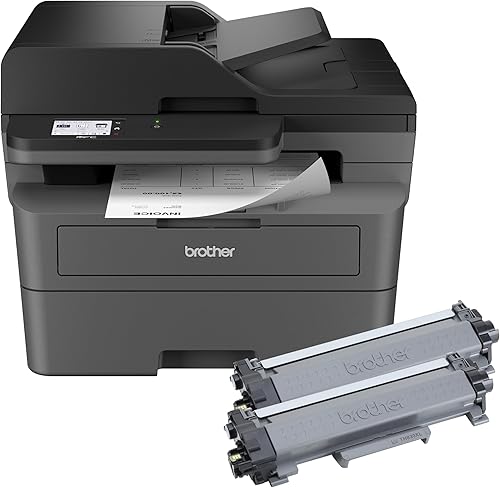
Brother MFC-L2820DW XL Wireless Compact Monochrome All-in-One
Brother MFC-L2820DW vs MFC-L2820DW XL: what changes?
The XL bundle adds more toner, while the core printer features are closely matched. Brother gives the XL up to 4,200 pages of in-box toner and describes that as six times the amount included with the MFC-L2820DW.
Both are black-and-white multifunction printers for printing, copying, scanning and faxing. For a color model comparison, see Brother HL-L3280CDW vs HL-L3220CDW.
Each has a 50-page auto document feeder for multi-page jobs, automatic duplex printing and wireless, Ethernet and USB connection options.
The XL does not add a stated print-speed advantage. The available specs give both models a speed of up to 34 pages per minute.
| Product | Best for | Functions | Included toner | Connections | Our score |
|---|---|---|---|---|---|
| Brother MFC-L2820DW Wireless Compact Monochrome All-in-One Laser | standard toner needs | Print, copy, scan and fax | Standard in-box toner | Wireless, Ethernet and USB | 9.6 |
| Brother MFC-L2820DW XL Wireless Compact Monochrome All-in-One | more in-box toner | Print, copy, scan and fax | Up to 4,200 pages | Wireless, Ethernet and USB | 8.9 |
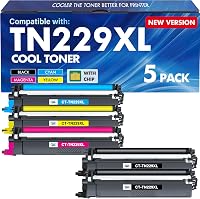
| TRUE IMAGE TN830XL TN830 Toner for Brother Printer | a compatible toner option | 9.4 |
Is the Brother MFC-L2820DW XL toner bundle worth it?
The XL is worth considering if you expect to use much of its included toner; the standard model suits buyers who don't need that larger starting supply. The page yield helps you estimate how long the included toner may last, but actual use depends on what and how much you print.
Brother describes the XL's included toner as yielding up to 4,200 pages. That is a useful comparison point for a small office that prints often, though it isn't a guarantee of the number of pages you'll get.
Think about your usual monthly volume and the types of documents you print. A steady flow of mostly text pages can make the XL bundle more useful than occasional printing, while infrequent use may leave its extra toner sitting unused.
The standard MFC-L2820DW takes TN830 or TN830XL replacement toner. If you want another compatible option, the TRUE IMAGE TN830XL toner pack includes two cartridges and gives a stated yield of up to 3,000 pages per cartridge.
Which model fits a small office better?
Either printer can handle common small-office tasks, so choose by toner needs and workflow. Both combine print, copy, scan and fax functions in a compact monochrome all-in-one.
For another Brother model matchup, compare Brother DCP-L2640DW vs HL-L2465DW.
A shared printer may serve people who print forms, invoices, shipping paperwork or work documents. Its auto document feeder can simplify multi-page copy, scan and fax jobs, while automatic duplex printing can reduce manual page turning.
The MFC-L2820DW also supports cloud app print and scan workflows through its touchscreen. Brother's Mobile Connect app can help you print, scan and manage the wireless printer from a mobile device.
If you need a color all-in-one instead, compare the Brother MFC-L3720CDW and MFC-L3780CDW to see how those color models differ. For a wider shortlist, our best Brother all-in-one laser printers guide covers other options.
Do the printers share the same connections and controls?
Yes, both offer wireless, Ethernet and USB connections, plus a 2.7 in touchscreen. Choose the connection that suits where the printer will sit and how people will send jobs to it.
Wireless is useful when devices are spread around an office. Ethernet can connect the printer to a wired network, while USB supports a local connection to one computer.
Both models also support printing from and scanning to popular cloud apps, including Google Drive, Dropbox, Evernote and OneNote. Brother Mobile Connect adds a way to manage the printer from a phone or tablet.
What else should you compare before choosing?
Check the feature you need most, then compare the bundles and toner you expect to buy. The toner difference matters most when the printer features themselves already fit your work.
For a color all-in-one upgrade, compare Brother MFC-L3770CDW vs MFC-L3780CDW.
If you only need printing and scanning, the Brother DCP-L2640DW vs MFC-L2820DW comparison can help you decide whether copy and fax functions matter. If you're comparing nearby Brother models, read the MFC-L2807DW vs MFC-L2820DW guide and the MFC-L2820DW vs MFC-L2900DW comparison.
For a simpler monochrome printer without the listed copy, scan and fax functions, see our Brother HL-L2405W review. If you want options outside the MFC-L3780CDW, explore printers comparable to the Brother MFC-L3780CDW.
A laser printer can suit a home office that produces many text documents. Our guide to why choose a laser printer for a home office explains the practical reasons to consider one.
Which Brother MFC-L2820DW should you choose?
Pick the MFC-L2820DW XL if its up to 4,200-page toner supply is useful for your printing volume; pick the standard MFC-L2820DW if you want the same core functions with a smaller toner bundle. For either model, compare the included toner against your expected use and replacement needs.
Frequently asked questions
What is the difference between the Brother MFC-L2820DW and XL?
The key difference is the toner included in the box. The MFC-L2820DW XL includes toner for up to 4,200 pages, which Brother describes as six times more in-box toner than the standard MFC-L2820DW; the core print, copy, scan and fax functions are shared.
Does the MFC-L2820DW XL print faster?
The available product details give both models a print speed of up to 34 pages per minute in the specs. The XL's defining difference is its included toner yield, not a stated speed advantage.
Can the MFC-L2820DW XL use TN830XL toner?
Yes. Brother identifies TN830 and TN830XL as replacement toner options for the printer, and the compatible TRUE IMAGE TN830XL pack names both the MFC-L2820DW and MFC-L2820DWXL as compatible models.
Check cartridge compatibility when you replace toner.
Is the Brother MFC-L2820DW XL worth choosing?
Choose it if the included toner for up to 4,200 pages suits your expected printing and its price compared with the standard bundle makes sense to you. If you print less or already plan to buy toner separately, compare the standard model and your preferred replacement cartridge.