8 Best Document Scanners with Automatic Feeders (November 2026)
The best document scanners with automatic feeders include the Epson Workforce ES-590W Wireless & USB High-Speed for high-volume desktop scanning, the Epson Workforce ES-50 Compact & Lightweight Mobile for compact mobile scanning, and the Brother DS-640 Compact Mobile Document Scanner for lightweight on-the-go scanning.
On this page (9 sections)
- How we compared these automatic feeder scanners
- The best document scanners with automatic feeders, ranked
- Document scanner with automatic feeder: which feeder size do you need?
- What is an ADF document scanner, and when is duplex worth it?
- How do feeder capacity, speed and size trade off?
- Which connection and software setup fits your workflow?
- What paper types should you check before you buy?
- How should you set up and care for an automatic feeder scanner?
- Verdict: which best document scanner with automatic feeder should you buy?
The best document scanner with automatic feeder for most offices is the Epson Workforce ES-590W, because its 100-sheet feeder and 45 ppm duplex speed clear large stacks in one load. If you scan a few pages a day, a smaller feeder or a portable model may fit better.
An automatic feeder changes the job completely. You load a stack, press scan, and the scanner pulls each page through.
That matters most for taxes, invoices, contracts and mail.
Capacity is the first filter. A 100-sheet feeder suits bulk archiving, a 20 to 35-sheet feeder suits daily office stacks, and a single-sheet feed suits travel.
Speed is the second filter, since ppm tells you how fast pages move through.
Our score weighs specs, features and buyer feedback against what you're shopping for. We compared feeder size, duplex speed, size, weight, connection options and software included with each model.
Our picks at a glance
-
1
 Best for high-volume desktop scanning
Epson Workforce ES-590W Wireless & USB High-Speed
9.7/10 our score
See it on Amazon -
2
 Best for compact mobile scanning
Epson Workforce ES-50 Compact & Lightweight Mobile
9.6/10 our score
See it on Amazon -
3
 Best for lightweight on-the-go scanning
Brother DS-640 Compact Mobile Document Scanner
9.5/10 our score
See it on Amazon
- 4
 Check it
ScanSnap iX2500 Wireless or USB High-Speed Document
Best for touchscreen profiles and cloud scanning - 5
 Best for portable duplex scanningCheck it
- 6
 Check it
ScanSnap iX1300 Wireless or USB Double-Sided Color
Best for small desks with duplex scanning - 7
 Check it
Visioneer Xerox Duplex Combo Flatbed Scanner
Best for flatbed plus feeder versatility - 8
 Check it
Canon imageFORMULA DR-C225 II Office Document Scanner
Best for upright office scanning
How we compared these automatic feeder scanners
We checked feeder capacity, duplex speed, weight, dimensions and connection type for each model. We also looked at what paper types each scanner handles, from receipts and cards to long documents.
We grouped the picks by job size. Desktop models with 100 sheets sit at the top for volume.
Mid-size feeders of 20 to 35 sheets fit daily office use. Single-sheet mobile models fit travel and occasional scanning.
Trade-offs matter as much as specs. A 100-sheet feeder is fast for stacks but takes desk space.
A 9-ounce mobile scanner goes anywhere but scans one sheet at a time.
Duplex speed only helps if you feed double-sided pages often.
How resolution and color depth affect daily scans
Resolution at 600 dpi gives sharper text for archiving than 300 dpi in daily use. Color depth at 24 bits or higher helps receipts and forms stay readable when saved as color files.
We weighted those specs below feeder size and speed. For most office paperwork, a clean feed and searchable output matter more than extra resolution.
The best document scanners with automatic feeders, ranked
Each pick below lists who it suits, what its feeder and speed mean in daily use, and where it gives ground to the others. Use the feeder size first, then speed, then size and connection.
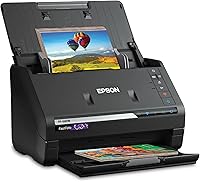
Epson Workforce ES-590W Wireless & USB High-Speed: Best for high-volume desktop scanning
- 100-page auto document feeder
- Up to 45 ppm duplex scanning
- 4.3 in color touchscreen
- Wi-Fi and USB connection
- 600 dpi resolution
A 100-sheet feeder and 45 ppm duplex speed make large stacks fast to clear. The touchscreen lets you scan to email, cloud storage or a USB drive without a computer.
Pros
- 100-sheet feeder for large stacks
- Fast duplex scanning in a single pass
- Color touchscreen for computer-free scanning
Cons
- 8.2 lb desktop size needs desk space
- 18 watts when scanning
This Epson suits a busy desk that scans stacks every day. Its 100-sheet feeder means you can load a whole batch at once, not just a few pages.
At up to 45 ppm with duplex capture in a single pass, a large job moves quickly. Single-step duplex means both sides are captured together, so you do not flip a stack and rescan it later.
The 4.3 in color touchscreen supports ScanWay scanning to email, cloud storage or a USB drive with no computer. Epson ScanSmart AI technology converts documents into smart, searchable files for use in recent AI apps.
Wi-Fi lets you place it away from the PC, while USB stays available for a wired link. The Epson Smart Panel app for iOS and Android adds scan, organize and share steps from a phone or tablet.
At 8.2 lb and 6.7 x 11.6 x 6.6 in, it is a fixed desktop unit, not a travel scanner. Paper and staple protection and blank page deletion help with mixed office stacks.
Choose it for volume, touchscreen control and wireless placement. Skip it if desk space is tight or if you mainly scan single receipts on the road.
Epson Workforce ES-50 Compact & Lightweight Mobile: Best for compact mobile scanning
- Single-sheet feed, 1-page capacity
- Scans one page in 5.5 seconds
- Handles pages up to 8.5 x 72 in
- USB-powered with no battery needed
- Nuance OCR included
A very light single-sheet scanner for receipts, IDs and occasional pages. Automatic feeding mode combines multi-page scans into one file, page by page.
Pros
- Very light and portable
- Handles long pages, receipts and ID cards
- USB-powered for travel
Cons
- One sheet at a time, so stacks are slow
- No Wi-Fi connection
This Epson suits people who scan on the road, not at a fixed desk. It is a single-sheet-fed scanner at 9.44 ounces, so it fits in a bag and runs from USB power with no battery.
It scans a single page in as fast as 5.5 seconds. That speed is stated at 300 dpi for an 8.5 x 11 in sheet, so a single receipt or form can be done quickly between stops.
Automatic feeding mode combines multi-page scans into one file as you insert each sheet. That helps keep pages together, but you still feed pages one by one, so a 30-page stack takes extra manual time and attention.
It handles documents up to 8.5 x 72 in, plus receipts and ID cards. The long page range suits travel paperwork that longer desktop feeders may not accept without setup.
Nuance OCR creates searchable PDFs and editable Word and Excel files, which helps with bookkeeping. Epson ScanSmart software handles scan, review and save steps, and a TWAIN driver adds compatibility with other imaging software.
Choose it for portability and long or odd-size pages. Skip it for stacks, since the 1-page capacity is the clear limit here.
Brother DS-640 Compact Mobile Document Scanner: Best for lightweight on-the-go scanning
- Single-sheet feed, 1-page capacity
- Up to 16 ppm color scanning
- Under 11.8 in long, about 1.5 lb
- USB-powered via included cable
- Supports Windows, Mac and Linux
A compact mobile scanner that fits in a bag and scans color and black and white at the same speed. It handles cards and documents up to 72 in long.
Pros
- Compact and light for travel
- Same color and black and white speed
- Works with Windows, Mac and Linux
Cons
- Single-sheet feed only
- Needs a computer connection to run
This Brother suits mobile workers who need a scanner that fits anywhere. It is under 11.8 in long and about 1.5 lb, and it powers through the included micro USB 3.0 cable from a PC or laptop.
You can scan where there is no outlet. USB power at 2.5 watts keeps the setup simple, since there is no battery to charge and no separate power brick to carry.
It scans color and black and white at up to 16 ppm, with the same speed in both modes. That matters for receipts and forms where color quality should not slow you down.
It is a single-sheet feed, so stacks mean feeding pages one at a time. It handles documents up to 72 in long and cards through the same slot, which suits travel paperwork and quick ID scans.
The free iPrint and Scan desktop app sends scans to PC, network, cloud services, email and OCR destinations. Support for Windows, Mac and Linux, plus TWAIN and WIA drivers, helps it fit existing office software.
Automatic color detection, bleed through prevention and text enhancement clean up images for storage. Choose it for travel use.
Skip it if you need a feeder for bulk scanning at a desk.
ScanSnap iX2500 Wireless or USB High-Speed Document: Best for touchscreen profiles and cloud scanning
- 100-sheet document feeder
- 45 ppm double-sided scanning
- Large touchscreen with custom profiles
- Wi-Fi 6 and USB-C connection
- 600 dpi resolution
A 100-sheet feeder with a large touchscreen and personalized profiles for sending scans to PC, Mac, mobile and cloud. It detects multi-feeds and skew to help avoid damage.
Pros
- 100-sheet feeder with fast duplex speed
- Profiles on the touchscreen for repeat jobs
- Multi-feed and skew detection
Cons
- 7.7 lb desktop unit needs fixed space
- 17 watts when scanning
This ScanSnap suits a desk that scans daily and wants repeatable one-touch jobs. Its 100-sheet feeder and 45 ppm duplex speed match the fastest desktop models here.
That combination lets you load a full batch and let duplex capture run without reloading. At 600 dpi, text stays sharp for searchable files and future edits.
A large touchscreen holds personalized profiles for sending scans to PC, Mac, mobile and cloud. Quick Menu lets you drag and drop a scan to a favorite app, which cuts setup steps for repeat jobs.
Wi-Fi 6 and USB-C give flexible placement. ScanSnap Cloud supports deviceless scanning, so you can scan straight to a cloud service with no computer in the loop.
A brake roller system, multi-feed sensor and skew detection help feed pages smoothly and flag stuck sheets. Automatic optimization, naming and sorting help keep files organized by type or destination.
At 7.7 lb and 6.26 x 11.5 x 6.34 in, it is a fixed desktop unit. Choose it for profiles, cloud routes and jam checks.
Skip it if you want a portable scanner for travel.
Canon imageFORMULA R10: Best for portable duplex scanning
- 20-sheet automatic feeder
- Duplex scanning up to 12 ppm
- Under 1 kg portable design
- USB powered
- Built-in scanning software
A portable scanner with a real 20-sheet feeder and duplex scanning for mobile users. Built-in software needs no installation and updates automatically.
Pros
- 20-sheet feeder in a portable body
- Duplex scanning for small stacks
- Built-in software with automatic updates
Cons
- 12 ppm is slower than desktop models
- USB connection only
This Canon suits mobile users who still want a real feeder. It has a 20-sheet automatic feeder with duplex scanning, which is rare in a portable body under 1 kg.
It scans both sides at once at up to 12 ppm in color or black and white. Duplex at that speed suits small stacks of reports or legal pages where flipping by hand would add time.
USB power at 2.5 watts and a small size at 3.74 x 11.22 x 1.57 in make it easy to move between home, office and remote work. The suggested daily volume of 500 scans also points to regular light office use.
It handles receipts, business cards, plastic or embossed cards, reports and legal documents. That range covers mixed travel paperwork without needing a second scanner.
Built-in software needs no installation and updates automatically. You can edit, straighten and trim scans, or set custom buttons for repeat destinations.
Output can be saved as searchable PDF, JPEG and other formats.
Speed is the trade-off against desktop models at 45 ppm. Choose it for portable duplex stacks.
Skip it if you scan bulk batches daily at one desk.
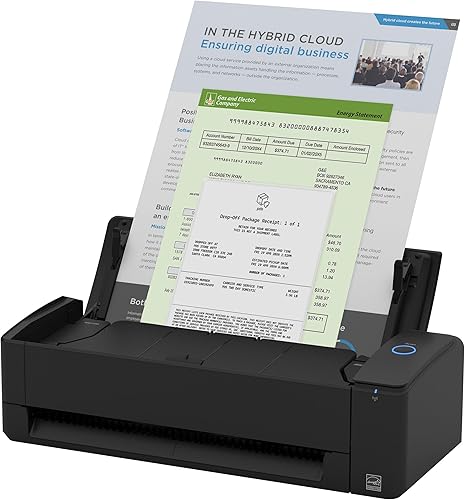
ScanSnap iX1300 Wireless or USB Double-Sided Color: Best for small desks with duplex scanning
- 20-sheet document feeder
- Up to 30 ppm duplex scanning
- Wi-Fi and USB connection
- Space-saving design for small desks
- 600 dpi resolution
A compact desktop scanner with a 20-sheet feeder and 30 ppm duplex speed. It scans documents, photos and cards, and can send scans to Mac, PC, mobile and cloud.
Pros
- Compact footprint for small desks
- Duplex speed is strong for its size
- Wi-Fi plus USB connection
Cons
- 20-sheet feeder limits large stacks
- 4.4 lb still needs a set desk spot
This ScanSnap suits a small desk that still needs duplex speed. Its 20-sheet feeder scans duplex at up to 30 ppm, which is strong for a compact body.
The design saves space even while it is in use. At 4.5 x 11.7 x 3.3 in and 4.4 lb, it fits desks where a full 100-sheet desktop unit would crowd out a keyboard or monitor.
It scans documents, photos, cards and thick items, with automatic de-skew, color optimization and blank page removal. One touch starts the job with no driver setup needed, which helps new users get clean scans fast.
USB and Wi-Fi let you send scans to Mac, PC, mobile and cloud, or scan to Chromebook through the mobile app. You can also scan without a computer, which helps at a shared desk.
ScanSnap Home brings document management into one place for receipts, business cards and photos. At 600 dpi, saved files keep text readable for search and sharing.
It is lighter than full desktop models but still a desk unit. Choose it for small-space duplex scanning.
Skip it if you need a 100-sheet feeder for bulk loads.
Visioneer Xerox Duplex Combo Flatbed Scanner: Best for flatbed plus feeder versatility
- 35-sheet automatic document feeder
- Flatbed for photos, books and cards
- Up to 25 ppm / 50 ipm at 300 dpi
- ADF size up to 8.5 x 118 in
- PC and Mac compatible
A combo unit with a flatbed for fragile or bound items plus a 35-sheet feeder for stacks. Nine preset destinations save scans with one touch.
Pros
- Flatbed handles photos and books
- 35-sheet feeder for everyday stacks
- Preset destinations for one-touch saving
Cons
- Largest footprint in this group
- 5.94 lb and 15.8 x 13 x 5 in size
This Visioneer combo suits users who need both a feeder and a flatbed. Its 35-sheet feeder scans up to 25 ppm / 50 ipm at 300 dpi for stacks.
That speed suits daily office batches without the bulk of a 100-sheet unit. The feeder handles routine pages, while the flatbed covers items that should not go through rollers.
The flatbed handles large documents, photos, cards, books and fragile items a feeder cannot take. That makes it useful for bound pages, photos on photo paper and items with uneven surfaces.
ADF paper size ranges from 3 x 5.9 in up to 8.5 x 118 in. That range covers long documents and small cards without changing machines, which helps mixed home office work.
Nine preset destinations let you scan with one touch and save with your preferred settings. The software bundle adds image enhancement, OCR and file organization, plus a business card reader.
At 15.8 x 13 x 5 in and 5.94 lb, it has the largest footprint here. Choose it for mixed flatbed and feeder work.
Skip it if desk space is limited or you only scan loose pages.
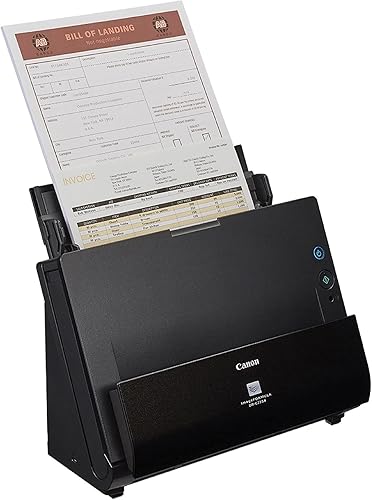
Canon imageFORMULA DR-C225 II Office Document Scanner: Best for upright office scanning
- 30-sheet automatic feeder
- Up to 25 ppm duplex color scanning
- Upright top-feed design
- Handles receipts, photos and thick or thin documents
- Three-year warranty included
An upright office scanner with a 30-sheet feeder and one-touch duplex scanning. It scans directly to cloud services and handles mixed document types.
Pros
- Upright design saves desk depth
- 30-sheet feeder for office stacks
- Cloud scanning destinations included
Cons
- USB connection only
- 6 lb unit is not a travel scanner
This Canon suits an office that wants an upright scanner with a solid feeder. Its 30-sheet feeder scans duplex at up to 25 ppm in color with one-touch operation.
That feeder size fits daily stacks of contracts and reports without constant reloading. Duplex capture in color keeps forms and receipts in one pass.
The upright top-feed and top-eject design saves desk depth. At 6.1 x 11.8 x 8.7 in, it uses vertical space instead of pushing back across the desk.
It handles receipts, photos, business cards, plastic or embossed cards, reports, contracts, long documents and thick or thin paper. That mix suits front-desk and back-office work where paper types change by job.
You can scan to cloud services such as Dropbox, Google Drive, OneDrive, Box and SharePoint. Bundled software includes a business card organizer and PDF tools for viewing, editing and converting files.
TWAIN support helps with existing imaging apps on Windows and Mac.
At 6 lb, it is not a travel scanner, and it connects by USB only. Choose it for upright office scanning and mixed media.
Skip it if you need Wi-Fi or a lighter portable option.
Document scanner with automatic feeder: which feeder size do you need?
Pick 100 sheets for bulk archiving, 20 to 35 sheets for daily office stacks, and 1 sheet for travel. Feeder size decides how often you stop to reload.
100-sheet feeders for large stacks
Desktop models with 100 sheets suit tax files, invoices and mail batches. You load once and let the scanner work.
The Epson ES-590W and ScanSnap iX2500 both use this size.
20 to 35-sheet feeders for daily use
Mid-size feeders suit reports, contracts and small batches. The Canon R10, ScanSnap iX1300 and Canon DR-C225 II fall in this range.
They balance speed with a smaller footprint.
Single-sheet feeds for mobile work
Single-sheet models suit receipts, IDs and occasional pages. The Epson ES-50 and Brother DS-640 scan one sheet at a time.
Use automatic feeding mode to combine pages into one file.
What is an ADF document scanner, and when is duplex worth it?
An ADF scanner pulls pages from a stack on its own, and duplex captures both sides in one pass. If most of your pages are double-sided, duplex saves a full flip and rescan.
Duplex speed in real jobs
A 45 ppm duplex scanner moves through a double-sided stack fast. At 12 ppm, the same stack takes longer, even with a feeder.
Match ppm to your daily page count.
Single-pass duplex and page order
Single-pass duplex keeps front and back together in order. That matters for contracts and reports where a flipped stack can scramble pages.
Check that your software saves as one file.
When single-sided is enough
Receipts and IDs are often single-sided, so duplex speed matters less. A lighter single-sheet scanner may be enough for those jobs.
Save money and space if duplex is rarely used.
How do feeder capacity, speed and size trade off?
Bigger feeders and faster ppm usually mean a larger, heavier desktop unit. Choose the smallest feeder that covers your largest usual stack.
Feeder capacity against desk space
A 100-sheet feeder needs a desktop unit around 7 to 8 lb. A 20-sheet portable feeder can weigh under 1 kg.
Measure your desk depth before choosing a desktop model.
Speed against noise and power
Faster duplex models draw more power, from 17 to 18 watts in this group. Portable USB models draw about 2.5 watts.
Power draw matters for shared offices and battery-free travel.
Weight against portability
If you move between rooms, weight matters more than top ppm. The Canon R10 and Brother DS-640 trade speed for portability.
Fixed desks should favor feeder size and duplex speed.
Which connection and software setup fits your workflow?
Choose Wi-Fi if you scan to cloud or mobile without a computer, and USB if you always scan at a PC. Software decides where scans land and how files get named.
Wi-Fi and cloud scanning
Wi-Fi models can send scans to email, cloud storage and mobile devices. The ES-590W, iX2500 and iX1300 support this route.
Touchscreens and profiles make repeat destinations faster.
USB and TWAIN software
USB models connect to a PC or Mac and work with TWAIN drivers. The Canon models and Brother DS-640 use this setup.
It suits offices that scan into existing document software.
OCR and searchable files
OCR turns scans into searchable PDFs and editable Word or Excel files. The ES-50 includes Nuance OCR, and several models optimize and name files automatically.
Check OCR inclusion if you archive for search.
What paper types should you check before you buy?
Check minimum and maximum paper size, plus card and receipt support, before you order. A feeder that jams on your usual paper will slow every job.
Receipts, cards and photos
Some models handle business cards, plastic IDs and photos through the feeder. The Visioneer combo adds a flatbed for photos and books.
Confirm card support if you scan IDs often.
Long and thick documents
Long pages up to 72 in or 118 in need a scanner that states that range. Thin and thick paper handling matters for contracts and forms.
Check the stated paper range, not just the feeder size.
Mixed stacks and jam checks
Mixed stacks benefit from multi-feed and skew detection. The iX2500 states both checks.
Paper and staple protection on the ES-590W also helps with office stacks.
How should you set up and care for an automatic feeder scanner?
Clean the rollers, turn off staples and clips, and keep the feeder path clear. A clean path prevents most jams and misfeeds.
Set-up steps for a new scanner
Place the scanner where the feeder lid can open fully. Connect by USB or Wi-Fi, install the scan software, and set your default file type and destination.
Test with a small stack first.
Care for rollers and sensors
Wipe rollers with a soft cloth as the maker directs, and clear dust from the sensor area. Remove staples and clips before feeding.
Keep the feed tray aligned so pages enter straight.
Choosing the right scanner for offices
For a shared office, compare feeder size, duplex speed and cloud routes first. Our best document scanner for office guide covers shared-use needs in more detail.
When a flatbed combo makes more sense
If you scan books, photos or fragile items, a flatbed combo beats a feeder-only unit. Our best flatbed scanner with adf picks show that layout.
When handheld or desktop fits better
For desk-only work, a desktop feeder is faster than a handheld unit. Our best handheld document scanner guide covers travel alternatives.
How to plan your next upgrade
If duplex speed is your main need, our best duplex document scanner guide narrows the field. For basics first, start with what is an adf document scanner.
Verdict: which best document scanner with automatic feeder should you buy?
Buy the Epson ES-590W for high-volume desktop scanning, the ScanSnap iX2500 for profiles and cloud routes, and the Canon R10 for portable duplex stacks. Match the feeder size to your largest stack first.
Pick the ES-590W if you scan 100-page batches and want touchscreen scanning to cloud or email. Pick the iX2500 if repeat profiles and jam checks matter.
Pick the iX1300 if desk space is small but duplex speed still matters.
Pick the ES-50 or Brother DS-640 if you scan receipts and IDs on the road. Pick the Visioneer combo if a flatbed for photos and books is part of the job.
Pick the Canon DR-C225 II for upright office scanning with cloud destinations.
For a full buying overview, read our digital scanner for documents guide. For desk-only alternatives, see our best desktop document scanner picks.
Those guides will help you confirm feeder size and connection before you order.
Our top 3 picks at a glance
-
1
Best for high-volume desktop scanning
Epson Workforce ES-590W Wireless & USB High-Speed
9.7/10 our score
See it on Amazon -
2
Best for compact mobile scanning
Epson Workforce ES-50 Compact & Lightweight Mobile
9.6/10 our score
See it on Amazon -
3
Best for lightweight on-the-go scanning
Brother DS-640 Compact Mobile Document Scanner
9.5/10 our score
See it on Amazon
Frequently asked questions
What is an ADF document scanner?
An ADF document scanner has an automatic document feeder that pulls pages from a stack one by one. You load the stack once, then it scans each page without you feeding sheets by hand.
Larger feeders hold more pages and clear big jobs faster.
How many pages should an automatic feeder hold?
A 20-sheet feeder suits daily small stacks, while 100 sheets suits bulk archiving. Match feeder size to your largest usual stack, since loading again mid-job breaks your workflow.
Single-sheet mobile scanners are best for travel, not stacks.
Is duplex scanning worth it for an automatic feeder?
Yes, if your documents are double-sided. Duplex scanning captures both sides in one pass, so you do not flip the stack and rescan.
It saves time and keeps page order correct for contracts and reports.
Can a portable scanner handle a full stack?
Only slowly. Some portable models have a 20-sheet feeder, but single-sheet models scan one page at a time.
For stacks of 20 pages or more, a desktop feeder will finish much faster and with less manual work.