What Is an ADF Document Scanner?
An ADF document scanner uses an automatic document feeder (ADF) to pull in and scan pages for you. It helps with multi-page jobs by reducing the need to place each sheet on the glass by hand.
On this page (7 sections)
An ADF document scanner uses an automatic document feeder (ADF) to pull in and scan pages for you. It helps with multi-page jobs by reducing the need to place each sheet on the glass by hand.
An ADF can be useful for receipts, forms, invoices, and other loose sheets. The right choice depends on how many pages you scan, whether they have printing on both sides, and whether you also need to scan books or photos.
What is an ADF document scanner?
An ADF document scanner feeds paper through a scanning path automatically. You load pages into the feeder, start the job, and the scanner moves them one by one.
That differs from a flatbed scanner, where you lift the lid and place each item on the glass. For an overview of scanner types and features, see our digital scanner for documents buying guide.
An ADF is a paper-handling feature, not a guarantee that every page will feed perfectly. Paper size, thickness, condition, and loading all affect how smoothly a job goes.
How does an automatic document feeder work?
An automatic document feeder separates sheets from a stack and moves them past the scanner sensor. The scanner captures each page and sends the images to a computer or a connected workflow.
Many models can combine multiple pages into a single file. Some include software that can turn scanned images into searchable text; our guide to document scanners with OCR explains why that matters.
Load pages according to the scanner's instructions, with edges aligned and staples removed. A curled, torn, or folded sheet may jam or scan poorly, so inspect pages before feeding them.
What is the difference between an ADF and duplex scanning?
An ADF feeds pages automatically, while duplex scanning captures both sides of a sheet. These features often appear together, but one does not automatically mean the other.
If you scan double-sided documents often, check whether the scanner supports duplex scanning and how it handles the back of each page. For single-sided paperwork, an ADF may still save time even without duplex scanning.
When does an ADF help?
An ADF helps most when you regularly scan several loose pages in one sitting. It reduces repeated lifting, placing, and closing that comes with scanning each page separately on a flatbed.
It can suit office forms, school paperwork, receipts, and records you want to store digitally. For choosing a scanner around a larger shared workload, compare our best document scanner for office guide.
An ADF may be less useful if you scan only a page now and then, or if most of your work involves books and bound materials. A flatbed can be easier for those items because you place them directly on the glass.
What should you check before choosing an ADF scanner?
Check feeder capacity, supported paper sizes, duplex scanning, and software before you choose. These details help you match the scanner to the work you actually do.
- Feeder capacity: A larger capacity means fewer interruptions for a batch, but you may not need it for occasional scanning.
- Paper sizes: Confirm the scanner handles your longest documents, cards, or receipts.
- Duplex scanning: Look for this if you often scan both sides of a page.
- Output and software: Check whether it can save the file types and searchable documents you need.
- Placement: A desktop model may suit a fixed workspace, while a compact scanner may be easier to carry or store.
For a compact setup, browse our best desktop document scanner guide. If portability matters more, see our picks for the best portable document scanner.
Do all ADF scanners handle photos and fragile pages?
No, ADF scanners are mainly designed to feed loose sheets, and delicate or unusual items may need extra care. A flatbed or a scanner with a suitable carrier sheet may be a better fit for originals that could bend or catch.
Check the scanner's guidance before feeding photos, thin paper, or valuable documents. For photo jobs, our guide on how to use a photo ADF scanner covers practical handling steps.
Which products illustrate different scanning needs?
These scanners show how feeder features can fit different jobs, from photo batches to mobile paperwork and flatbed scanning. Choose based on the kind of originals you handle and how you plan to work.
The Epson FastFoto FF-680W is a photo and document scanner with batch photo scanning, duplex capture, and OCR for documents.
The Epson WorkForce ES-50 is a compact, single-sheet-fed mobile scanner. Its automatic feeding mode combines multi-page scans into one file as you insert each sheet.
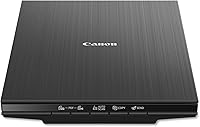
The Canon CanoScan LiDE 400 is a flatbed document and photo scanner. Its auto scan mode detects what you're scanning, and its built-in buttons can save multi-page PDFs.
What are the limits of an ADF?
An ADF saves handling time, but it does not remove the need to prepare pages or review results. You may need to reorder sheets, clear a jam, or scan a page again if it feeds crooked.
A feeder also has limits on the sizes and types of paper it accepts. Check those limits before buying if your work includes long forms, ID cards, mixed paper sizes, or delicate originals.
If most of your paperwork is text, also consider whether searchable files would help. The guide to is toner better than ink for text documents? covers a related choice for printing the documents you keep.
Is an ADF scanner worth it for you?
An ADF scanner is a practical choice if you often digitize stacks of loose pages and want the scanner to feed them for you. Check its capacity, paper support, and duplex features against your typical jobs.
For occasional single pages, a flatbed may be enough. Choose an ADF when handling repeated pages takes more time than preparing the stack and checking the resulting files.
Frequently asked questions
What is an ADF document scanner?
An ADF document scanner has an automatic document feeder that moves pages through the scanner without requiring you to place each page on the glass yourself. It helps with multi-page jobs, but you still need to load the pages correctly and check the scanned file.
What does ADF mean on a scanner?
ADF means automatic document feeder. It is the part of a scanner that accepts a stack or single sheet and feeds paper into the scanning path.
Feeder capacity and supported paper sizes vary, so check those details against the documents you scan.
Is an ADF scanner better than a flatbed scanner?
An ADF scanner is usually more convenient for stacks of loose pages because it feeds them automatically. A flatbed is useful for books, fragile pages, or items that should stay flat.
Some scanners combine both, while others use just one scanning method.
Can an ADF scan both sides of a page?
Some ADF scanners scan both sides in one pass, while others scan one side at a time or require you to turn the stack over. Look for duplex scanning if you regularly digitize double-sided forms, and confirm the feature applies to the paper sizes you use.