9 Best Scanners for Documents and Photos (November 2026)
The best scanners for documents and photos include the Epson FastFoto FF-680W High-Speed Duplex Photo for large photo collections, the Canon Canoscan Lide 300 Scanner for occasional flatbed scans, and the Epson Workforce ES-50 Compact & Lightweight Mobile for mobile paperwork.
On this page (6 sections)
- How we chose scanners for documents and photos
- Scanners for photo collections, flatbed prints, and paperwork
- Flatbed or feeder: which scanner fits your photos and documents?
- What features matter for a mixed photo archive?
- How should you handle photos and receipts during scanning?
- Which scanner should you choose for documents and photos?
The Epson FastFoto FF-680W is the best scanner for documents and photos if you need to digitize a large photo collection, with batch photo scanning, photo restoration tools, and document OCR. For occasional prints, choose a flatbed such as the Canon LiDE 400; for frequent paperwork, consider the ScanSnap iX2500.
The right scanner depends on what you scan most. A glass flatbed lets you place one photo or page at a time, while a feeder can move through loose prints or documents with less handling.
If paperwork is the bigger job, start with our digital scanner for documents buying guide for feeder types, OCR, and page handling. For photo printing after you digitize your collection, see which printer is better for printing photos.
Our picks at a glance
-
1
 Best for large photo collections
Epson FastFoto FF-680W High-Speed Duplex Photo
9.7/10 our score
See it on Amazon -
2

-
3
 Best for mobile paperwork
Epson Workforce ES-50 Compact & Lightweight Mobile
9.6/10 our score
See it on Amazon
- 4
 Check it
Brother DS-640 Compact Mobile Document Scanner
Best for portable color documents - 5
 Check it
ScanSnap iX2500 Wireless or USB High-Speed Document
Best for high-volume paperwork - 6
 Check it
Canon CanoScan LiDE 400 Slim Scanner
Best for detailed flatbed photo scans - 7
 Check it
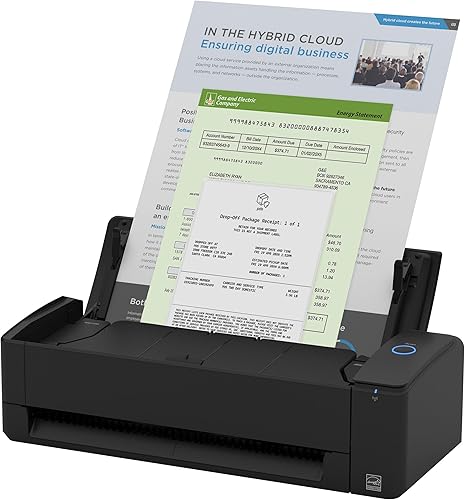
ScanSnap iX1300 Wireless or USB Double-Sided Color
Best for a small shared workspace - 8
 Check it
HP Small USB Document & Photo Scanner
Best for occasional portable scans - 9
 Check it
Plustek ePhoto Z300 Photo Scanner
Best for feeding loose photo prints
How we chose scanners for documents and photos
We compared scan types, supported media, photo features, document handling, and connection options against the needs of mixed photo and paperwork collections. Our score weighs specs, features and buyer feedback against what you're shopping for.
A useful mixed-media scanner should match the way you work. Batch photo scanning helps with an archive, a flatbed gives you a glass surface for individual prints, and a document feeder is more useful when paperwork arrives in stacks.
The term “flatbed scanner for photos and documents” can point to very different needs. A flatbed is a simple fit for single items, while photo feeders and document feeders can be better for repeated scanning.
Our guide to the best Epson document scanner looks more closely at that brand's options.
| Product | Best for | Photo batch | Connectivity | Document scanning | Our score |
|---|---|---|---|---|---|
| Epson FastFoto FF-680W High-Speed Duplex Photo | large photo collections | Up to 36 photos | USB and Wi-Fi | OCR; pages up to 240 in | 9.7 |
| Canon Canoscan Lide 300 Scanner | occasional flatbed scans | 9.7 | |||
| Epson Workforce ES-50 Compact & Lightweight Mobile | mobile paperwork | 9.6 | |||
| Brother DS-640 Compact Mobile Document Scanner | portable color documents | 9.5 | |||
| ScanSnap iX2500 Wireless or USB High-Speed Document | high-volume paperwork | 9.4 | |||
| Canon CanoScan LiDE 400 Slim Scanner | detailed flatbed photo scans | 9.4 | |||
| ScanSnap iX1300 Wireless or USB Double-Sided Color | a small shared workspace | 9.2 | |||
| HP Small USB Document & Photo Scanner | occasional portable scans | 8.7 | |||
| Plustek ePhoto Z300 Photo Scanner | feeding loose photo prints | 8.6 |
Scanners for photo collections, flatbed prints, and paperwork
The Epson FastFoto FF-680W is the strongest fit for a large photo archive, while the other picks serve flatbed scanning, portability, and high-volume paperwork. Choose by your most common scanning task, then confirm that the scanner handles your largest or most delicate item.
Epson FastFoto FF-680W High-Speed Duplex Photo: Best for large photo collections
- Batch scans up to 36 photos
- Scans both sides of a photo
- Document OCR
- USB and Wi-Fi
Built for digitizing many photos, with batch scanning, photo restoration tools, and OCR for documents. It also captures handwritten notes on photo backs in the same scan.
Pros
- Batch scans photos
- Captures photo backs
- Includes document OCR
Cons
- Larger than the mobile scanners
- Photo sizes and scan formats have limits
The Epson FastFoto FF-680W is aimed at households with boxes of prints to digitize. It can batch-scan up to 36 photos at a time and capture the front and back in one scan, so handwritten notes on the reverse can stay with the image.
Epson includes tools for auto enhancement, color restoration, red-eye reduction, de-skew, crop, and rotation. The scanner handles Polaroid photos, panoramas, postcards, and prints up to 8 x 10 in, with a carrier sheet included for delicate photos.
It also has a document side. Epson ScanSmart includes OCR, and the scanner can process pages up to 240 in long, making it more flexible than a photo-only unit.
Choose it when photo preservation is the main job and paperwork is part of the same archive. Its photo feed design is less suited to scanning a book or a single page that needs to stay flat, where a flatbed is easier to use.
Canon Canoscan Lide 300 Scanner: Best for occasional flatbed scans
- Flatbed design
- Auto Scan Mode
- USB connection
- Photo and document scanning
A straightforward flatbed option for individual photos and pages. Auto Scan Mode detects what you place on the glass.
Pros
- Scans documents and images
- Auto Scan Mode
- Compact flatbed design
Cons
- Scans one item at a time
- USB connection only
The Canon LiDE 300 is a basic flatbed choice for occasional photos and documents. Place an item on the glass, and Auto Scan Mode detects what you're scanning.
Its 2400 x 2400 dpi optical resolution and compact design suit individual prints and pages. USB is its connection, so it fits a desk setup where a cable is fine.
A flatbed avoids sending each loose print through a feeder. That can be useful for photos you want to place carefully, though it means scanning a large collection one item at a time.
Choose this model for straightforward flatbed use. If detailed photo scans and color restoration are higher priorities, compare it with the LiDE 400 below.
Epson Workforce ES-50 Compact & Lightweight Mobile: Best for mobile paperwork
- USB powered
- Scans pages up to 72 in
- OCR for searchable PDFs
- Scans receipts and ID cards
This mobile document scanner suits receipts and paperwork on the go. Its software includes OCR for searchable PDFs and editable files.
Pros
- Lightweight and compact
- Handles long pages
- No separate power supply needed
Cons
- Single-sheet scanning
- Document-focused design
The Epson WorkForce ES-50 is a portable document scanner for receipts, ID cards, and pages you need to scan away from a fixed desk. It connects by USB and draws power from the computer, so it needs no separate power supply.
It handles documents up to 8.5 x 72 in and includes OCR for searchable PDFs and editable Word or Excel files. Automatic feeding mode can combine multiple single-sheet scans into one file as you insert each page.
This is a paperwork-first choice, not a photo archive scanner. Pick it when portability and text search matter more than flatbed photo handling.
For a brand comparison, see our guide to the best HP scanner for documents. If receipts are a regular part of your workflow, our advice on how to use a receipt scanner covers practical capture and filing steps.
Brother DS-640 Compact Mobile Document Scanner: Best for portable color documents
- Scans color and black-and-white pages
- Up to 16 ppm
- USB powered
- Handles plastic ID cards
A compact choice for color paperwork, receipts, and ID cards. It connects to a computer by USB and includes document management and OCR software.
Pros
- Color and monochrome scanning
- Portable design
- Handles plastic cards
Cons
- Single-sheet feed
- No wireless connection
The Brother DS-640 is another portable option, with a stated scan speed of up to 16 ppm for both color and black-and-white documents. Its USB power makes it useful when you want to scan from a laptop without an outlet nearby.
It handles business cards and plastic ID cards through the same feed as other documents. Brother's software includes OCR and tools for color adjustment, background removal, text enhancement, and image rotation on PC.
Choose it for portable paperwork that includes cards and receipts. It is a single-sheet scanner, so scanning a stack means feeding pages one at a time.
ScanSnap iX2500 Wireless or USB High-Speed Document: Best for high-volume paperwork
- 100-sheet document feeder
- 45 ppm double-sided scanning
- Wi-Fi and USB
- Touchscreen profiles
A high-capacity feeder and double-sided scanning suit paperwork-heavy workflows. It can also organize scanned photos, receipts, and business cards.
Pros
- Large document feeder
- Double-sided scanning
- Wireless or USB connection
Cons
- More scanner capacity than occasional users may need
- Check device compatibility before setup
The ScanSnap iX2500 is the paperwork pick for a home office that scans often. Its 100-sheet feeder and stated 45 ppm double-sided scanning rate can reduce the work of processing a batch.
Wi-Fi and USB give you placement options, while the touchscreen supports personalized profiles. The scanner can also optimize, name, and sort files from documents, receipts, photos, and business cards.
This model can organize photos, but its strengths center on documents and batches rather than photo restoration or a flatbed surface. Choose it if paperwork volume is high and photos are part of a wider digital filing system.
For mixed paperwork and cards, our guide to the best scanner for documents and cards compares more options.
Canon CanoScan LiDE 400 Slim Scanner: Best for detailed flatbed photo scans
- 4800 x 4800 dpi resolution
- Color restoration and dust removal
- USB Type-C cable
- Auto Scan Mode
This flatbed pairs document scanning with photo features such as color restoration and dust removal. Its EZ buttons and Auto Scan Mode keep one-off scans simple.
Pros
- High stated optical resolution
- Photo enhancement features
- Scans multi-page PDFs
Cons
- Scans one item at a time
- USB connection only
The Canon CanoScan LiDE 400 is a flatbed scanner for individual photos and pages when image detail matters. It has a stated optical resolution of 4800 x 4800 dpi, plus color restoration and dust removal features for photos.
Auto Scan Mode detects the item on the glass, and the EZ buttons include controls for saving multi-page PDFs. The USB Type-C cable carries data and power.
Choose this flatbed when you want to place each print yourself and prioritize photo detail. For an entire box of loose photos, a feeder such as the FastFoto can reduce repeated placement.
ScanSnap iX1300 Wireless or USB Double-Sided Color: Best for a small shared workspace
- Wi-Fi and USB
- Up to 30 ppm duplex scanning
- Scans photos and cards
- Space-saving design
Its compact design and wireless connection suit a small desk where both documents and photos need digitizing. It also scans cards and receipts.
Pros
- Compact footprint
- Double-sided scanning
- Can scan without a computer
Cons
- Document-focused scanner
- Check device compatibility before setup
The ScanSnap iX1300 is a compact document scanner for a crowded desk that also needs to handle photos and cards. It connects over USB or Wi-Fi and can scan double-sided documents at up to 30 ppm.
Its software supports document and photo organization, and the scanner can send files to computers, mobile devices, or cloud services. It can also scan without a computer.
Pick it for day-to-day paperwork with occasional photo and card scanning. It is not a flatbed, so choose a glass scanner for delicate prints or items that need to remain flat.
HP Small USB Document & Photo Scanner: Best for occasional portable scans
- USB powered
- Scans documents and photos
- Portable single-sheet feed
- HP WorkScan software
This portable sheet-fed scanner handles occasional pages, receipts, cards, and photos. HP WorkScan software includes preview, crop, and image adjustment tools.
Pros
- Small, lightweight design
- Scans photos and documents
- Software includes image adjustments
Cons
- Single-sided scanning
- Single-sheet feed
The HP Small USB Document & Photo Scanner is a portable, single-sided feeder for occasional documents, receipts, cards, and photos. Mac users can follow our guide to using a scanner on Mac.
It connects by USB and works with PC and Mac through HP WorkScan software.
HP WorkScan includes preview, crop, zoom, and image adjustment tools, and the scanner handles pages up to 8.5 x 14 in. Its single-sheet feed is best for modest jobs rather than large archives.
Choose it when portability matters and you expect light scanning. For frequent two-sided paperwork, a duplex model such as the ScanSnap iX1300 or iX2500 is a closer match.
Plustek ePhoto Z300 Photo Scanner: Best for feeding loose photo prints
- Scans 3 x 5 to 8 x 10 in photos
- Handles letter and A4 paper
- Photo enhancement tools
- Up to 600 dpi optical resolution
A photo-focused feed scanner for loose prints and everyday paper. Its software includes tools to crop, rotate, and restore faded colors.
Pros
- Handles several photo sizes
- Photo enhancement tools
- Can scan letter and A4 paper
Cons
- Feeds one item at a time
- No duplex scanning
The Plustek ePhoto Z300 is designed around loose photo prints, with support for sizes from 3 x 5 to 8 x 10 in and letter or A4 paper. Its software includes auto-crop, rotation, and faded-color restoration tools.
The maker gives scan times of 2 seconds for a 4 x 6 photo and 5 seconds for an 8 x 10 photo at 300 dpi. It offers 300 or 600 dpi settings, so use the higher setting when you want more detail and have room for larger files.
This is a photo-focused feeder rather than a flatbed. It suits a pile of prints you can feed one by one, but a flatbed is a better match for books, mounted images, or items you do not want to feed.
Flatbed or feeder: which scanner fits your photos and documents?
Choose a flatbed for individual prints and pages that should lie on glass, and choose a feeder when repeated batches are the main task. The right type depends on your collection's size, condition, and mix of paper.
A flatbed scanner for photos and documents gives you control over how each item sits on the glass. It can be a practical choice for occasional scans, small groups of prints, or pages that should stay flat during capture.
Some focus on document stacks, while the FastFoto and Plustek picks also target loose photo prints.
Check the media guidance before feeding a fragile, curled, or thick photograph. A flatbed can be the safer workflow when you are unsure whether a print is suitable for rollers.
What features matter for a mixed photo archive?
For photos, compare resolution, supported print sizes, and restoration tools; for documents, consider feeder capacity, duplex scanning, and OCR. A scanner that handles both well should fit the most demanding part of your workflow.
The Canon LiDE 400 lists a higher optical resolution than the other flatbeds here and includes color restoration and dust removal. That can suit careful scanning of individual prints.
For paperwork, OCR can make digital files searchable. A sheet feeder may also speed up repeated pages, while Wi-Fi can make placement more flexible if you don't want the scanner beside your computer.
Think about file storage before you start a large project. Organize scans by date, event, or family member, and use clear filenames so the digital archive remains useful.
How should you handle photos and receipts during scanning?
Prepare photos and receipts before scanning by removing loose dust, sorting by size, and keeping the originals in order. Use a flatbed for delicate items unless the scanner maker confirms that feeding is suitable.
For receipts, save searchable files in a folder structure that matches how you'll retrieve them, such as by year or expense type. Our receipt scanning guide explains a simple scan and filing workflow.
A scanner with OCR can help turn paper text into a searchable record, but review important files after scanning. Check that names, dates, and totals are readable before storing or discarding the paper copy.
Which scanner should you choose for documents and photos?
Choose the Epson FastFoto FF-680W for a large collection of loose photos plus paperwork, the Canon LiDE 400 for individual flatbed scans, or the ScanSnap iX2500 for high-volume documents with occasional photo filing. For a portable setup, the ES-50 and Brother DS-640 focus on one-sheet paperwork.
If your photos are mostly loose prints, compare the FastFoto and Plustek by batch size, supported formats, and restoration tools. If you scan pages and receipts every week, prioritize a feeder, duplex scanning, and OCR.
For flatbed scanners for documents and photos, the LiDE 300 is a simple occasional-use option, while the LiDE 400 adds higher stated optical resolution and photo cleanup features. Pick the one that matches the work you actually expect to do.
Our top 3 picks at a glance
-
1
Best for large photo collections
Epson FastFoto FF-680W High-Speed Duplex Photo
9.7/10 our score
See it on Amazon -
2
-
3
Best for mobile paperwork
Epson Workforce ES-50 Compact & Lightweight Mobile
9.6/10 our score
See it on Amazon
Frequently asked questions
Is a flatbed scanner better for photos and documents?
A flatbed scanner suits single photos, pages, and items you want to place on glass one at a time. Models such as the Canon CanoScan LiDE 400 include photo features and a stated optical resolution of 4800 x 4800 dpi.
For batches of loose prints or stacks of paperwork, a feeder can save repeated placement.
Can a document feeder scan photos?
Some document feeders also handle photos, but check the model's supported sizes and photo features first. The Epson FastFoto FF-680W is designed for photo batches and can capture notes on the back of a photo.
For fragile, curled, or unusually thick prints, check the manufacturer's handling guidance before feeding them.
What should I look for in a scanner for photos and paperwork?
Match the scanner type to your mix of work. Look for photo resolution and restoration tools if printed pictures matter most, or a document feeder, duplex scanning, and OCR if you handle many pages.
Also check connection type, supported page sizes, and whether the software works with your computer.
Do I need OCR for scanned documents?
OCR turns scanned text into searchable or editable digital text, which can make receipts and paperwork easier to find. Several picks here include OCR features, including the Epson ES-50 and ScanSnap iX2500.
If you only need image copies of photos, OCR matters less.



