9 Best Brother Wireless Laser Printers (November 2026)
The best Brother wireless laser printers include the Brother HL-L2405W Wireless Compact Monochrome Laser Printer for simple home printing, the Brother Monochrome Laser Printer for automatic duplex and faxing, and the Brother MFC-L2820DW Wireless Compact Monochrome All-in-One Laser for small office workflows.
On this page (5 sections)
The best Brother wireless laser printer for most homes is the Brother HL-L2405W, with dual-band Wi-Fi, a 250-sheet tray and 30 pages per minute of monochrome printing.
That combination suits home users who print forms, letters, bills and reports and want the machine on the network rather than tied to one desk.
Choose the MFC-L2820DW for scanning, copying and faxing, or the MFC-L5915DW for higher-volume office work.
This guide compares Brother models for cable-free printing over home Wi-Fi.
It covers compact print-only machines, monochrome all-in-ones, business printers and color models.
A print-only printer keeps the setup simple and the footprint small.
An all-in-one adds scanning and copying, so one device can handle more daily tasks.
A business model adds speed and feeder capacity for repeated multi-page jobs.
A color model adds presentation options when black text alone is not enough.
Dual-band wireless, where listed, helps the printer use 2.4GHz or 5GHz connections.
Ethernet and USB remain useful for a wired desk or for troubleshooting a network link.
If you want to compare brands and form factors first, see our guide to the best wireless laser printers.
For a home color shortlist, read the guide to the best wireless color laser printer for home.
Use the brand guide for the widest view of cable-free laser printing.
Use the color guide first when color output is the main reason for buying.
Then return here to weigh Brother speed, paper handling and added functions.
Our picks at a glance
-
1
 Best for simple home printing
Brother HL-L2405W Wireless Compact Monochrome Laser Printer
9.7/10 our score
See it on Amazon -
2
 Best for automatic duplex and faxing
Brother Monochrome Laser Printer
9.6/10 our score
See it on Amazon -
3
 Best for small office workflows
Brother MFC-L2820DW Wireless Compact Monochrome All-in-One Laser
9.6/10 our score
See it on Amazon
- 4
 Best non-Brother alternativeCheck it
- 5
 Check it
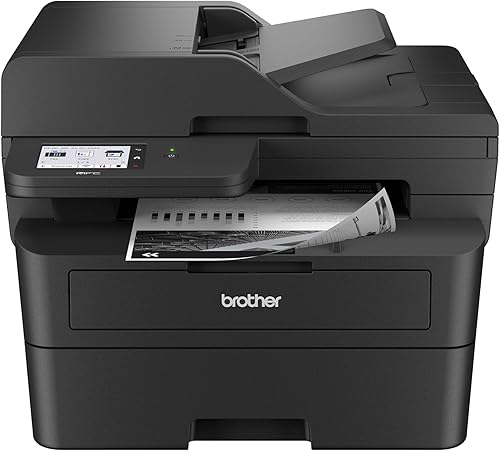
Brother Professional Laser Printer All-in-One with Scanner
Best for fast business printing - 6
 Check it
Brother Professional Laser Printer with Scanner
Best for compact business scanning - 7
 Check it
Brother MFC-L2820DW XL Wireless Compact Monochrome All-in-One
Best for extra toner in the box - 8
 Check it
Brother MFC-L8930CDW Business Color Laser All-in-One Printer
Best for business color output - 9
 Check it
Brother HL-L3300CDW Wireless Digital Color Multi-Function Printer
Best for compact color copying
Which Brother wireless laser printer is best?
The HL-L2405W is the strongest general pick because it combines a small footprint, dual-band wireless, a 250-sheet tray and 30 pages per minute.
It is print-only, so an all-in-one is a better fit when you need to scan or copy.
That trade is the central choice in this group.
A compact print-only machine is easier to place on a narrow desk or shared shelf.
An all-in-one takes more height and depth, but it removes the need for separate scanning equipment.
We compared print speed, connection choices, paper handling, automatic duplexing, feeder capacity, color output and added functions.
Our score weighs specs and features against the needs of someone shopping for a Brother wireless laser printer.
Speed matters most on long documents and on days with several jobs in a row.
Feeder capacity matters when you scan or copy stacks rather than single sheets.
Automatic duplexing matters when two-sided documents are part of the normal routine.
Paper handling matters for envelopes, card stock and other media that need a manual path.
Color output matters for presentations and graphics, while monochrome keeps text work straightforward.
Connection choices matter for placement, because wireless, Ethernet and USB each solve a different desk problem.
The MFC-L2820DW earns the best all-in-one position for many small offices.
It pairs a 50-page automatic document feeder with a 250-sheet tray and automatic duplex printing.
The MFC-L5915DW is faster and has a larger feeder, but its larger body is harder to justify for light home printing.
Its 50 pages per minute and 70-page feeder are aimed at busy office use.
The MFC-L2900DW sits between those two, with duplex scanning as its main extra.
The MFC-L8930CDW moves the choice into business color printing at a much larger size.
The HL-L3300CDW brings color copying to a smaller home-office class, with slower output.
The HP LaserJet Pro 3101fdw is included as the non-Brother alternative for a small team.
| Product | Best for | Type | Wireless | Size | Our score |
|---|---|---|---|---|---|
| Brother HL-L2405W Wireless Compact Monochrome Laser Printer | simple home printing | Monochrome print-only laser printer | Dual-band 2.4GHz/5GHz | 14.2 x 14 x 7.2 in | 9.7 |
| Brother Monochrome Laser Printer | automatic duplex and faxing | Monochrome all-in-one laser printer | Wi-Fi | 15.7 x 16.1 x 12.5 in | 9.6 |
| Brother MFC-L2820DW Wireless Compact Monochrome All-in-One Laser | small office workflows | Monochrome multifunction laser printer | Dual-band 2.4GHz/5GHz | 9.6 | |
| HP LaserJet Pro 3101fdw | non-Brother alternative | Monochrome multifunction laser printer | Intelligent Wi-Fi and Bluetooth | 9.4 | |
| Brother Professional Laser Printer All-in-One with Scanner | fast business printing | Monochrome all-in-one laser printer | Dual-band wireless networking | 9.3 | |
| Brother Professional Laser Printer with Scanner | compact business scanning | Monochrome multifunction laser printer | Dual-band 2.4GHz/5GHz | 9.3 | |
| Brother MFC-L2820DW XL Wireless Compact Monochrome All-in-One | extra toner in the box | Monochrome multifunction laser printer | Dual-band 2.4GHz/5GHz | 8.9 | |
| Brother MFC-L8930CDW Business Color Laser All-in-One Printer | business color output | Color multifunction laser printer | Dual-band 2.4GHz/5GHz | 8.7 | |
| Brother HL-L3300CDW Wireless Digital Color Multi-Function Printer | compact color copying | Color multifunction printer | Dual-band wireless and Wi-Fi Direct | 8.0 |
Best Brother wireless laser printer picks
The models below are listed from highest score to lowest. Each one solves a different printing need, so the top score is not the only factor to consider.
Brother HL-L2405W Wireless Compact Monochrome Laser Printer: Best for simple home printing
- 30 pages per minute
- Dual-band wireless
- 250-sheet paper tray
- Manual feed slot
A compact print-only model for home documents, with dual-band wireless, mobile printing, a 250-sheet tray and support for envelopes and specialty paper through the manual feed slot.
Pros
- Compact footprint
- Dual-band wireless
- 30 pages per minute
- 250-sheet tray
Cons
- Print-only design
- Manual duplex printing
The Brother HL-L2405W is the simplest choice when your main job is printing black-and-white documents.
It prints up to 30 pages per minute and uses a 250-sheet paper tray, which means fewer interruptions during everyday home or home-office work.
That speed is practical for occasional home printing and for steady text work through the day.
The tray size helps on busy days, because you do not need to refill after every small job.
Its dual-band wireless supports 2.4GHz and 5GHz connections, and the Brother Mobile Connect app supports mobile printing and toner tracking.
A USB interface also lets you connect it locally to one computer.
Wireless is the main route for sharing across devices at home.
USB is a useful backup for a single computer or for setup checks.
The manual feed slot accepts envelopes and specialty paper.
That path is the right one for media that does not sit well in the main tray.
Automatic duplexing is not listed for this model, so plan to turn pages manually when you want two-sided documents.
For short two-sided documents that is a small extra step.
For long reports it is a trade to weigh against the compact size.
At 14.2 in deep, 14 in wide and 7.2 in high, it has the smallest stated footprint in this group.
Choose it when compact black-and-white printing matters more than scanning or copying.
Keep the tray filled with suitable paper and check the manual feed path before a specialty job.
Brother Monochrome Laser Printer: Best for automatic duplex and faxing
- Print, copy, scan and fax
- 32 pages per minute
- Automatic duplex printing
- Wireless networking
This wireless MFC-L2710DW model combines printing, copying, scanning and faxing with automatic two-sided printing and a manual feed slot.
Pros
- Four functions
- Automatic duplex
- Wireless networking
- Manual feed slot
Cons
- Larger than the print-only pick
- 32-page-per-minute figure applies to monochrome printing
The Brother MFC-L2710DW is a strong fit if you want print, copy, scan and fax in one wireless machine.
Its 32-page-per-minute output is close to the faster compact models, and automatic duplex printing helps reduce manual page handling.
That mix suits a home office that handles letters, forms and multi-page copies in one place.
Automatic duplexing is a clear step up from a print-only model with manual turning.
The manual feed slot supports paper types and sizes such as card stock and envelopes.
Use that slot for thicker or special media and keep the main tray for standard paper.
Wireless networking works with laptops, PCs and smartphones, while USB provides a local connection.
Wireless keeps the desk clear for shared use across the room.
USB gives one computer a direct link when network placement is awkward.
This model measures 15.7 x 16.1 x 12.5 in and weighs 26 lb.
It needs more desk depth and height than the HL-L2405W, but it adds three document functions and automatic two-sided printing.
Plan for the taller body before placing it under a shelf or cabinet.
Keep the scan glass and feeder area clean, because those parts see frequent handling.
Brother MFC-L2820DW Wireless Compact Monochrome All-in-One Laser: Best for small office workflows
- Print, copy, scan and fax
- Up to 36 pages per minute
- 50-page auto document feeder
- Dual-band wireless and Ethernet
A compact four-function printer with a 50-page automatic document feeder, a 250-sheet tray, a touchscreen and dual-band wireless.
Pros
- 50-page auto document feeder
- Automatic duplex
- Cloud app access
- Dual-band wireless
Cons
- Black-and-white output
- Fax function may be unnecessary for some homes
The Brother MFC-L2820DW is the best balance for a small office that needs more than printing.
It combines print, copy, scan and fax functions with a 50-page automatic document feeder and a 250-sheet paper tray.
That balance suits a desk where printing, scanning and copying all happen each week.
The feeder handles multi-page work without loading one sheet at a time.
The dual-band wireless, Ethernet and USB connections give you several ways to place it into a home or office network.
Wireless suits a shared room, Ethernet suits a fixed desk, and USB suits one computer.
Its 2.7-in touchscreen also supports printing from and scanning to cloud services such as Google Drive, Dropbox, Evernote and OneNote.
That helps when documents start in a cloud folder rather than on a PC.
The model prints black-and-white documents at up to 34 pages per minute in the supplied specifications.
Automatic duplex printing helps with two-sided documents, while the feeder makes multi-page jobs easier than using a flatbed one page at a time.
For a small office, that mix of speed and handling is the main appeal.
Faxing is included for buyers who still need it, even if others will not use it.
Check the height and depth before choosing a shelf, because the feeder adds to the profile.
HP LaserJet Pro 3101fdw: Best non-Brother alternative
- Print, scan, copy and fax
- 35 black-and-white pages per minute
- Automatic two-sided printing
- Wi-Fi, Ethernet and Bluetooth
The HP option suits small teams that want monochrome printing, scanning, copying and faxing with Wi-Fi, Ethernet, Bluetooth and automatic two-sided printing.
Pros
- 35 pages per minute
- Automatic duplex
- Wi-Fi and Bluetooth
- Security features
Cons
- Not a Brother model
- Maximum media size is letter
The HP LaserJet Pro 3101fdw is the non-Brother alternative for a small team that wants a wireless monochrome all-in-one.
It prints, scans, copies and faxes, with automatic two-sided printing and a 35-page-per-minute black-and-white speed.
That speed sits near the top of this group for everyday office documents.
Its connection choices include intelligent Wi-Fi, Ethernet and Bluetooth.
Wi-Fi suits shared wireless use, Ethernet suits a fixed network point, and Bluetooth adds a direct device link.
It also supports wireless printing from mobile devices, PCs and tablets, with compatibility listed for Microsoft, Mac, AirPrint, Android and Chromebook.
That wide compatibility helps in a mixed-device small team.
The maximum media size is letter, so check your document needs before choosing it over a Brother model that supports 8.5 x 14 in media.
Legal and longer documents will need a different model in this group.
Its stated size is 16.5 x 12.3 x 15.7 in.
Plan the desk space for a taller all-in-one body rather than a compact print-only printer.
Choose this HP model when the brand alternative and the connection mix matter more than longer media support.
Brother Professional Laser Printer All-in-One with Scanner: Best for fast business printing
- 50 pages per minute
- 70-page auto document feeder
- Dual-band Wi-Fi
- Automatic two-sided print, copy and scan
The MFC-L5915DW is built for busy offices that need 50-page-per-minute printing, a 70-page feeder, two-sided scanning and dual-band wireless.
Pros
- Fastest print speed here
- 70-page feeder
- Gigabit Ethernet
- 8.5 x 14 in media support
Cons
- Largest and heaviest pick
- More office capacity than many home users need
The Brother MFC-L5915DW is the fastest pick here for a busy office.
Its stated 50 pages per minute output pairs with a 70-page automatic document feeder and automatic two-sided print, copy and scan functions.
That speed is aimed at repeated jobs rather than occasional home printing.
The larger feeder helps when stacks are scanned or copied in one pass.
Dual-band wireless and Gigabit Ethernet support shared office use.
Wireless suits flexible placement, while Gigabit Ethernet suits a wired office network with many users.
The 8.5 x 14 in maximum media size also gives it more document flexibility than models limited to letter paper.
That extra length helps with legal-size and longer office documents.
This is a large machine at 18.6 x 19.5 x 19.1 in and 38.3 lb.
Choose it when speed, feeder capacity and office connectivity matter more than a small desktop footprint.
It needs a clear, sturdy surface and room for paper and output handling.
For a busy office, the size is the price of the extra capacity.
Brother Professional Laser Printer with Scanner: Best for compact business scanning
- 36 pages per minute
- 50-page auto document feeder
- 3.5-in touchscreen
- Automatic duplex printing and scanning
The MFC-L2900DW combines 36-page-per-minute printing with automatic duplex scanning, a 50-page feeder, cloud access and several connection choices.
Pros
- Automatic duplex scanning
- 3.5-in touchscreen
- 50-page feeder
- Dual-band wireless
Cons
- Monochrome only
- Larger than the compact MFC-L2820DW
The Brother MFC-L2900DW is a compact business option for buyers who scan as often as they print.
Its 50-page automatic document feeder, automatic duplex scanning and automatic duplex printing support multi-page document work.
That focus on scanning makes it a fit for offices that digitize paper stacks each day.
Two-sided scanning in one pass reduces handling compared with scanning each side by hand.
The printer offers dual-band wireless, Ethernet and USB 2.0.
Those three links give flexibility for wireless sharing, a wired desk, or a single computer.
A 3.5-in touchscreen provides access to cloud functions, including Google Drive, Dropbox and OneNote.
The larger screen helps with scanning to a chosen destination without a PC in the middle.
Its monochrome print speed reaches 36 pages per minute.
That pace suits steady business printing without moving to the largest model here.
The dimensions are 16.1 x 12.5 x 16.6 in, so it takes more vertical space than the MFC-L2820DW but adds a larger touchscreen and single-pass two-sided scanning.
Check shelf clearance before buying, because height matters as much as width.
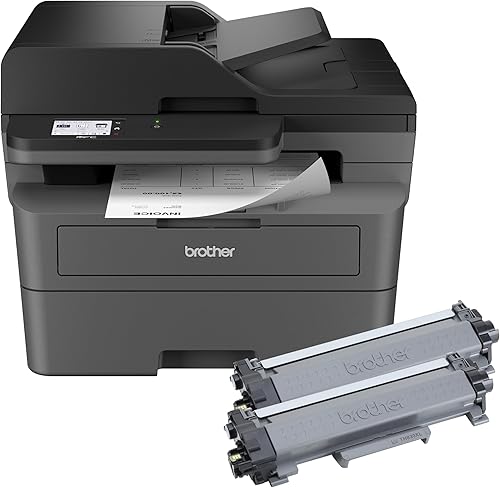
Brother MFC-L2820DW XL Wireless Compact Monochrome All-in-One: Best for extra toner in the box
- Up to 4,200 pages of toner included
- Print, copy, scan and fax
- 50-page auto document feeder
- Dual-band wireless
The XL version adds up to 4,200 pages of included toner to the MFC-L2820DW-style workflow, with automatic duplex and a 50-page feeder.
Pros
- More toner included
- Four functions
- 250-sheet tray
- Automatic duplex
Cons
- Black-and-white output
- 34 pages per minute in the supplied specifications
The Brother MFC-L2820DW XL is the choice for buyers who want the MFC-L2820DW-style workflow with more toner included.
Its box includes toner rated for up to 4,200 pages, and the printer still provides print, copy, scan and fax functions.
That extra included toner is the main reason to choose this version.
A 50-page automatic document feeder, 250-sheet tray and automatic duplex printing support regular office work.
Those features cover multi-page scanning, copying and two-sided printing in one machine.
Dual-band wireless, Ethernet and USB connections give you flexible placement options.
Wireless suits shared use, Ethernet suits a fixed desk, and USB suits one computer.
The model prints at up to 34 pages per minute in the supplied specifications.
That speed matches the standard version in the supplied specifications, so the difference is mainly the included toner.
Choose it when included toner matters more than choosing the standard version, and confirm the toner yield terms before relying on a page estimate.
Yield figures depend on coverage and use, so treat the rating as a guide for planning.
Keep the feeder and scan glass clean for reliable multi-page work.
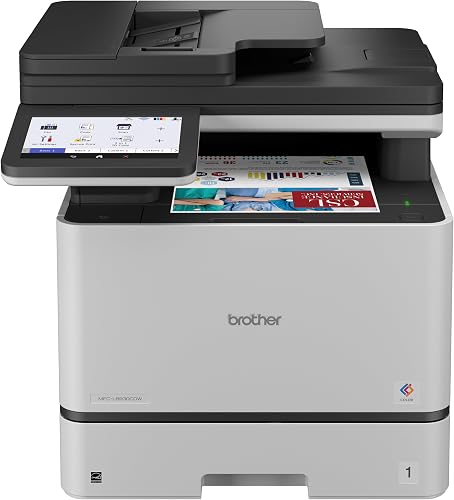
Brother MFC-L8930CDW Business Color Laser All-in-One Printer: Best for business color output
- Color printing
- 33 pages per minute
- 80-page auto document feeder
- 7-in color touchscreen
This business color model suits teams that need color documents, a large feeder, automatic duplexing and dual-band wireless alongside Gigabit Ethernet.
Pros
- Color and black output
- 80-page feeder
- 7-in touchscreen
- Legal-size media
Cons
- 71.2 lb weight
- Largest footprint in the group
The Brother MFC-L8930CDW is the strongest choice here for business color printing.
It prints color and black documents at up to 33 pages per minute, with automatic duplexing and an 80-page automatic document feeder.
That feeder size suits offices that scan or copy long stacks in color or black.
Its 7-in color touchscreen supports menu navigation, scan preview and customized shortcuts.
Shortcuts help when the same scan or copy routine is used each day.
Dual-band wireless and Gigabit Ethernet support both wireless and wired office networks.
That mix helps in a shared office where some devices are wireless and some are wired.
This model supports legal-size media up to 8.5 x 14 in, but it is also the largest and heaviest pick at 20.7 x 16.1 x 21.6 in and 71.2 lb.
Plan the placement before choosing it for a small workspace.
It needs a sturdy surface and clear space for paper, output and scanning.
Choose it when business color output and scanning capacity matter more than compact size.
Brother HL-L3300CDW Wireless Digital Color Multi-Function Printer: Best for compact color copying
- Color printing
- Copy and scan
- Dual-band wireless and Wi-Fi Direct
- Automatic duplex
A color three-in-one printer for home offices and small offices that need copying and scanning in addition to wireless color output.
Pros
- Color output
- Copy and scan functions
- Wi-Fi Direct
- Automatic duplex
Cons
- 19 pages per minute
- No fax function
The Brother HL-L3300CDW suits a home office or small office that needs color, copying and scanning without faxing.
It prints at up to 19 pages per minute and combines those three functions in one machine.
That speed is slower than the monochrome picks, so color is the main trade for output pace.
Dual-band wireless, Wi-Fi Direct and USB support different connection needs.
Wi-Fi Direct helps for a direct device link, dual-band wireless helps for shared network use, and USB helps for one computer.
Automatic duplexing helps with two-sided documents, while the flatbed scan glass handles copying and scanning.
The flatbed is a simple route for single sheets and delicate items.
Its 16.1 x 17.5 x 14 in body and 40.8 lb weight make it less compact than the HL-L2405W.
Choose it when color output is important and the slower print speed is acceptable.
It fits a home office where color documents matter but faxing does not.
Plan for the wider body and the weight when choosing a desk or stand.
How do you choose a Brother wireless laser printer?
Choose a Brother wireless laser printer by matching the printer's functions to your documents first. A print-only model is easier to place, while an all-in-one can replace separate scanning, copying and faxing equipment.
Do you need printing, scanning, copying or faxing?
The HL-L2405W is print-only, so it fits a household that already has another way to scan or copy. The MFC-L2820DW and MFC-L2820DW XL add scanning, copying and faxing in a compact body.
The professional models are better for repeated multi-page work. The MFC-L5915DW has a 70-page feeder, while the MFC-L2900DW and both MFC-L2820DW versions have 50-page feeders.
For a broader comparison of wireless all-in-ones, see our guide to best wireless all-in-one laser printers.
Is monochrome or color better?
Monochrome is the better match for forms, reports and other text-heavy documents. The Brother HL-L2405W, MFC-L2820DW, MFC-L2820DW XL, MFC-L2900DW and MFC-L5915DW all focus on black-and-white printing.
Color matters when you print presentations, graphics or other documents where colored elements carry meaning. The MFC-L8930CDW is the faster business color choice, while the HL-L3300CDW combines color printing with copy and scan functions in a smaller class of machine.
How much speed do you need?
Print speed matters most when you regularly print long documents or several jobs in a row. The MFC-L5915DW leads this group at 50 pages per minute, followed by the MFC-L2900DW and MFC-L2820DW XL at 36 and 34 pages per minute in the supplied specifications.
For occasional home printing, 30 pages per minute is usually a practical target. The HL-L2405W reaches that speed while keeping the design print-only and compact.
Should you choose automatic duplex printing?
Automatic duplex printing is useful when you regularly create two-sided documents. It turns the pages internally, while a manual duplex model requires you to handle the pages between sides.
Automatic duplexing appears on the MFC-L2710DW, MFC-L2820DW, MFC-L2820DW XL, MFC-L2900DW, MFC-L5915DW, HP LaserJet Pro 3101fdw and the color Brother models here. The HL-L2405W has manual duplexing.
What should you check before wireless setup?
Place the printer where it can reach your home Wi-Fi and where the paper tray and output area remain clear. Confirm that your phone, computer or tablet is using a compatible connection method before starting setup.
Dual-band wireless appears on several Brother models here, including the HL-L2405W, MFC-L2820DW, MFC-L2820DW XL, MFC-L2900DW, MFC-L5915DW, MFC-L8930CDW and HL-L3300CDW. Ethernet and USB can provide alternatives when wireless placement is difficult.
If you are comparing Brother with another brand, our guide to best Canon laser printers wireless covers a different group of cable-free models.
How should you maintain a Brother wireless laser printer?
Keep the paper tray loaded with suitable paper, use the correct toner family for your model and follow the printer's cleaning and replacement instructions.
For multi-function models, keep the document feeder and scan glass free of dust and scraps.
Those small habits help scanning stay clean and paper feeding stay smooth.
A 250-sheet tray can reduce refill frequency, but it does not remove the need to check paper condition.
Check that paper is flat, dry and matched to the tray before a large job.
Use the manual feed slot for envelopes and specialty paper when your model includes one.
That slot is the better path for media that needs a straighter feed route.
Toner codes vary across this group.
TN830 and TN830XL apply to several compact monochrome models, TN920UXXL applies to the MFC-L5915DW, TN635 applies to the MFC-L8930CDW and TN229 cartridges apply to the HL-L3300CDW.
Match the toner number to your exact model before ordering.
Using the wrong family can cause fit and output problems, so check the model name first.
Keep spare paper loaded before busy days, because a larger tray only helps when it is filled.
For duplex models, learn the paper path once and keep that route clear.
For wireless models, keep the printer in a stable Wi-Fi spot and check the connection before important jobs.
If a job fails, check paper, toner and the network link in that order.
That order covers the most common causes without repeated setup changes.
Clean the exterior and scan area with care and follow the guidance for your model.
Store paper away from dust and moisture, and keep the tray closed when it is not in use.
Those steps keep a wireless laser printer ready for daily work at home or in a small office.
Which Brother wireless laser printer should you buy?
Pick the Brother HL-L2405W if you want compact, cable-free black-and-white printing. Pick the MFC-L2820DW if you need a small-office all-in-one, the MFC-L5915DW if speed and feeder capacity come first, or the MFC-L8930CDW if business color output is essential.
For a wider look at the category, continue with our guide to What Are the Advantages of a Laser Printer? and then review What Are the Disadvantages of a Laser Printer? before deciding.
If faxing is the deciding feature, compare the best Brother laser printer with fax. For a lower-cost buying opportunity, check the guide to best Brother laser printer on sale.
Our top 3 picks at a glance
-
1
Best for simple home printing
Brother HL-L2405W Wireless Compact Monochrome Laser Printer
9.7/10 our score
See it on Amazon -
2
Best for automatic duplex and faxing
Brother Monochrome Laser Printer
9.6/10 our score
See it on Amazon -
3
Best for small office workflows
Brother MFC-L2820DW Wireless Compact Monochrome All-in-One Laser
9.6/10 our score
See it on Amazon
Frequently asked questions
What is the best Brother wireless laser printer for home use?
The Brother HL-L2405W is the best fit for many homes because it is compact, supports dual-band wireless and prints up to 30 monochrome pages per minute. Its 250-sheet tray reduces refills, while the manual feed slot handles envelopes and specialty paper.
Choose an all-in-one model if you also need scanning, copying or faxing.
Which Brother wireless laser printer is best for a small office?
The Brother MFC-L2820DW suits many small offices because it combines printing, copying, scanning and faxing with a 50-page automatic document feeder, automatic duplex printing and dual-band wireless.
For much heavier work, the MFC-L5915DW raises print speed to 50 pages per minute and feeder capacity to 70 pages.
Are Brother wireless laser printers color or black and white?
Brother offers both types in this guide. The HL-L2405W, MFC-L2820DW and professional monochrome models print black-and-white documents, while the MFC-L8930CDW and HL-L3300CDW produce color output.
Color models add presentation flexibility, but monochrome models are often the simpler match for forms, reports and text.
Do Brother wireless laser printers need a USB cable?
No. The wireless models here can connect over Wi-Fi, and several also support Ethernet or USB for a wired connection.
Dual-band wireless supports 2.4GHz and 5GHz connections on models that include it.
A USB connection remains useful when you want to connect one computer locally or troubleshoot network setup.
What toner works with Brother wireless laser printers?
Toner depends on the printer model. The HL-L2405W, MFC-L2820DW, MFC-L2900DW and related models use toner families such as TN830 or TN830XL, while the MFC-L5915DW uses TN920UXXL and the color models use their own TN635 or TN229 cartridges.
Match the toner number to your exact model before ordering.


