7 Best Wireless Document Scanners (November 2026)
The best wireless document scanners include the Epson Workforce ES-590W Wireless & USB High-Speed for busy office batches, the ScanSnap iX2500 Wireless or USB High-Speed Document for touchscreen workflows, and the ScanSnap iX1300 Wireless or USB Double-Sided Color for small wireless desks.
On this page (3 sections)
The best wireless document scanner for most offices is the Epson WorkForce ES-590W, because it combines Wi-Fi, USB, a 100-sheet feeder, single-pass duplex scanning and speeds up to 45 ppm.
That mix matters because it covers the two jobs most offices need to do every day.
You can place the scanner away from your main computer, connect it when you need a direct USB link, and feed a tall stack without reloading page by page.
The ScanSnap iX2500 is a close fit for touchscreen workflows, while the iX1300 saves desk space for smaller setups.
Wireless scanning is useful when you want to place the scanner away from your main computer, scan from a mobile device or send files to cloud services.
USB-only models still make sense when one computer handles the whole workflow and you want the simplest possible connection.
The ES-590W suits regular office batches because its feeder and duplex speed reduce the manual handling that slows down a one-sheet scanner.
The iX2500 suits people who want the same high-volume capacity with customizable profiles for different destinations.
The iX1300 suits personal paperwork and smaller desks because its footprint is far smaller than the 100-sheet desktop models.
Choosing between them comes down to batch size, desk space and whether you want a touchscreen, a compact body or a portable USB device.
For a wider explanation of sensor types, feeders and scan workflows, read our guide to a digital scanner for documents.
If both wireless connection and two-sided pages matter, compare these picks with the best wireless duplex document scanner.
That comparison helps you separate connection type from duplex capability, since the two features do not always come together.
It also helps you decide whether a large feeder is worth the extra desk space for your normal workload.
For most buyers, the practical test is simple: how many pages do you scan at once, and where should those files go next?
Our picks at a glance
-
1
 Best for busy office batches
Epson Workforce ES-590W Wireless & USB High-Speed
9.7/10 our score
See it on Amazon -
2
 Best for touchscreen workflows
ScanSnap iX2500 Wireless or USB High-Speed Document
9.4/10 our score
See it on Amazon -
3
 Best for small wireless desks
ScanSnap iX1300 Wireless or USB Double-Sided Color
9.2/10 our score
See it on Amazon
- 4
 Check it
Epson Workforce ES-50 Compact & Lightweight Mobile
Best for USB mobile scanning - 5
 Check it
Brother DS-640 Compact Mobile Document Scanner
Best for Linux-compatible portability - 6
 Check it
HP Small USB Document & Photo Scanner
Best for occasional home scanning - 7
 Check it
Canon imageFORMULA R40II Office Document Scanner
Best for USB office duplex scanning
The best wireless document scanners for computers and phones
The best wireless document scanners for computers are the Epson ES-590W, ScanSnap iX2500 and ScanSnap iX1300.
They support Wi-Fi or wireless workflows, while the smaller Epson, Brother, HP and Canon models are USB choices for direct computer scanning.
That split is the most useful way to read this list before you compare speed or feeder size.
The Wi-Fi models let you place the scanner in a convenient spot and send work to a computer, phone or cloud service without keeping it tethered by cable.
The USB models suit a single computer workflow, where you plug in, scan and save directly to that machine.
Our score weighs specs, features and buyer feedback against what you're shopping for.
We checked connection types, duplex scanning, feeder capacity, stated speed, portability and the difference between computer-based scanning and direct mobile workflows.
Feeder capacity changes the daily routine more than headline speed alone.
A 100-sheet feeder lets you load a batch and walk away, while a single-sheet scanner needs you to insert each page yourself.
Duplex scanning also changes the routine because both sides are captured in one pass instead of requiring a manual flip.
Portability works in the opposite direction, since lighter scanners are easier to carry but usually have smaller capacities.
Operating system support matters too, especially if you use Linux or work mainly from a phone or tablet.
The picks below keep those trade-offs separate so you can match the scanner to your desk, your batch size and your preferred destination.
| Product | Best for | Connections | Duplex speed | Feeder | Our score |
|---|---|---|---|---|---|
| Epson Workforce ES-590W Wireless & USB High-Speed | busy office batches | USB, Wi-Fi | Up to 45 ppm | 100 sheets | 9.7 |
| ScanSnap iX2500 Wireless or USB High-Speed Document | touchscreen workflows | USB, Wi-Fi | Up to 45 ppm | 100 sheets | 9.4 |
| ScanSnap iX1300 Wireless or USB Double-Sided Color | small wireless desks | USB, Wi-Fi | Up to 30 ppm | 9.2 | |
| Epson Workforce ES-50 Compact & Lightweight Mobile | USB mobile scanning | 9.6 | |||
| Brother DS-640 Compact Mobile Document Scanner | Linux-compatible portability | 9.5 | |||
| HP Small USB Document & Photo Scanner | occasional home scanning | 8.7 | |||
| Canon imageFORMULA R40II Office Document Scanner | USB office duplex scanning | Up to 45 ppm | 60 sheets | 8.3 |
Epson WorkForce ES-590W: best wireless document scanner for office batches
Epson Workforce ES-590W Wireless & USB High-Speed: Best for busy office batches
- Wi-Fi and USB
- Up to 45 ppm
- 100-page automatic document feeder
- 4.3-inch color touchscreen
The ES-590W combines wireless scanning, a 100-sheet feeder and single-pass duplex scanning for larger paperwork jobs. Its touchscreen can send scans to email, cloud storage or a USB flash drive without a computer.
Pros
- Wi-Fi and USB
- 100-sheet feeder
- Large color touchscreen
Cons
- Desktop-sized design
- Windows minimum system requirement is listed
The Epson WorkForce ES-590W is the best wireless document scanner here for regular office batches. Its 100-sheet automatic document feeder reduces the need to reload pages, while single-pass duplex scanning captures both sides at speeds up to 45 ppm.
Wi-Fi and USB give you two ways to connect the scanner. Built-in wireless connectivity supports scanning from a computer or mobile device, and the 4.3-inch color touchscreen can send scans to email accounts, cloud storage or a connected USB flash drive.
The ES-590W is also a strong fit when you want a computer-free step for routine jobs. Its stated ScanSmart AI technology is designed to convert documents into searchable, AI-ready data, while the touchscreen keeps common destinations within reach.
Choose it when your priority is large batch capacity plus wireless flexibility. It is a desktop model measuring 6.7 in deep, 11.6 in wide and 6.6 in high, so plan a permanent workspace.
ScanSnap iX2500: best wireless scanner with document feeder
ScanSnap iX2500 Wireless or USB High-Speed Document: Best for touchscreen workflows
- Wi-Fi 6 and USB-C
- Up to 45 ppm duplex scanning
- 100-sheet document feeder
- Large touchscreen
The iX2500 suits users who want wireless or USB scanning with a large touchscreen and profiles for different destinations. It supports Mac, PC, mobile devices and cloud services.
Pros
- Wi-Fi 6 and USB-C
- 100-sheet feeder
- Touchscreen profiles
Cons
- Heavier than the compact picks
- ScanSnap software is central to the workflow
The ScanSnap iX2500 is the best wireless scanner with document feeder for buyers who want a large touchscreen and customizable scan profiles.
Its 100-sheet feeder and up to 45 ppm double-sided scanning suit paperwork-heavy workflows.
That capacity means a full batch can be loaded once and scanned while you do other work.
Wi-Fi 6 and USB-C let you connect to computers, smart devices or cloud services.
The iX2500 supports Windows, macOS, iOS, iPadOS, Android and ChromeOS versions named in its system requirements.
Check your device version before ordering if you plan to scan through a phone or tablet app.
ScanSnap software can automatically optimize, name and sort scanned data from documents, receipts, photos and business cards.
The touchscreen can also select personalized profiles, which is useful when several people send files to different destinations.
Profiles help with routine jobs because each destination and output setting can be set up once and reused.
The trade-off is size and weight.
At 6.26 in deep, 11.5 in wide, 6.34 in high and 7.7 lb, it is better suited to a dedicated desk than a travel bag.
Plan clear space for the feeder and the outgoing page path before you install it.
For care, keep the feed area clean and remove staples or bent edges from pages before loading them.
That routine helps the feeder run smoothly and protects both the paper and the scan path.
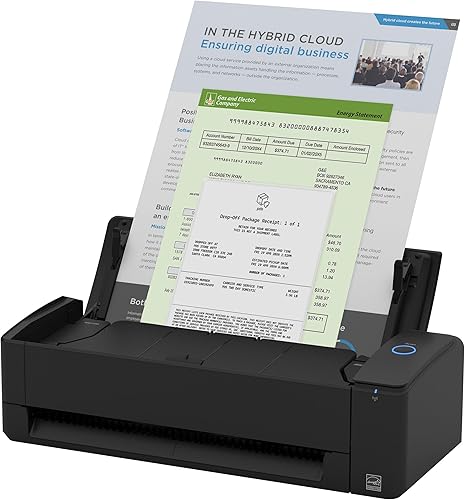
ScanSnap iX1300: best compact wireless document scanner
ScanSnap iX1300 Wireless or USB Double-Sided Color: Best for small wireless desks
- Wi-Fi and USB
- Up to 30 ppm duplex scanning
- 20-sheet capacity
- Computer-free scanning
The iX1300 brings wireless duplex scanning to a smaller footprint. It can handle documents, receipts, photos and cards, then send files to computers, mobile devices or cloud services.
Pros
- Compact operating footprint
- Wi-Fi and USB
- Duplex color scanning
Cons
- Smaller capacity than the 100-sheet models
- Lower stated speed than the top desktop picks
The ScanSnap iX1300 is the best compact wireless document scanner for smaller desks. Its space-saving design supports Wi-Fi and USB connections, while duplex color scanning reaches up to 30 ppm.
A 20-sheet capacity makes it better for personal paperwork and smaller batches than the 100-sheet models. It can scan documents, receipts, photos, cards and other supported media, then send files to computers, mobile devices or cloud services.
The iX1300 can also work without a computer, which helps when your preferred workflow is phone or cloud based. Automatic de-skew, color optimization and blank-page removal are designed to reduce manual cleanup.
Choose it when desk space matters more than feeder capacity. Its stated dimensions are 4.5 in deep, 11.7 in wide and 3.3 in high, with a weight of 4.4 lb.
For a brand-focused comparison, see our guide to the best Epson wireless document scanner, then compare Epson's desktop models with this smaller ScanSnap option.
Epson WorkForce ES-50: best mobile scanner for a computer
Epson Workforce ES-50 Compact & Lightweight Mobile: Best for USB mobile scanning
- USB-powered design
- Single-sheet feeding
- Up to 5.5 seconds per page
- Windows and Mac compatibility
The ES-50 is for mobile scanning from a computer rather than Wi-Fi scanning from a phone. Its single-sheet feed, USB power and compact 9.44 oz design suit receipts, IDs and small document jobs.
Pros
- Very light
- USB power
- Scans pages up to 8.5 x 72 in
Cons
- No wireless connection
- Single-sheet feeding
The Epson WorkForce ES-50 is a USB mobile scanner, not a wireless document scanner.
It suits people who want a light device for a computer, with a single-sheet feed and a stated scan time as quick as 5.5 seconds per page.
That makes it a good fit for a small number of pages rather than a tall office stack.
The ES-50 weighs 9.44 oz and measures 10.7 in deep, 10.7 in wide and 1.3 in high.
USB power means it does not need batteries or an external power supply when connected to a computer.
You can carry it in a bag and plug it into a laptop when you reach your destination.
It handles documents up to 8.5 x 72 in, receipts and ID cards.
Epson ScanSmart software can combine individually inserted pages into one file.
Included OCR can create searchable PDFs plus editable Word and Excel files for later editing.
Pick it when portability and direct USB scanning to a Windows or Mac computer matter more than Wi-Fi.
Its one-sheet capacity makes it a poor fit for unattended office batches.
For setup, use a flat surface and feed each sheet straight so it enters evenly.
Store it in a protected sleeve between jobs to keep the scan path clean and the body undamaged.
Brother DS-640: best portable scanner for Windows, Mac and Linux
Brother DS-640 Compact Mobile Document Scanner: Best for Linux-compatible portability
- USB-powered operation
- Up to 16 ppm
- Windows, Mac and Linux support
- Scans cards and receipts
The Brother DS-640 is a portable USB scanner for users who need Windows, Mac or Linux support. Its software can send scans to files, OCR, email and cloud services.
Pros
- Windows, Mac and Linux support
- USB-powered
- Handles cards and receipts
Cons
- No Wi-Fi
- Single-sheet feeding
The Brother DS-640 is the best portable document scanner here for users who need Windows, Mac and Linux support.
It connects by USB and scans color or black-and-white pages at up to 16 ppm.
That speed is well suited to a few pages at a time, such as receipts, cards and short documents.
Its single-sheet design works for receipts, business cards, ID cards, plastic cards and plain paper.
The DS-640 is about 1 lb in the listed specifications.
USB power lets you scan from a laptop or PC where an outlet is not available.
Brother's iPrint&Scan software can send scans to files, OCR, email and cloud services.
The software also includes image options such as background removal, text enhancement, bleed-through prevention and color drop.
Those options help clean up faint text and thin paper where the reverse side may show through.
Choose it when portability and operating-system support matter more than wireless access or automatic feeding.
A separate page-by-page workflow takes longer than a desktop scanner with an automatic document feeder.
For daily use, keep the cable with the scanner and check that each card or sheet is seated straight before feeding it.
Store the device in a case or drawer, since a slim scanner is easier to knock or scratch when it is loose in a bag.
HPPS100: best small USB scanner for occasional jobs
HP Small USB Document & Photo Scanner: Best for occasional home scanning
- USB 2.0 connection
- One-sided sheetfed scanning
- Windows and Mac compatibility
- Scans documents, photos, cards and receipts
The HPPS100 fits occasional document and photo scanning at home or in a small office. Its USB connection and slim 2 in deep body make it easy to store between jobs.
Pros
- Slim portable design
- Scans photos and receipts
- Windows and Mac compatibility
Cons
- No Wi-Fi
- One-sided scanning
The HPPS100 is the best small USB scanner for occasional home, office or business scanning.
It uses one-sided sheetfed scanning and connects by USB, with Windows and Mac compatibility stated for the HP WorkScan software.
That makes it a straightforward choice when a computer is always close to where you scan.
This model handles documents, business cards, photos, receipts and other listed media.
Its 2 in depth and 3 oz listed weight make it easy to store between tax papers, receipts and small document jobs.
The slim body fits in a drawer or bag, so it does not need a permanent place on your desk.
The scanner is designed for direct computer use rather than a wireless phone workflow.
HP WorkScan software can preview, crop, edit, optimize and save scans, with size detection for routine jobs.
Previewing a scan before you save it helps you catch a crooked page or a faded edge early.
Choose it for light scanning and compact storage.
If you regularly scan both sides of a page or feed a stack, the Epson ES-590W, ScanSnap iX2500 or ScanSnap iX1300 is a better match.
For care, wipe the scan path as directed and avoid feeding torn or heavily creased paper.
Store it flat and protected so the slim feed path stays clean for the next small batch.
Canon imageFORMULA R40II: best wired office alternative
Canon imageFORMULA R40II Office Document Scanner: Best for USB office duplex scanning
- Up to 45 ppm color duplex scanning
- 60-sheet feeder
- USB-C connection
- Windows 11 and macOS support
The Canon R40II is a wired office scanner for users who want fast duplex scanning without wireless setup. Its 60-sheet feeder handles receipts, cards, reports, contracts and long documents.
Pros
- Fast duplex scanning
- 60-sheet feeder
- USB-C setup
Cons
- No Wi-Fi
- Designed for Canon CaptureOnTouch software
The Canon imageFORMULA R40II is the best wired alternative for office users who want fast duplex scanning without wireless setup.
It scans both sides at once at up to 45 ppm and has a 60-sheet automatic feeder.
That feeder size sits between the 100-sheet desktop models and the smaller 20-sheet iX1300.
The R40II connects to a computer with the supplied USB-C cable and supports Windows 11 and macOS.
Its software setup centers on Canon CaptureOnTouch, and the product does not support TWAIN or ISIS drivers.
Check that CaptureOnTouch fits your workflow before choosing it for a shared office computer.
The feeder handles receipts, business cards, reports, contracts, long documents and thick or thin documents.
A foldable paper feed tray helps reduce the space needed when the scanner is stored.
Pick it when a USB connection is acceptable and you want fast two-sided office scanning.
If you need a wireless document scanner for computers or mobile devices, choose one of the Wi-Fi models above.
For setup, place the scanner where the cable can reach your computer without pulling across the desk.
Keep the feed tray clear of staples and curled edges, and clean the scan path as directed to keep duplex batches running smoothly.
How to choose a wireless document scanner
Choose a wireless document scanner by connection type first. Wi-Fi models fit shared desks, mobile workflows and direct cloud or phone scanning, while USB models suit one-computer setups.
Do you need wireless scanning or just a compact scanner?
Wireless scanning is useful when the scanner may sit away from your computer or when several devices need access. The ES-590W, iX2500 and iX1300 support USB as well, so they can also serve a direct computer workflow.
The ES-50, DS-640, HPPS100 and Canon R40II are USB models. They may be simpler when one computer is always nearby, but they don't provide the same wireless document scanner workflow.
For a network-focused setup, compare the features in our guide to the best network document scanner. A network connection and a wireless connection can overlap, but the setup and destination options may differ.
How much feeder capacity do you need?
A 100-sheet feeder is the best fit for larger batches, while 20 sheets or fewer suits personal paperwork. The ES-590W and iX2500 lead this group with 100-sheet feeders, followed by the Canon R40II at 60 sheets and the iX1300 at 20 sheets.
Single-sheet mobile scanners require you to insert pages one at a time. That makes the ES-50, DS-640 and HPPS100 easier to carry, but slower for a tall stack.
If your main goal is sending a batch directly to an email destination, review the options in best document scanner to email.
Is duplex scanning worth choosing?
Duplex scanning is worth it when your documents commonly have text on both sides. The ES-590W, iX2500, iX1300 and Canon R40II scan both sides, while the HPPS100 is one-sided and the mobile Epson and Brother models use single-sheet workflows.
A duplex scanner can reduce page handling because you don't need to flip each sheet manually. It also helps keep front and back pages together when creating a digital file.
What should you check before setup?
Place a desktop scanner where the feed path has room for pages and where the touchscreen or controls are easy to reach.
Leave space in front for incoming pages and behind for scanned pages to stack without folding.
Confirm that your computer or phone uses a supported operating system, then install the brand's software and connect by Wi-Fi or USB.
Testing one short scan after setup helps you confirm the destination, file type and page orientation before you load a full batch.
For Wi-Fi models, use a secure wireless network and follow the app or software setup for each destination.
Name custom profiles or destinations clearly if more than one person uses the scanner.
For USB mobile scanners, keep the cable with the device and use a flat surface so each sheet enters evenly.
A steady surface matters more with a single-sheet feed because there is no feeder to guide a crooked page.
Clean the scan path as directed by the manufacturer and keep paper free of staples, folds and loose debris.
Small build-up on the path can cause streaks or misfeeds, so a quick check before a large batch is worth the time.
Store a portable scanner in a protected bag or drawer when it is not in use.
Keep cards and receipts flat and separate from loose items that could press against the scanner body.
If your project includes photos and automatic feeding, our guide to a photo scanner with ADF explains the main trade-offs.
Large technical drawings need a different class of equipment, covered in large format scanner 36 inch.
Matching the scanner type to the material matters because a document feeder and a flatbed handle fragile or oversized items very differently.
Decide first whether your usual work is office paper, photos, cards or mixed sizes, then choose the feed method that fits.
Which best wireless document scanner should you choose?
Choose the Epson ES-590W if you need the strongest mix of Wi-Fi, USB, duplex speed, touchscreen control and 100-sheet capacity.
It is the best match for regular office batches where files need to go to a computer, phone, email or cloud storage.
Choose the ScanSnap iX2500 for a similar high-volume wireless workflow with customizable profiles.
Its touchscreen profiles and automatic file handling suit shared desks or paperwork-heavy routines.
Pick the ScanSnap iX1300 when your desk is small.
It still offers Wi-Fi, USB and duplex color scanning, but with a 20-sheet capacity and a much smaller footprint.
Choose the Epson ES-50 and Brother DS-640 when portability and direct computer scanning matter more than wireless access.
The ES-50 suits a light Windows or Mac setup, while the DS-640 adds Linux support for mixed operating systems.
The HPPS100 fits occasional one-sided jobs where compact storage is the main priority.
The Canon R40II is the wired choice for fast duplex office work without wireless setup.
Use your batch size as the first filter: 100 sheets for large stacks, 60 sheets for mid-size office batches, 20 sheets for personal paperwork and one sheet for travel.
Use your connection needs as the second filter: Wi-Fi for flexible placement and mobile workflows, USB for a single computer.
That two-step choice keeps you from paying for capacity you will not use or giving up wireless access you need every day.
Our top 3 picks at a glance
-
1
Best for busy office batches
Epson Workforce ES-590W Wireless & USB High-Speed
9.7/10 our score
See it on Amazon -
2
Best for touchscreen workflows
ScanSnap iX2500 Wireless or USB High-Speed Document
9.4/10 our score
See it on Amazon -
3
Best for small wireless desks
ScanSnap iX1300 Wireless or USB Double-Sided Color
9.2/10 our score
See it on Amazon
Frequently asked questions
What is the best wireless document scanner for most people?
The Epson WorkForce ES-590W is the strongest general choice because it combines Wi-Fi and USB, a 100-sheet feeder, single-pass duplex scanning and speeds up to 45 ppm. Its touchscreen can also send scans to email, cloud storage or a USB flash drive without a computer.
Are wireless document scanners better than USB scanners?
Wireless document scanners are more flexible when you want to place the scanner away from a computer or send scans from a mobile device. USB models can be simpler for one computer and may cost less, but they need a physical connection during scanning.
Can a wireless document scanner scan directly to a phone?
Yes, several picks here support mobile scanning. The Epson ES-590W, ScanSnap iX2500 and ScanSnap iX1300 support wireless connections to mobile devices.
Check the required app and operating system before choosing a scanner for phone-first work.
What is the best wireless document scanner with a feeder?
The Epson ES-590W and ScanSnap iX2500 have the largest stated feeders here at 100 sheets. The ScanSnap iX1300 offers a smaller 20-sheet capacity, while the Canon R40II uses a 60-sheet feeder but connects by USB only.
Do wireless document scanners scan both sides at once?
Some do, but wireless connection and duplex scanning are separate features. The ES-590W, iX2500 and iX1300 combine Wi-Fi with double-sided scanning.
The HPPS100 is one-sided, and the ES-50 and DS-640 are single-sheet mobile scanners.


