9 Best Transfer Paper for Laser Printers (November 2026)
The best laser printer transfer paper include the TransOurDream Tru-Heat Transfer Paper for Inkjet for mixed printer households, the Sunnyscopa Waterslide Decal Paper for LASER Printer for clear surface decals, and the TransOurDream Upgraded Iron on Heat Transfer Paper for light cotton fabric.
On this page (14 sections)
- Which laser printer transfer paper is best for each project?
- How we compared transfer paper for laser printers
- 1. TransOurDream Tru-Heat Transfer Paper for Inkjet
- 2. Sunnyscopa Waterslide Decal Paper for LASER Printer
- 3. TransOurDream Upgraded Iron on Heat Transfer Paper
- 4. Phomemo Tattoo Transfer Paper
- 5. MyArtscape Graphite Transfer Paper
- 6. Avery Heat Transfer Paper
- 7. HTVRONT Heat Transfer Paper
- 8. MECOLOUR Printable Temporary Tattoo Paper for LASER
- 9. Forever Laser Dark No-Cut A+B Paper 8.5
- What should you check before buying laser printer transfer paper?
- How do you use laser printer transfer paper safely?
- Final verdict on the best laser printer transfer paper
The best laser printer transfer paper for most light-fabric projects is TransOurDream Tru-Heat Transfer Paper, because it works with both laser and inkjet printers and includes Teflon paper. That printer flexibility is the main reason it suits households that have changed printers or share a home office.
Choosing the right sheet starts with the surface you want to decorate. A fabric transfer behaves nothing like a waterslide decal, and neither is made for skin or pencil tracing.
Transfer paper is not one universal material. Laser printer iron on transfer paper, waterslide decal paper, tattoo stencil paper and graphite tracing sheets use different processes, so the right choice starts with the surface and printer you plan to use.
Heat-transfer paper is pressed onto fabric with an iron or heat press. Waterslide paper is printed, sealed with acrylic spray in this case, and slid onto a hard surface.
Tattoo paper creates a stencil or a temporary design for skin.
Printer type matters just as much as the surface. Laser printers fuse toner with heat, while inkjet printers lay down liquid ink, and many sheets are made for only one of those systems.
This guide compares 9 options by printer compatibility, sheet format, intended use and setup needs. Our score weighs specs, features and buyer feedback against what you're shopping for.
Use the guide to narrow the field before you check sheet counts. A large pack only helps if the paper matches your printer, your surface and the heat or water method you are ready to use.
Our picks at a glance
-
1
 Best for mixed printer households
TransOurDream Tru-Heat Transfer Paper for Inkjet
9.7/10 our score
See it on Amazon -
2
 Best for clear surface decals
Sunnyscopa Waterslide Decal Paper for LASER Printer
9.6/10 our score
See it on Amazon -
3
 Best for light cotton fabric
TransOurDream Upgraded Iron on Heat Transfer Paper
9.5/10 our score
See it on Amazon
- 4
 Best for tattoo stencil workCheck it
- 5
 Check it
MyArtscape Graphite Transfer Paper
Best for reusable art tracing - 6
 Best for small inkjet craft projectsCheck it
- 7
 Best for mixed light and dark fabricsCheck it
- 8
 Check it
MECOLOUR Printable Temporary Tattoo Paper for LASER
Best for event tattoos - 9
 Check it
Forever Laser Dark No-Cut A+B Paper 8.5
Best for white-toner dark garments
Which laser printer transfer paper is best for each project?
The best choice depends on whether you are transferring onto light fabric, dark fabric, a hard surface, skin or an art surface. Start with the project before comparing sheet counts.
Fabric projects split first by color. Light-fabric sheets rely on the pale garment behind the design, while dark-fabric systems need extra coverage so light colors remain visible.
TransOurDream Tru-Heat is the best all-around pick for light or white fabric when your household uses both inkjet and laser printers. Sunnyscopa is better for clear decals, while Forever is aimed at dark garments and white-toner equipment.
Waterslide and tattoo products move the decision away from garments entirely. The finish, sealing step and safety limits are different, so they should not be judged like iron-on sheets.
For tattoo work, Phomemo provides 100 A4 stencil sheets for thermal and digital stencil printers. MECOLOUR provides 10 laser-compatible sheets for temporary tattoos.
Phomemo is aimed at artists and enthusiasts who need a stencil for tattooing. MECOLOUR is aimed at short-term designs that sit on skin for an event or costume.
MyArtscape is different from the rest. It is reusable graphite paper for tracing designs onto paper, watercolor surfaces, canvas and wood, not a printable heat-transfer sheet.
That tracing use can be a helpful alternative when the design begins on paper rather than in a printer. Keep it in mind for art projects, and keep heat-transfer sheets in mind for printed fabric work.
How we compared transfer paper for laser printers
We compared the stated printer type, surface, sheet size, sheet count and application method for each product. We also separated products that are often grouped together under the phrase “transfer paper” but solve different problems.
A laser printer uses heat to fuse toner, so paper made only for inkjet printers should not be treated as laser compatible. Our guide to how a printer transfers toner onto paper explains the basic printing process.
The fusing stage matters during selection. Read how a laser printer fuses toner to paper before using specialty sheets, especially if your printer runs hot or has a manual-feed path.
We also checked whether the product supports light or dark fabric, whether it needs an A+B system, and whether it is meant for decals, tattoos or art. Products appear in descending score order.
| Product | Best for | Printer type | Sheet count | Use | Our score |
|---|---|---|---|---|---|
| TransOurDream Tru-Heat Transfer Paper for Inkjet | mixed printer households | Inkjet and laser | 20 | Light or white fabrics | 9.7 |
| Sunnyscopa Waterslide Decal Paper for LASER Printer | clear surface decals | Laser | 20 | 9.6 | |
| TransOurDream Upgraded Iron on Heat Transfer Paper | light cotton fabric | Inkjet | 15 | 9.5 | |
| Phomemo Tattoo Transfer Paper | tattoo stencil work | 100 | Tattoo stencil transfers | 9.4 | |
| MyArtscape Graphite Transfer Paper | reusable art tracing | 20 | 9.0 | ||
| Avery Heat Transfer Paper | small inkjet craft projects | Inkjet | 5 | 8.6 | |
| HTVRONT Heat Transfer Paper | mixed light and dark fabrics | Inkjet | 8.5 | ||
| MECOLOUR Printable Temporary Tattoo Paper for LASER | event tattoos | Laser | 10 | 8.3 | |
| Forever Laser Dark No-Cut A+B Paper 8.5 | white-toner dark garments | Laser with white toner | 50 | 8.2 |
1. TransOurDream Tru-Heat Transfer Paper for Inkjet
TransOurDream Tru-Heat Transfer Paper for Inkjet: Best for mixed printer households
- Works with inkjet and laser printers
- 20 sheets
- 8.5 x 11 in
- Includes 2 sheets of 11 x 17 in Teflon paper
This is the most flexible pick for households that use either an inkjet or laser printer. The 20-sheet pack and included Teflon paper suit repeated light-fabric projects.
Pros
- Works with inkjet and laser printers
- 20 sheets
- Teflon paper included
Cons
- For light or white fabrics
- No sublimation ink
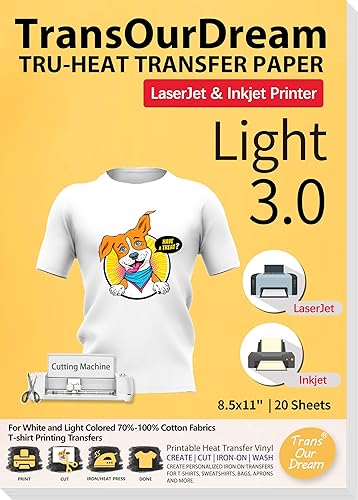
TransOurDream Tru-Heat is the strongest fit for a mixed-printer household. It works with inkjet and laser printers, comes with 20 sheets measuring 8.5 x 11 in, and includes 2 sheets of 11 x 17 in Teflon paper.
Use it for designs, text, images and photos on light or white T-shirts and fabrics. The process is straightforward: print and cut the design, place it face up, cover it with Teflon paper, and apply heat with an iron or heat press.
The title identifies this as Light 3.0 transfer paper. That makes fabric color a key limit.
It is not the first choice for a black shirt that needs strong light-color coverage.
The pack suits occasional projects because 20 sheets give you room for several designs and a few setup attempts. Follow the instructions included with the pack, and avoid sublimation ink.
Buy it if you want one transfer paper that supports both printer types.
2. Sunnyscopa Waterslide Decal Paper for LASER Printer
Sunnyscopa Waterslide Decal Paper for LASER Printer: Best for clear surface decals
- Clear waterslide paper
- 20 sheets
- 8.5 x 11 in
- For glass, ceramics, tumblers and other surfaces
Sunnyscopa is the strongest choice for laser-printed decals that slide onto hard surfaces. Its clear, translucent sheets fit tumblers, mugs, glass and ceramics.
Pros
- Clear finish
- 20 sheets
- Works on many hard surfaces
Cons
- Not for inkjet printers
- Needs acrylic spray
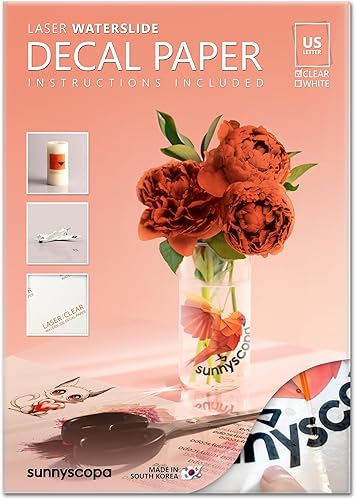
Sunnyscopa is the best laser printer transfer paper here for clear hard-surface decals. Its 20 translucent sheets are US letter size, 8.5 x 11 in, and designed for waterslide use on items such as glass, ceramics, mugs and tumblers.
The clear format suits people making personalized gifts or small decorative items at home. It also suits sellers and hobbyists who want a decal that follows the shape of an object rather than sitting on flat fabric.
This is not an iron-on fabric sheet. You print the design, use acrylic spray as part of the process, and apply the decal to the chosen surface.
That acrylic spray step is part of the setup, so plan for it before you start. It helps turn the printed sheet into a waterslide decal that can be moved into place on the surface.
That makes it useful for personalized gifts, ornaments, packaging and similar craft projects. The method gives you more control over placement than a press-on sheet that is fixed by heat.
The clear finish helps the surface show through around the printed design. Plan the artwork around that effect, since unprinted areas will not behave like an opaque white background.
That show-through effect can look clean on a tumbler or mug, but it changes how colors read. Test a small design first if you are unsure how the final colors will sit on glass or ceramic.
Choose the laser version only if you use a laser printer. Sunnyscopa separates its laser and inkjet versions because the printers place color on the paper in different ways.
Buy it for transparent decals, not shirts or dark fabric.
3. TransOurDream Upgraded Iron on Heat Transfer Paper
TransOurDream Upgraded Iron on Heat Transfer Paper: Best for light cotton fabric
- 15 sheets
- 8.5 x 11 in
- For light or white 70% to 100% cotton
- Includes 3 reusable Teflon sheets
This pick is designed for light cotton projects made with an inkjet printer. It suits shirts, bags, aprons, pillow cases and similar fabric items.
Pros
- 15 sheets
- No mirror printing
- Teflon paper included
Cons
- Inkjet only
- For light or white fabric
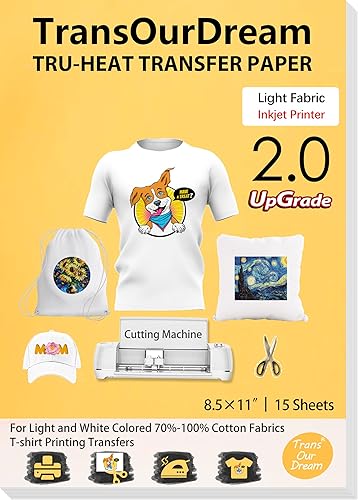
TransOurDream Upgraded Iron on is made for inkjet printers and light or white fabric. The pack has 15 sheets at 8.5 x 11 in plus 3 reusable Teflon sheets.
The reusable Teflon sheets make the pack more practical for repeat projects. They sit over the printed design during heat application and can be kept for later transfers.
It suits 70% to 100% cotton items such as T-shirts, bags, aprons, masks, pillow cases, cushion covers, tablecloths, flags and banners. The paper supports scissors or a cutting machine, so you can trim the design by hand or use a compatible cutter.
Hand cutting suits simple shapes and families making a few gifts. A cutting machine suits detailed shapes, repeated sizes and projects where clean edges matter more.
The instructions use a print, cut, place and heat process. The product is designed for no mirror printing, which removes one common setup step for supported designs.
That no-mirror design helps when you are working from a normal printed image. Check the pack instructions for the exact placement step before you press the design onto fabric.
This is a focused pick rather than a flexible one. It does not replace a laser-compatible sheet, and its light-fabric use does not solve dark-shirt coverage.
Buy it for light cotton projects when your printer is inkjet.
4. Phomemo Tattoo Transfer Paper
Phomemo Tattoo Transfer Paper: Best for tattoo stencil work
- 100 sheets
- A4 size
- Four-layer design
- Works with thermal and digital stencil printers
Phomemo is made for stencil transfers rather than shirts or household decals. Its 100-sheet A4 pack suits tattoo artists, enthusiasts and studios that need repeated stencil work.
Pros
- 100 sheets
- Four-layer construction
- Can be printed or hand-drawn
Cons
- Requires transfer media
- Not general fabric transfer paper
Phomemo is the best choice here for tattoo stencil transfers. Its box contains 100 A4 sheets, each measuring 8.27 x 11.69 in, and the four-layer design includes a white master sheet, protective tissue, blue carbon page and yellow backing sheet.
Each layer has a separate job in the transfer process. The white master sheet holds the design, the protective tissue is removed before use, and the carbon and backing layers support the transfer to skin.
You can print or hand-draw a design on the transfer paper. It works with thermal and digital stencil printers, including the Phomemo M08F and other compatible stencil printers named in the product information.
That choice suits different studios and work habits. Printing suits detailed or repeated designs, while hand drawing suits artists who want to adjust the stencil by hand.
The dotted-line design helps with tearing without tools. The paper needs transfer media, and stencil ointment is purchased separately, so include those supplies in your setup plan.
The 100-sheet count suits frequent stencil work better than a small craft pack. It gives a studio room to test designs, replace spoiled sheets and keep a steady supply on hand.
This product belongs in a different category from laser printer iron on transfer paper. It is for stencil creation and skin transfer, not fabric decoration.
Buy it when you need a large supply of tattoo stencil sheets.
5. MyArtscape Graphite Transfer Paper
MyArtscape Graphite Transfer Paper: Best for reusable art tracing
- 20 A4 sheets
- Black graphite
- Wax-free
- Reusable and erasable
MyArtscape fits drawing and tracing projects where you need to copy a design onto paper, watercolor surfaces, canvas or wood. It is not a heat-transfer sheet for garments.
Pros
- Reusable sheets
- Erasable graphite
- Wax-free
Cons
- Not for laser-printed fabric transfers
- Black graphite marks need erasing
MyArtscape is the best transfer paper here for reusable art tracing. The pack has 20 black A4 sheets measuring 8.27 x 11.69 in, made from wax-free graphite paper.
The A4 size fits standard sketch paper and small canvas or wood panels. That makes it easy to work at a desk without cutting sheets down for most drawing projects.
Use it to copy designs onto paper, watercolor surfaces, canvas or wood. The graphite transfers can be erased with a kneaded eraser, and each sheet can be used more than once.
Reuse is the main value here. You can keep the same sheet for several tracing sessions instead of buying a fresh sheet for each design.
This is a useful alternative when the project starts with a hand-drawn pattern rather than a printed image. It does not go through a laser printer and does not create an iron-on transfer for shirts.
The wax-free material is suited to artists who want transfer lines without wax residue. Test pressure on a spare area first so the copied lines match the visibility you need.
Pressure control matters because a light touch may leave lines too faint to follow. A firmer pass can make the design clearer, but it can also make cleanup harder on delicate paper.
Buy it for drawing and tracing, not printable fabric transfers.
6. Avery Heat Transfer Paper
Avery Heat Transfer Paper: Best for small inkjet craft projects
- 5 sheets
- 8.5 x 11 in
- For light fabrics
- 100% cotton sheets with heat-seal backing
Avery is a compact option for a small number of light-fabric projects. The five-sheet pack works for tote bags, pillows, quilts, blankets and similar crafts.
Pros
- Simple five-sheet pack
- 8.5 x 11 in sheets
- Scissors or cutting machines
Cons
- Inkjet only
- Hand wash only
Avery is a compact option for small inkjet craft projects on light fabrics. The pack contains 5 matte sheets measuring 8.5 x 11 in, made from 100% cotton with a heat-seal backing.
The matte finish gives the printed design a softer look than a glossy sheet. That can suit quilts, pillows and other home items where a less shiny finish feels more natural.
Use the sheets for tote bags, pillows, quilts, blankets, masks and similar porous surfaces. You can print text, images and pictures, then cut the design with scissors or an electric cutting machine.
Scissors suit one-off names, labels and simple graphics. An electric cutting machine suits detailed shapes and repeated projects where hand cutting would take longer.
The small pack works well when you only need a few transfers. It is less suitable for a large project because there are only 5 sheets.
That small count also makes it easier to limit cost for a first test. You can check printer settings, iron temperature and placement before committing to a larger order.
Avery specifies hand washing for care. Follow that instruction when planning a finished item, especially if the project will be washed often.
Buy it for a short light-fabric project using an inkjet printer.
7. HTVRONT Heat Transfer Paper
HTVRONT Heat Transfer Paper: Best for mixed light and dark fabrics
- 20 sheets total
- 10 light and 10 dark sheets
- Includes 4 sheets of parchment paper
- For inkjet printers
HTVRONT gives inkjet users separate sheets for light and dark fabric. The mixed pack helps when your projects vary instead of staying with one fabric color.
Pros
- Light and dark sheets included
- 20 sheets total
- No mirror printing
Cons
- Inkjet only
- Cannot use sublimation ink
HTVRONT is the most useful pick for inkjet users who work with both light and dark fabric. The 20-sheet pack includes 10 sheets for light fabric and 10 for dark fabric, plus 4 sheets of parchment paper.
The even split helps crafters who change projects often. You do not need a separate pack when the next gift is on a dark shirt instead of a light tote bag.
It works with cotton and nylon fabrics, with the best transfer effect on fabrics that contain more than 60% cotton. You can use scissors or a cutting machine, and the paper is designed for no-mirror printing.
That cotton guidance helps set expectations before you choose a garment. A mostly cotton shirt or tote is a better match than a synthetic fabric with only a small cotton content.
The mixed pack reduces the need to buy separate light and dark products. Still, check the instructions for the specific sheet type before printing, because light and dark transfers can use different placement steps.
Keep the light and dark sheets separated in storage so you pick the right one under time pressure. A quick label or a separate folder can prevent a mismatch between sheet type and fabric color.
HTVRONT is for inkjet printers and cannot use sublimation ink. Choose it when variety matters more than laser compatibility.
Buy it for mixed light and dark fabric projects from an inkjet printer.
8. MECOLOUR Printable Temporary Tattoo Paper for LASER
MECOLOUR Printable Temporary Tattoo Paper for LASER: Best for event tattoos
- 10 sheets
- 8.5 x 11 in
- For laser printers
- Temporary skin transfers
MECOLOUR suits parties, cosplay and other short-term designs made with a laser printer. It is a skin-transfer product, so it should not be treated like fabric heat-transfer paper.
Pros
- Laser compatible
- 10 sheets
- Designed for temporary tattoos
Cons
- Do not apply to eyes or broken skin
- Alcohol is used for removal
MECOLOUR is the best laser printer transfer paper here for temporary tattoos at parties, events and costume projects. The pack contains 10 sheets measuring 8.5 x 11 in.
The 10-sheet count suits a set of event designs rather than a single test print. It gives you room for several tattoos, a few retakes and a spare sheet if a print comes out wrong.
Print the image on the gloss side, then follow the included process for applying the temporary design. The product is intended for skin and should not be applied to eyes or broken skin.
Those safety limits should shape where you place the design. Stick to intact skin areas and keep the process out of costume use that involves the eyes.
MECOLOUR states that the tattoo can last at least 48 hours if left untouched. It also specifies alcohol with a concentration above 75% for removal.
That removal step is worth planning before an event. Make sure the wearer knows how the design comes off so it does not stay longer than intended.
This is not a tattoo stencil sheet and not fabric transfer paper. Choose it when the final result needs to sit on skin for a short period.
Buy it for laser-printed temporary tattoos and event designs.
9. Forever Laser Dark No-Cut A+B Paper 8.5
Forever Laser Dark No-Cut A+B Paper 8.5: Best for white-toner dark garments
- 50 sheets
- 8.5 x 11 in
- A+B self-weeding system
- For laser printers with white toner
Forever is the specialist choice for dark garments when you have a compatible white-toner laser printer. The A+B system is more involved than a single transfer sheet but suits professional-style workflows.
Pros
- 50 sheets
- For dark garments
- Self-weeding A+B system
Cons
- Requires white toner
- Printer temperature compatibility matters
Forever Laser Dark No-Cut A+B Paper is the specialist option for dark garments printed with a laser printer that has white toner. The pack contains 50 sheets at 8.5 x 11 in and uses a self-weeding A+B system.
The A+B format is more complex than a single sheet. The A sheet carries the printed image, and the B sheet adds the coverage needed for light colors on dark fabric.
The transparent print media helps with alignment. The B sheet adheres to toner on the A sheet, allowing white and light-colored parts of a design to show on dark garments.
That transparency helps when you need to line up a design on a shirt or bag. It also makes it easier to see where the printed design sits before you press the sheets together.
This system has more setup steps than a single transfer sheet. Forever identifies Oki white-toner printers as the intended equipment and warns that HP and Brother printers can run too hot for the process.
Printer heat is a real limit here, not a minor detail. Confirm your model and settings before you buy, since the wrong printer can affect how the A and B sheets separate.
Choose it only after confirming your printer and temperature settings. The larger 50-sheet pack makes more sense for repeat work than for a single craft project.
Buy it for compatible white-toner laser printing on dark garments.
What should you check before buying laser printer transfer paper?
Check the printer type first, then match the sheet to the surface and color. A laser-compatible label does not automatically mean the paper works for shirts, decals, tattoos and art.
Does the paper support your printer?
Look for an explicit laser or laser-and-inkjet compatibility statement. Sunnyscopa, MECOLOUR and Forever are laser options, while Avery, HTVRONT and TransOurDream Upgraded Iron on are inkjet products.
TransOurDream Tru-Heat is the flexible exception because its title supports both inkjet and LaserJet printers. Do not assume that another transfer sheet has the same range.
If your printer uses a manual feed slot, check the printer instructions for specialty media handling. Feed one sheet at a time when the printer manual calls for it, and keep the printable side facing the correct direction.
Is the sheet for light or dark fabric?
Light-fabric paper works best when the shirt or fabric gives the design a pale background. TransOurDream Tru-Heat, TransOurDream Upgraded Iron on and Avery are light-fabric choices.
Dark garments need a product with enough coverage for the design. Forever's A+B system is intended for dark garments with white-toner laser printers, while HTVRONT includes separate light and dark sheets for inkjet projects.
Are you making a decal, tattoo or tracing transfer?
Choose by the final surface. Sunnyscopa is for waterslide decals on hard surfaces, MECOLOUR is for temporary tattoos, Phomemo is for tattoo stencils, and MyArtscape is for graphite tracing.
For another paper comparison, see our guide to the best brochure paper for laser printer. Brochure paper has a different purpose, but the same printer compatibility check still matters.
A translucent craft sheet can behave very differently from an opaque fabric transfer. Our guide to the best vellum paper laser printer covers another specialty-paper use where feed direction and printer support matter.
What size and count do you need?
Most fabric and decal picks here use 8.5 x 11 in sheets. Phomemo uses A4 sheets at 8.27 x 11.69 in, so compare the design area with your printer's supported paper sizes.
A 5-sheet pack suits a small Avery project. A 20-sheet pack gives more room for repeated designs, while Forever's 50 sheets and Phomemo's 100 sheets fit ongoing work.
Do not choose by count alone. A larger pack of the wrong surface type is less useful than a smaller pack that matches your printer and project.
How do you use laser printer transfer paper safely?
Use the product's instructions, keep the sheet type matched to the printer, and apply heat only to materials the product supports. The basic workflow is to prepare the design, print on the correct side, cut if needed, place it correctly and apply the stated heat method.
For fabric transfers, clear the work area and protect the surface from heat. Avery, TransOurDream and HTVRONT use an iron or heat press, while some packs include Teflon or parchment paper for the transfer step.
For waterslide decals, Sunnyscopa calls for acrylic spray as part of the process. For tattoos, keep MECOLOUR away from eyes and broken skin, and use the stated alcohol method for removal.
Make a small test before committing an important garment or surface. This helps you confirm the print direction, colors, cutting edge and transfer placement without wasting the finished item.
Final verdict on the best laser printer transfer paper
The best laser printer transfer paper for most flexible home projects is TransOurDream Tru-Heat because it supports laser and inkjet printers and comes with 20 light-fabric sheets.
That flexibility matters when a household has one printer now and may replace it with the other type later. The included Teflon paper also helps with the pressing step, so you have more of the setup in one pack.
Pick Sunnyscopa for clear waterslide decals, Forever for white-toner work on dark garments, and Phomemo for tattoo stencils. Choose MECOLOUR for temporary tattoos, or MyArtscape when you need reusable graphite tracing rather than a printed transfer.
Those picks cover surfaces beyond fabric, which is where many transfer paper searches go wrong. A decal sheet will not act like a shirt transfer, and a stencil sheet will not act like a temporary tattoo.
For light cotton fabric from an inkjet printer, TransOurDream Upgraded Iron on is the focused choice. HTVRONT makes more sense when you need both light and dark fabric sheets in one pack.
Avery fits a smaller inkjet project where only a few light-fabric transfers are needed. Its five-sheet pack keeps the commitment low while still covering tote bags, pillows and similar items.
Before you buy, match three things in order. Check the printer type, then the surface and fabric color, then the sheet size and count for the project ahead.
Our top 3 picks at a glance
-
1
Best for mixed printer households
TransOurDream Tru-Heat Transfer Paper for Inkjet
9.7/10 our score
See it on Amazon -
2
Best for clear surface decals
Sunnyscopa Waterslide Decal Paper for LASER Printer
9.6/10 our score
See it on Amazon -
3
Best for light cotton fabric
TransOurDream Upgraded Iron on Heat Transfer Paper
9.5/10 our score
See it on Amazon
Frequently asked questions
What is the best laser printer transfer paper?
The best laser printer transfer paper depends on the project. TransOurDream Tru-Heat is the most flexible choice because it works with laser and inkjet printers for light or white fabrics.
Choose Sunnyscopa for clear hard-surface decals, Forever for white-toner dark garments, and MECOLOUR for temporary tattoos.
Always match the paper to the printer type and the surface before printing.
Can you use inkjet transfer paper in a laser printer?
Only use transfer paper that specifically supports laser printers. Laser printers use heat to fuse toner, while inkjet printers place liquid ink on the sheet.
TransOurDream Tru-Heat lists compatibility with both printer types, but Avery, HTVRONT and TransOurDream Upgraded Iron on are inkjet products.
Check the printer requirement before feeding a sheet through the machine.
What transfer paper works on dark shirts with a laser printer?
Forever Laser Dark No-Cut A+B Paper is the specialist option here for dark garments, but it requires a laser printer with white toner. The white toner provides coverage for light parts of the design on dark fabric.
For a regular laser printer without white toner, confirm compatibility before choosing dark-fabric transfer paper.
Can laser printer transfer paper be used for decals?
Yes, but decals need a decal sheet made for the surface and application method. Sunnyscopa Waterslide Decal Paper is a clear laser product for surfaces such as glass, ceramics, mugs and tumblers.
It uses waterslide application rather than a fabric heat press.
For a broader comparison, see our best decal paper for laser printer guide.
How do you choose laser printer iron on transfer paper?
Choose laser printer iron on transfer paper by checking 4 things: printer compatibility, fabric color, sheet size and heat-application instructions. Light-fabric sheets are different from dark-fabric A+B systems, and some products are made only for inkjet printers.
For more fabric-focused options, compare our best laser printer heat transfer paper guide.