6 Best Laser Printers for Mac (November 2026)
The best laser printers for Mac include the Brother HL-L2405W Wireless Compact Monochrome Laser Printer for compact Mac home offices, the Brother MFC-L2820DW Wireless Compact Monochrome All-in-One Laser for Mac document work, and the Canon imageCLASS MF3010 VP for wired Mac setups.
On this page (5 sections)
The best laser printer for Mac users is the Brother HL-L2405W because it combines a compact footprint, dual-band wireless and a 250-sheet tray with black-and-white print speeds up to 30 pages per minute. It is aimed at home and home office users who mainly need crisp documents rather than color output or scanning.
Choose the HP LaserJet M234dw for Mac and AirPrint support, or the Brother MFC-L2820DW for scanning, copying and faxing. Those choices suit different daily patterns, so the right pick depends on whether printing alone covers your work or office tasks sit alongside it.
A Mac-compatible laser printer should match your connection needs as well as your document volume. Wireless models make it easier to print from several devices, while USB can be a better fit for one fixed workstation.
Think about where the printer will live and how often it will be asked to work. A compact print-only model fits a small desk and a steady flow of letters, forms and reports.
An all-in-one model uses more space, but it keeps scanning and copying in the same place.
Paper handling also shapes daily use in a quiet way. A 250-sheet tray means fewer interruptions during a busy day, while manual duplex asks you to turn pages yourself.
Those small details add up when printed documents are part of routine work.
Setup deserves a little thought before you buy. Wireless lets a Mac, phone or tablet share the same printer, while a direct cable can keep things simple for a single computer.
Either way, checking that the connection matches your devices saves frustration later.
If wireless printing is your main concern, compare our guide to the best wireless laser printers. For Apple-friendly printing from supported devices, see the best laser printers with AirPrint.
Our picks at a glance
-
1
 Best for compact Mac home offices
Brother HL-L2405W Wireless Compact Monochrome Laser Printer
9.7/10 our score
See it on Amazon -
2
 Best for Mac document work
Brother MFC-L2820DW Wireless Compact Monochrome All-in-One Laser
9.6/10 our score
See it on Amazon -
3

- 4
 Check it
HP LaserJet M234dw Monochrome Printer
Best for Mac and AirPrint users - 5
 Check it
HP LaserJet M234sdw Monochrome Laser Printer
Best for hands-free scanning - 6
 Check it
HP Laserjet Pro 3001dw Wireless Black
Best for faster small-team printing
The best laser printers for Mac
The Brother HL-L2405W is the strongest compact pick, while the Brother MFC-L2820DW is better for a Mac office that needs several document functions. HP offers multiple Mac and AirPrint choices, and Canon suits a wired setup.
Our score weighs specifications, features and buyer feedback against what you're shopping for. We checked connection options, Mac support, document functions, print speed, duplex printing and paper handling.
| Product | Best for | Print type | Connections | Size | Our score |
|---|---|---|---|---|---|
| Brother HL-L2405W Wireless Compact Monochrome Laser Printer | compact Mac home offices | Monochrome print only | Dual-band wireless and USB | 14.2 D x 14 W x 7.2 H in | 9.7 |
| Brother MFC-L2820DW Wireless Compact Monochrome All-in-One Laser | Mac document work | 15.7 D x 16.1 W x 12.5 H in | 9.6 | ||
| Canon imageCLASS MF3010 VP | wired Mac setups | 20.25 D x 20 W x 14.25 H in | 9.6 | ||
| HP LaserJet M234dw Monochrome Printer | Mac and AirPrint users | Dual-band Wi-Fi, Ethernet and USB 2.0 | 11.75 D x 14.49 W x 9.5 H in | 9.5 | |
| HP LaserJet M234sdw Monochrome Laser Printer | hands-free scanning | Dual-band Wi-Fi, Ethernet and USB 2.0 | 12.13 D x 16.46 W x 11.59 H in | 9.5 | |
| HP Laserjet Pro 3001dw Wireless Black | faster small-team printing | Wireless, Ethernet, USB and Bluetooth | 15.7 D x 14.4 W x 8.5 H in | 9.1 |
Brother HL-L2405W Wireless Compact Monochrome Laser Printer: Best for compact Mac home offices
- Dual-band wireless
- 30 pages per minute
- 250-sheet paper tray
- USB connection
A compact black-and-white printer with dual-band wireless, mobile printing and a 250-sheet tray. It suits Mac users who mainly print documents.
Pros
- Compact footprint
- Dual-band wireless
- 250-sheet tray
Cons
- Print only
- Manual duplex
The Brother HL-L2405W is the best laser printer for Mac users who mainly print documents and want to keep desk space under control. Its dimensions are 14.2 D x 14 W x 7.2 H in, and it weighs 15.1 lb.
Dual-band wireless supports 2.4GHz and 5GHz connections, while USB connects it locally to one computer. The Brother Mobile Connect app supports mobile printing and toner tracking, so it can serve a Mac alongside phones and tablets.
The 250-sheet tray reduces refill frequency for regular document work. A manual feed slot handles envelopes and specialty paper, while manual duplex means you turn pages yourself for two-sided documents.
This is a print-only monochrome model. It prints up to 30 pages per minute, with a stated black-and-white print resolution of 1200 x 1200 dpi.
Choose it if your Mac work is mostly letters, forms and reports. Pick an all-in-one model if you also need to scan or copy.
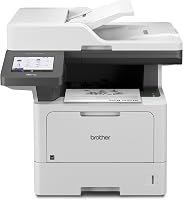
Brother MFC-L2820DW Wireless Compact Monochrome All-in-One Laser: Best for Mac document work
- Print, copy, scan and fax
- Automatic duplex
- 50-page auto document feeder
- Dual-band wireless, Ethernet and USB
This all-in-one model adds scanning, copying and faxing, with automatic duplex and a 50-page document feeder. It fits a Mac home office that handles more than print jobs.
Pros
- Automatic duplex
- 50-page document feeder
- Multiple connection choices
Cons
- Larger than a print-only model
- Heavier at 22.5 lb
The Brother MFC-L2820DW is the best laser printer for Mac document work when printing is only one part of the job. It combines print, copy, scan and fax functions in a 15.7 D x 16.1 W x 12.5 H in body.
Its dual-band wireless, Ethernet and USB connections give you several ways to connect a Mac. The 2.7 in touchscreen also supports printing from and scanning to cloud apps such as Google Drive, Dropbox, Evernote and OneNote.
A 50-page auto document feeder helps with multi-page copy, scan and fax jobs. Automatic duplex printing handles two-sided documents without requiring you to turn the pages manually.
The model prints up to 34 pages per minute and has a 250-sheet tray. It is heavier and taller than the HL-L2405W, so measure your desk before ordering.
Choose it for a Mac home office that scans paperwork or copies forms. For simple printing, its extra functions may be more than you need.
Canon imageCLASS MF3010 VP: Best for wired Mac setups
- Print, scan and copy
- USB cable included
- Mac OS X 10.11 through OS 12 support
- 2,300-page toner yield in box
A wired multifunction printer with a USB cable included and Mac OS support through OS 12. It suits a single Mac workstation that does not need wireless printing.
Pros
- USB cable included
- Scanner and copier
- Toner yield in box
Cons
- Wired setup
- Slower print speed
The Canon imageCLASS MF3010 VP is the best wired Mac setup in this group. It supports Mac OS X 10.11 through OS 12, includes a USB cable and combines printing, scanning and copying.
The printer produces up to 19 pages per minute and holds up to 150 sheets. That is slower and smaller than several wireless picks here, but it can suit one Mac user with modest print volume.
The box includes the MF3010 VP, a black Cartridge 125 with a stated 2,300-page yield, a power cord, USB cable, user software CD, getting started guide and warranty card.
Canon also lists color scanning up to 600 dpi interpolated quality and an ID card copy function. Its dimensions are 20.25 D x 20 W x 14.25 H in, so its footprint needs careful planning.
Choose it when a direct USB connection is enough and scanning or copying matters. If you want to print from several devices, choose a wireless model instead.
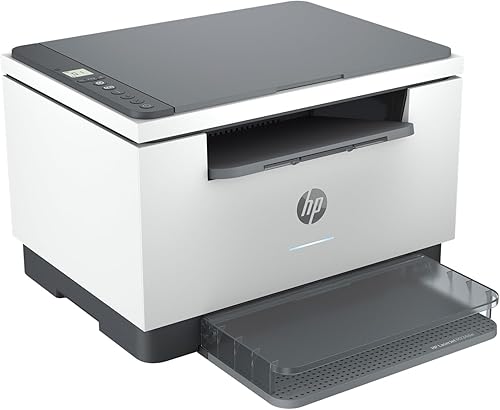
HP LaserJet M234dw Monochrome Printer: Best for Mac and AirPrint users
- Wireless printing
- Automatic duplex
- Print, scan and copy
- Mac and AirPrint support
This wireless all-in-one supports Mac, AirPrint, Ethernet and USB 2.0. Automatic duplex makes it useful for two-sided reports and other regular documents.
Pros
- Mac and AirPrint support
- Automatic duplex
- Compact depth
Cons
- Monochrome output
- No auto document feeder listed
The HP LaserJet M234dw is the best laser printer for Mac and AirPrint users who want wireless printing plus scanning and copying. It works with Mac, AirPrint, Android and Chromebook devices.
Dual-band Wi-Fi, Ethernet and USB 2.0 provide connection choices. HP also includes the HP Smart app for printing, copying and scanning from a smartphone, while its Wi-Fi can self-reset when it detects connection problems.
This model prints up to 30 black-and-white pages per minute on one-sided jobs and up to 19 black-and-white images per minute when printing two-sided. Automatic duplex supports regular double-sided reports.
At 11.75 D x 14.49 W x 9.5 H in, it has the shortest depth among the picks here. It includes a black toner cartridge with about 700 pages.
Choose it if Mac and AirPrint support are central to your setup. If you scan multi-page documents often, the M234sdw's 40-page feeder may be a better fit.
HP LaserJet M234sdw Monochrome Laser Printer: Best for hands-free scanning
- Print, scan and copy
- 40-page auto document feeder
- Automatic duplex
- Mac and AirPrint support
The 40-page auto document feeder separates this model from the M234dw for multi-page scanning and copying. It also supports Mac, AirPrint and automatic duplex.
Pros
- 40-page document feeder
- Mac and AirPrint support
- Automatic duplex
Cons
- Wider than the M234dw
- Monochrome output
The HP LaserJet M234sdw is the best laser printer for Mac users who scan or copy several pages at once. It includes a 40-page auto document feeder, which lets you handle multi-page jobs without placing each sheet on the scanner separately.
Like the M234dw, it supports Mac, AirPrint, Android and Chromebook devices. Dual-band Wi-Fi, Ethernet and USB 2.0 give you flexible connection options, and the HP Smart app supports mobile printing, copying and scanning.
Print speed reaches 30 pages per minute for one-sided black-and-white documents and 19 black-and-white images per minute for two-sided printing. Automatic duplex handles two-sided pages.
Its dimensions are 12.13 D x 16.46 W x 11.59 H in, making it wider than the M234dw. The included black toner cartridge is listed at about 700 pages.
Choose it for a Mac office with regular scanning and copying. For print-only work, the added all-in-one size may not be worthwhile.
HP Laserjet Pro 3001dw Wireless Black: Best for faster small-team printing
- 35 pages per minute
- Automatic duplex
- 250-sheet capacity
- Mac, AirPrint, Ethernet and Bluetooth support
A fast monochrome printer for small teams, with automatic two-sided printing and a 250-sheet capacity. It works with Mac and AirPrint and adds Ethernet and Bluetooth.
Pros
- Fastest print speed here
- 250-sheet capacity
- Automatic duplex
Cons
- Cartridge chip restrictions
- No scanner listed
The HP LaserJet Pro 3001dw is the best laser printer for Mac users who need the fastest print speed in this group. It reaches up to 35 black-and-white pages per minute and supports automatic two-sided printing.
It works with Mac, AirPrint, Android and Chromebook devices. Wireless, Ethernet, USB and Bluetooth connections cover both shared office use and direct connections.
The 250-sheet capacity matches the larger Brother models and reduces paper refills during regular work. Its dimensions are 15.7 D x 14.4 W x 8.5 H in, and it weighs 16.1 lb.
HP includes Wolf Pro Security with customizable settings. The printer is intended to work only with cartridges that use original HP chips or circuitry, and firmware updates maintain those measures.
This model lists copy and scan functions in its data, but no automatic document feeder is listed. Choose it for fast small-team printing, especially when automatic duplex and a larger paper capacity matter.
Which Mac laser printer should you choose?
Choose the Brother HL-L2405W if you want the most compact print-only model with dual-band wireless and a 250-sheet tray. Its manual duplex is the main trade-off for two-sided documents.
It suits Mac users whose work is mostly printing. The trade-off is plain when a job needs a scan or a copy, since those functions are not built in and would need another device.
Choose the Brother MFC-L2820DW if scanning, copying and faxing are part of your normal Mac workflow. Its 50-page feeder and automatic duplex make multi-page office work easier.
That model fits a home office handling paperwork in batches. It takes more desk space and weighs more, so measure the spot first and leave room for the feeder to open.
Choose the Canon imageCLASS MF3010 VP if you prefer a direct USB setup and need a scanner and copier. Its Mac OS support is stated through OS 12, so confirm your current system version before ordering.
The wired route can be calm for one workstation, but it limits who can print and where the printer can sit. Check the stated size carefully, because a large footprint can undo the benefit of a simple cable connection.
The HP LaserJet M234dw and M234sdw are the clearest choices when Mac and AirPrint support matter. Pick the M234sdw for its 40-page feeder, or the M234dw for its smaller depth.
Both HP models suit small teams printing black-and-white documents. The feeder choice comes down to habits, since frequent multi-page scans reward the larger feeder while lighter use may not need it.
For more color output options, compare the best color laser printer for Mac. If your computer is a laptop, our guide to the best laser printers for MacBook Air covers similar connection and space questions.
How to choose a laser printer for Mac
Start with the way your Mac connects. Wireless is useful when several devices share the printer, while USB is simple for one nearby computer.
Consider how the printer will be reached in daily life. A wireless model can sit across the room or on a side unit, while a USB model stays close to the desk.
That placement choice affects convenience as much as the connection itself.
Ethernet can help when a printer stays in one office location. A wired network link gives the printer a fixed place on the network, which can suit shared office use.
It also means running a cable to that spot, so plan the route before you commit.
Next, decide if you need more than printing. Print-only models take less space and usually have fewer controls.
That simpler design can make everyday printing feel direct. There is less to learn, fewer parts to manage and a smaller body to fit into a tight workspace.
All-in-one models add scanning and copying, while document feeders help with multi-page work. A feeder matters most when pages arrive as stacks rather than single sheets.
For single documents, a flat scanner may be enough and the extra size may feel unnecessary.
Check duplex printing before you buy. Manual duplex requires you to turn pages, while automatic duplex handles both sides inside the printer.
Automatic duplex saves time on longer reports and reduces the chance of pages ending up out of order. Manual duplex still works, but it fits shorter jobs and users who print two-sided pages less often.
Paper capacity also matters. The Brother HL-L2405W, Brother MFC-L2820DW and HP LaserJet Pro 3001dw each list a 250-sheet capacity.
More capacity means fewer refills during regular work. It also suggests the printer is built for steadier use, which suits households or small offices with frequent documents.
The Canon MF3010 VP lists up to 150 sheets. That smaller capacity fits modest printing and a single workstation.
If you print in larger batches, refilling becomes part of the routine more quickly.
Print speed deserves a realistic look as well. Higher pages-per-minute figures help with longer documents, but paper handling and duplex mode affect how a job feels in practice.
Finally, measure the printer's depth and width where it will sit. Leave room for paper loading, cables and opening any trays.
Also leave space at the front for finished pages and enough room to reach controls without moving furniture. A printer that fits on paper can still feel cramped if trays, cables and output compete for the same area.
Laser printer or inkjet printer for a Mac?
A laser printer is usually the better fit for frequent black-and-white documents, while an inkjet may be better when color images are the main priority. Compare the Laser Printer vs Inkjet Printer Pros and Cons before choosing.
The choice often comes down to the kind of pages you print most. Text-heavy documents, forms and reports suit laser output well.
Photos and colorful pages ask for a different kind of machine.
Laser models in this guide focus on sharp black-and-white documents, automatic duplex options and paper handling. The HP LaserJet Pro 3001dw reaches 35 pages per minute, while the Brother HL-L2405W reaches 30 pages per minute.
Those speeds help when a document runs to many pages. A faster rate also keeps a shared printer moving when more than one person is waiting.
Duplex printing changes how two-sided work feels day to day. Automatic duplex turns pages inside the printer and keeps longer jobs flowing.
Manual duplex works too, though it asks for attention at the right moment.
Paper capacity matters for the same practical reason. A 250-sheet tray reduces the number of times you stop to refill paper.
Smaller capacities fit lighter use and ask for more frequent checks.
A laser printer also avoids liquid ink, but you still need to plan for toner and any model-specific cartridge limits. The HP LaserJet Pro 3001dw is intended to work with cartridges using original HP chips or circuitry.
That kind of limit is worth noting before purchase rather than after a cartridge swap. Check which cartridges the printer accepts and how toner yield is stated in the product data.
Inkjet printers can suit color work and mixed pages, but laser remains a strong match for plain black-and-white office documents. Match the technology to the pages you print each week, not the pages you might print once.
For a broader overview of speed, document output and running needs, read What Are the Advantages of a Laser Printer?.
Verdict: which is the best laser printer for Mac?
The Brother HL-L2405W is the best laser printer for Mac users who want compact, wireless monochrome printing. Its 250-sheet tray and 30-page-per-minute speed suit regular documents, but manual duplex and print-only operation limit it for larger office workflows.
That balance makes it a clear pick for a home office built around printing. It keeps desk space under control while handling steady document work without extra paper refills.
Users who often scan or need two-sided pages without handling them will feel the limits sooner.
Pick the Brother MFC-L2820DW for scanning, copying, faxing and automatic duplex. It suits a Mac workspace where paperwork arrives as multi-page jobs and needs more than a print function.
Its 50-page feeder and 250-sheet tray support that kind of routine. The cost is size and weight, so it needs a measured space rather than a crowded corner.
Pick the HP M234dw or M234sdw when Mac and AirPrint support are your deciding factors, and choose the HP LaserJet Pro 3001dw when speed and paper capacity come first. The HP M234sdw adds a 40-page feeder for hands-free scanning, while the Pro model brings faster printing for small teams.
Each pick answers a different daily pattern. Match the printer to your connection needs, document volume and space, and the choice becomes much clearer.
Our top 3 picks at a glance
-
1
Best for compact Mac home offices
Brother HL-L2405W Wireless Compact Monochrome Laser Printer
9.7/10 our score
See it on Amazon -
2
Best for Mac document work
Brother MFC-L2820DW Wireless Compact Monochrome All-in-One Laser
9.6/10 our score
See it on Amazon -
3
Frequently asked questions
What is the best laser printer for Mac?
The Brother HL-L2405W is the best laser printer for Mac users who want compact black-and-white printing, dual-band wireless and a 250-sheet tray. Choose the HP LaserJet M234dw if Mac and AirPrint support are your main priorities, or the Brother MFC-L2820DW if you also need scanning, copying and faxing.
Do laser printers work with Mac computers?
Yes, but connection and driver support vary by model. The HP M234dw, HP M234sdw and HP LaserJet Pro 3001dw specifically list Mac compatibility.
The Canon imageCLASS MF3010 VP lists Mac OS X 10.11 through OS 12 support, so check your macOS version before choosing it.
Is AirPrint better than a printer driver on Mac?
AirPrint can make printing from a Mac or Apple device simpler because it avoids a separate driver installation for supported tasks. A printer driver may provide more settings.
Check whether the printer and Mac use the same network, then compare the print options you actually need.
Should you buy a wireless or USB laser printer for Mac?
Choose wireless if several Macs, phones or tablets will print, or if the printer will sit away from your desk. Choose USB if one Mac will use the printer and you want a direct connection.
The Canon MF3010 VP is the wired choice here, while the other picks offer wireless options.