9 Best Laminators for Office Use (November 2026)
The best best laminator for office use include the Amazon Basics 12-Inch Thermal Laminator Machine for most offices, the Bonsaii 9 Inch Laminator Machine for letter-size office work, and the Raycial 13 Inch Laminator Machine for 11x17 sheets.
On this page (9 sections)
- The best laminators for office use, ranked by score
- How to choose the best laminator for office use
- Which throat width fits your office documents?
- How fast should an office laminator warm up?
- 3 mil or 5 mil: which pouch thickness suits office work?
- Thermal, hot and cold: which mode does an office need?
- How we compared these office laminators
- What about printer setup for office documents?
- Verdict: which laminator should your office buy?
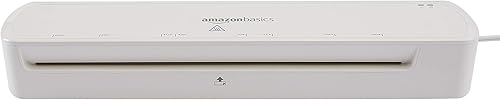
The best laminator for office use is the Amazon Basics 12-Inch Thermal Laminator Machine, because it covers letter and legal widths, includes 20 pouches, and gives you both 3 mil and 5 mil settings. In a shared office, that width matters more than extras, since one machine often serves many people.
This guide compared 9 thermal and hot and cold laminators for desk space, shared use and frequent handling. Our score weighs specs, features and buyer feedback against what office users need: width, warm-up time, pouch range and jam handling.
Start with documents you laminate most. If that is letter-size pages and photos, a 9-inch machine is enough.
If you also do legal pages, menus or 11x17 sheets, move to a 12-inch or 13-inch throat. Our laminator machine for paper guide explains pouch types and settings in more detail.
Our picks at a glance
-
1
 Best for most offices
Amazon Basics 12-Inch Thermal Laminator Machine
9.7/10 our score
See it on Amazon -
2
-
3

- 4
 Check it
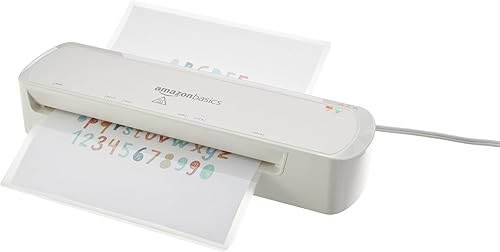
Amazon Basics 9-Inch Thermal Laminator Machine
Best for small desks - 5
 Check it
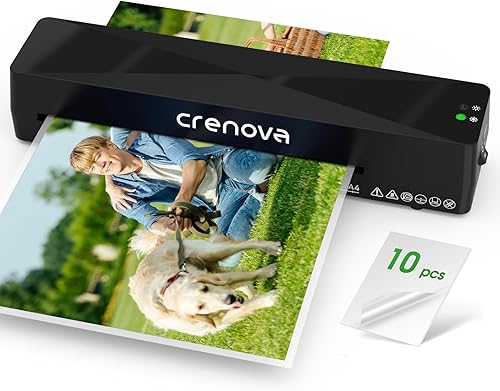
Crenova Laminator Machine with 10 Laminating Sheets
Best for portability - 6
 Check it
Scotch PRO TL906 thermal laminator machine
Best for tear-proof office signs - 7
 Check it
Elysine 13 Inch Laminator Machine
Best for fast office batches - 8
 Check it
SINCHI 13" Commercial Laminator
Best for heavy office use - 9
 Check it
Fellowes Saturn 125 Thermal Laminator Machine
Best for shared office workflows
The best laminators for office use, ranked by score
The top three all score 9.7, but they suit different desks. The Amazon Basics 12-inch wins on width for shared offices, the Bonsaii wins on included sheets, and the Raycial wins on 11x17 support.
Amazon Basics 12-Inch Thermal Laminator Machine: Best for most offices
- 12-inch thermal throat
- 3 mil and 5 mil settings
- 20 pouches included
- 3-5 minute warm-up
- Jam release lever
A 12-inch thermal machine for letter, legal, photos and office documents, with two heat settings and 20 pouches in the box.
Pros
- Wider than 9-inch models
- Includes 20 pouches
- Jam release lever
Cons
- 3-5 minute warm-up
- Cannot laminate cloth, wood or foil
This machine suits an office where letter and legal pages, photos and reference sheets pass through one shared unit. Its 12-inch throat fits documents up to 12 inches wide, so legal pages fit without forcing a wider machine than you need.
It includes 20 pouches in 3 mil in various sizes, which lets you start right away. It also works with 3 mil or 5 mil pouches, and you switch the heat setting to match the pouch you load.
Warm-up takes 3 to 5 minutes, with a ready indicator light. Do not feed a pouch before that light shows ready, or the seal can be weak.
The jam release lever helps you clear a misfeed without pulling hard on the pouch.
At the 3 mil setting, paper from 50 to 160 g works. At 5 mil, the range is 50 to 100 g.
It cannot laminate hardware, cloth, wood, foam sheets, foil or plastic sheets, so keep those items out of the pouch.
Trade-off: warm-up is slower than the 60 second models here. If you laminate once a day, that wait rarely matters.
If staff need pages at 9 a.m., turn it on first.
Bonsaii 9 Inch Laminator Machine: Best for letter-size office work
- 9-inch thermal throat
- 50 laminating sheets included
- 3 minute preheat
- 3 mil and 5 mil pouches
- 2-year service
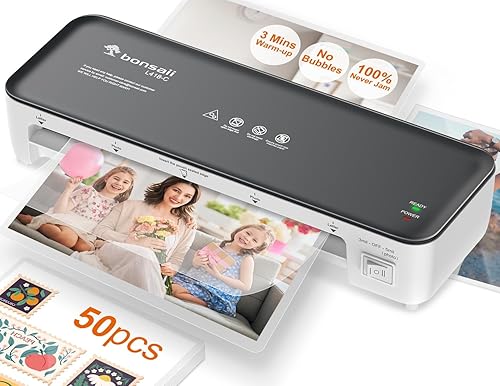
A compact 9-inch thermal laminator with 50 sheets included and a 3 minute preheat, suited to letter pages, photos and business documents.
Pros
- 50 sheets included
- Fast 3 minute preheat
- Compact footprint
Cons
- 9-inch throat limits wide pages
- Cold pouches not included
This machine suits a desk that laminates letter pages, photos and business documents often. Its 9-inch throat fits standard letter paper and smaller items, and it measures 13.07 x 4.41 x 2.44 inches, so it takes less desk space than 13-inch models.
You get 50 laminating sheets in the box. That supply helps a small office that laminates weekly, since you will not need to reorder pouches right away.
It works with 3 mil and 5 mil pouches.
Preheat takes 3 minutes. The maker states a lamination speed of at least 270 mm/min and says the machine is designed to avoid wrinkles, bubbles and curling.
Use the 3 mil setting for standard printer paper and lighter items. Use 5 mil for photo paper, business cards and thicker items.
The anti-jam design is aimed at preventing common paper jams. Bonsaii provides 2-year professional service for this product.
A slight smell on first use is normal and fades after a few uses.
Trade-off: the 9-inch width will not fit legal pages wider than 9 inches or 11x17 sheets. Pick it for letter-size work, not for posters.
Raycial 13 Inch Laminator Machine: Best for 11x17 sheets
- 13-inch throat
- Cold and thermal modes
- 95 second warm-up
- 50 sheets included
- Paper cutter and corner rounder
A 13-inch cold and thermal kit with 50 sheets, a paper cutter and a corner rounder, built for A3, 11x17 and mixed office sizes.
Pros
- Fits 11x17 and A3
- Cold mode for heat-sensitive items
- Cutter and corner rounder included
Cons
- Cold pouches sold separately
- Larger desk footprint
This machine suits an office that laminates mixed sizes, from A6 cards to A3 and 11x17 sheets. Its 13-inch throat covers that full range, which makes it a strong pick if posters, menus or large charts are part of your regular work.
It is a 5-in-1 kit: the laminator, 50 thermal sheets in A3, A4, A5 and A6 sizes, a paper cutter, a corner rounder and a user manual. The cutter trims pouches, and the corner rounder softens sharp edges.
It offers cold and thermal modes. Cold mode needs self-adhesive pouches, which are not included.
Thermal mode works with 80 to 125 micron, or 3 to 5 mil, pouches. Warm-up takes 95 seconds, and speed is 355 mm/min.
The ABS jam release button lets you turn off the machine, press the button and pull the paper out. That helps protect documents when a pouch misfeeds.
A 2 roller system applies heat and pressure.
Trade-off: at 16.9 x 5.1 x 4.1 inches, it needs more desk room than a 9-inch model. Choose it when width matters more than footprint.
Amazon Basics 9-Inch Thermal Laminator Machine: Best for small desks
- 9-inch thermal throat
- 2 heat settings
- 3-5 minute warm-up
- Jam release lever
- 2 pouches included
A 9-inch thermal laminator with two heat settings, a ready light and a jam release lever for letter pages and photos.
Pros
- Small footprint
- Clear ready light
- Jam release lever
Cons
- Only 2 pouches included
- Limited to 9-inch documents
This machine suits a small desk or a home office corner where letter pages and photos are the main job. Its 9-inch throat fits legal and letter sized paper up to 9 inches wide, plus photos and cards.
It includes 2 pouches sized 8.9 x 11.4 inches. That is enough for a first test, but a busy office will need more pouches soon.
It works with any 3 mil or 5 mil pouch.
You get 2 heat settings: 3 mil for normal documents, photos and card stock, and 5 mil for thinner papers. Warm-up takes 3 to 5 minutes, with a ready indicator light.
Wait for that light before you feed a pouch.
The jam release lever helps you clear paper jams. At 3 mil, paper from 50 to 160 g works.
At 5 mil, the range is 50 to 100 g. It cannot laminate hardware, cloth, wood, foam sheets, foil or plastic sheets.
Trade-off: only 2 pouches are included, and the throat stops at 9 inches. Pick it for compact letter-size work, not for legal or 11x17 pages.
Crenova Laminator Machine with 10 Laminating Sheets: Best for portability
- 9-inch A4 throat
- Hot and cold modes
- 1-2 minute preheat
- 10 pouches included
- 742 g weight
A light 9-inch hot and cold laminator with 10 pouches and a 1 to 2 minute preheat, easy to move between desks.
Pros
- Very light and portable
- Hot and cold modes
- Fast preheat
Cons
- 9-inch throat only
- Small pouch supply included
This machine suits an office where space is tight or the laminator moves between rooms. At 335 x 88 x 65 mm and 742 g, it is the lightest model in this group and easy to carry.
Its 230 mm, or 9 inch, inlet fits A4 and letter pages. It includes 10 laminating pouches.
Preheat takes 1 to 2 minutes, which is faster than the 3 to 5 minute models.
It offers hot and cold modes. Hot mode suits photos and documents.
Cold mode suits older photos and items that heat could harm. Move the switch to hot or cold to start work.
To clear a jam, switch off the machine, push and hold the ABS lever, pull the stuck paper and pouch out, then release the lever. That step protects important documents from damage.
Trade-off: the 9-inch width limits large documents, and only 10 pouches are included. Pick it for portability and quick small jobs.
Scotch PRO TL906 thermal laminator machine: Best for tear-proof office signs
- 9-inch thermal throat
- Two heated rollers
- 3 mil and 5 mil settings
- 5-6 minute warm-up
- 15 in per minute
A 9-inch thermal laminator with two heated rollers and two temperature settings for signs, flyers, cards and frequently handled pages.
Pros
- Two heated rollers
- Fits 3 mil and 5 mil pouches
- Portable design
Cons
- 5-6 minute warm-up
- 9-inch throat only
This machine suits an office that laminates signs, flyers, recipe cards, photos and to-do lists that get handled often. Its 9-inch throat fits documents up to 9 inches wide, including legal, letter, photos, ID badges and business cards.
It uses two heated rollers and two temperature settings. That setup aims for a high-quality, professional appearance on documents and photos.
It accepts both 3 mil and 5 mil pouches.
Warm-up takes 5 to 6 minutes. It laminates at 15 in per minute.
Two 8.5 x 11 inch thermal pouches are included. For best results, use Scotch Thermal Laminating Pouches.
The brand positions this as a personal laminator for teachers and home offices, making marker-proof, tear-proof and spill-proof paper items. That makes it a fit for shared reference sheets and signs that stay on a desk or wall.
Trade-off: warm-up is the slowest here, and width stops at 9 inches. Pick it for durable letter-size office items, not for large posters.
Elysine 13 Inch Laminator Machine: Best for fast office batches
- 13-inch throat
- 60 second warm-up
- 450 mm/min speed
- Hot and cold modes
- 30 pouches included
A 13-inch hot and cold laminator with a 60 second warm-up, 450 mm/min speed and 30 pouches for office batches and posters.
Pros
- Fast warm-up and speed
- Fits 11x17 and A3
- Auto shut-off after 45 minutes
Cons
- Cold pouches sold separately
- Kit tools need storage space
This machine suits an office that laminates batches of mixed sizes and wants them done fast. Its 13-inch feed opening supports 11x17 inch and A3 documents, plus A4, A5 and A6 pages, photos and business cards.
Preheat takes 60 seconds. Speed is 450 mm/min, or 17.7 in/min.
That speed helps when a team needs certificates, menus or reference packs ready in one sitting.
It includes 30 laminating pouches: 3 A3, 9 A4, 9 A5 and 9 A6. The kit also has a paper cutter, corner rounder, hole puncher and 3 binder rings, with storage inside the machine.
It works with 3 mil and 5 mil pouches.
Hot mode gives strong, long-lasting lamination. Cold mode protects heat-sensitive items such as old photos, receipts and labels, and needs self-adhesive pouches sold separately.
A 45-minute auto shut-off helps save energy.
Trade-off: the full kit takes more storage space than a basic laminator. Pick it for speed and width in a busy office.
SINCHI 13" Commercial Laminator: Best for heavy office use
- 13-inch throat
- 4 rollers
- 48 second warm-up
- 3 to 10 mil pouches
- 10 sheets included
A 13-inch commercial laminator with 4 rollers, 3 to 10 mil support and a 48 second warm-up for signage, certificates and cardstock.
Pros
- Handles thick 10 mil pouches
- Fast warm-up
- No reheat when switching pouch thickness
Cons
- Louder than basic models
- North America 120V only
This machine suits a busy office, school or business that laminates signage, certificates, cardstock and dark prints in batches. Its 13-inch inlet supports pouch sizes from ID cards to 13 x 19 inch posters.
It handles 3 to 10 mil pouches with 4 rollers. The 10 mil support suits extra-thick pouches and heavy cardstock.
You can switch between 3 and 10 mil pouches without reheat time after warm-up.
Warm-up takes 48 seconds. Speed reaches 40 inches per minute.
The maker states it can laminate ten 3-mil letter-size pouches in four minutes. That pace fits high-volume office work.
The anti-jamming roller system is designed to prevent most pouch misfeeds from causing interruptions. Auto shutdown and built-in sensors monitor voltage, temperature and motor faults.
It includes 10 sheets and a cleaning paper sheet.
Trade-off: it is louder than basic models, due to an industrial-grade metal gearbox. It is also for North America 120V use only.
Pick it for heavy-duty output, not for a quiet shared room.
Fellowes Saturn 125 Thermal Laminator Machine: Best for shared office workflows
- 12.5-inch entry
- 60 second warm-up
- 3 mil, 4 mil and 5 mil settings
- Cold mode
- Jam detection sensors
A 12.5-inch thermal laminator with 60 second warm-up, jam detection and cold mode for shared offices and classrooms.
Pros
- Fast warm-up
- Extra-wide 12.5-inch entry
- CleanAlert reminder
Cons
- Largest footprint in this group
- Cold pouches not included
This machine suits a shared office or classroom where several people need quick, dependable lamination. Its 12.5-inch entry handles diverse document sizes, including large posters and learning packs.
It reaches operating temperature in 60 seconds with InstaHeat technology. That fast warm-up reduces downtime when staff need pages during lesson prep or office work.
It switches between 3-mil, 4-mil or 5-mil hot pouches, plus a cold mode for self-adhesive sheets. Cold pouches are not included.
It laminates at 19 in per minute.
Jam detection sensors and a manual release lever help you re-center or remove misaligned sheets. A CleanAlert reminder prompts routine cleaning sheet maintenance.
Auto shut-off triggers after 30 minutes of inactivity.
Trade-off: at 20.94 x 5.75 x 4.13 inches and 5.1 pounds, it is the largest model here. Pick it for shared workflows, not for a small desk.
How to choose the best laminator for office use
The best laminator for office use depends on your widest regular document, not your smallest. Measure that page first, then choose a throat at least as wide.
A 9-inch machine handles letter pages and photos. A 12-inch or 13-inch machine handles legal pages, menus and 11x17 sheets.
Warm-up time matters in a shared office. A 60 second warm-up lets staff laminate during a meeting break.
A 3 to 5 minute warm-up works fine if you turn the machine on and gather pouches while it heats.
Pouch thickness matters too. Use 3 mil for standard documents.
Use 5 mil for photos, cards and items handled often. Thicker pouches give a stiffer, more durable finish.
Jam handling matters when many people use one machine. Look for a jam release lever or button, plus a ready light.
Those features reduce damage when a pouch goes in crooked.
Which throat width fits your office documents?
Answer first: choose 9 inches for letter pages, 12 to 12.5 inches for legal pages, and 13 inches for 11x17 and A3 sheets. That one choice decides most of your shortlist.
9-inch laminators for letter-size work
A 9-inch throat fits letter pages, photos, ID badges and business cards. It suits a small desk and a home office.
The Amazon Basics 9-inch, Bonsaii, Crenova and Scotch models in this group all fit this job.
12-inch and 12.5-inch laminators for legal pages
A 12-inch throat fits legal pages with room to spare. The Amazon Basics 12-inch and Fellowes Saturn 125 use that extra width for charts and mixed office pages.
They are a good middle ground when 13 inches is more than you need.
13-inch laminators for 11x17 and A3 sheets
A 13-inch throat fits 11x17 and A3 posters, menus and large charts. The Raycial, Elysine and SINCHI models cover that size.
If you laminate large sheets weekly, this width saves you from cutting documents down.
How fast should an office laminator warm up?
Answer first: for shared use, aim for a warm-up under 2 minutes if you can. Faster machines reduce queues when several people need the same laminator.
Under 1 minute for busy shared desks
The SINCHI warms in 48 seconds, and the Elysine and Fellowes warm in 60 seconds. The Raycial warms in 95 seconds.
Those times suit an office where staff laminate between meetings.
1 to 3 minutes for regular use
The Crenova preheats in 1 to 2 minutes, and the Bonsaii preheats in 3 minutes. That range works well for a team that laminates a few times a day.
3 to 6 minutes for occasional use
The Amazon Basics models take 3 to 5 minutes, and the Scotch takes 5 to 6 minutes. Those machines still work well if you turn them on first and laminate in batches.
3 mil or 5 mil: which pouch thickness suits office work?
Answer first: use 3 mil for standard documents and 5 mil for photos, cards and high-touch items. Match the heat setting to the pouch thickness every time.
When 3 mil is the right choice
Use 3 mil for letter pages, certificates, menus and reference sheets. It gives a clear, flexible finish and costs less per pouch in most offices.
Most machines here support 3 mil.
When 5 mil gives you more protection
Use 5 mil for photos, business cards, signs and items that get handled daily. The stiffer pouch protects edges better.
Several models here support both 3 mil and 5 mil settings.
When thicker pouches matter
The SINCHI supports 3 to 10 mil pouches. That range suits heavy cardstock, signage and dark prints.
If your office uses thick pouches, check the machine range before you buy.
Thermal, hot and cold: which mode does an office need?
Answer first: most offices need thermal mode, and cold mode is a useful extra for heat-sensitive items. Thermal pouches seal with heat and give a strong, clear finish.
Thermal mode for everyday documents
Thermal mode suits certificates, photos, signs and reference sheets. Set the heat to match your pouch thickness.
Wait for the ready light before you feed a pouch.
Cold mode for heat-sensitive items
Cold mode suits old photos, receipts and labels that heat could harm. It needs self-adhesive pouches, which are not included with the Raycial, Elysine or Fellowes models.
Keep a pack of cold pouches on hand if you use this mode.
Hot and cold in one machine
The Raycial, Crenova, Elysine and Fellowes offer both modes. That flexibility helps a shared office handle mixed jobs without a second machine.
How we compared these office laminators
We compared specs, features and buyer feedback against office needs, not just screen size. Width, warm-up, pouch range, speed and jam release got the most weight, since those shape daily use in a shared space.
We also looked at included pouches, footprint and weight. A machine with 50 sheets included, like the Bonsaii, saves a small office a reorder.
A light machine, like the Crenova at 742 g, moves easily between rooms.
Our score treats included accessories as a plus, not a requirement. A paper cutter and corner rounder, like the Raycial kit, help with finishing.
A basic machine with a jam release lever can still be the right buy for letter-size work.
For large-format needs, see our best laminator for 11x17 sheets guide. For thicker, higher-volume work, see best heavy duty laminator.
For classroom use, see best laminator for schools.
What about printer setup for office documents?
Answer first: a laminator works best when your printer output is dry, flat and trimmed to size. Set your printer for the correct paper size before you print certificates, signs or menus.
Our Why Choose a Laser Printer for a Home Office? article explains why laser prints suit office documents that will be laminated.
Let printed pages cool for a few minutes before you pouch them. That step helps ink and toner settle.
Center the page in the pouch and leave a small border around the edges.
For teachers and parents, our best laminator for homeschooling guide covers learning materials. Our best a3 thermal laminator guide covers A3 work.
Our best laminator for teachers guide covers classroom jobs. Our best 13 inch laminator guide covers wide-format office use.
Verdict: which laminator should your office buy?
The best laminator for office use is the Amazon Basics 12-Inch Thermal Laminator Machine for most shared offices, because its width, included pouches and jam release lever cover daily work without extra cost. Pick the Bonsaii if your work is letter-size and you want 50 sheets included.
Pick the Raycial or Elysine if you need 11x17 support. Pick the SINCHI if you laminate thick pouches and cardstock in batches.
Pick the Fellowes if several people share one machine and need a 60 second warm-up.
Measure your widest regular document, check your desk space, and match the pouch thickness you will use most. That decision rule will point you to the right throat width and speed for your office.
Our top 3 picks at a glance
-
1
Best for most offices
Amazon Basics 12-Inch Thermal Laminator Machine
9.7/10 our score
See it on Amazon -
2
-
3
Frequently asked questions
What size laminator does an office need?
A 9-inch laminator fits letter pages, photos and cards. A 12 to 13-inch laminator also fits legal pages, menus and 11x17 sheets.
Choose the wider throat if your largest regular document is wider than 9 inches.
How long should an office laminator take to warm up?
Warm-up ranges from under a minute to about 5 minutes in this group. A faster warm-up helps when several people share one machine.
Plan to turn on the machine before you gather pouches and documents.
Which pouch thickness should an office use?
Use 3 mil for standard documents and 5 mil for photos, cards and items handled often. Thicker pouches give a stiffer finish.
Match the machine setting to the pouch thickness every time.
Can a laminator handle cardstock and signs?
Yes, if the machine accepts the pouch thickness and paper weight you use. Check the heat setting and pouch range before you start.
Send a test page first when you change materials.