9 Best Handheld Document Scanners (November 2026)
The best handheld document scanners include the Epson Workforce ES-50 Compact & Lightweight Mobile for true on the go single sheet scanning, the Brother DS-640 Compact Mobile Document Scanner for fast mobile scanning, and the ScanSnap iX2500 Wireless or USB High-Speed Document for high volume wireless scanning.
On this page (9 sections)
- Our top handheld document scanner picks
- How we compared these handheld scanners
- Is a handheld scanner better than a phone camera app?
- What size and weight should you expect from a portable handheld scanner?
- How do sheetfed, feeder and overhead scanners differ?
- What should you check before you buy a handheld document scanner?
- Which brand should you pick for a portable scanner?
- How should you set up and care for a handheld scanner?
- Verdict: which handheld document scanner should you buy?
The best handheld document scanner for most people is the Epson Workforce ES-50, because it combines very light weight, USB power and long page handling in a small body. The Brother DS-640 is a close second for faster mobile scanning, and the ScanSnap iX2500 wins if you need a large feeder at home or in the office.
A handheld scanner makes sense when paper lives in more than one place. You might scan a receipt in a car, a contract at a client site, or a stack at a small desk.
The trade off is capacity. Slim single sheet models are easy to carry, while feeder models scan more pages at once but take more space.
Our score weighs specs, features and buyer feedback against what you're shopping for. We compared weight, sheet capacity, speed, connection type, page size and software features from the product data for each model.
If you want a broader view before you choose, start with our digital scanner for documents guide. For a wider portable shortlist, see the best portable document scanner roundup.
Our picks at a glance
-
1
 Best for true on the go single sheet scanning
Epson Workforce ES-50 Compact & Lightweight Mobile
9.6/10 our score
See it on Amazon -
2
 Best for fast mobile scanning
Brother DS-640 Compact Mobile Document Scanner
9.5/10 our score
See it on Amazon -
3
 Best for high volume wireless scanning
ScanSnap iX2500 Wireless or USB High-Speed Document
9.4/10 our score
See it on Amazon
- 4
 Best for portable duplex scanningCheck it
- 5
 Check it
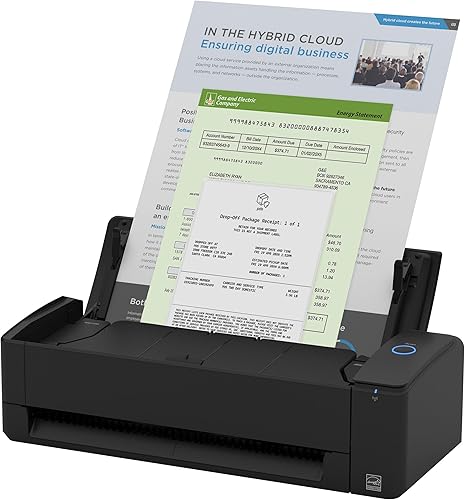
ScanSnap iX1300 Wireless or USB Double-Sided Color
Best for small spaces with wireless scanning - 6
 Check it
HP Small USB Document & Photo Scanner
Best for simple one sided scanning - 7
 Check it
CZUR Shine Ultra Smart Portable Document Scanner
Best for books and flat pages - 8
 Check it
Epson DS-70 Portable Document Scanner Mobile Single-Sheet
Best for long term mobile reliability - 9
 Check it
Plustek Mobile Scanner S410 Plus
Best for hands free mobile scanning
Our top handheld document scanner picks
We ordered these picks by score, from the most complete mobile options to more special purpose choices. The top two are true carry anywhere scanners.
The middle group adds feeders or wireless links. The last group suits overhead book scanning or button free mobile work.
Epson Workforce ES-50 Compact & Lightweight Mobile: Best for true on the go single sheet scanning
- Scans a single page as quickly as 5.5 seconds
- Scans documents up to 8.5 x 72 in
- USB 2.0, no batteries or external power required
- Nuance OCR for searchable PDFs and editable Word and Excel files
A very light single sheet scanner for receipts, IDs and long pages on the road.
Pros
- Very light at 9.44 ounces
- Handles pages up to 8.5 x 72 in
- USB powered with no battery needed
Cons
- Single sheet capacity
- Requires a computer connection
The Epson ES-50 suits people who scan a few pages at a time in different places. At 9.44 ounces, it is one of the easiest scanners here to slip into a bag.
It takes one sheet at a time, so it rewards short jobs like receipts, ID cards and single page forms.
Its headline speed is a single page in as fast as 5.5 seconds at 300 dpi. That pace matters when you feed pages one by one, because each page waits for the last.
Epson also supports documents up to 8.5 x 72 in, which covers extra long pages that many portable scanners cannot take.
USB power means no batteries and no separate power brick. You plug it into a Windows or Mac computer and scan.
Epson ScanSmart helps you scan, review and save, and Nuance OCR creates searchable PDFs plus editable Word and Excel files. A TWAIN driver also helps if you prefer other imaging software.
The trade off against the Brother DS-640 is speed on bulk jobs and the single sheet limit. Against the ScanSnap models, you give up feeders and wireless scanning.
Pick this if weight and simplicity matter most, and you mostly scan one page at a time.
Brother DS-640 Compact Mobile Document Scanner: Best for fast mobile scanning
- Scans up to 16ppm in color and black and white
- Less than 1 foot long and about 1.5 lb
- Powered via included micro USB 3.0 cable
- Handles documents up to 72 inches long
A fast, ultra compact mobile scanner for small offices and travel.
Pros
- Up to 16ppm color scanning
- About 1.5 lb and under 1 foot long
- Windows, Mac and Linux support
Cons
- Single sheet capacity
- USB powered only
The Brother DS-640 suits mobile workers who want more speed without leaving the slim scanner class. It scans color and black and white at up to 16ppm, and Brother says color speed matches black and white speed.
That removes a common wait when you switch a receipt or photo to color.
Size is the other win. It is less than 1 foot in length and about 1.5 lb, so it fits in a bag, purse or large pocket.
It handles documents up to 72 inches long, plus business cards and plastic ID cards through the same slot. That makes it useful for mixed paper in one trip.
Power comes from the included micro USB 3.0 cable, so a PC or laptop can run it where there is no outlet. Software supports scan to destinations such as PC, network, cloud services, email and OCR through the free iPrint&Scan desktop app.
Brother also lists Windows, Mac and Linux support, with TWAIN/WIA for PC, ICA for Mac and SANE drivers.
The trade off is still single sheet capacity. If you scan 20 page packets often, a feeder model will save time.
Pick this for fast, light scanning of individual pages, cards and long documents.
ScanSnap iX2500 Wireless or USB High-Speed Document: Best for high volume wireless scanning
- 45ppm double-sided scanning
- 100-sheet document feeder
- Wi-Fi and USB-C connectivity
- Large touchscreen
A desktop speed scanner with a large feeder for people who scan stacks often.
Pros
- 100 sheet feeder
- 45ppm double-sided scanning
- Wi-Fi and USB-C
Cons
- 7.7 pounds, not a pocket scanner
- Needs more desk space
The ScanSnap iX2500 suits people who want handheld style flexibility at a desk, plus real feeder capacity. It is not a pocket scanner at 7.7 pounds, but it is portable in the sense that you can place it where work happens and scan from a computer, phone or cloud service.
Its main strength is the 100-sheet document feeder with 45ppm double-sided scanning. That speed and capacity change daily use.
You can load a stack, press a profile on the large touchscreen, and let it optimize, name and sort files. A brake roller system, multi-feed sensor and skew detection help avoid paper jams and damage.
Wi-Fi 6 and USB-C give you placement choices. ScanSnap Cloud supports deviceless scanning to popular services without a computer.
It works with Mac, PC, iOS, Android and ChromeOS, and the Quick Menu lets you drag and drop scans to favorite apps.
The trade off is size and desk space compared with the Epson and Brother picks. Pick this if you scan stacks often and want wireless scanning, and pick a slim model if you need to carry the scanner daily.
Canon imageFORMULA R10: Best for portable duplex scanning
- Up to 12 pages-per-minute duplex scanning
- 20 sheet automatic feeder
- USB powered
- Windows and Mac compatible
A portable duplex scanner with a 20 sheet feeder for mobile users.
Pros
- Duplex scanning at up to 12 ppm
- 20 sheet feeder
- Lightweight and small
Cons
- USB connection only
- Not intended for photo paper
The Canon imageFORMULA R10 suits mobile users who need duplex scanning without moving to a full desktop scanner. It scans both sides at once at up to 12 pages-per-minute in color or black and white, which helps with two sided forms and contracts.
A 20 sheet automatic feeder makes it more productive than single sheet models for small packets. You can load several pages, scan them in one pass, and preview, edit, straighten or trim files in the built in software.
Canon says the software requires no installation and updates automatically.
It is lightweight and small, with Windows and Mac compatibility through USB. Suggested daily volume is 500 scans, and power use is 2.5W or less.
It handles receipts, business cards, plastic or embossed cards, reports and legal documents. Canon notes it is not intended for scanning photographs on photo paper.
The trade off against the ScanSnap iX1300 is connection choice, since the Canon is USB only. Pick this if duplex speed and a 20 sheet feeder matter, and your computer stays nearby while you scan.
ScanSnap iX1300 Wireless or USB Double-Sided Color: Best for small spaces with wireless scanning
- Up to 30ppm duplex scanning
- 20 sheet capacity
- USB and Wi-Fi connectivity
- Automatic de-skew and blank page removal
A compact wireless duplex scanner that stays out of the way on a small desk.
Pros
- 30ppm duplex scanning
- Wi-Fi and USB
- Space saving design
Cons
- 20 sheet capacity
- 4.4 pounds for travel
The ScanSnap iX1300 suits small desks where a scanner must work hard but stay out of the way. Its design saves space even while it is in use, and at 4.4 pounds it can move between rooms more easily than the larger ScanSnap iX2500.
It scans duplex at up to 30ppm with automatic de-skew, color optimization and blank page removal. That automation helps when you scan mixed documents, photos, cards and thick items.
The 20 sheet capacity fits small to medium batches, and the Quick Menu lets you scan, drag and drop into favorite computer apps.
USB and Wi-Fi connections let you send scans to Mac, PC, mobile devices and cloud services. It can also be used without a computer, and ScanSnap Home brings document management into one place for receipts, business cards, photos and more.
The trade off against the Canon R10 is a larger body and a smaller feeder than the iX2500. Pick this if wireless scanning and one touch automation matter on a compact desk, and pick the iX2500 if you need 100 sheet capacity.
HP Small USB Document & Photo Scanner: Best for simple one sided scanning
- 15ppm simplex scanning
- 1200 dpi resolution
- USB 2.0 with cable included
- PC and Mac compatible
A small USB scanner for invoices, contracts, cards and photos.
Pros
- Only 3 ounces
- 15ppm one sided speed
- Converts to PDF and JPG
Cons
- Simplex only
- Smaller batch focus
The HP HPPS100 suits people who want the simplest possible portable scanning setup. At 3 ounces, it is the lightest scanner in this list by a clear margin, so it is easy to keep in a bag or briefcase for occasional use.
It scans one sided pages at 15ppm, or 4 seconds per page, in black and white and color. That speed fits small to medium batches such as invoices, contracts, letters, bills and receipts.
Resolution is listed at 1200 dpi in the features, and it converts to PDF, JPG and other formats.
Paper sizes range from 2 x 2.9 in minimum to 8.5 x 14 in maximum. That range covers business cards, photos, brochures and legal size pages.
USB 2.0 power and a cable in the box keep setup direct, with HP WorkScan software for Windows and macOS offering auto scan, size detection, preview, crop and image cleanup.
The trade off is simplex scanning only. If you scan two sided documents often, you will flip each page by hand.
Pick this for light, affordable one sided scanning, and pick a duplex model for double sided packets.
CZUR Shine Ultra Smart Portable Document Scanner: Best for books and flat pages
- 13MP CMOS camera
- About 1 second per page
- Designed for A3 and A4 documents
- OCR supports 180+ languages
An overhead camera scanner for thin books, flat papers and teaching.
Pros
- 13MP camera
- Flattens curved book pages
- Works as a document camera
Cons
- Not for Android or iOS
- Needs desk space above the page
The CZUR Shine Ultra suits readers, students and teachers who scan flat pages and thin books rather than feeding loose sheets. Its 13MP CMOS camera sits above the page and scans in about 1 second per page for A3 and A4 size documents.
Patented flattening technology helps with curved book pages on thinner books. Smart paging, auto cropping, combine sides and stamp mode help you turn a spread into a clean file.
OCR supports 180+ languages, although Thai, Hebrew and Arabic are not supported.
It also works as a document camera for remote teaching and learning with Zoom and Google Meet. Height adjusts in two levels, the neck folds 90 degrees, and a foot pedal gives you another way to trigger a scan.
It runs with Windows and macOS systems listed in the data, and it is not compatible with Android and iOS.
The trade off is desk space and setup. You need a clear area above the page, and sheetfed scanners will beat it for loose receipts.
Pick this for books and flat documents, and see our best portable book scanner guide for more book focused options.
Epson DS-70 Portable Document Scanner Mobile Single-Sheet: Best for long term mobile reliability
- Scans a single page in as fast as 5.5 seconds
- Scans documents up to 8.5 x 72 in
- OCR included for searchable PDFs
- USB powered
A smallest and lightest class single sheet scanner with a 3 year limited warranty.
Pros
- 9.44 ounces
- Handles 8.5 x 72 in pages
- 3-year limited warranty
Cons
- Single sheet capacity
- USB connection only
The Epson DS-70 suits buyers who want the ES-50 style mobile experience with a longer warranty story. It is described as the smallest and lightest mobile single sheet scanner in its class, and it weighs 9.44 ounces.
It scans a single page in as fast as 5.5 seconds and handles documents up to 8.5 x 72 in, plus business cards, ID cards and receipts. USB power means no batteries or external power when it is connected to a computer.
It works with Windows and Mac.
OCR and document management software are included, so you can create editable text and searchable PDFs. Epson backs it with a 3-year limited warranty with Next-Business-Day Replacement.
For a scanner you carry daily, that warranty term is a real point of difference against lighter or faster rivals.
The trade off is the same single sheet limit as the ES-50. Pick this if warranty coverage matters most, and pick the ES-50 if you prefer its software and feature set.
If you need a feeder, move up to the Canon or ScanSnap picks.
Plustek Mobile Scanner S410 Plus: Best for hands free mobile scanning
- Weighing less than 1 lb
- Bus powered via USB
- Button free automatic scanning
- Built in OCR for searchable PDF, Excel or Word
An ultra compact bus powered scanner that saves to folders without button presses.
Pros
- Less than 1 lb
- No batteries or external power
- Automatic crop and deskew
Cons
- Single sheet capacity
- Windows focused setup
The Plustek S410 Plus suits people who want scanning to happen with as little input as possible. It weighs less than 1 lb, and its slim body is built for portability.
It is bus powered, so it needs no batteries or external power supply. The button free design starts scanning automatically and saves images to designated folders.
That workflow fits receipts, invoices and cards that you feed through during the day without opening software each time.
It handles Letter and Legal sizes, plus business cards, plastic ID cards, invoices and receipts. Plustek DocAction includes OCR to create searchable PDFs and editable Excel or Word files, and it can save to a local computer, FTP or shared folder.
Automatic crop and deskew help you get a complete image without black edges.
The trade off is single sheet capacity and a more Windows focused setup. Pick this for hands free mobile scanning, and pick the Brother DS-640 if you want higher rated speed and broader system support.
How we compared these handheld scanners
We compared specs that change daily use, not marketing words. Weight decides whether a scanner lives in your bag or stays on a desk.
Sheet capacity decides whether you feed pages one by one or load a packet. Speed matters more when capacity is small, because each page is a separate pass.
Connection type also changes the workflow. USB powered models are light and simple, but they tie scanning to a computer.
Wi-Fi models cost more space or weight, yet they let you scan to a phone or cloud service from the paper's location.
We checked page size, media types, OCR and software destinations for each model. Long page support matters for contracts and receipts.
Card support matters for IDs and business cards. OCR matters if you need to search text later rather than store an image.
Our score weighs specs, features and buyer feedback against what you're shopping for. Models that are light, fast and flexible scored highest.
Feeder and wireless models scored well for capacity. The CZUR scored lower for this keyword because it solves a different job, even though it is strong for books.
Is a handheld scanner better than a phone camera app?
A dedicated scanner is better when you need straight pages, searchable text and consistent color. Phone apps are convenient, but they depend on lighting, camera angle and your hands staying steady.
A sheetfed scanner pulls the page through a fixed path. That path keeps edges straight and helps OCR read text.
It also makes it easier to scan long pages, receipts and cards at a set size.
The CZUR is the exception in this list. It uses a camera, but the camera is fixed above the page and the software crops, straightens and flattens the result.
That fixed setup is more repeatable than freehand phone scanning.
Use a phone when you need a quick record and no file management. Use a dedicated scanner when the scan becomes a document you will search, share or archive.
What size and weight should you expect from a portable handheld scanner?
Expect true pocket scanners to weigh under 2 lb and feeder models to weigh 4 lb or more. Weight tells you more about portability than the word portable does.
The Epson models weigh 9.44 ounces each. The HP weighs 3 ounces.
The Plustek weighs less than 1 lb. The Brother weighs about 1.5 lb.
These models fit in a bag and scan one sheet at a time.
The Canon R10 weighs 998 g and adds a 20 sheet feeder. The ScanSnap iX1300 weighs 4.4 pounds.
The ScanSnap iX2500 weighs 7.7 pounds. Those weights buy capacity, duplex speed and wireless links.
Choose by trip pattern. Daily travel favors ounces.
Desk based batch scanning favors capacity. If you mix both, the Canon R10 is a middle ground.
How do sheetfed, feeder and overhead scanners differ?
Sheetfed models pull one page through a slot, feeder models hold a stack, and overhead models photograph a flat page. This design choice controls almost everything else.
Sheetfed single sheet scanners
These are the Epson ES-50, Epson DS-70, Brother DS-640, HP HPPS100 and Plustek S410 Plus. They are light, USB powered and good for receipts, IDs and long pages.
You feed each sheet by hand.
Feeder scanners
These are the ScanSnap iX2500, Canon R10 and ScanSnap iX1300. They hold 20 to 100 sheets and scan duplex.
They fit packets, reports and office batches better than single sheet models.
Overhead camera scanners
The CZUR Shine Ultra photographs pages from above. It suits books and flat documents that cannot pass through a slot.
It needs desk space and a computer connection, and it is listed for Windows and macOS, not Android or iOS.
What should you check before you buy a handheld document scanner?
Check page size, sheet capacity, speed, power and software before you compare extra features. These five points decide if the scanner fits your paper.
Page size and media types
Look for support for receipts, ID cards and business cards if you scan mixed paper. Check long page limits too.
The Epson models reach 8.5 x 72 in, and the Brother reaches 72 inches long.
Speed and duplex scanning
Single sheet models live or die by per page speed. Feeder models benefit from duplex scanning, which captures both sides in one pass.
The ScanSnap iX2500 reaches 45ppm duplex, while the Canon R10 reaches 12 pages per minute duplex.
Power and connection
USB powered models need no batteries, which keeps them light. Wi-Fi models let you scan away from a computer.
If you work from an iPad, check our best portable document scanner for ipad picks before you choose a USB only model.
Software and OCR
OCR turns a scanned image into searchable text. Scan to cloud, email and editable Word or Excel files saves time later.
Check whether the software fits Windows, Mac or both, and whether it supports your preferred apps.
Which brand should you pick for a portable scanner?
Pick Epson for light single sheet scanning, Brother for fast mobile scanning, and ScanSnap for feeder based work. Brand choice follows the design you need.
Epson appears twice here with the ES-50 and DS-70. Both are light, USB powered and good with long pages.
The DS-70 adds a 3 year limited warranty, while the ES-50 scored highest in this roundup.
Brother's DS-640 is the fastest slim scanner here at up to 16ppm. Canon's R10 adds duplex and a 20 sheet feeder in a portable body.
HP and Plustek focus on simple, light one sided scanning.
For more brand focused shortlists, see our best epson portable document scanner and best brother document scanners guides. If you also need printing on the road, our portable document scanner and printer guide covers that combo.
How should you set up and care for a handheld scanner?
Set up a handheld scanner by connecting it to your computer, installing the scan software, and testing one plain page first. That order catches driver and destination issues before you scan important paper.
Feed pages straight and centered. Remove staples, clips and folded corners before scanning.
For receipts and IDs, check that the slot accepts the thickness, and use a carrier sheet if the brand asks for one.
Clean the feed path with a soft, dry cloth when scans show streaks. Keep the scanner in a case or sleeve when you travel, since a bent feed path can ruin a slim scanner.
Store it flat, away from heat and moisture.
For overhead scanners, keep the page flat, the camera lens clean and the work area well lit. For feeder scanners, fan the stack, align the edges and check the feeder guides before a large batch.
If you want a camera based alternative for teaching or flat documents, our best document scanner camera guide covers that style in more detail.
Verdict: which handheld document scanner should you buy?
Buy the Epson Workforce ES-50 if you want the best all round handheld scanner, the Brother DS-640 if you want faster mobile scans, and the ScanSnap iX2500 if you scan stacks. Each pick solves a different pattern of paper.
Choose the Canon R10 for portable duplex scanning with a 20 sheet feeder. Choose the ScanSnap iX1300 for wireless duplex scanning on a small desk.
Choose the HP for very light one sided scanning, and the Plustek for button free mobile scanning.
Choose the CZUR Shine Ultra only if books and flat pages are your main job. Choose the Epson DS-70 if a 3 year limited warranty matters more than the ES-50 feature set.
Start with the Epson ES-50 for most travel and desk use. If your paper grows into packets, step up to a feeder model.
If your paper is bound in books, step sideways to the CZUR.
Our top 3 picks at a glance
-
1
Best for true on the go single sheet scanning
Epson Workforce ES-50 Compact & Lightweight Mobile
9.6/10 our score
See it on Amazon -
2
Best for fast mobile scanning
Brother DS-640 Compact Mobile Document Scanner
9.5/10 our score
See it on Amazon -
3
Best for high volume wireless scanning
ScanSnap iX2500 Wireless or USB High-Speed Document
9.4/10 our score
See it on Amazon
Frequently asked questions
What is a handheld document scanner?
A handheld document scanner is a small portable scanner you carry to the paper, rather than bringing stacks to a large desktop unit. Many models here are slim sheetfed scanners, while the CZUR is an overhead camera type.
Pick by page size, speed and whether you need duplex scanning.
Can a portable scanner handle long documents?
Yes. The Epson ES-50 and DS-70 scan documents up to 8.5 x 72 in, and the Brother DS-640 handles documents up to 72 inches long.
That length suits receipts, contracts and extra long pages that a flatbed cannot fit in one pass.
Do portable document scanners need batteries?
Most picks here do not. The Epson, Brother, HP and Plustek models draw power from USB, so a laptop or computer supplies power.
That keeps weight down, but you do need a USB connection while scanning.
Which is better for scanning books?
The CZUR Shine Ultra is built for thin books and flat pages. Its camera sits above the page, and its flattening technology helps with curved book pages.
Sheetfed scanners pull pages through a slot and are not suited to bound books.
Are handheld scanners good for receipts and ID cards?
Yes. Several models list receipts, business cards and ID cards as supported media.
Check the maximum width and thickness for your cards, and use a carrier sheet if your scanner asks for one for fragile items.


