9 Best Brother Laser Printers for Shared Networks (November 2026)
The best brother network laser printers include the Brother HL-L2405W Wireless Compact Monochrome Laser Printer for compact home offices, the Brother Monochrome Laser Printer for small teams needing fax, and the Brother MFC-L2820DW Wireless Compact Monochrome All-in-One Laser for wired and wireless sharing.
On this page (9 sections)
- Brother network laser printers compared by connection, speed and paper
- Brother network laser printer comparison: speed, connections and paper
- How we compared these Brother network printers
- Should you choose Ethernet or Wi-Fi for a shared Brother printer?
- How many people can share one Brother network laser printer?
- Do you need print only or an all-in-one for network sharing?
- What paper capacity and toner yield matter most?
- How should you set up a shared Brother printer?
- Verdict: which Brother network laser printer should you buy?
The best Brother network laser printer for most shared offices is the Brother HL-L2405W Wireless Compact Monochrome Laser Printer, because it combines dual-band wireless, a 250-sheet tray and 30 ppm output in a compact body.
Our score weighs specs, features and buyer feedback against what you are shopping for.
A shared printer lives or fails on connection choice.
You need a model that stays visible to every laptop, phone and tablet on the network.
You also need enough paper and toner to handle combined jobs without constant refills.
Start with connection type.
If you can run a cable, a best brother laser printer with ethernet gives you a fixed network address.
If you cannot, wireless is fine, and our printer on wifi network guide explains the setup steps.
If most of your documents are black and white, read What Are the Advantages of a Laser Printer? to confirm laser fits your workflow.
That guide also points to What Are the Disadvantages of a Laser Printer? so you can weigh toner cost and color limits honestly.
Our best wireless laser printers roundup covers wireless-only options.
This post focuses on network sharing, so Ethernet and dual-connection models rank higher here.
Windows users should also check our best brother laser printer windows 11 picks for driver notes.
If you only need one computer at a time, best brother laser printer usb lists USB-focused models.
For a shared office, network models make more sense.
Our picks at a glance
-
1
 Best for compact home offices
Brother HL-L2405W Wireless Compact Monochrome Laser Printer
9.7/10 our score
See it on Amazon -
2
-
3
 Best for wired and wireless sharing
Brother MFC-L2820DW Wireless Compact Monochrome All-in-One Laser
9.6/10 our score
See it on Amazon
- 4
 Check it
Brother HL-L6210DWT Business Monochrome Laser Printer
Best for high-volume workgroups - 5
 Best alternative for small teamsCheck it
- 6
 Check it
Brother Professional Laser Printer All-in-One with Scanner
Best for fast business scanning - 7
 Check it
Brother Professional Laser Printer with Scanner
Best for cloud-connected small business - 8
 Best for low-cost high volumeCheck it
- 9
 Check it
Brother MFC-L8930CDW Business Color Laser All-in-One Printer
Best for shared color printing
Brother network laser printers compared by connection, speed and paper
The picks below are ordered by score.
Each write-up explains who the model suits, what its network features mean in daily use, and where it gives something up.
Brother HL-L2405W Wireless Compact Monochrome Laser Printer: Best for compact home offices
- Dual-band wireless (2.4GHz/5GHz)
- 30 ppm black and white printing
- 250-sheet paper tray
- Manual feed slot
- 1200 x 1200 dpi print resolution
A compact print-only model that connects several devices over dual-band wireless while keeping a small desktop footprint.
Pros
- Compact size
- Dual-band wireless
- 250-sheet tray
Cons
- Print only, no scanning
- Manual duplex printing
The HL-L2405W suits a home office or small team where two to four people print documents, labels and forms each day.
Its dual-band wireless (2.4GHz/5GHz) lets devices use the faster 5GHz band when signal allows, and fall back to 2.4GHz at longer range.
At up to 30 ppm, it clears small shared queues quickly, and its first page prints in about 8.5 seconds.
The 250-sheet tray means fewer refills than a 100-sheet tray, which matters when several people send jobs in the same hour.
The manual feed slot handles envelopes and specialty paper without a second tray.
That helps mixed office work, from invoices to mailing labels, and the 1200 x 1200 dpi resolution keeps text crisp.
The trade-off is clear.
This is print only, so you still need a separate scanner for documents you must digitize.
Duplex printing is manual, so double-sided jobs take an extra pass and extra attention.
If your team scans to email or fax often, an all-in-one below will save more time each week.
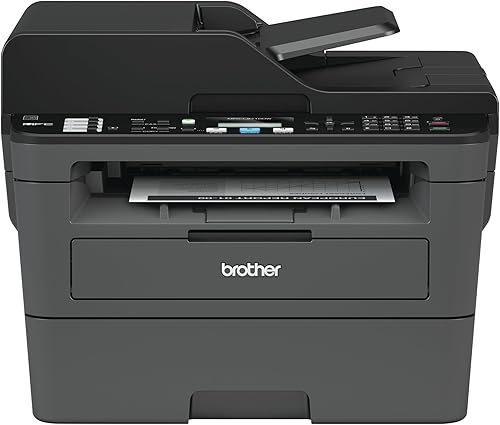
Brother Monochrome Laser Printer: Best for small teams needing fax
- Print, copy, scan and fax
- Wireless networking
- Automatic duplex printing
- 32 ppm black and white printing
- Manual feed slot
An all-in-one with wireless networking and automatic duplex printing for small teams that still send and receive faxes.
Pros
- Four functions in one
- Automatic duplex
- Wireless networking
Cons
- Larger than print-only picks
- No Ethernet listed
This Brother all-in-one suits a small team that still copies, scans and faxes as part of daily office work.
It prints at up to 32 ppm and copies at up to 30 ppm, with automatic duplex printing to save paper on two-sided reports.
Wireless networking lets several devices share it without a cable, and it works with laptops, PCs and smartphones.
The manual feed slot handles card stock and envelopes for professional-looking documents.
Amazon Dash Replenishment is ready on this model, and Brother also offers Refresh EZ Print Subscription.
That subscription can help you avoid a low-toner surprise during a busy week, based on monthly page allotments.
The trade-off is size and connection choice.
At 26 pounds and 15.7 x 16.1 x 12.5 inches, it needs more desk space than a compact print-only model.
It lists Wi-Fi and USB, not Ethernet, so a wired-only office should look at the MFC-L2820DW instead.
Brother MFC-L2820DW Wireless Compact Monochrome All-in-One Laser: Best for wired and wireless sharing
- Dual-band wireless, Ethernet and USB
- Print, copy, scan and fax
- 50-page auto document feeder
- 2.7 in touchscreen
- Automatic duplex printing
A compact all-in-one that lets a shared office choose wireless, Ethernet or a direct USB connection.
Pros
- Ethernet plus dual-band wireless
- 50-page ADF
- Touchscreen controls
Cons
- Copy resolution is 600 x 600 dpi
- No color output
The MFC-L2820DW suits a small office that wants one machine for print, copy, scan and fax.
It offers dual-band wireless, Ethernet and USB, so you can pick the connection that fits your office layout.
Print speed reaches up to 36 ppm in the listing specs, with scan speeds up to 23.6 ipm for black documents.
A 50-page auto document feeder makes multi-page copies and scans hands-off for contracts and packets.
The 2.7 in touchscreen lets you print from and scan to Google Drive, Dropbox, Evernote and OneNote.
The Brother Mobile Connect app adds remote printing and toner tracking from a phone.
That helps when one person is away from the desk but needs a document on paper.
The trade-off is copy resolution at 600 x 600 dpi, which is lower than some rivals.
It is also monochrome only.
If your team needs color for client documents, the MFC-L8930CDW at the end of this list is the better fit.
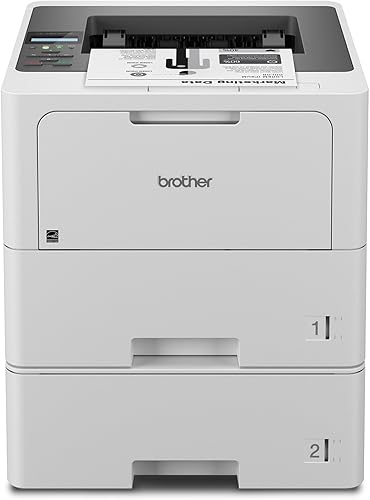
Brother HL-L6210DWT Business Monochrome Laser Printer: Best for high-volume workgroups
- Dual 520-sheet paper trays
- Gigabit Ethernet and dual-band wireless
- 50 ppm printing
- Automatic duplex printing
- 100-sheet multipurpose tray
A business print-only model built for busy workgroups, with dual trays and Gigabit Ethernet for shared network use.
Pros
- Fast 50 ppm output
- Large paper capacity
- Gigabit Ethernet
Cons
- Print only
- Heavier than compact picks
The HL-L6210DWT suits a busy workgroup with high monthly volume and frequent large jobs.
It prints at up to 50 ppm and includes dual 520-sheet paper trays, plus a 100-sheet multipurpose tray for envelopes and custom media.
Gigabit Ethernet and dual-band wireless let it share across a wired or wireless network.
That matters when many users send large jobs at once, because a wired link avoids Wi-Fi congestion.
Total capacity is expandable up to 1,660 sheets with an optional tray, which helps long runs stay unattended.
The included 3,000-page toner cartridge and the TN920UXXL rated for 18,000 pages help control cost per page.
Triple Layer Security also helps limit document and device access on a shared network.
The trade-off is that it is print only and heavier at 35.4 pounds.
It suits teams that already have scanners.
If you need scanning in the same box, the MFC-L5915DW offers similar speed with an ADF.
HP LaserJet Pro 3101fdw: Best alternative for small teams
- Print, scan, copy and fax
- Ethernet, Bluetooth and Wi-Fi
- Auto 2-sided printing
- Auto document feeder
- 35 ppm black and white printing
A non-Brother all-in-one for teams up to 7 people that adds Bluetooth alongside Ethernet and Wi-Fi.
Pros
- Ethernet and Bluetooth
- Auto 2-sided printing
- Suited to small teams
Cons
- Not a Brother model
- Monochrome only
This HP model is the non-Brother option for a small team of up to 7 people.
It prints, scans, copies and faxes at up to 35 ppm, with auto 2-sided printing and an auto document feeder.
It stays connected through intelligent Wi-Fi, and it adds Ethernet and Bluetooth.
That mix suits a team where phones, tablets and laptops all need access from different spots.
HP Wolf Pro Security is included with customizable settings.
That can help a small office limit who can use the printer and manage its settings.
It also works with Microsoft, Mac, AirPrint, Android and Chromebook, which helps a mixed-device office.
The trade-off is brand and toner ecosystem.
If you want Brother toner, drivers and support across every machine, a Brother pick will keep things simpler.
This HP model makes sense when you prefer its features or already use HP elsewhere.
Brother Professional Laser Printer All-in-One with Scanner: Best for fast business scanning
- 50 ppm print and copy speed
- 70-page auto document feeder
- Gigabit Ethernet and dual-band wireless
- Auto 2-sided print, copy and scan
- 5 in touchscreen
A business all-in-one with a 70-page ADF and Gigabit Ethernet for offices that scan multi-page documents all day.
Pros
- Fast scanning and printing
- Large ADF
- Wired and wireless networking
Cons
- Large footprint
- Heavy at 38.3 pounds
The MFC-L5915DW suits a business office that scans as much as it prints each day.
It prints and copies at up to 50 ppm, with a 70-page auto document feeder for high-volume scanning.
Single-pass two-sided scanning reaches up to 56 ipm.
A large document glass handles up to legal-sized documents.
That helps with contracts, forms and multi-page packets that do not fit the feeder.
Gigabit Ethernet and dual-band wireless let you share it on a wired or wireless network.
The 5 in touchscreen lets you set shortcuts for frequent workflows, so staff tap once for common tasks.
The included 3,000-page toner cartridge and the TN920UXXL rated for 18,000 pages help keep running costs down.
Triple Layer Security helps protect documents in transit on a shared network.
The trade-off is footprint.
At 18.6 x 19.5 x 19.1 inches and 38.3 pounds, it needs a dedicated spot, not a small shelf.
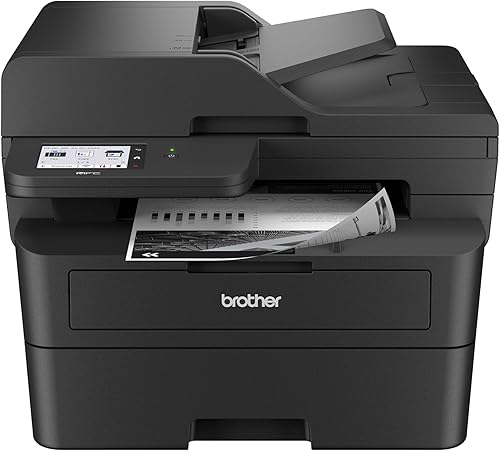
Brother Professional Laser Printer with Scanner: Best for cloud-connected small business
- 36 ppm printing
- Dual-band wireless, Ethernet and USB
- 50-page auto document feeder
- 3.5 in touchscreen
- Automatic duplex printing and scanning
A compact business all-in-one with Ethernet, cloud access from the touchscreen and single-pass duplex scanning.
Pros
- Ethernet and dual-band wireless
- Cloud access
- Duplex scanning
Cons
- Starter toner is 700 pages
- Monochrome only
The MFC-L2900DW suits a small business that wants cloud access plus network sharing.
It prints at up to 36 ppm, with dual-band wireless, Ethernet and USB for flexible placement.
A 50-page auto document feeder and single-pass two-sided scanning speed up multi-page jobs.
Automatic duplex printing saves paper on reports and invoices.
The 3.5 in touchscreen gives direct access to Google Drive, Dropbox and OneNote.
That helps a team scan straight to a shared folder instead of a single PC.
Its first page prints in about 6.9 seconds, and the fuser design is listed with 22 percent lower electricity use.
The Brother Mobile Connect app adds phone printing and toner tracking.
The trade-off is the starter cartridge at 700 pages, so budget for a TN830XL sooner.
It is monochrome only, so color brochures still need another printer.
For lighter shared use, the HL-L2405W costs less to run and takes less space.
Brother Laser Printer: Best for low-cost high volume
- 50 ppm printing
- Gigabit Ethernet and dual-band wireless
- 520-sheet main tray
- 100-sheet multipurpose tray
- Automatic duplex printing
A print-only business model that pairs 50 ppm speed with ultra high-yield toner rated for 18,000 pages.
Pros
- 50 ppm speed
- Gigabit Ethernet
- High-yield toner option
Cons
- Print only
- Optional trays cost extra
This HL-6210DW suits a workgroup that wants fast output and low running cost.
It prints at up to 50 ppm with automatic duplex printing for everyday documents.
Gigabit Ethernet and dual-band wireless support sharing across a business network.
A 520-sheet main tray and 100-sheet multipurpose tray reduce refill stops during long print runs.
That combo keeps standard letter paper loaded while you print envelopes or specialty stock.
The Brother Genuine TN920UXXL is rated for up to 18,000 pages.
That high yield helps spread toner cost over many months for a team printing daily.
Triple Layer Security helps protect against network intrusions and limit access.
The trade-off is that it is print only, with no scanner or fax.
Total capacity is expandable up to 1,660 sheets, but optional trays are an added purchase.
If you need an all-in-one at this speed, the MFC-L5915DW adds scanning and copy at the same 50 ppm rate.
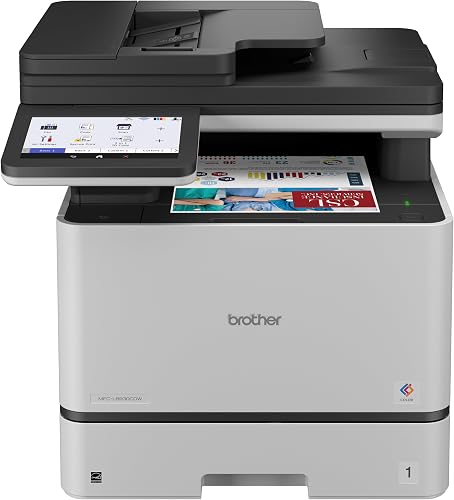
Brother MFC-L8930CDW Business Color Laser All-in-One Printer: Best for shared color printing
- Color and black printing at 33 ppm
- Gigabit Ethernet and dual-band wireless
- 80-page auto document feeder
- 7 in color touchscreen
- NFC card reader
The only color model here, with Gigabit Ethernet, an 80-page ADF and badge authentication for shared offices.
Pros
- Color output
- Large ADF
- Badge authentication
Cons
- Largest and heaviest pick
- Color toner costs more to replace
The MFC-L8930CDW suits a shared office that needs color as well as black and white.
It prints and copies at up to 33 ppm in sharp color and black.
Gigabit Ethernet and dual-band wireless support wired or wireless sharing.
An 80-page auto document feeder and two-sided scanning up to 104 ipm help with large packets.
The 7 in color touchscreen gives scan preview and up to 64 customized shortcuts.
An NFC card reader supports badge authentication, which helps control access in a shared office.
Included toner is 3,000 pages for black and 1,800 pages for color.
The TN635XXL is rated for 7,500 pages black and 6,500 pages color.
That super high yield helps control color running cost compared with standard cartridges.
The trade-off is size and weight at 71.2 pounds.
Color toner also costs more over time than monochrome toner, so plan pages carefully.
Brother network laser printer comparison: speed, connections and paper
The table below compares the key network and capacity specs side by side.
Use it to match a model to your monthly page count, not just to its top speed.
| Product | Best for | Print speed | Connectivity | Paper capacity | Our score |
|---|---|---|---|---|---|
| Brother HL-L2405W Wireless Compact Monochrome Laser Printer | compact home offices | 30 ppm | Dual-band wireless, USB | 250-sheet tray | 9.7 |
| Brother Monochrome Laser Printer | small teams needing fax | 32 ppm | Wi-Fi, USB | 9.6 | |
| Brother MFC-L2820DW Wireless Compact Monochrome All-in-One Laser | wired and wireless sharing | 36 ppm | Dual-band wireless, Ethernet, USB | 9.6 | |
| Brother HL-L6210DWT Business Monochrome Laser Printer | high-volume workgroups | 50 ppm | Gigabit Ethernet, dual-band wireless | Dual 520-sheet trays | 9.5 |
| HP LaserJet Pro 3101fdw | alternative for small teams | 35 ppm | Ethernet, Wi-Fi, Bluetooth | 9.4 | |
| Brother Professional Laser Printer All-in-One with Scanner | fast business scanning | 50 ppm | Gigabit Ethernet, dual-band wireless | 9.3 | |
| Brother Professional Laser Printer with Scanner | cloud-connected small business | 36 ppm | Dual-band wireless, Ethernet, USB | 9.3 | |
| Brother Laser Printer | low-cost high volume | 50 ppm | Gigabit Ethernet, dual-band wireless | 520-sheet tray | 8.9 |
| Brother MFC-L8930CDW Business Color Laser All-in-One Printer | shared color printing | 33 ppm | Gigabit Ethernet, dual-band wireless | 8.7 |
How we compared these Brother network printers
We compared connection options first, because a shared printer is only useful if every device can reach it.
We checked whether each model offers Ethernet, dual-band wireless, USB or a mix.
We then compared print speed, paper capacity and scanning features.
A 50 ppm model with dual trays suits a workgroup.
A 30 ppm compact model suits a small team with light daily volume.
We also checked toner yield and included cartridges.
High-yield options such as the TN920UXXL at 18,000 pages change running cost for busy teams.
Starter cartridges on compact models are much smaller, so factor in a replacement soon after setup.
We did not test these printers.
We compared specs, features and buyer patterns from product data.
Scores rise when a model fits shared network use well, not just when it is fastest.
Security and mobile access in daily use
We also weighed security and mobile tools, because shared printers see sensitive jobs.
Several business models list Triple Layer Security to limit access and protect documents in transit.
The Brother Mobile Connect app appears on compact and business models for phone printing and toner checks.
That matters when a user needs a form printed while away from the desk.
Touchscreens on all-in-one models also change daily use.
They let staff scan to cloud folders without routing through one PC.
That is why cloud access earned weight in our scoring for small offices.
Should you choose Ethernet or Wi-Fi for a shared Brother printer?
Ethernet is the steadier choice for a fixed printer that serves many people.
A wired link does not depend on router distance or signal strength.
It also keeps a stable network address, which makes it easier to install on every device.
Wi-Fi is easier when you cannot run a cable to the printer.
Dual-band wireless helps because devices can move between 2.4GHz and 5GHz as needed.
That said, a busy office with walls and interference can still see drops.
Many picks here offer both.
The MFC-L2820DW, HL-L6210DWT and MFC-L5915DW all include Ethernet plus wireless.
That lets you start wireless and switch to wired later if the queue slows down.
When Ethernet wins
Choose Ethernet if the printer sits in one place and serves a team all day.
It is also smart when you print large files or many pages at once.
A wired link avoids competing with phones and laptops for airtime.
When Wi-Fi is enough
Choose Wi-Fi if your office is small, the printer sits near the router, and daily volume is light.
The HL-L2405W is a good example.
Its dual-band wireless suits a home office where a cable run is not practical.
How many people can share one Brother network laser printer?
Headcount alone does not tell you much.
Monthly page count tells you more.
A team of four printing 200 pages a month needs far less than a team of four printing 3,000 pages a month.
Light shared use
For light use, a 30 to 36 ppm compact model is often enough.
The HL-L2405W and MFC-L2820DW suit this group.
Their 250-sheet trays mean you refill paper less often than with a 100-sheet tray.
High-volume workgroups
For high volume, look at 50 ppm models with large trays.
The HL-L6210DWT has dual 520-sheet trays.
The HL-6210DW has a 520-sheet main tray plus a 100-sheet multipurpose tray.
High yield toner matters here too.
The TN920UXXL at 18,000 pages helps a busy team avoid frequent cartridge changes.
That saves time as well as money.
Do you need print only or an all-in-one for network sharing?
Print-only models are smaller, lighter and often faster for the price.
The HL-L2405W and HL-L6210DWT suit teams that already have scanners or that only need documents on paper.
All-in-one models add copy, scan and fax in one network address.
That saves desk space and gives every user one device to find.
The MFC-L2820DW and MFC-L2900DW suit small offices that scan to cloud folders.
Choose print only if
Choose print only if your main job is printing and you have a separate scanner.
You will save space and money.
You also get faster print speeds at a lower cost per page in some cases.
Choose all-in-one if
Choose an all-in-one if your team copies and scans daily.
A 50-page or 70-page ADF saves real time on multi-page jobs.
One shared device also means one set of drivers and one place to check toner.
What paper capacity and toner yield matter most?
Paper capacity cuts refill stops.
A 250-sheet tray suits light shared use.
Dual 520-sheet trays suit a workgroup that prints throughout the day.
Multipurpose trays help with envelopes and specialty paper.
The HL-L6210DWT and HL-6210DW both include a 100-sheet multipurpose tray.
That keeps letter paper loaded while you print labels or envelopes.
Toner yield drives running cost.
Compact models use TN830 or TN830XL cartridges.
Business models use the TN920UXXL rated for 18,000 pages.
The color MFC-L8930CDW uses TN635XXL cartridges rated for 7,500 pages black and 6,500 pages color.
Refresh EZ Print Subscription is offered on several Brother models.
It can help you plan toner cost by monthly page allotment.
Read the plan terms before you enroll, since page counts and rollover rules apply.
How should you set up a shared Brother printer?
Place the printer where every user can reach it, with space to load paper and clear output.
Connect it to the network first, then install it on each device.
A wired connection is simplest to keep stable.
Assign a clear name on the network so users pick the right printer.
Test a print, a scan and a copy from different devices before you announce it as ready.
That catches driver and permission issues early.
Keep toner and paper stocked in a shared spot.
For high-volume models, show the team how to check toner and where spare cartridges live.
That avoids a stalled queue when one person is away.
Verdict: which Brother network laser printer should you buy?
For most shared offices, buy the Brother HL-L2405W Wireless Compact Monochrome Laser Printer.
It gives you dual-band wireless, 30 ppm output and a 250-sheet tray in a compact body.
Buy the Brother MFC-L2820DW if you want Ethernet plus copy, scan and fax.
Its 50-page ADF and 2.7 in touchscreen suit a small office that shares one device.
Buy the Brother HL-L6210DWT if volume is high.
Its 50 ppm speed, dual 520-sheet trays and Gigabit Ethernet fit a busy workgroup.
Buy the Brother MFC-L8930CDW only if you need color.
It adds Gigabit Ethernet, an 80-page ADF and badge authentication, but it is the largest pick here.
Next, confirm your office can run a cable or needs wireless.
Then match paper capacity and toner yield to your monthly page count.
That order of checks will point you to the right Brother network laser printer for your team.
Our top 3 picks at a glance
-
1
Best for compact home offices
Brother HL-L2405W Wireless Compact Monochrome Laser Printer
9.7/10 our score
See it on Amazon -
2
-
3
Best for wired and wireless sharing
Brother MFC-L2820DW Wireless Compact Monochrome All-in-One Laser
9.6/10 our score
See it on Amazon
Frequently asked questions
What is the best Brother network laser printer for a shared office?
For most shared offices, the Brother HL-L2405W is the best fit because it offers dual-band wireless at 30 ppm in a compact body. Choose the MFC-L2820DW if you need Ethernet plus scanning and fax, or a 50 ppm business model if volume is high.
Is Ethernet or Wi-Fi better for a shared printer?
Ethernet is often more stable for a fixed, busy printer because it does not depend on signal strength. Wi-Fi is easier when you cannot run a cable.
Many picks here offer both, so you can start wireless and move to wired later.
How many users can share one Brother laser printer?
That depends on monthly volume, not just headcount. A 30 ppm compact model suits light shared use, while a 50 ppm model with dual trays suits a workgroup printing many pages each day.
Check paper capacity and toner yield before you decide.
Do these Brother printers print from phones?
Most models here support mobile printing through the Brother Mobile Connect app or other mobile methods named for each model. Confirm the app and operating system you use before you buy, and connect the printer to the same network as your phone.


