How to Compare All-in-One Printers
The best all-in-one printer depends on how you print, scan and copy. Compare printing technology, scanner features, paper handling, connectivity and ongoing supply needs before choosing a model.
On this page (12 sections)
- What should you compare in an all-in-one printer?
- How does printing technology affect your choice?
- Which scanner features matter most?
- What does duplex mean when comparing printers?
- Which all-in-one printer fits mobile work?
- Which printer suits regular home color printing?
- Which printer suits photos?
- How should you compare paper handling?
- Do you need fax support?
- How do ownership costs differ?
- More guides on this topic
- Which all-in-one printer should you choose?
The best all-in-one printer depends on how you print, scan and copy. Compare printing technology, scanner features, paper handling, connectivity and ongoing supply needs before choosing a model.
An all-in-one printer can combine several office tasks in one device, but the functions are not equally useful for every buyer. A compact mobile printer may suit field work, while a refillable tank printer may better fit regular home color printing.
This all in one printer comparison focuses on the decisions that affect daily use. We compared the stated features of 3 different printer types and matched them to common home, mobile and photo-printing needs.
What should you compare in an all-in-one printer?
Compare printing technology, scanner design, paper handling, connectivity and supply needs first. Those areas usually matter more than the number of buttons or the size of the display.
Start with the documents you print most often. Text-heavy work can point toward a laser printer, while color pages, photos and mixed paper sizes may favor an inkjet model.
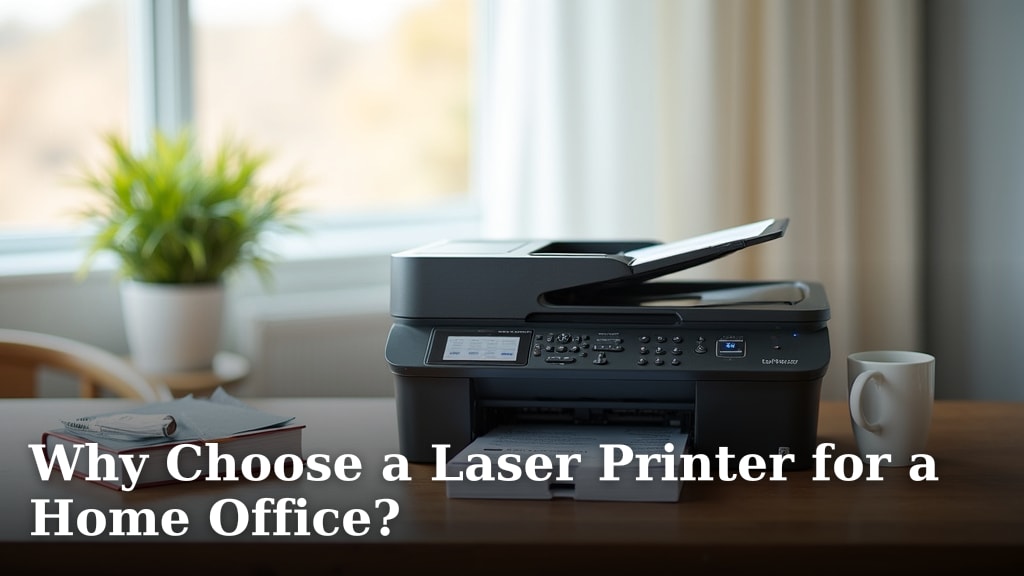
If you are deciding between these technologies, our guide to Why Choose a Laser Printer for a Home Office? explains when laser printing may fit a home office routine. For color-focused buying, compare the needs covered in our guide to the best all in one color printer.
The most useful comparison questions are:
- Do you need black text, color documents, photos or all 3?
- Will the printer stay in one room or travel with you?
- Do you need scanning and copying, or only printing?
- Will you scan single sheets or multipage documents?
- Do you print on both sides of paper?
- Which paper sizes do you use?
- Do you need Wi-Fi, mobile printing, USB or a direct connection?
- How often are you willing to replace cartridges or refill tanks?
A printer with more functions is not automatically the better choice. It is better when its functions match the work you actually do.
How does printing technology affect your choice?
Printing technology affects speed, color use, supply handling and the type of work a printer suits. Inkjet models often fit mixed color work, while laser models can suit frequent text printing.
Inkjet printers place liquid ink onto paper. They can handle color documents and photo-oriented work, but your supply routine matters.
Some use cartridges, while others use refillable tanks.
Laser printers use toner and are often considered for regular black text printing. Color laser models are also available, so do not assume that every laser printer prints only in black and white.
See Do All Laser Printers Print in Color? What to Know before narrowing your search.
The HP OfficeJet 250 is an inkjet mobile all-in-one with wireless printing, scanning and copying. Its stated black-and-white speed is 20 pages per minute, and its color speed is 19 pages per minute.
The HP uses Original HP 62 series cartridges and includes setup black and tricolor cartridges. It supports letter, legal, statement, executive, card, photo and envelope sizes, with a maximum media size of 8.5 x 11 inches.
Its manual duplex setting means double-sided printing requires page handling by the user. That matters if you print long reports and want both sides of every sheet.
The Epson EcoTank ET-2800 is a wireless color inkjet all-in-one with refillable ink tanks. It combines printing, flatbed scanning and copying, with a stated speed of 10 pages per minute in black and 5 pages per minute in color.
The Epson includes ink bottles, manuals, a power cord and software. Its ink system is rated for up to 4,500 black pages and 7,500 color pages per ink bottle set for home use, and the box includes up to 2 years of ink.
The Epson uses simplex printing, so it does not provide automatic two-sided printing. Its maximum media size is 8.5 x 14 inches, which gives it more paper-size flexibility than the HP OfficeJet 250.
The KODAK Dock Plus is different from the other 2 products because it is a print-only 4x6 photo printer. It uses smartphone docking, Bluetooth and 4PASS dye sublimation printing rather than document scanning and copying.
The KODAK prints 4x6-inch photos and includes 50 sheets. Each print takes about 55 seconds and uses 3 color layers plus a clear protective lamination layer.
Do not choose the KODAK as a document all-in-one. It is designed for smartphone photos, while the HP and Epson handle document scanning and copying.
Which scanner features matter most?
The most useful scanner feature depends on the documents you handle. Choose a flatbed for single pages, photos and small items, and look for an automatic document feeder when you scan multipage documents.
A flatbed scanner gives you a glass surface for placing a page or photo. It can suit occasional scanning, but you must place each page manually.
An automatic document feeder can reduce handling for a stack of pages. The HP OfficeJet 250 includes a 10-page automatic document feeder, which makes it the better fit of these 3 products for small multipage scanning jobs.
The Epson ET-2800 has a flatbed scanner. That suits single-page documents, photos and basic copying, but it does not offer the same feeder-based workflow as the HP.
Neither product description here establishes automatic duplex scanning. If you regularly scan both sides of a document, compare models specifically described for that function.
Our guide to the best inkjet printer with duplex scanning covers that buying need.
You can also compare the best office printer and scanner with duplex when office scanning speed and two-sided handling matter more than compact size.
What does duplex mean when comparing printers?
Duplex means using both sides of a sheet, but the process can be automatic or manual. Check duplex separately for printing and scanning because support for one does not prove support for the other.
Automatic duplex printing turns or feeds the sheet inside the printer. Manual duplex printing requires you to follow a reload process, which can work for occasional double-sided documents but takes more attention.
The HP OfficeJet 250 supports manual duplex. The Epson ET-2800 and KODAK Dock Plus are listed with simplex printing, so they are not the best matches when automatic two-sided printing is a central requirement.
Read What Does Auto Duplex Mean on a Printer? for a closer explanation of the term. You can also compare the best printer for duplex printing when paper saving and double-sided workflows are your main goals.
For office work, duplex scanning can matter as much as duplex printing. A printer that prints on both sides but scans only one side at a time may still require extra handling.
Which all-in-one printer fits mobile work?
The HP OfficeJet 250 is the strongest match here for mobile printing, scanning and copying. It is designed to fit in a car, backpack or briefcase, and its battery is included.
The HP can print from a laptop, tablet or smartphone without connecting to a network. HP Auto Wireless Connect supports setup from mobile devices with or without a router.
It can charge with an AC power source at home, in a car or in an office. HP Fast Charge is described as charging the printer within 90 minutes while the printer is turned off.
Its 2.65-inch color touchscreen and HP app support make it suited to users who need to manage print and scan tasks away from a fixed desk. The included 10-page feeder also gives it an advantage for small multipage jobs.
The HP's trade-offs are its manual duplex process, cartridge-based supply system and 8.5 x 11-inch maximum media size. It is portable, but it is not the most natural pick for high-volume stationary printing.
For a field-based workflow, compare the needs in our guide to the best printer for mobile notary. That type of buyer may care about portability, copying, scanning and paper handling more than a large stationary paper tray.
Which printer suits regular home color printing?
The Epson EcoTank ET-2800 is the strongest match here for regular home color printing with refillable ink tanks. It connects to a home network and supports printing, scanning and copying from computers, laptops and smartphones.
Its tank system reduces the need for frequent cartridge replacements compared with a traditional cartridge printer. Epson rates the included ink bottle set for up to 4,500 black pages and 7,500 color pages for home use.
The Epson's stated color speed is 5 pages per minute, so it is better suited to routine home documents than urgent large print runs. Its flatbed scanner handles basic scanning and copying, but users must place pages on the glass.
The printer measures 14.8 in deep, 22.8 in wide and 10 in high, and it weighs 11.4 lb. Measure your desk and leave enough room to open the scanner and reach the controls.
Epson recommends genuine ink to support print quality and performance. That makes ink choice part of ownership planning, especially if you want to protect the printer's intended workflow.
Which printer suits photos?
The KODAK Dock Plus suits 4x6 smartphone photo printing, not general office work. Its integrated docking station can hold a compatible smartphone while it prints and charges the device.
The printer connects through Bluetooth to compatible iOS and Android devices using the KODAK Photo Printer app. The app supports editing, cropping and customization before printing.
Its 4PASS dye sublimation process produces 4x6-inch photos in about 55 seconds. The print receives 3 color layers and a clear protective lamination layer designed to resist fingerprints, water and fading.
The KODAK is compact at 4.5 in deep, 8.5 in wide and 2 in high. It is a desktop photo station rather than a document machine, so it does not scan, copy or print standard office pages.
Its included 50 sheets make it useful for a defined photo-printing session. If you need fax support along with printing, scanning and copying, compare the best copier fax scan printer for business instead.
How should you compare paper handling?
Compare the paper sizes you use most often, then check whether the printer handles those sizes without extra manual work. Paper compatibility can matter more than the maximum print speed.
The HP OfficeJet 250 supports letter, legal, statement, executive, cards, photos and envelopes. It is the most flexible of these examples for mixed paper sizes, although its maximum media size is 8.5 x 11 inches.
The Epson ET-2800 supports media up to 8.5 x 14 inches. That gives it room for legal-size media, but the available data does not guarantee the same full list of cards, photo sizes and envelopes as the HP.
The KODAK Dock Plus is limited to 4x6-inch photo media. Its paper size makes the decision simple if you only want small photo prints, but unsuitable for regular documents.
Think about loading frequency as well. A printer that supports your paper but requires frequent manual changes may be less convenient than a model that fits your most common paper in one regular workflow.
Do you need fax support?
You need fax support only if your work still sends or receives documents by fax. If fax is required, confirm it in the model's functions instead of assuming every all-in-one printer includes it.
The 3 products compared here are described as printers, scanners and copiers, or as a print-only photo printer. The provided functions do not identify fax support for these models.
If fax is part of your office workflow, compare our guide to the best hp printer with fax and the broader guide to the best printer with fax. Those comparisons focus on a function that can change the right product category.
A fax-enabled office printer may also need more desk space and a different setup routine. Check the connection method, document feeder and paper handling before treating fax as a deciding feature.
How do ownership costs differ?
Ownership costs come from ink or toner, paper, maintenance and your printing frequency. A lower replacement frequency can matter more than the initial design when you print often.
The HP OfficeJet 250 uses Original HP 62 series cartridges. Its stated page-yield benefit is longer printing between supply replacements, but cartridge use still makes the most sense when portability and occasional business printing are central.
The Epson ET-2800 uses refillable ink tanks and includes ink bottles. Its stated page capacity makes it better suited to households and home offices with regular color printing.
The KODAK Dock Plus uses photo media and dye sublimation supplies for 4x6 prints. Its ownership pattern is tied to the number of photos you print rather than to regular document pages.
Estimate your normal monthly output before choosing. Occasional users may prefer simpler cartridge handling, while regular color users may value a tank system even if the printer is larger and slower.
Do not compare only the number of pages in a supply claim. Consider whether those pages match your documents, how often you print color and whether you are comfortable with refilling or replacing supplies.
More guides on this topic
Which all-in-one printer should you choose?
Choose the HP OfficeJet 250 if you need wireless printing, scanning and copying while traveling. Its battery, compact design, mobile setup and automatic document feeder make it the most practical option here for mobile business documents.
Choose the Epson EcoTank ET-2800 if you print color documents regularly at home. Its refillable tanks, included ink bottles, wireless connection and flatbed scanner support a home office or household routine.
Choose the KODAK Dock Plus if your goal is 4x6 smartphone photos. Its docking design, Bluetooth connection, app controls and 50 included sheets fit photo printing, but it cannot replace an all-in-one document printer.
For your own all in one printer comparison, start with the task you do most. Pick the technology that matches that task, then confirm scanner handling, paper size, duplex support, connectivity and supply needs before ordering.
Frequently asked questions
What should I compare in an all-in-one printer?
Compare the printer's technology, print speed, color needs, scanner type, duplex handling, paper sizes, wireless options and supply system. Also measure the available space and consider whether you need copying, mobile use or fax support.
The best match depends on your regular documents, not just the number of functions.
Is an inkjet or laser all-in-one printer better?
An inkjet all-in-one printer can suit color documents, photos and flexible paper use, while a laser model often fits frequent text printing. Compare your monthly workload, color needs, print speed and supply routine.
A laser printer may suit a home office that prints mostly black text, while inkjet can be more flexible for mixed color work.
Do all-in-one printers scan and copy?
Most all-in-one printers combine printing, scanning and copying, but features vary by model. Check whether the scanner is flatbed or has an automatic document feeder, whether it scans both sides, and whether the printer supports the paper sizes you use.
A print-only photo printer will not replace a document scanner.
What does duplex mean on an all-in-one printer?
Duplex means printing or scanning on both sides of a sheet. Automatic duplex handles both sides with less manual work, while manual duplex requires you to turn pages or reload them.
Check whether duplex applies to printing, scanning or both, because one function may support it while another does not.
How do I compare all-in-one printer ownership costs?
Look beyond the printer's purchase price. Compare cartridge or ink-bottle replacement, stated page capacity, paper use, maintenance and how often you print.
A cartridge printer may suit light or occasional use, while a refillable tank can make more sense for regular color printing if you are comfortable filling tanks and using the recommended ink.