Inkjet vs Laser Printer Paper: Which Should You Use? (October 2026)
Use paper labeled for your printer type, or multipurpose paper rated for both. Inkjet paper can have coatings that affect how toner bonds in a laser printer, while laser paper must handle the printer’s heat.
On this page (9 sections)
- Inkjet vs Laser Printer Paper: Which Should You Use?
- Inkjet vs laser printer paper: what is the difference?
- Can you use inkjet paper in a laser printer?
- Can you use laser paper in an inkjet printer?
- Which paper should you use for everyday documents?
- Which paper is right for photos, stencils and specialty jobs?
- What should you check before loading paper?
- Which should you choose: inkjet or laser printer paper?
- Frequently asked questions
Inkjet vs Laser Printer Paper: Which Should You Use?
Use paper labeled for your printer type, or multipurpose paper rated for both. The key differences in inkjet vs laser printer paper are surface coating, ink absorption and whether the sheet can handle a laser printer’s heat.
For everyday documents, dual-purpose copy paper is usually the simplest pick. For photos, transfers or other specialty jobs, match the paper to both the printer technology and the task.

Inkjet vs laser printer paper: what is the difference?
Inkjet paper is made to receive liquid ink, while laser paper must tolerate heat as toner is fused to the sheet. The word “paper” can cover plain copy stock, coated photo sheets and specialty media, so check the package rather than relying on the name alone.
Inkjet printers spray ink onto paper. Some inkjet papers have coatings intended to manage how that ink spreads or dries.
A sheet with a surface made for ink may behave differently when a laser printer applies toner and heat.
Laser printers place toner on the page and use a heated fuser to bond it. The paper needs to be suitable for that process.
Learn how a laser printer fuses toner to paper if you want to understand why heat compatibility matters.
Does coated paper matter?
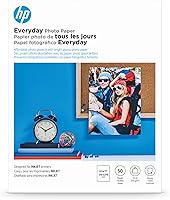
Yes, a coating can change how ink or toner behaves on the page. Inkjet photo paper, transfer paper and other specialty sheets may have a surface meant for a particular printing process.
A paper package marked for inkjet use alone should not be treated as laser-safe. If you put a sheet with an unsuitable coating through a laser printer, print quality may suffer, and the sheet may not handle the printer’s heat as intended.
The reverse can also happen: paper designed for laser printing may not give inkjet ink the surface it needs for the result you expect. For important jobs, use media specifically marked for that printer type.
Can you use inkjet paper in a laser printer?
Use inkjet paper in a laser printer only when its packaging and your printer manual confirm laser compatibility. If the package says inkjet only, choose another sheet.
This is especially important with coated or specialty papers. The heat in a laser printer can affect a coating, and an unsuitable surface may keep toner from bonding as intended.
Check the printer manual for supported paper types, weights and sizes. If you’re unsure about a sheet, use it only when the manual confirms it is suitable.
Multipurpose copy paper labeled for both inkjet and laser use avoids much of this guesswork. Hammermill Printer Paper is 20 lb, letter-size copy paper for inkjet and laser printing.
Can you use laser paper in an inkjet printer?
Plain paper labeled for laser use may work in an inkjet, but check the paper and printer instructions first. Coated laser media can absorb ink differently from paper designed for inkjet printing.
If the print looks wet, uneven or less sharp than expected, the paper surface may not suit the inkjet job. Use inkjet-rated paper for photos or work where color and fine detail matter.
The Canon PIXMA TS6520 is a color inkjet printer that supports documents and photos up to 8.5 x 11 in. Match the paper to the specific print job and the printer’s instructions.
Which paper should you use for everyday documents?
Choose uncoated multipurpose paper labeled for your printer type for routine text and office documents. It’s a practical choice for drafts, forms, schoolwork and basic graphics.
If the same paper will move between inkjet and laser printers, confirm that the package says it works in both. Hammermill Printer Paper is 20 lb copy paper for inkjet and laser use, while Amazon Basics Multipurpose Copy Printer Paper is an uncoated 24 lb option for both technologies.
A heavier sheet can feel more substantial, but weight alone doesn’t tell you whether the paper is compatible. Check the printer’s supported range and the paper package before loading it.
If your documents are mostly color, choose paper with a suitable finish and follow the printer’s color-printing guidance. Our guide to best paper for laser printers covers laser-compatible options, while best color laser printer paper focuses on color output.
Which paper is right for photos, stencils and specialty jobs?
Use specialty paper made for the printer technology and job, not ordinary copy paper as a substitute. For overheads, compare transparency film for laser printers.
A photo, stencil or transfer sheet can have different coating and handling needs from a plain document sheet.
For adhesive stock, compare label sheets for laser printers.
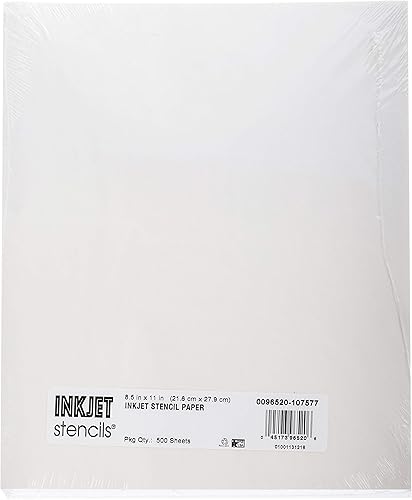
Inkjet stencil tracing paper is a good example of media with a specific purpose. Tatu-Derm Inkjet Stencils Tracing Paper is designed for inkjet stencil printing and transfer work, so it isn’t a general-purpose replacement for copy paper.
For laser-compatible designs, compare decal paper for laser printers.
For laser color documents, select a paper intended for color laser printing. For a Canon laser printer, check the model’s paper guidance before choosing a specialty sheet; our guide to best paper for Canon laser printers can help narrow the options.
Large-format work needs the right size as well as the right printer compatibility. If you need ledger-size sheets, see our guide to best 11x17 paper for laser printers.
What should you check before loading paper?
Check the paper type, size and weight against your printer manual before loading a new sheet. This helps you avoid feed problems and choose media suited to the job.
Start with the package label. Look for inkjet, laser or multipurpose compatibility, then check whether the paper is coated or intended for a special use.
Confirm the sheet size and weight next. A paper that fits the tray may still be outside the printer’s supported range, especially if it is thicker than standard copy paper.
Load the sheets in the direction shown in the printer instructions. If the paper curls, sticks or feeds poorly, remove it and check the manual’s steps for paper handling and tray adjustment.
If a printer won’t feed paper properly, use the steps in our guide to common problems with printers. For a wired setup, our guide to best USB printer cables can help you find a cable that fits your connection needs.
Which should you choose: inkjet or laser printer paper?
Pick inkjet-rated paper for inkjet jobs, laser-rated paper for laser jobs, and dual-purpose paper when you need one everyday sheet for both. For coated or specialty media, follow the package and printer manual closely.
For basic letters and copies, multipurpose paper is a sensible starting point. For photos, stencil transfers or color laser output, choose paper designed for that task and printer technology.
For glossy laser photo media, compare glossy paper for laser printers.
For adhesive designs, see vinyl sticker paper for laser printers.
If you’re deciding between printer types as well as paper, read whether a laser printer can replace an inkjet printer. The right choice depends on the work you print and the media you need.
Frequently asked questions
Can you use inkjet paper in a laser printer?
Only use it when the package and printer manual confirm laser compatibility. Some inkjet papers have coatings that may not handle a laser printer’s heat or may affect toner bonding.
If the package identifies the sheet as inkjet-only, choose paper marked for laser printing.
Can you use laser paper in an inkjet printer?
Plain laser paper may work in an inkjet, but the print result depends on the paper surface and the printer. A coating made for toner may not absorb ink as expected.
For photos or detailed color work, choose paper labeled for inkjet printing.
Is multipurpose paper okay for both printer types?
Yes, if the package says it is suitable for both inkjet and laser printers, and the paper’s size and weight fit your printer. Multipurpose copy paper works well as an everyday option for documents, while specialty jobs call for paper made for that task.
What should you do if a sheet jams?
Remove the jam according to your printer manual and check that the paper type, size and weight are supported. Coated or specialty sheets may need different handling from plain copy paper.
Don’t force a sheet through the printer if it keeps feeding poorly.
Pick paper by printer type first, then by the job. For everyday use across both technologies, choose multipurpose paper labeled for inkjet and laser printing.
Frequently asked questions
Can you use inkjet paper in a laser printer?
Only if the paper package and your printer manual say it is suitable for laser printing. Some inkjet papers have coatings that may not handle a laser printer’s heat or may affect how toner bonds.
If the package says inkjet only, choose paper rated for laser printers instead.
Can you use laser paper in an inkjet printer?
Often, plain uncoated laser paper can feed through an inkjet, but the result depends on the paper and printer. Ink may dry or look different on a surface made for toner.
Check the paper package and printer manual, especially for coated or specialty sheets.
Is multipurpose paper suitable for inkjet and laser printers?
Yes, when the package identifies it for both types and the sheet size and weight fit your printer. Multipurpose copy paper is a useful everyday option for text and simple graphics.
Choose specialty paper for photo, label or transfer work, and follow the printer’s media instructions.
What is the main difference between inkjet and laser paper?
The main difference is how the paper handles ink or toner. Inkjet paper may use a surface designed to manage liquid ink, while laser paper must pass through a heated fuser.
Paper labeled for one technology may not suit the other.