Can You Use Inkjet Labels in a Laser Printer?
No, you should not use inkjet-only label sheets in a laser printer. Laser fusers get hot enough to melt coatings and adhesives on inkjet-only sheets, which can jam the printer or leave residue inside.
On this page (8 sections)
- Can inkjet labels be used in laser printer without damage?
- Why do inkjet and laser labels need different coatings?
- Can you use laser labels in inkjet printer instead?
- What happens if you put inkjet labels in a laser printer?
- How do you check label compatibility in both directions?
- Which laser-safe label sheets suit common jobs?
- How do you print laser labels without jams?
- Can a laser printer replace an inkjet printer for labels?
No, inkjet-only labels are not safe for a laser printer. A laser printer uses heat to fuse toner, and that heat can damage a sheet that was made only for inkjet printing.
If a sheet says laser and inkjet compatible, you can use it in either machine. That dual rating is the key detail to check before you load a sheet.
Can inkjet labels be used in laser printer without damage?
In most cases, no, not safely. Inkjet labels often use coatings that absorb liquid ink, and those coatings may not tolerate fuser heat.
A laser printer can reach temperatures well above what an inkjet printer uses. The sheet passes close to heated rollers, so adhesives can soften and edges can lift.
One lifted label can catch on a roller. That can cause a jam, pull the sheet through unevenly, and spread adhesive or toner inside the printer.
Damage is not guaranteed on every sheet. The risk depends on the coating, adhesive, sheet thickness, and printer design.
A safer choice is to use a sheet rated for laser printing.
Why do inkjet and laser labels need different coatings?
The coating matches the printing method. Inkjet ink is liquid, so it needs a surface that holds ink without bleeding.
Laser toner is dry powder, so it needs a surface that accepts fused toner.
Inkjet coatings can feel chalky or absorbent. Under laser heat, that coating can bubble, gloss over, or release odors.
Laser labels use heat-stable coatings. They are built to pass through a fuser without melting the backing or loosening the labels.
The adhesive matters too. Laser label sheets use adhesives that stay stable at higher heat.
Inkjet-only sheets may not have that heat resistance.
Sure Feed technology on Avery sheets helps the sheet grip rollers and feed more evenly. It does not make an inkjet-only sheet laser safe.
The laser rating still needs to be on the pack.
Can you use laser labels in inkjet printer instead?
Yes, often, if the sheet is dual rated. Many laser label sheets also work in inkjet printers, but the print quality can differ.
Inkjet ink may sit on the surface rather than soak in. Colors can look softer, and text edges may not look as crisp as they would on an inkjet rated sheet.
Some laser sheets are made only for laser use. On those sheets, liquid ink can bead, smear, or dry slowly.
Always check for inkjet compatibility before you switch the direction.
A good test is to print one sheet with text and a color block. Let it dry for a few minutes, then check for smearing, pooling, or pale color.
If you print letters, invoices, or packing slips that must stay readable, choose a sheet rated for the printer you will use most. Our guide to what a laser printer is used for can help you match the printer to the job.
What happens if you put inkjet labels in a laser printer?
Heat damage can happen in seconds. The labels may curl, bubble, or release from the backing as the sheet moves through the fuser.
A loose label can wrap around a roller. Glue can transfer to rollers, and toner can smear across later pages.
Some printers show a jam error right away. Others keep running and leave a sticky layer that affects future prints.
You may also get poor output even without a jam. Colors can shift, text can look glossy, and the sheet can warp so later labels misalign.
The cost of a ruined sheet is low. The cost of cleaning adhesive from a fuser can be much higher.
That trade-off is why the laser rating matters.
Do not try to rescue a jam by forcing the sheet out. Turn the printer off, follow the manual’s jam steps, and remove loose labels without pulling against rollers.
How do you check label compatibility in both directions?
Read the pack, the template page, and the printer manual. All three should agree before you print a full sheet.
Look for clear wording such as laser, inkjet, or laser and inkjet compatible. Vague wording such as printer friendly does not tell you enough.
Check the sheet size and label count against your printer’s supported sizes. Some printers accept labels only from a manual feed tray.
Use the correct template for the exact product number. A close size can still shift margins and cause labels to peel at the edges.
Print one test sheet first. Use a mix of text, lines, and color so you can judge sharpness, adhesion, and feed.
How can you use inkjet labels in a laser printer safely?
You cannot make an inkjet-only sheet laser safe. Changing settings, using a draft mode, or printing one label at a time does not lower fuser heat.
A laser printer still heats the sheet to fuse toner. Lower resolution may change toner use, but it does not remove the heat step.
The safe path is to switch sheets. Use a dual rated sheet for laser printing, or use an inkjet printer for inkjet-only stock.
Keep spare sheets for each printer type in separate, labeled packs. That helps avoid mix-ups when you are printing in a hurry.
Which laser-safe label sheets suit common jobs?
Choose by size, finish, and printer rating. Round labels, clear labels, and address labels each solve a different problem.
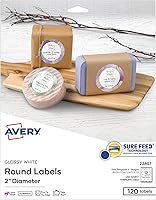
The Avery Round Printable Labels are 2.5 inches in diameter, matte white, and 300 labels in total. They are rated for laser and inkjet printers, so they fit both directions.
The matte white finish makes text and color easy to read. The round shape suits jars, bottles, school supplies, and package seals.
Sure Feed technology helps the sheet feed more reliably and reduces misalignment. That matters when you print a full sheet of small labels.
For shipping, the Avery® Printable Shipping Labels are 2 in x 4 in, glossy crystal clear, and 100 labels in total. They are rated for laser and inkjet use.
The clear film lets glass, plastic, and colored paper show through. The glossy surface suits labels that need a printed-on look.
Easy Peel with Pop-up Edge helps you lift labels faster. That can save time when you process a stack of packages.
For address labels, the Avery Printable Address Labels for Laser Printers are 1 in x 2-5/8 in, matte clear, and 300 labels in total. They are made for laser printers.
The frosted clear material blends with white and light envelopes. The small size fits standard address lines without covering a stamp.
Easy Peel with Pop-up Edge also helps with fast application. The laser rating makes these a safer pick than inkjet-only clear sheets.
If you want a broader range of sizes and finishes, our list of best laser printer label sheets breaks down more options by use.
How do you print laser labels without jams?
Use the manual feed tray, the right template, and one test sheet. Those three steps prevent most label problems.
Load the sheet as directed for your printer. Some models need the sheet face up, while others need face down.
Close the tray fully and remove other paper if it can cause double feeds. A clean tray path helps the sheet enter straight.
Select the exact label template in your design software. Set the paper size to 8.5 in x 11 in when the sheet uses that size.
Print a single sheet before you print the full batch. Check alignment, toner adhesion, and label edges before you continue.
Store unused sheets flat, dry, and away from heat. Heat and humidity can curl sheets before they reach the printer.
Our picks for best clear labels for laser printer show clear options that are built for laser heat. For smaller formats, see best small labels for laser printer, and for a shiny finish, compare best glossy labels for laser printer.
Can a laser printer replace an inkjet printer for labels?
Only if your label stock is laser rated. The printer type matters less than the sheet rating when you plan label printing.
Many homes use a laser printer for text and a separate inkjet for photos or color work. Labels can go to either machine if the sheet supports it.
If you are deciding whether to keep both, can a laser printer replace an inkjet printer covers speed, color, and cost trade-offs.
For labels, the deciding factor is simple. Use inkjet-only sheets only in inkjet printers.
Use laser or dual rated sheets in laser printers.
That rule protects the printer and gives you cleaner prints. It also saves you from wasted sheets and sticky cleanup.
When you buy new stock, check the rating first, then the size and finish. The Avery round, clear shipping, and matte clear address labels above show how size and finish change the job, while the laser rating keeps the sheet safe in a laser printer.
Frequently asked questions
Can inkjet labels be used in a laser printer?
Only if the sheet is rated for both laser and inkjet use. Inkjet-only sheets can melt or jam when they pass through a laser fuser, so check the label pack for laser compatibility before printing.
Can you use laser labels in an inkjet printer?
Often yes, if the sheet says it is laser and inkjet compatible. The finish may look duller in inkjet, and ink can smear if the coating is made only for toner, so test one sheet first.
What happens if you put inkjet labels in a laser printer?
The heat can soften adhesive, warp the carrier sheet, and pull labels loose inside the fuser. That can cause jams, toner smears, and sticky residue that needs professional cleaning.
How do I check label compatibility?
Look for laser, inkjet, or dual-use wording on the pack and template page. Also check your printer manual for label weight, size, and tray rules, then test a single sheet before a full run.