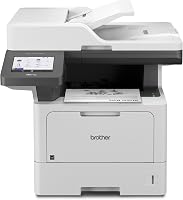
How to Fix Poor Print Quality on a Brother MFC-L3770CDW
To fix poor print quality on a Brother MFC-L3770CDW, identify whether pages are faded, streaked, smudged, or uneven, then check toner, drum, paper, settings, and the printer's maintenance options.
On this page (8 sections)
- What should you check first for Brother MFC-L3770CDW poor print quality?
- Why are pages faded or too light?
- What causes streaks, spots, or repeated marks?
- How do you clean the MFC-L3770CDW safely?
- Could paper or print settings be the problem?
- When should you replace toner or the drum?
- What should you do if color or alignment still looks uneven?
- Which steps fix Brother MFC-L3770CDW poor print quality?
To fix poor print quality on a Brother MFC-L3770CDW, identify whether pages are faded, streaked, smudged, or uneven, then check toner, drum, paper, settings, and the printer's maintenance options. Start with a test page so you can see whether the issue affects one color or the whole page.
Change one thing at a time and print another sample. That makes it easier to see whether a setting or maintenance step helped before you replace a component.
What should you check first for Brother MFC-L3770CDW poor print quality?
Check the printer's status messages, paper, and print settings before cleaning or replacing parts. A correct paper type and a normal quality setting can rule out simple causes quickly.
Print a built-in quality report or test page using the printer's menu. Keep it as a reference, then print the same document from your computer.
If the built-in page looks good but a computer print does not, check the app, driver, selected paper size, and color settings. If both pages show the same flaw, focus on the printer's supplies and maintenance.
Make sure paper is dry, flat, and loaded in the correct tray. The paper type setting should match the paper in use.
For a wider troubleshooting path, see how to fix common problems with printers. It can help separate a print-quality fault from a connection, setup, or paper-feed issue.
Why are pages faded or too light?
Faded output often calls for checking toner levels and density or economy settings first. If only one color is weak, focus on that color's cartridge and the printer's color-specific troubleshooting.
Confirm that toner-saving or draft options are off if you need darker output. Check the print dialog and the printer menu, since settings can differ between a computer and a direct print.
Print the built-in quality report again after changing one setting. If the problem stays on that report, follow the model's manual for checking the affected toner cartridge and other supplies.
Avoid shaking or handling cartridges unless Brother's instructions for this model recommend it. Toner dust can spill, and improvised handling may damage the cartridge.
For a general explanation of light laser output, read why a laser printer is not printing dark enough. The same basic checks apply, but use the MFC-L3770CDW's own menu and instructions.
Can print resolution make pages look faint?
Print resolution can change how fine details appear, but it won't restore toner that's low or fix a damaged drum. Check output density and quality settings first when text or fine lines look weak.
A higher resolution setting may take longer to print and still won't correct missing color or repeated streaks. For context, see what print resolution means in laser printers.
What causes streaks, spots, or repeated marks?
Streaks and spots can come from a cartridge, drum, corona wire, paper, or contamination in the print path. Note the mark's color, direction, and whether it repeats at regular intervals before choosing a cleaning step.
Print a quality report and inspect each color area. A defect limited to one color points toward that color's imaging path; marks across all colors suggest checking shared components and paper handling.
Use only the cleaning instructions Brother provides for the MFC-L3770CDW. Do not touch or wipe the drum surface with household cleaners, and don't insert tools into the printer.
If a repeated mark remains after the model-approved cleaning procedure, check the printer's message and manual for the named part. Replace a toner cartridge or drum only when the printer's guidance or troubleshooting identifies it.
For more causes and fixes, see how to fix laser printer print quality problems. The guide covers common patterns across laser printers, while this page focuses on the MFC-L3770CDW.
When is alignment the likely issue?
Alignment is more likely when text, color edges, or registration look shifted rather than simply pale or dirty. Run the printer's color registration or calibration option if the model's menu offers it.
Use a fresh test page after the adjustment. The steps in how to fix Brother laser printer alignment problems can help if colors or text still appear out of position.
How do you clean the MFC-L3770CDW safely?
Follow the printer's menu prompts and manual for cleaning; use the specific procedure that matches the symptom. The machine may offer maintenance steps for image quality, registration, or internal components.
Before opening covers, read the displayed instructions and let any parts cool if the manual says to wait. Keep loose paper and objects away from the mechanism.
Do not use compressed air, liquid cleaner, or a vacuum inside the printer unless Brother explicitly approves that method. These can spread toner or damage sensitive parts.
After cleaning, print the same quality report and compare it with the first one. If there is no change, stop repeating the procedure and check the manual's next diagnostic step.
Could paper or print settings be the problem?
Yes, the wrong paper type, size, or print mode can make output look uneven or poorly fused. Confirm that the tray and software settings match the paper you loaded.
If pages still seem wet or smeared, see why printer ink is not drying.
Use clean, dry paper that is intended for laser printers. Damp, curled, or damaged sheets can produce marks or inconsistent results.
If you print labels or specialty media, use only media approved for this model and feed it as the manual directs. Never send inkjet-only stock through a laser printer unless the manufacturer says it is safe.
The Tatu-Derm Inkjet Stencils Tracing Paper is made for desktop inkjet printing and tattoo stencil transfer, so it is not a choice for this laser printer.
For a monochrome laser all-in-one, the Brother Professional Laser Printer All-in-One with Scanner is a different model with black-and-white printing and scanning.
The HP Laserjet MFP M140w Wireless Black is also a monochrome print, scan, and copy model, suited to simple black-and-white document needs.
When should you replace toner or the drum?
Replace a supply when the printer's status or troubleshooting instructions point to it, not just because one page looks poor. Toner and drum are separate parts, and the symptom can have another cause.
If the printer identifies a specific color as low or empty, use the cartridge type listed for your exact model and region. Keep the packaging and handling directions nearby when replacing it.
If replacing toner does not improve the test page, check the manual's drum and image-quality steps. Avoid swapping several supplies at once, since that makes it harder to identify the original fault.
Contact Brother support if the printer shows a persistent error, a component is difficult to remove, or the problem remains after the documented maintenance steps. Include a description of the defect and a copy of the quality report.
What should you do if color or alignment still looks uneven?
Run the model's registration or calibration process when colors are misaligned, then print a fresh test page. If a color remains displaced or missing, inspect the status and manual for additional color-specific steps.
Check whether the issue appears in every application or only one file. A document with unusual color settings can look different from a built-in report.
Don't compensate for a mechanical alignment issue by changing the document repeatedly. Fix the printer setting or component first, then recheck the file.
Which steps fix Brother MFC-L3770CDW poor print quality?
For Brother MFC-L3770CDW poor print quality, start with a test page, verify paper and settings, then use the manual's cleaning or registration steps that match the defect. Replace toner or the drum only when the printer's guidance supports that choice.
Choose the next step by symptom: adjust density for faint output, check color supplies for a missing color, and use registration for shifted colors. Stop if the printer reports a fault that requires service.
If the problem looks like a general laser defect, use the broader laser printer print-quality troubleshooting guide to compare likely causes before contacting support.
Frequently asked questions
Why is my Brother MFC-L3770CDW printing faded pages?
Faded pages can come from low toner, an economy or density setting, unsuitable paper, or a toner cartridge that needs attention. Print a built-in quality report, check the toner level and print settings, and compare the report with a page printed from another device before replacing parts.
How do I clean the drum on a Brother MFC-L3770CDW?
Use the printer's maintenance menu and the model's manual for the exact drum-cleaning steps. Avoid touching the drum surface, scraping it, or using household cleaners.
If marks remain after the approved cleaning process, follow Brother's instructions for checking or replacing the drum unit.
Why does my Brother color laser printer have streaks?
Streaks may point to toner, drum, corona wire, paper, or contamination along the print path. Note whether the marks repeat at regular intervals and whether they affect one color or all colors, then use the model's guided cleaning steps and print a quality report.
When should I replace a toner cartridge or drum?
Replace a toner cartridge or drum when the printer reports that it needs replacement, or when the manual's troubleshooting steps identify that part as the cause. A single poor page isn't enough to diagnose a failed part, so check settings, paper, and the built-in quality report first.