Inkjet vs Laser Printer Speed: Which Prints Faster? (October 2026)
Laser printers usually print text pages faster, especially in long jobs. Inkjet speed varies more by model and print quality, while warm-up, first-page time and the job itself affect how quickly you get a page.
On this page (7 sections)
- Is an inkjet or laser printer faster for everyday documents?
- Why can a printer with a high ppm rating still feel slow?
- Which workload favors an inkjet?
- Which workload favors a laser printer?
- How do the two laser examples compare on speed?
- How should you compare printer speeds before buying?
- Which printer speed should you choose?
Laser printers usually print text pages faster, especially in long jobs. Inkjet speed varies more by model and print quality, while warm-up, first-page time and the job itself affect how quickly you get a page.
For a few pages, the time before the first sheet appears can matter more than the printer's maximum pages-per-minute rate. For a long document, sustained speed becomes more important.
The provided laser examples have stated first-page times of 6.7 and 8.3 seconds, with maximum monochrome speeds of up to 50 and 21 pages per minute. These figures describe two laser models, not a direct test against an inkjet.
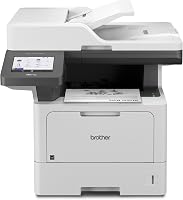
 Best for high-volume office printing
Brother Professional Laser Printer All-in-One with Scanner
 Best for small-team document jobs
HP Laserjet MFP M140w Wireless Black
Is an inkjet or laser printer faster for everyday documents?
Laser is often the faster choice for repeated text pages, but compare the exact models before deciding. A quick one-page job and a large report put different demands on a printer.
Laser printers often reach rated speed after printing begins. Inkjet models can vary widely, and their speed may change with draft, normal or high-quality settings.
A printer's rated speed usually represents a defined test condition. It won't tell you how long your own mix of text, charts, images and blank pages will take.
For a practical comparison, check how print speed is measured in a laser printer. That helps you understand what the advertised pages-per-minute figure does and does not capture.
Inkjet vs laser printer speed for a one-page job
For a one-page job, first-page time can matter more than sustained pages per minute. A printer that starts quickly may deliver a single sheet before a faster-rated model finishes warming up or processing the job.
The Brother MFC-L5915DW has a stated initial page time of 6.7 seconds, and the HP LaserJet MFP M140w has one of 8.3 seconds. Those are useful reference points for these models, but they don't tell you how quickly every inkjet or laser will start.
Your computer, phone, network connection and file can also add time before printing starts. A simple page of text may process faster than a document with large images.
Inkjet vs laser printer speed for a long document
For long text jobs, sustained output usually matters more than first-page time. Once the first sheet is out, a high ppm rate can help the printer finish a stack sooner.
The Brother is rated for up to 50 monochrome pages per minute, while the HP is rated for up to 21 single-sided pages per minute. Actual output can differ with the document and settings.
If you're comparing speeds across models, check that the figures use similar paper sizes and modes. What PPM means on a printer explains why the number is a starting point rather than a promise for every job.
Why can a printer with a high ppm rating still feel slow?
A high ppm rating describes a kind of sustained output, not the entire time from clicking Print to collecting your pages. First-page delay, processing, connection and finishing steps can add time.
For example, an all-in-one printer might need to receive and prepare a large file before the first page starts. A wireless connection can also introduce delay compared with a direct connection, especially if the signal is weak.
Some jobs take longer because of the content. Detailed graphics, high-resolution images, mixed page sizes and color can call for more processing than plain text.
Does print resolution affect speed?
Higher print quality can take longer, depending on the printer and job. More detailed output may require extra processing or passes, while draft settings can favor speed.
The exact effect differs by printer, so check its manual or specifications for speed by mode. Our guide to print resolution in laser printers explains how resolution relates to detail and why the highest setting may not suit routine drafts.
For basic office text, a normal or draft setting may be enough. Save a high-quality mode for pages where small details or fine lines need to look sharper.
Can duplex printing slow a job?
Two-sided printing can take longer than single-sided printing because the printer must handle both sides of each sheet. The amount of added time varies by model and document.
The Brother supports automatic two-sided printing. The HP M140w does not, so printing on both sides would require a manual process and additional handling.
If you print long reports, compare duplex support along with ppm. A printer can have a strong single-sided rate and still take more time to finish a double-sided job.
Which workload favors an inkjet?
An inkjet can make more sense when your regular work includes color documents, graphics or photos. Compare the exact model's speed and output quality for those jobs, since black-and-white ppm doesn't describe color printing.
A small number of colorful pages may not need a high sustained rate. You may care more about how the printer handles images, paper types and the output you want.
For occasional text pages, compare first-page time, setup and the cost of keeping supplies available. If you need both color and scanning, consider the types of originals and documents you handle each week.
A laser printer can be a good replacement for some inkjet tasks, particularly monochrome documents. This guide on whether a laser printer can replace an inkjet covers the trade-offs in color and typical use.
Which workload favors a laser printer?
A laser printer often suits frequent text printing and longer monochrome jobs. It can be a practical fit when you need a steady run of letters, forms, invoices or reports.
The Brother model's stated maximum speed of up to 50 ppm targets busy office printing. Its 6.7-second initial page time is also relevant if you send short jobs throughout the day.
The HP model is rated up to 21 ppm single-sided. Its small-team positioning and wireless printing make it an option to consider for a few people sharing document tasks.
Don't choose by rated speed alone. Think about how many pages you print in one sitting, whether you need color, and whether automatic two-sided printing will save time in your workflow.
How do the two laser examples compare on speed?
The Brother has the higher stated monochrome speed, while the HP is a smaller-team option with a lower rated rate. Their stated first-page times are close, so the difference is more pronounced in sustained output.
The Brother MFC-L5915DW is rated for up to 50 pages per minute and has an initial page time of 6.7 seconds. It also supports automatic two-sided printing.
The HP LaserJet MFP M140w is rated for up to 21 black-and-white pages per minute single-sided, with an initial page time of 8.3 seconds. It can print wirelessly from mobile devices, PCs and tablets.
These are manufacturer-stated figures included for comparison, not results from a side-by-side test. Your document, settings and connection affect the time you'll see.
How should you compare printer speeds before buying?
Compare first-page time, sustained ppm and the mode you'll use most. Use the same kind of job and paper setting when you compare two printers.
Start with a realistic workload. If you usually print one or two pages, focus on first-page time and ease of sending a job; if you print reports in batches, sustained ppm and duplex support matter more.
Then check whether the speed figure is for black-and-white or color output, single-sided or two-sided printing, and standard or draft quality. A number without its mode can lead to a poor comparison.
If print volume varies a lot, learn how a printer duty cycle works. It describes a different limit from ppm and can help you decide whether a model matches your typical workload.
Which printer speed should you choose?
Choose by the job you print most: laser for frequent monochrome pages, or an inkjet if color work is central. For short jobs, prioritize startup and first-page time; for long runs, compare sustained speed and duplex handling.
The Brother's stated 50 ppm rate suits high-volume office printing, while the HP's 21 ppm rate fits a smaller team with routine black-and-white documents. Neither figure predicts the speed of every file or setting.
Use a printer's measured speed as a guide, then compare the specific modes you'll use and whether the output quality fits your work. If you print mostly text in long batches, favor the model with the higher sustained rate; for varied color work, compare inkjet options on their own color performance.
Frequently asked questions
Is an inkjet or laser printer faster?
A laser printer is often faster for text-heavy documents and longer jobs, but the exact models matter. Compare rated pages per minute with first-page time, and check the speed for the paper size, print quality and color mode you actually use.
What does first-page time mean?
First-page time measures how long a printer takes to deliver the first page after a print job starts. It includes delays before printing begins, so a printer with a high pages-per-minute rate can still feel slow for a one-page document.
Does pages per minute show real print speed?
Pages per minute is useful for comparing sustained output under stated conditions, but it doesn't describe every job. The first page, graphics, color, print quality, connection and two-sided printing can all change the time you see.
Are laser printers always faster than inkjets?
No. Some inkjets print quickly, and some laser models have modest rated speeds.
Compare the exact printers using the same kind of job, and consider first-page time as well as sustained output.
Which printer is better for occasional printing?
For occasional printing, weigh first-page time and the type of work alongside pages per minute. A short text job may finish before sustained speed matters, while photos and color graphics call for a quality comparison too.