9 Best Cardstock Paper for Laser Printers (November 2026)
The best laser printer cardstock paper include the PrintWorks White Cardstock 8.5" x 11" for everyday laser printing, the WritePads Cardstock 8.5 x 11” for heavyweight invitations, and the 100 Sheets Goefun White Cardstock 8.5 x for folded craft projects.
On this page (8 sections)
- The best laser printer cardstock paper for each project
- How we chose cardstock for laser printers
- What weight is best for laser printer cardstock paper?
- Can laser printers print on cardstock?
- Matte or glossy cardstock for laser printing?
- How should you print on laser printer cardstock?
- What can you make with laser printer cardstock?
- Best laser printer cardstock paper: final picks
The best laser printer cardstock paper for most projects is PrintWorks White Cardstock, with a laser-compatible 67 lb weight, 250 sheets and a semi-smooth matte finish. That mix suits cards, invitations, brochures, flyers and classroom or office handouts.
It is lighter than the 110 lb options in this guide, so it can suit a printer that accepts cardstock but has a tighter thickness limit.
Laser printers heat toner onto the page, so cardstock must fit the printer's thickness limit and recommended media path.
Check the manual for the heaviest weight and feed route it supports before you load a full tray.
A straight or manual feed is often recommended for thicker sheets because it gives the paper a straighter path through the machine.
Start with our guide to the best paper for laser printers if you also need regular sheets for everyday documents.
Use cardstock for pieces that need more body than copy paper, such as covers, cards and signs handled often.
Keep the finish in mind, because matte stock gives readable text with less glare.
Choose heavier WritePads or Alitte stock for sturdier pieces, or glossy C2S paper for color laser work.
Match the weight to the project first, then confirm the printer can feed it reliably.
Print one sample sheet and check that the toner has fused well and the page comes out flat.
Store the remaining sheets flat and dry so the edges stay clean for the next run.
Our picks at a glance
-
1
 Best for everyday laser printing
PrintWorks White Cardstock 8.5" x 11"
9.7/10 our score
See it on Amazon -
2

-
3
 Best for folded craft projects
100 Sheets Goefun White Cardstock 8.5 x
9.4/10 our score
See it on Amazon
- 4
 Best for bulk craft printingCheck it
- 5
 Best for office card stockCheck it
- 6
 Check it
Goefun 50 Sheets Cream Parchment Cardstock 8.5
Best for formal parchment designs - 7
 Check it
WritePads 300 Sheets White Cardstock Paper
Best for large school and office batches - 8
 Check it
Double-Sided Gloss Digital C2S Cardstock Paper
Best for glossy color laser pieces - 9
 Check it
Prudiut White Cardstock Paper 8.5 x
Best for lighter craft cardstock
The best laser printer cardstock paper for each project
PrintWorks is the most balanced choice for everyday laser printing, while the heavier 110 lb options suit pieces that need more body. The right pick depends on the printer's media setting, the paper weight and the finish you want.
PrintWorks White Cardstock 8.5" x 11": Best for everyday laser printing
- 67 lb/147 gsm
- 250 sheets
- 8.5 x 11 inches
- Semi-smooth matte finish
- Compatible with laser and inkjet printers
A balanced letter-size cardstock with a semi-smooth matte finish, bright white color and compatibility with laser printers, inkjet printers, copiers and die cut machines.
Pros
- Laser compatible
- 250-sheet pack
- Semi-smooth matte finish
- SFI certified
Cons
- Lighter than the 110 lb options
- Matte finish is not glossy
PrintWorks White Cardstock is the strongest all-purpose option in this group.
Its 67 lb/147 gsm weight is lighter than the 110 lb choices, which can make it easier to feed through a printer that accepts cardstock but has tighter thickness limits.
The 8.5 x 11 in letter size works for common home, school and office layouts.
That standard size also makes page setup simple when you are using templates for cards, invitations or brochures.
Its semi-smooth matte finish supports crisp text and vibrant color without the glare of glossy stock.
Matte paper is also a friendly surface for handwriting, which helps when printed cards need a note added by hand.
The paper is double-sided and compatible with laser printers, inkjet printers, copiers and die cut machines.
The stock is described as acid-free, lignin-free and SFI certified, which suits projects you want to keep for longer.
Choose it when you want a 250-sheet pack for repeated projects and a clean white surface that remains easy to write on.
Keep the pack flat during storage to protect the edges and avoid curled sheets in the tray.
Load only the number of sheets your printer tray is designed to hold for cardstock.
Select the cardstock or heavy-paper setting if your printer offers one.
Print a single test sheet first and check both sides before running a larger batch.
WritePads Cardstock 8.5 x 11”: Best for heavyweight invitations
- 110 lb/199 gsm
- 100 sheets
- 8.5 x 11 inches
- Acid-free white cardstock
- Compatible with laser and inkjet printers
This thick 110 lb index cardstock gives invitations, business cards and certificates a sturdy feel while remaining compatible with laser and inkjet printers.
Pros
- Heaviest standard letter-size option
- Acid-free
- Made in the USA
- Suitable for business cards
Cons
- 100-sheet pack
- Thicker stock needs printer clearance
WritePads Cardstock is the better fit when a project needs a thick, sturdy feel.
Its 110 lb index or 199 gsm weight is made for business cards, invitations, certificates and other pieces that should feel firmer than ordinary printer paper.
That weight gives a finished piece more structure in the hand, which is why it suits cards and covers handled often.
The 8.5 x 11 in size fits standard letter layouts, and the white surface is compatible with laser and inkjet printers.
Use the printer's cardstock setting when available, and check its maximum media thickness before loading a full stack.
A straight or manual feed path can help thick sheets pass through with less bending.
This pack contains 100 sheets, so it suits a focused project more than a high-volume office supply.
The acid-free paper is also a sensible choice for certificates, resumes and documents where you want to reduce concern about yellowing over time.
Pick WritePads when thickness matters more than sheet count.
If your printer has a narrow paper path, compare its manual with the lighter PrintWorks option first.
Store sheets flat and avoid mixing them with lighter paper in the same tray.
Print one sample to confirm the toner fuses cleanly on the heavier surface.
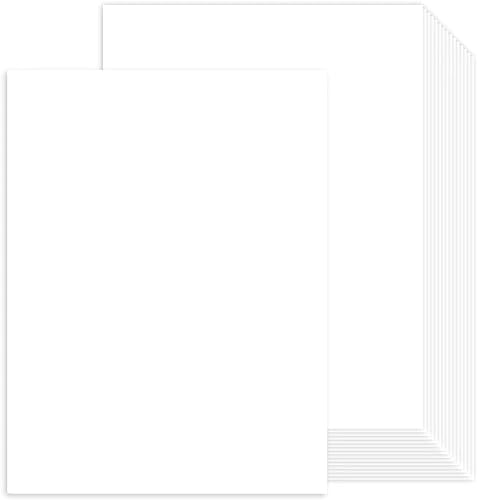
100 Sheets Goefun White Cardstock 8.5 x: Best for folded craft projects
- 80 lb cardstock
- 100 sheets
- 8.5 x 11 inches
- Double-sided white paper
- Compatible with laser and inkjet printers
Goefun combines a sturdy 80 lb weight with a smooth white surface that folds with a clean edge for invitations, labels, tags and handmade cards.
Pros
- Double-sided surface
- Folds cleanly
- Laser compatible
- FSC-certified paper
Cons
- 100-sheet pack
- Check printer thickness limits
Goefun White Cardstock suits folded invitations, labels, tags and handmade cards that need a smooth white surface.
Its 80 lb weight sits between light cardstock and the thickest 110 lb options here.
That middle weight adds body for cards and tags without making cutting or folding feel stiff.
Each 8.5 x 11 in sheet is double-sided and designed for laser printers, inkjet printers and photocopiers.
The paper folds with a clean edge, which helps when a design needs a crease rather than a loose bend.
A crisp fold matters for invitations and handmade cards, where a rough edge would distract from the design.
The 100-sheet pack is enough for a moderate batch without taking up the storage space of a 250- or 300-sheet supply.
Goefun identifies the paper as FSC certified, and the smooth surface also works for listed craft uses such as stenciling and ink blending.
Use it for scrapbooking, mini albums, posters and flyers when you need a printable white base.
Choose it when you want more body than light cardstock without moving straight to 110 lb stock.
Check the printer's thickness specification before printing, especially on compact laser models.
Load a small stack first and use the cardstock setting if one is available.
Keep unused sheets flat and dry to preserve the smooth surface for later projects.
Alitte Cardstock Paper: Best for bulk craft printing
- 110 lb index weight
- 300 sheets
- 8.5 x 11 inches
- 94 brightness
- Compatible with laser and inkjet printers
Alitte offers a large 300-sheet supply of bright, smooth 110 lb cardstock for repeated craft, presentation and business printing.
Pros
- 300-sheet pack
- 110 lb weight
- 94 brightness
- FSC certified
Cons
- Thicker than lighter craft stock
- Large pack takes more storage space
Alitte is a strong bulk pick for repeated printing because it combines a 300-sheet pack with 110 lb index cardstock.
The 8.5 x 11 in sheets have a bright, smooth white surface suited to business documents, cards, presentations and craft projects.
A 110 lb weight gives the paper more structure than 65 lb or 67 lb stock.
That can help when you are making pieces that will be handled often, but it also makes printer clearance and the correct media setting more important.
Alitte describes this cardstock as compatible with laser and inkjet printers.
It is also acid-free and FSC certified, with a stated brightness of 94 for a clean white background.
The brighter surface helps black text and color designs stand out on cards, menus and presentations.
This is the better choice for large craft or office batches where 100 sheets would run out quickly.
It suits classroom displays, business presentations and repeated craft printing without frequent restocking.
Store the pack flat and avoid feeding more sheets than your printer tray is designed to hold.
Select the heavy-paper or cardstock setting before you start a longer run.
Check that your printer supports 110 lb media in the tray or feed path you plan to use.
Print a test sheet first so you can confirm the finish and fusion before a full batch.
Staples Cardstock Paper: Best for office card stock
- 110 lb
- 250 sheets
- 8.5 x 11 inches
- 92-bright matte white finish
- Suitable for printers and copiers
This matte white 110 lb cardstock is sized for standard printers and copiers, with enough sheets for office cards, certificates, menus and report covers.
Pros
- 250-sheet ream
- Matte white surface
- 110 lb weight
- Standard letter size
Cons
- Thick stock needs printer approval
- No glossy finish
Staples Cardstock Paper fits office work that calls for a traditional matte white sheet.
Its 110 lb weight gives report covers, menus, certificates, greeting cards and business cards a sturdy feel.
The 8.5 x 11 in letter size is suitable for standard printers and copiers.
That familiar size keeps templates simple for office documents and school projects.
Its 92-bright white surface provides a clear background for black or color toner, while the matte finish limits the shine that can distract from text.
Matte paper also keeps printed menus and certificates looking formal in bright room light.
With 250 sheets, this ream works for recurring office projects as well as one larger event.
The stock is thick, so confirm that your printer supports 110 lb media and choose a straight or manual feed path if the manual recommends one.
A dedicated feed path can reduce the risk of a bend or a misfeed with heavy sheets.
Choose Staples when you want heavy matte cardstock in a familiar office size and a larger pack.
It is not the pick for a glossy finish or for printers limited to lighter paper.
Keep the sheets flat in storage and avoid overfilling the tray.
Use the cardstock setting when available and print one sample before a full run.
Goefun 50 Sheets Cream Parchment Cardstock 8.5: Best for formal parchment designs
- 65 lb/180 gsm
- 50 sheets
- 8.5 x 11 inches
- Cream beige matte finish
- Compatible with laser and inkjet printers
Cream parchment cardstock adds a vintage look to certificates, invitations, menus and cover pages while keeping a printer-friendly 65 lb weight.
Pros
- Distinctive cream color
- Matte finish
- Laser compatible
- Acid-free
Cons
- Only 50 sheets
- Cream background changes color appearance
Goefun Cream Parchment Cardstock is the specialty choice for formal designs.
Its 65 lb/180 gsm weight, cream beige color and matte finish suit certificates, invitations, menus, cover pages and vintage-style craft work.
The parchment tone gives formal pieces a softer look than bright white paper.
The 8.5 x 11 in sheets work with laser and inkjet printers.
Because the background is cream rather than white, toner colors and black text may look different from the same design printed on bright white cardstock.
That shift can be pleasant for vintage designs, but it should be checked before a full batch.
The stock is acid-free and FSC certified, and the 50-sheet pack keeps the commitment small for occasional projects.
Its weight is easier to cut and fold than the thickest 110 lb options.
That makes it practical for tags, cover pages and scrapbook pieces as well as formal printing.
Pick it when the paper color is part of the design, not when you need the cleanest white base for photographs or bright graphics.
Print one sample first to confirm that the contrast suits your layout.
Keep the pack flat and dry so the matte surface stays clean for printing.
Use the printer's cardstock setting if one is available for this weight.
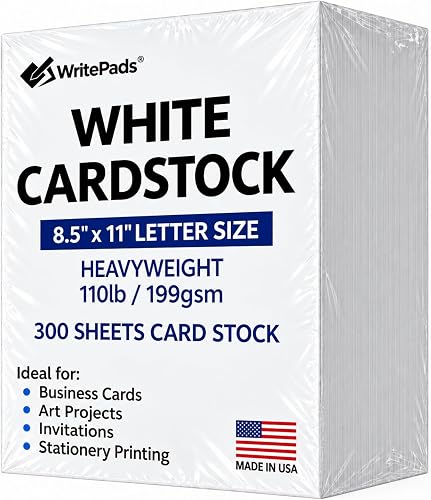
WritePads 300 Sheets White Cardstock Paper: Best for large school and office batches
- 110 lb/199 gsm
- 300 sheets
- 8.5 x 11 inches
- Smooth white surface
- Compatible with laser and inkjet printers
A 300-sheet supply of smooth 110 lb white cardstock suits repeated printing of invitations, flyers, menus, signs and school projects.
Pros
- 300-sheet pack
- Smooth surface
- 110 lb weight
- Standard letter size
Cons
- Needs a printer rated for heavyweight paper
- More stock than small projects require
WritePads 300 Sheets White Cardstock Paper is designed for repeated use across home, school and office projects.
Its 110 lb/199 gsm weight gives invitations, flyers, signs, menus and presentations a durable feel.
The smooth white surface works with laser and inkjet printers, and the standard 8.5 x 11 in size keeps page setup simple.
A 300-sheet pack is useful when you print often and want fewer interruptions to restock.
That larger supply suits classroom batches, event materials and regular office printing.
Heavyweight paper needs more care than ordinary copy paper.
Select the printer's cardstock or heavy-paper setting when available, keep the sheets flat and confirm that the tray and fuser path support the stated weight.
Using the wrong setting can lead to poor toner fusion or a jam in a compact machine.
Choose it for large batches of heavyweight letter-size projects.
If you only need a few dozen sheets or have a compact printer, a lighter 65 lb or 67 lb option may be easier to manage.
Store the pack flat so the edges do not curl between uses.
Load only the quantity your tray is rated for cardstock and print a test sheet first.
Double-Sided Gloss Digital C2S Cardstock Paper: Best for glossy color laser pieces
- 100 lb cover/270 gsm
- 50 sheets
- 11 x 17 inches
- Double-sided glossy finish
- For color and black-and-white laser printers
This thick, double-sided glossy stock is made for color laser and digital printing when you need large flyers, brochures, posters or proposals.
Pros
- Glossy on both sides
- Large 11 x 17 size
- 94 brightness
- Acid-free and lignin-free
Cons
- Not for inkjet printers
- Very thick stock
- Only 50 sheets
Double-Sided Gloss Digital C2S Cardstock is the specialist pick for large, glossy color laser pieces.
Its 100 lb cover or 270 gsm weight and coated finish are intended for color and black-and-white laser or digital printers.
The 11 x 17 in ledger size gives brochures, posters, flyers and design proposals more room than letter paper.
That extra space suits full color photographs and layouts that need larger images.
Gloss coating on both sides can make color work look more polished, but it can also require a printer with a suitable heavy-media path.
A glossy surface shows color more richly, yet it can also reveal fingerprints and glare under bright light.
This cardstock is not for inkjet printers.
The 50-sheet pack is best for a defined presentation or marketing run, and the 94-bright white surface provides a strong base for color designs.
Choose it when you need large, glossy, double-sided laser prints.
Consult the printer manual first because 270 gsm is very thick, and do not substitute an inkjet workflow for this stock.
Keep sheets flat and handle them by the edges to protect the coated finish.
Print one sample and let it cool before checking the surface and alignment.
Prudiut White Cardstock Paper 8.5 x: Best for lighter craft cardstock
- 65 lb/180 gsm
- 200 sheets
- 8.5 x 11 inches
- Smooth white surface
- Compatible with laser and inkjet printers
Prudiut provides a lighter 65 lb cardstock for cards, menus, posters, school projects and crafts that need easy cutting and folding.
Pros
- 200-sheet pack
- Easy to cut and fold
- Laser compatible
- Smooth white finish
Cons
- Less rigid than 110 lb stock
- Check printer thickness limits
Prudiut White Cardstock is a practical lighter option for crafts, cards, menus and school projects.
Its 65 lb/180 gsm weight is easier to cut, fold and manipulate than the 110 lb papers in this roundup.
The 8.5 x 11 in sheets have a smooth white surface and are compatible with laser and inkjet printers.
A 200-sheet pack gives you enough material for repeated projects without moving to the largest 300-sheet packs.
That supply works well for classroom use, card making and regular home printing.
The lighter weight can be useful for folded pieces and craft cuts, but it will not feel as rigid as 110 lb stock.
It is a good fit for greeting cards, scrapbook pages, tags and posters that need a clean white base.
Use a cardstock setting when available and check the printer's thickness guidance before starting a large run.
Even lighter cardstock should be loaded in small quantities for a first test.
Pick Prudiut for easy-to-handle white cardstock in a medium-size pack.
Choose a heavier option when the finished piece must stand up to frequent handling.
Store the sheets flat and dry to keep the smooth surface ready for the next project.
How we chose cardstock for laser printers
We compared paper weight, size, finish, sheet count and stated printer compatibility against the needs of laser-printed craft and office projects. Our score weighs specs, features and buyer feedback against what you are shopping for.
The most important filter is laser compatibility. Every white letter-size pick here is described as compatible with laser printers, while the S Superfine Printing paper is specifically for laser and digital printing and not for inkjet printers.
Weight is the next filter. The 65 lb and 67 lb papers are easier choices for printers with limited media clearance.
The 80 lb option adds more structure, while the 110 lb papers are better for sturdy cards, covers and invitations when the printer supports them.
Finish changes the look of the result. Matte stock reduces glare and works well for text.
Glossy C2S stock is better for large color pieces, but it is much thicker and needs more careful printer matching.
Sheet count matters for the project size. A 50- or 100-sheet pack is sensible for a short run.
Choose 200, 250 or 300 sheets when you expect recurring classroom, office or craft use.
What weight is best for laser printer cardstock paper?
For most home laser printers, 65 lb to 80 lb cardstock is the safer starting range, but the printer manual decides the real limit. A 110 lb or 270 gsm sheet can work only when the printer supports that media thickness and feed path.
Paper labels are not identical across brands, so compare the stated lb, gsm or cover weight rather than relying on the word “cardstock.” The 67 lb PrintWorks paper is lighter than the 110 lb WritePads, Alitte and Staples choices.
If the printer accepts a heavy-paper setting, select it before printing. That setting can adjust how the machine handles toner and paper movement, but it does not turn an unsupported thickness into a supported one.
Can laser printers print on cardstock?
Yes, many laser printers can print on cardstock, but you must confirm the printer's supported media weight and size first.
Use the manual's cardstock or heavy-paper instructions, and check whether the printer recommends a straight-through or manual feed.
Those details matter because the paper path and fuser are built for a stated range of thicknesses.
Some printers publish the limit as a weight such as 65 lb or 110 lb, while others use gsm.
Compare the cardstock you plan to buy with that stated limit rather than relying on the word cardstock alone.
Load a small number of sheets for the first sample.
Confirm that the toner is fused, the sheet is flat and the back side is clean before printing a full batch.
Check the edges as well, because a curled leading edge can catch in the rollers.
Laser printers use heat to fuse toner.
Our guide to How Does a Laser Printer Fuse Toner to Paper? explains why paper thickness and heat handling matter.
Thicker paper may need a different setting so the toner bonds properly without overheating the sheet.
Select the cardstock or heavy-paper setting before printing, and do not assume the default setting will suit every weight.
For double-sided work, let the first side cool and inspect it before feeding the sheet again.
Heavy or coated stock may need a manual duplex method, so follow the printer's instructions.
If the sample shows smudging, curling or a jam, stop and recheck the manual before trying a full stack.
Keep unused cardstock flat and dry, and avoid mixing it with ordinary paper in the same tray.
Matte or glossy cardstock for laser printing?
Choose matte cardstock for readable text, certificates, menus and designs that need less glare. Choose glossy cardstock for color-heavy flyers, brochures and photographs when your color laser printer supports coated media.
The Double-Sided Gloss Digital C2S paper is the only glossy pick here, and it is made for color and black-and-white laser or digital printers. It is also 11 x 17 in and 270 gsm, so it needs more printer clearance than the letter-size matte papers.
For mixed inkjet and laser use, review our guide to inkjet vs laser printer paper before choosing a coated finish. Coated stock that suits laser toner may not suit liquid ink.
How should you print on laser printer cardstock?
Start by checking the printer's maximum paper weight, supported sizes and recommended feed path. Then choose the matching media setting, load the cardstock with the correct side facing up and print one test sheet.
Keep unused sheets flat and dry. Avoid bending the leading edge, overfilling the tray or mixing cardstock with ordinary paper in the same run.
For double-sided projects, let the first side cool and inspect it before feeding the sheet again. Heavy or coated paper can need a different duplex method, so follow the printer's instructions rather than assuming automatic duplex will work.
If your laser printer is a Canon model, compare its media guidance with our best paper for Canon laser printers guide. For color work, see the best paper for color laser printers before selecting glossy stock.
What can you make with laser printer cardstock?
Laser printer cardstock works for invitations, greeting cards, business cards, certificates, menus, flyers, report covers, labels, tags and craft projects. Letter-size paper is easiest for standard home and office printers, while 11 x 17 in stock suits larger layouts.
Use lighter 65 lb or 67 lb paper for pieces that need cutting and folding. Use 80 lb or 110 lb stock when a finished card, cover or invitation should feel more substantial.
A parchment color can change the mood of a formal design. For a glossy presentation, use coated laser stock only when the printer supports it.
If you plan to protect the finished page with a laminator machine for paper, leave enough margin around the printed design for trimming and sealing.
Best laser printer cardstock paper: final picks
PrintWorks is the best starting point for most buyers because its 67 lb weight, 250-sheet pack, matte finish and stated laser compatibility balance everyday use with manageable thickness.
It suits cards, invitations, brochures and office handouts without moving straight to heavyweight stock.
Choose WritePads 110 lb for heavyweight invitations or business cards.
That thicker paper gives a firm feel for certificates and pieces that will be handled often.
Choose Alitte or WritePads 300 Sheets for larger batches, Goefun Cream Parchment for a formal beige finish and Double-Sided Gloss Digital C2S for large glossy color laser pieces.
Pick Goefun White Cardstock for folded crafts that need a clean crease, or Prudiut for a lighter pack that is easy to cut.
For the final choice, match the paper to the printer first, then choose the weight, finish and sheet count that fit your project.
Check the manual for the maximum media weight and the recommended feed path.
Select the cardstock setting when available and print one test sheet before a full run.
The best laser printer cardstock paper is the heaviest or glossiest option your machine supports reliably, not simply the thickest paper available.
Store sheets flat and dry so they stay ready for the next print job.
Our top 3 picks at a glance
-
1
Best for everyday laser printing
PrintWorks White Cardstock 8.5" x 11"
9.7/10 our score
See it on Amazon -
2
-
3
Best for folded craft projects
100 Sheets Goefun White Cardstock 8.5 x
9.4/10 our score
See it on Amazon