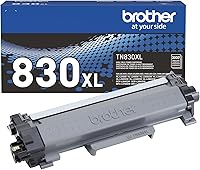
How to Replace Toner in a Brother MFC-L2820DW
To replace toner in a Brother MFC-L2820DW, remove the toner cartridge from the drum assembly, install a compatible replacement, and return the assembly to the printer. Keep the separate drum unit installed and follow the printer's on-screen instructions.
On this page (7 sections)
- How do you replace toner in a Brother MFC-L2820DW?
- Does the drum need to be replaced with the toner?
- Which toner cartridge fits the MFC-L2820DW?
- What should you check if the toner message stays on?
- Can a laser printer replace an inkjet for your work?
- What is the safe way to handle the old cartridge?
- What is the right next step for replacing toner?
To replace toner in a Brother MFC-L2820DW, take out the toner and drum assembly, separate the toner cartridge from the drum, and fit a compatible replacement cartridge. Keep the drum unit installed; replace it only if the printer separately indicates that it needs attention.
Before buying, confirm the cartridge number for the MFC-L2820DW in its manual or Brother support materials. Brother toner for another model may not fit this printer.
How do you replace toner in a Brother MFC-L2820DW?
Open the printer, remove the toner and drum assembly, replace only the toner cartridge, then reinstall the assembly. Use the printer's prompts and model instructions for the exact release and reset steps.
- Turn on the printer and open the front cover.
- Pull out the toner and drum assembly using its handle.
- Release the toner cartridge from the drum unit.
- Unpack the new, compatible toner and prepare it as its instructions direct.
- Fit the replacement toner into the drum until it locks into place.
- Slide the complete assembly back into the printer and close the cover.
- Follow any display prompts and check whether the toner message clears.
Avoid touching the drum's surface. Handle the assembly carefully and keep it on a clean, level surface while you change the cartridge.
Does the drum need to be replaced with the toner?
No, a toner replacement uses the existing drum assembly. The toner cartridge and drum are separate parts, so leave the drum in place unless the printer gives a separate drum-related message.
Release only the toner cartridge from the drum. Forcing the drum out or replacing both parts together can add an unnecessary step and expense.
If you see a drum warning, check the printer's manual for what that message means before proceeding. A toner warning and a drum warning call for different actions.
Which toner cartridge fits the MFC-L2820DW?
Verify the exact cartridge number for the MFC-L2820DW before ordering. The products below are Brother toner cartridges, but their stated compatible models do not include the MFC-L2820DW, so don't assume they fit.
For a different listed Brother model, see HL-L2460DW toner and drum kits. For a color model, compare HL-L3300CDW toner cartridges.
The TN420 is listed for specific Brother models such as the HL-2240D and MFC-7360N. Its stated compatibility doesn't include the MFC-L2820DW, so choose it only if Brother confirms it works with your printer.
The TN660 is listed for models such as the MFC-L2720DW and MFC-L2740DW. Check the exact printer model carefully: a nearby model number doesn't guarantee compatibility.
The TN730 is listed for models such as the MFC-L2710DW and MFC-L2750DW. Those are different model numbers, so verify the correct cartridge for your MFC-L2820DW before buying.
For another Brother model's cartridge replacement steps, see Brother HL-L2405W toner replacement. For other model-specific cartridge comparisons, explore best toner for Brother MFC-L5900DW and best Brother MFC-L5710DW toner.
What should you check if the toner message stays on?
Reseat the cartridge and assembly, then follow the printer's prompts. A cartridge that isn't fully locked into the drum may not be recognized as expected.
Open the cover and remove the assembly again. Check that the cartridge is firmly attached to the drum, then slide the assembly back in and close the cover.
If the message remains, use the MFC-L2820DW instructions to find the correct toner replacement or reset procedure. Don't use a reset step intended for another Brother model.
Can a laser printer replace an inkjet for your work?
A laser printer can replace an inkjet when your regular jobs suit what the laser model prints. Think about the documents you make most often, whether you need color, and the printer features you rely on.
This replacement guide focuses on toner and the separate drum assembly. If you're deciding between printer types, read whether a laser printer can replace an inkjet printer before choosing supplies.
For more cartridge options across Brother laser printers, see our guide to the best Brother laser printer toner TN660. Check each product's listed printer compatibility against your exact model.
What is the safe way to handle the old cartridge?
Remove and handle the cartridge gently, following Brother's instructions for the printer and replacement toner. Keep toner away from your eyes and clothing, and avoid touching the drum surface.
Brother offers an environmentally responsible disposal option for its Genuine toner cartridges. Check Brother's current cartridge return guidance for the method available where you live.
What is the right next step for replacing toner?
For a Brother MFC-L2820DW toner replacement, first confirm the cartridge number, then change only the toner cartridge while keeping the drum assembly installed. If a message points to the drum instead, consult the model instructions before buying a part.
Use the printer's own manual or Brother support information to confirm fit. That check matters because the Brother cartridges described here list compatible models, but not the MFC-L2820DW.
Frequently asked questions
Do I replace the drum when I replace toner in a Brother MFC-L2820DW?
No. Toner and the drum are separate parts, so a toner replacement means removing the old cartridge from the drum assembly and fitting a compatible toner cartridge.
Keep the drum installed unless the printer separately reports that the drum unit needs replacement, and follow the model's instructions.
How do I know which toner fits the Brother MFC-L2820DW?
Check the cartridge number in the printer's manual or official Brother support information for the MFC-L2820DW before buying. Toner numbers for other Brother models can look similar, but compatibility depends on the exact printer; don't assume a cartridge fits because it is made by Brother.
Why does my Brother printer still say toner is low after replacement?
A low-toner message can remain if the replacement cartridge isn't seated correctly or the printer hasn't completed its recognition steps. Recheck the cartridge's fit in the drum assembly, reinstall the assembly, and follow the on-screen prompts.
If the message continues, consult Brother's instructions for this model.
Can I replace toner without changing the drum?
Yes. The toner cartridge and drum unit are separate components, and routine toner replacement does not require replacing the drum.
Remove only the toner cartridge from the drum assembly, fit the new cartridge, and return the complete assembly as directed.