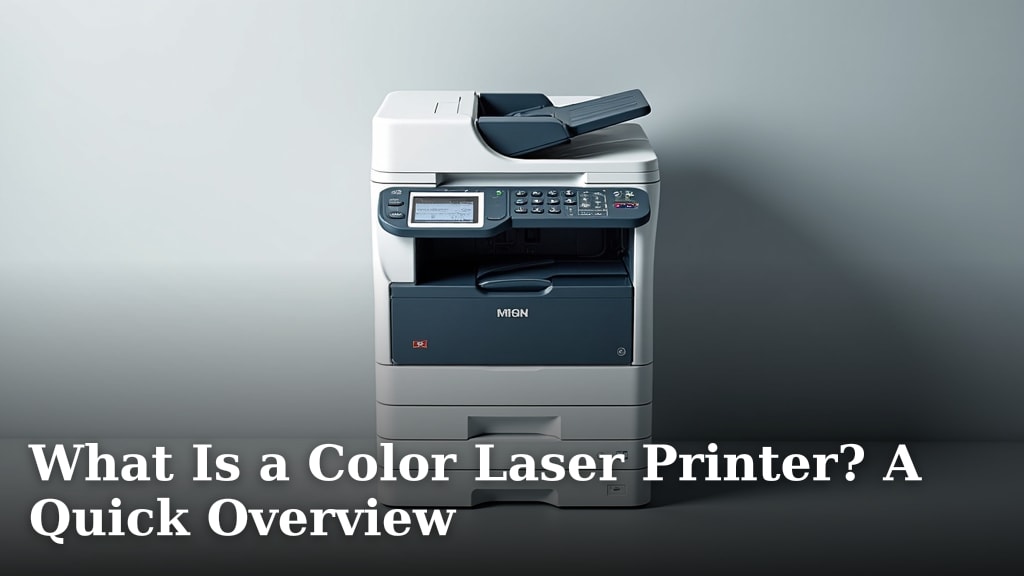
What Is a Color Laser Printer? A Quick Overview
A color laser printer is a type of printer that uses a laser beam and dry powder called toner to create full-color images and text on paper. It’s known for producing sharp text and vibrant graphics quickly. Think of it as a digital photocopier that can also print from your computer.
Unlike inkjet printers that spray liquid ink, laser printers use heat to fuse toner particles onto the page. This method makes them excellent for printing large volumes of documents efficiently. Many models offer features like duplex printing and network connectivity for shared use.
- Color laser printers use toner, not ink.
- They are fast and great for high print volumes.
- They produce sharp text and bright color images.
- Toner is fused onto the paper with heat.
Ready to understand how these printers work their magic? Let’s walk through the basics of what makes a color laser printer tick.
“`htmlHow Does a Color Laser Printer Work?
A color laser printer is a sophisticated device that uses a fascinating process to put vibrant images and sharp text onto paper. It’s quite different from the inkjet printers you might be familiar with. Instead of spraying liquid ink, it uses a dry powder called toner.
This toner is then fused onto the paper using heat. We found this method is excellent for producing crisp documents, especially for high-volume printing jobs. Let’s break down the journey from your computer to a printed page.
The Core Technology: Lasers and Toner
At its heart, a color laser printer is a marvel of engineering. It combines principles of static electricity, light, and heat to create your prints. You might be wondering how tiny specks of powder can form such detailed images. It’s all about a precise sequence of events. At its heart, a color laser printer is a marvel of engineering.
Understanding Toner vs. Ink
The biggest difference from many other printers is the use of toner. Toner is a fine powder, usually made of plastic particles, carbon black, and color pigments. Think of it like very fine makeup powder. This powder is magnetically charged and applied to the paper.
Inkjet printers, on the other hand, use liquid ink. This ink is sprayed through tiny nozzles onto the paper. For everyday text documents and graphics, toner often leads to sharper edges. We’ve noticed toner prints tend to be more smudge-resistant once they’re cool.
The Laser Printing Process Step-by-Step
So, how does that toner powder get onto the paper so perfectly? It’s a multi-step dance. Your printer’s computer sends the digital image data to the printer. This data tells the printer exactly where to put each color.
1. Charging the Drum
The process begins with a photosensitive drum. This is a cylindrical roller coated with a special material. A primary charge roller applies an even electrical charge across the entire surface of this drum. Imagine spreading a static charge over a rolling surface.
2. Exposing the Image
Next, a laser beam scans across the charged drum. This laser precisely ‘draws’ the image, or a part of it, onto the drum. Where the laser hits, it discharges the electrical charge. This creates an invisible pattern of charged and uncharged areas on the drum. This pattern matches your document.
3. Applying the Toner
Now, the toner powder comes into play. The toner particles are given an opposite electrical charge. As the drum rotates past the toner cartridges, the charged toner sticks only to the areas of the drum that were discharged by the laser. The uncharged areas repel the toner.
4. Transferring Toner to Paper
The drum then rotates and brings the toner image over to the paper. As the paper passes under the drum, a strong electrical charge is applied to the back of the paper. This charge is stronger than the charge holding the toner to the drum. So, the toner jumps from the drum onto the paper, creating your image.
5. Fusing the Toner
The paper, now covered in loose toner powder, moves into the fuser unit. This is essentially a pair of heated rollers. One roller is heated, and the other is a pressure roller. The heat melts the plastic particles in the toner, and the pressure presses them firmly into the paper fibers. This permanently fuses the toner, making it resistant to smudging. We found this step is critical for durable prints. The paper, now covered in loose toner powder, moves into the fuser unit.
6. Cleaning the Drum
Finally, any excess toner left on the drum is removed. A discharge lamp neutralizes the remaining electrical charge on the drum. Then, a brush or blade scrapes off any stray toner particles. The drum is now clean and ready to repeat the process for the next part of the image or the next page.
The Role of Color in Laser Printing
Adding color to this process involves a bit more complexity. A color laser printer actually has four different toner cartridges: Cyan, Magenta, Yellow, and Black (often called CMYK). Each color is applied separately.
How CMYK Toner Creates Full Color
Your printer doesn’t have a single rainbow-colored toner. Instead, it layers the four CMYK colors. When you want to print a certain shade of blue, for example, the printer might lay down a layer of Cyan toner and a layer of Magenta toner. The way these colors blend optically on the paper creates the blue you see.
The printer repeats the laser exposure and toner application process for each of the four colors. Usually, it does this in separate passes or by using multiple laser/LED arrays. The toner for each color is transferred sequentially onto the paper. This layering builds up the full spectrum of colors. It’s a clever way to achieve vibrant results from just four basic colors.
Understanding Color Quality and Accuracy
The quality of color printing depends on several factors. The printer’s ability to precisely control the amount of each toner color applied is key. The resolution of the printer, measured in dots per inch (DPI), also plays a big role. Higher DPI means finer details.
Many color laser printers offer features like color correction. This helps ensure that the colors on your screen closely match what comes out of the printer. However, achieving perfect color accuracy, like a professional graphic designer might need, can sometimes require calibration. We found that for most home and office use, modern color laser printers provide excellent, vibrant color reproduction.
Key Features to Look For
When you’re looking at color laser printers, you’ll see many different features. Some are standard, while others are upgrades. Understanding these can help you choose the right printer for your needs.
Print Speed and Volume
Laser printers are generally known for their speed. Manufacturers often list print speed in pages per minute (PPM). Color PPM is usually lower than black and white PPM. We found that for text documents, speeds can range from 15 PPM to over 50 PPM.
Consider your typical printing needs. If you print large reports or many documents daily, a faster printer will save you a lot of time. If you only print a few pages a week, speed might be less of a concern. Many sources suggest laser printers are ideal for monthly print volumes of 1,500 pages or more (Brother).
Connectivity Options
How will you connect to your printer? Most modern color laser printers offer several options:
- USB: The most basic connection, directly linking your computer to the printer.
- Ethernet: Allows you to connect the printer to your home or office network. This is great for sharing the printer among multiple users.
- Wi-Fi: Lets you connect the printer wirelessly to your network. You can then print from any device on that network, including laptops, tablets, and smartphones.
- Wi-Fi Direct/Wi-Fi hotspot: Some printers can create their own wireless network. This lets you print directly from a device without needing a separate router.
Many printers also support mobile printing technologies like Apple AirPrint and Google Cloud Print. This makes printing from your phone or tablet incredibly easy.
Duplex Printing (Automatic Two-Sided Printing)
Duplex printing automatically prints on both sides of the paper. This feature is incredibly convenient and also helps save paper. Without it, you have to manually flip the pages and re-feed them into the printer, which can be tedious.
We found that automatic duplexing is a feature many users quickly come to rely on. It’s especially useful for printing reports, presentations, or any document where saving paper is a priority.
Laser vs. Inkjet: A Quick Comparison
Choosing between a laser and an inkjet printer often comes down to your primary use. While both can print in color, their strengths lie in different areas. You might find this table helpful in visualizing the differences:
| Feature | Color Laser Printer | Color Inkjet Printer |
|---|---|---|
| Printing Technology | Uses dry toner powder fused with heat. | Uses liquid ink sprayed onto paper. |
| Text Quality | Excellent, sharp, crisp text. Ideal for documents. | Good, but sometimes less sharp than laser. |
| Color Graphics Quality | Vibrant and good for charts/graphics. | Can produce very rich photos, especially with photo paper. |
| Speed | Generally faster for text and high volumes. | Can be slower, especially for complex color prints. |
| Cost Per Page | Often lower for high-volume printing. | Can be higher, especially for color pages. |
| Durability of Print | Toner is very durable and smudge-resistant. | Ink can smudge if wet, though some are water-resistant. |
| Best For | Office documents, reports, high-volume printing. | Photos, creative projects, occasional printing. |
Choosing Your Color Laser Printer
Selecting the right color laser printer involves considering a few practical points. Think about what you’ll be printing most often and how often you’ll be using it. Don’t get overwhelmed by all the options.
What to Consider Before Buying
Ask yourself these questions:
- What is your budget? Color laser printers can range from a few hundred to over a thousand dollars.
- How much printing do you do? High volume needs point towards laser.
- What do you print? Mostly text? Graphics? Photos?
- Do you need color or just black and white? If color is essential, ensure the printer handles it well.
- What features are a must-have? Duplex printing? Wireless?
- What are the running costs? Toner cartridges can be expensive, so check their yield and price.
By thinking through these points, you can narrow down your choices. We found that for most users wanting to print documents, presentations, and everyday color items, a color laser printer offers a great balance of speed, quality, and efficiency.
“`Conclusion
You’ve learned that a color laser printer uses a laser and toner powder to create sharp, vibrant prints quickly. We’ve seen how toner is fused onto paper with heat, making it durable and smudge-resistant, ideal for high-volume printing. It’s a sophisticated process that delivers excellent text and graphics for offices and homes.
Consider your printing habits—text documents, graphics, or photos—and essential features like speed and connectivity. By understanding the basics of how these printers work and comparing them to inkjet options, you can confidently choose the right color laser printer to meet your needs.
Frequently Asked Questions
Are color laser printers good for printing photos?
Color laser printers produce vibrant graphics and are great for charts and presentations. For professional-quality photo prints, inkjet printers often have an edge due to their ability to use liquid inks for finer detail and smoother color gradations. We found laser prints are excellent for everyday color documents, but photo enthusiasts might prefer inkjet.
How often do I need to replace toner cartridges?
Toner cartridge life varies by printer model and how much you print. Higher-yield cartridges print more pages. We suggest checking the estimated page yield for the toner you plan to buy. For high-volume users, toner costs per page are often lower than inkjet ink.
Can I print in black and white if I only have a color toner cartridge?
Yes, most color laser printers allow you to print in black and white even if a color cartridge is low or empty. The printer will typically use the black toner cartridge. If the black toner is also depleted, you might need to replace it to print any pages at all.
Is a color laser printer noisy?
Laser printers can make some noise during operation, especially when the paper is moving through the fuser unit. The noise level varies by model; some are quieter than others. If print volume is high, you might hear more frequent printing sounds. We found that modern models are generally quieter than older ones.
What’s the difference between a color laser printer and a multifunction printer (MFP)?
A color laser printer’s primary function is printing in color. A multifunction printer (MFP), also called an all-in-one, combines printing with other functions like scanning, copying, and faxing. Many MFPs use color laser technology for their printing component, so you get both printing and office utility in one device.