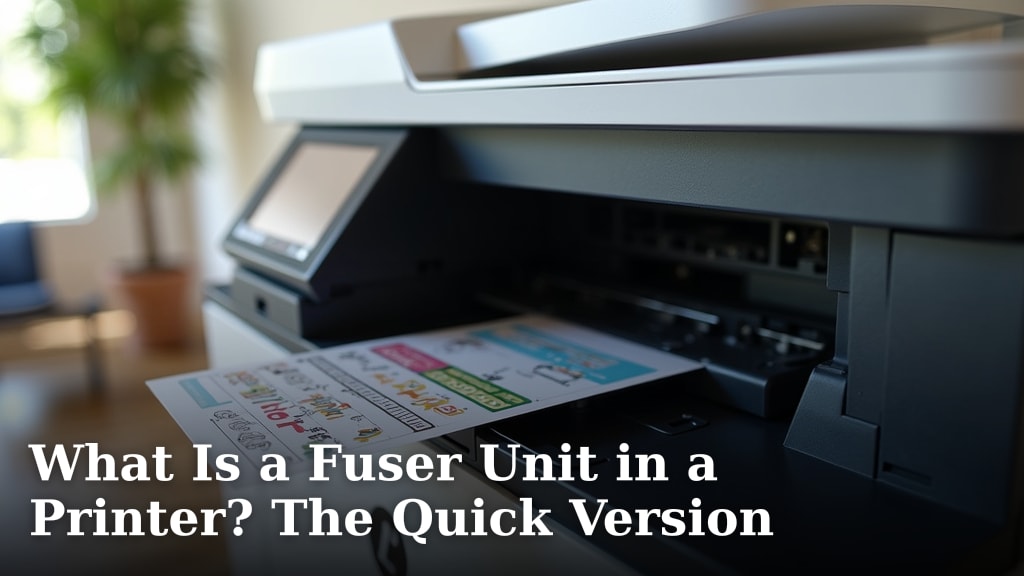
What Is a Fuser Unit in a Printer? The Quick Version
A fuser unit in your printer is essentially a hot roller. Its main job is to permanently bond the toner powder onto your paper using heat and pressure. Without it, your printed pages would just have loose powder that easily rubs off. Think of it as the final step that makes your print permanent.
This essential component is found in laser printers, both inkjet models that use toner and older laser printers. It’s a vital part of the printing process that many don’t think about until something goes wrong. When it wears out, you’ll notice print quality issues like smudging or faint images.
- A fuser unit is a hot roller.
- It uses heat and pressure to set toner.
- It’s a key part of laser printers.
- A worn-out fuser causes print quality problems.
Let’s break down what the fuser unit does and why it’s so important for your printer’s performance.
“`htmlUnderstanding Your Printer’s Fuser Assembly
So, what exactly is a fuser unit doing inside your printer? Think of it as the final boss of toner. It’s a special part that uses heat and pressure. Its main job is to make sure that toner powder sticks to the paper permanently. Without it, your printed pages would look like they were just dusted with loose powder. You’d be able to wipe it right off!
This small but mighty component is found in laser printers. This includes many modern printers that use toner, not just the older ones. It’s a critical piece of technology. Most people don’t even think about it. That is, until their printer starts acting up. Then, you might see pages with faded text or smudged ink. This is often a sign that your fuser is getting tired.
How the Fuser Unit Works Its Magic
The fuser unit has two main parts. You have a heated roller and a pressure roller. They work together like a tiny, hot panini press. As paper moves through the printer, it passes between these two rollers. The toner powder has already been placed on the paper by the laser imaging process. Now, the fuser comes in to do its final bonding.
The Role of Heat
The heated roller gets very hot. We’re talking temperatures that can reach hundreds of degrees Fahrenheit. This intense heat warms up the toner powder. Toner is made of plastic particles. This heat causes the plastic to melt slightly. It becomes a liquid-like substance for a moment. This makes it very receptive to pressure.
The Power of Pressure
While the toner is hot and melted, the paper is squeezed between the heated roller and the pressure roller. This pressure helps to push the melted toner into the paper fibers. It’s like pressing a hot iron onto fabric. The heat makes the material pliable, and the pressure sets it in place. This combination is what creates a durable, permanent image on your page.
Why It’s Specific to Laser Printers
You might be wondering why you don’t hear about fuser units in inkjet printers. That’s a great question! Inkjet printers work differently. They spray tiny droplets of liquid ink onto the paper. This ink dries on its own, or sometimes with a little help from the printer’s cooling fan. They don’t use toner powder. So, they don’t need a hot roller system to fuse anything. This is a key difference that makes laser printers great for high-volume printing.
When Your Fuser Unit Starts to Show Its Age
Like any part in your printer, the fuser unit doesn’t last forever. It’s subjected to high heat and constant friction. Eventually, it will wear out. When this happens, you’ll notice some common symptoms. These signs are your printer’s way of telling you it needs attention.
Common Signs of a Failing Fuser
- Smudged Prints: If your text or images smudge when you touch them, the toner isn’t bonding properly. This is a classic fuser problem.
- Faint Images or Text: If the toner isn’t being applied or fused correctly, your prints will look pale or washed out.
- Paper Jams in the Fuser Area: Sometimes, a worn-out fuser can cause paper to get stuck as it tries to pass through.
- Wrinkled or Creased Paper: If the rollers are damaged or not moving smoothly, they can sometimes wrinkle or crease the paper.
- Strange Noises: You might hear grinding or squeaking sounds coming from the printer. This can indicate a mechanical issue with the fuser assembly.
Lifespan of a Fuser Unit
The lifespan of a fuser unit can vary quite a bit. It depends on the printer model and how much you use it. Many manufacturers rate fuser units in terms of pages printed. You might see a rating of 50,000 pages or even more. For home users, this means a fuser could last for many years. For busy offices, it might need replacing more frequently. Regular maintenance can help extend its life, but replacement is inevitable.
The Fuser Unit’s Place in the Printing Process
To really understand the fuser, let’s look at where it fits in. Printing with a laser printer is a multi-step dance. The fuser is the final, critical step before the page emerges. Here’s a simplified rundown of how it all comes together:
Step-by-Step: How Toner Gets on Paper
- Charging: A charged roller gives the photosensitive drum a uniform electrical charge.
- Exposing: A laser beam scans the drum, discharging specific areas. This creates an invisible electrostatic image.
- Developing: Toner powder (attracted to the charged areas on the drum) is applied to the drum.
- Transferring: The paper is given an electrical charge. This pulls the toner from the drum onto the paper. At this stage, the toner is just sitting loosely on the paper.
- Fusing: This is where the fuser unit comes in! It heats and presses the toner, permanently bonding it to the paper.
- Cleaning: The drum is cleaned of any residual toner, ready for the next page.
As you can see, the fuser unit is the grand finale. It takes the loose toner and makes it a permanent part of the printed page. Without this step, all the previous effort would be for nothing. It’s an essential part of getting a readable, lasting document.
When to Consider Replacing Your Fuser
If you’re noticing the print quality issues we talked about, it’s time to investigate. Often, the first step is to check your printer’s manual or the manufacturer’s website. They usually have troubleshooting guides. These guides can help you confirm if the fuser is the culprit.
Troubleshooting Checklist for Fuser Issues
Here’s a quick checklist to help you decide if your fuser needs attention:
- Have you printed thousands of pages recently?
- Are your prints smudging easily?
- Is the toner very faint or incomplete?
- Are you experiencing new paper jams in the output area?
- Have you tried cleaning the printer’s interior as per the manual?
- Does the printer make unusual noises during printing?
If you answered yes to several of these questions, it’s highly likely your fuser unit is nearing the end of its life. It’s not uncommon for fuser units to be a user-replaceable part. Many manufacturers design them as modules you can swap out. This can save you from buying a whole new printer.
Fuser Units vs. Other Printer Parts
It’s easy to confuse the fuser with other printer components. Let’s briefly look at how it differs. The toner cartridge holds the actual toner powder. The drum unit is what creates the image on the paper using static electricity. The transfer belt (in some printers) helps move the toner to the paper. The fuser is the part that comes *after* all of these.
| Component | Primary Function | How It Relates to Fuser |
|---|---|---|
| Toner Cartridge | Holds the toner powder. | Supplies the toner that the fuser then melts and bonds. |
| Drum Unit | Creates the electrostatic image. | Transfers the toner image onto the paper before it reaches the fuser. |
| Transfer Belt/Roller | Moves toner from drum to paper. | The toner is on the paper *before* it goes into the fuser. |
| Fuser Unit | Heats and presses toner to bond it to paper. | The final step, making the printed image permanent. |
Understanding these differences helps when you’re troubleshooting. Knowing what each part does can save you time and confusion. The fuser is always the last step in applying the toner to the paper. It’s the part that applies the permanent heat and pressure.
The Importance of a Healthy Fuser
Your fuser unit might be out of sight, but it’s definitely not out of mind when it stops working. A healthy fuser ensures clear, crisp, and lasting prints. It’s what makes your documents professional and permanent. When it’s functioning correctly, you rarely have to think about it. It just does its job reliably.
Why Fuser Health Matters for Your Documents
A properly working fuser guarantees that your printed text won’t smudge. It ensures that images will be sharp and vibrant. This is important for everything from reports to photos. It also affects the overall longevity of your printed materials. Without effective fusing, your documents could fade or smudge over time. This is something you want to avoid for important records.
When Fuser Replacement is the Best Option
If your printer is showing clear signs of fuser failure, replacing it is usually the most cost-effective solution. Instead of buying a new printer, you can often purchase a replacement fuser unit. Many guides online show you how to do this. Always consult your printer’s manual first. It will guide you through the specific steps for your model. It’s a practical fix that gets your printer back to producing quality prints.
“`Conclusion
You’ve learned that your printer’s fuser unit is a hot roller. It uses heat and pressure to permanently bond toner to paper. This vital step makes your prints last. When it wears out, you’ll see smudges or faint text. Knowing the signs of a failing fuser can save you time. If you suspect your fuser is tired, consult your printer’s manual. Often, replacement is a straightforward fix. Keep your printer healthy by understanding its essential parts like the fuser.
Frequently Asked Questions
How long do fuser units typically last?
Fuser unit lifespan varies by printer model and usage. Manufacturers often rate them in pages, like 50,000 or more. For home users, this means it could last many years. Heavy office use will likely require replacement sooner.
Can I replace a fuser unit myself?
Many fuser units are designed as user-replaceable modules. Always check your printer’s manual for specific instructions. Online guides can also show you how to swap it out. This can be a cost-effective way to repair your printer.
What’s the difference between a fuser and a toner cartridge?
The toner cartridge holds the toner powder. The fuser unit’s job is to melt and press that toner onto the paper. They work together, but the fuser applies the heat and pressure for permanent bonding.
Will a bad fuser cause paper jams?
Yes, a worn-out fuser can sometimes cause paper jams. If the rollers are damaged or not functioning correctly, paper might get stuck. This is especially true as the paper tries to pass through the fuser assembly.
Why don’t inkjet printers have fuser units?
Inkjet printers use liquid ink sprayed onto paper. This ink dries on its own. Laser printers use toner powder, which needs heat and pressure from a fuser to stick permanently. They are fundamentally different technologies.