9 Best Home Photo Printers for 4x6 and 5x7 Prints (November 2026)
The best home photo printers for 4x6 and 5x7 prints include the KODAK Dock Plus 4x6 Photo Printer for true 4x6 snapshot prints, the Liene M100 4x6'' Photo Printer for shared family printing, and the Liene M100 4x6'' Photo Printer for larger bundled paper packs.
On this page (8 sections)
- The best home photo printers for 4x6 and 5x7 prints, by score
- Which photo printers here handle 4x6 and 5x7 sizes?
- How we compared these home photo printers
- Do you need 4x6 only or both 4x6 and 5x7?
- Which Printer Is Better for Printing Photos? Dye Sublimation or Inkjet?
- What paper count and connection type should you buy?
- How should you set up and care for a home photo printer?
- Verdict: best photo printers for home use 4x6 and 5x7
The best photo printers for home use 4x6 and 5x7 start with one simple split. Most dedicated snapshot printers here print 4x6 only.
The Epson PictureMate PM-400 is the only dedicated model that states both 4x6 and 5x7 borderless prints.
Our score weighs specs, features and buyer feedback against what you are shopping for. That means print size match comes first.
Paper and ribbon totals come next. Connection method and extra functions come after that.
Resolution sits below those factors in this group. Most snapshot models list 300 dpi, so resolution rarely separates them.
Print speed matters more in daily use. A 36 second print feels meaningfully faster than a 60 second print when you queue a small album.
If you want the broader view first, our best photo printers for home use guide covers photo printers beyond snapshot sizes.
Our best photo printers for home use 4x6 guide narrows the field to true 4x6 machines.
Our picks at a glance
-
1
 Best for true 4x6 snapshot prints
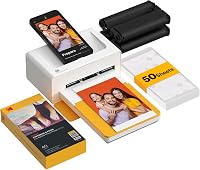
KODAK Dock Plus 4x6 Photo Printer
9.6/10 our score
See it on Amazon -
2
-
3
 Best for larger bundled paper packs
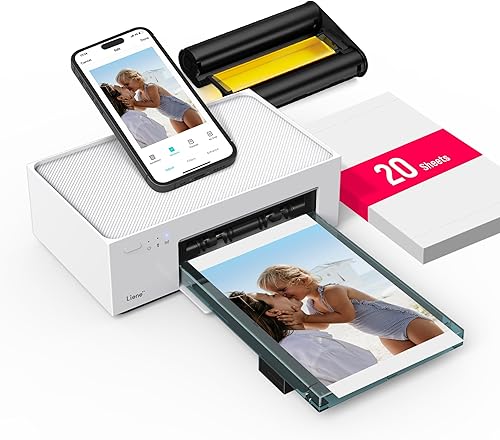
Liene M100 4x6'' Photo Printer
9.5/10 our score
See it on Amazon
- 4
 Check it
HP Sprocket Studio Plus 4x6 Wireless Instant
Best for creative phone edits - 5
 Check it
HPRT Photo Printer 4x6 with 108 Sheets
Best for ready to print bundles - 6
 Check it
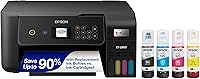
Epson PictureMate PM-400 Wireless Compact Photo Printer
Best for both 4x6 and 5x7 sizes - 7
 Check it
HP Envy Photo 7975 Wireless Color Inkjet
Best for photo plus home office jobs - 8
 Check it
Epson EcoTank Photo ET-8550 Wireless Wide-Format All-in-One
Best for high volume photo printing - 9
 Check it
HPRT 4x6 Photo Printer with 108 Sheet
Best for compact desktop printing
The best home photo printers for 4x6 and 5x7 prints, by score
The top three are all 4x6 dye sublimation printers, because that is what most homes print for albums and frames.
The 5x7 need pushes the Epson PictureMate up the list for homes that frame larger prints.
The all in ones sit lower because they trade snapshot speed and lamination for scanning, copying and document work.
How to read the scores
A score here reflects fit for 4x6 and 5x7 snapshot printing first. Extra office functions help, but they do not outweigh size match.
That is why a print only 4x6 model can outrank a larger all in one for this specific search.
KODAK Dock Plus 4x6 Photo Printer: Best for true 4x6 snapshot prints
- 4PASS dye sublimation
- 4x6 in maximum media size
- Smartphone docking station
- 50 sheets in the title pack
- Bluetooth with iOS and Android app
A dock style home printer that prints 4x6 photos from a phone while charging it. It suits a desk where you print and view photos in one spot.
Pros
- Docking station and charging while printing
- Protective lamination layer
- Simple Bluetooth setup
Cons
- 4x6 only, no 5x7
- Print only, no scan or copy
- Needs a power outlet
The KODAK Dock Plus 4x6 Photo Printer suits a desk where you edit on your phone and print in the same spot.
Its docking station holds the phone while it charges during printing.
That helps when you queue several photos and do not want a flat battery halfway through.
It uses 4PASS dye sublimation. Each photo gets three color layers and a clear protective lamination layer.
KODAK says a print takes about 55 seconds and resists fingerprints, water and fading.
The title pack lists 50 sheets. Maximum media size is 4 x 6 inches, so there is no 5x7 option here.
Control is through the KODAK Photo Printer app over Bluetooth for iOS and Android.
You can edit, crop and customize photos in the app before printing.
The printer is print only, with simplex printing at 1 page per minute and 300 dpi color resolution.
Trade-off is clear. You get a simple, stable home printing station that needs a power outlet, but no scan, copy or larger print size.
That focus suits first time users who want straightforward operation.
If 5x7 matters, look at the Epson PictureMate PM-400 section below.
Liene M100 4x6'' Photo Printer: Best for shared family printing
- Thermal dye sublimation
- 4x6 in maximum media size
- 20 sheets and 1 cartridge
- Built-in Wi-Fi hotspot
- Up to 5 devices at once
A portable 4x6 printer with its own Wi-Fi hotspot for phones, laptops and PCs. It suits homes where several people print from different devices.
Pros
- Built-in hotspot, no home Wi-Fi needed
- Up to 5 simultaneous connections
- App shows print step and cartridge status
Cons
- 4x6 only, no 5x7
- Print only
- 20 sheets is a small starter pack
The Liene M100 4x6'' Photo Printer suits shared homes where more than one phone prints. It supports up to 5 devices at the same time.
Friends and family can join the queue without passing a cable around.
It uses thermal dye sublimation, with dyes that penetrate the paper. A protective layer helps resist water, scratches and fading.
Print time is listed at 60 seconds, with 300 x 300 dpi color resolution.
The app shows the printing step and guides you if an error occurs.
The pack includes 20 sheets and 1 cartridge. A built-in Wi-Fi hotspot lets you connect directly without a home network.
That hotspot also helps when home Wi-Fi is crowded or unavailable.
It also works with laptops and PCs, plus USB Type C and Windows, iOS and Android control.
The app adds frames and filters, and can print ID photos at home.
Trade-off is size. This is a 4x6 only printer, so 5x7 prints are out.
The 20 sheet starter pack is small for big albums, so frequent printers should plan for more paper and cartridge sets.
Liene M100 4x6'' Photo Printer: Best for larger bundled paper packs
- Thermal dye sublimation
- 4x6 in maximum media size
- 100 sheets and 3 cartridges
- Built-in Wi-Fi hotspot
- Up to 5 simultaneous connections
The same M100 concept with a much larger paper and cartridge bundle. It suits frequent home printing without reordering paper right away.
Pros
- 100 sheets and 3 cartridges in the pack
- Built-in hotspot for direct phone connection
- Sealed cassette to help keep paper clean
Cons
- 4x6 only, no 5x7
- Print only
- Larger bundle costs more upfront
This Liene M100 4x6'' Photo Printer suits the same shared printing idea with a bigger bundle. The pack includes 100 sheets and 3 cartridges.
That removes the need to reorder paper after the first small album.
It uses thermal dye sublimation with a laminated surface that resists water, scratches, fingerprints and fading. Print time is listed at 59 seconds.
Resolution is 300 x 300 dpi.
The built-in hotspot avoids outside network interference. Up to 5 devices can connect at once.
It lists Windows, iOS, Mac and Android as controller types, with USB Type C hardware.
The Liene app adds filters, contrast, brightness and border options, plus ID and visa photo printing from home.
The app also warns when ink cartridge or paper is running out.
The package uses a fully sealed cassette to help prevent dust on paper.
Trade-off is upfront cost for paper you may not use at once. Keep the extra paper sealed and dry.
Like the smaller M100 pack, this model is 4x6 only and print only.
HP Sprocket Studio Plus 4x6 Wireless Instant: Best for creative phone edits
- Dye sublimation
- 4x6 in photo size
- 10 sheets and 1 cartridge
- Wi-Fi and Bluetooth 5.0
- HP Sprocket app for iOS and Android
A compact desktop printer built around phone editing, stickers, frames and filters. It suits photo projects and gifts.
Pros
- Stickers, frames, filters and collages in the app
- Tear resistant and smudge proof paper
- Dry to the touch prints
Cons
- 4x6 only, no 5x7
- 10 sheets is a small starter pack
- Print only
The HP Sprocket Studio Plus 4x6 Wireless Instant suits creative phone users. The HP Sprocket app adds stickers, frames and filters before printing.
You can also make collages, a photobooth style layout and a photo ID.
It uses dye sublimation and prints dry to the touch 4x6 photos. HP says the paper is tear resistant, smudge proof and waterproof.
Print time is listed at 61 seconds or slightly more.
Resolution is 300 dpi, with 24 bpp color depth.
The pack includes 10 sheets and a cartridge. Connection is through Wi-Fi and Bluetooth 5.0 for iOS and Android.
Friends can connect for simultaneous printing at a party.
The ink system uses Cyan, Magenta, Yellow and Overcoat for the photo finish.
The printer is compact at about 6 inches wide in the listed dimensions, suiting a desktop shelf.
Trade-off is pack size and print size. Ten sheets run out fast, and this is 4x6 only.
Choose it for fun projects and gifts, not for large monthly album batches.
HPRT Photo Printer 4x6 with 108 Sheets: Best for ready to print bundles
- Dye sublimation
- 4x6 in maximum media size
- 108 sheets and 2 ribbons
- 300 DPI resolution
- Home Wi-Fi or built-in hotspot
A 4x6 home printer that arrives with 108 sheets and 2 ribbons. It suits families who want to start printing albums right away.
Pros
- 108 sheets and 2 ribbons included
- Protective coating on each print
- AR video printing in the HeyPhoto app
Cons
- 4x6 only, no 5x7
- Print only
- Needs ribbon and paper together
The HPRT Photo Printer 4x6 with 108 Sheets suits homes that want to start now. The box includes 108 sheets of 4x6 paper, 2 ink ribbons and a power adapter.
You do not need a separate paper order for the first album.
It uses dye sublimation at 300 DPI. Prints finish in under 60 seconds with a protective coating that helps resist water, fingerprints, scratches and fading.
The HeyPhoto app adds filters and frames.
Connection works through your home 2.4GHz Wi-Fi or a built-in hotspot when no router is available.
That dual option helps with routers in another room and with direct phone printing.
The app also offers AR video printing, where you scan a print to replay a video moment.
Setup follows three steps in the listing. Install the ribbon, load paper, connect power, then print from the app.
Maximum sheet capacity is listed at 108, matching the included paper count.
Trade-off is ribbon use. Dye sublimation needs ribbon and paper together, so both run out as a set.
This model is 4x6 only and print only, with no scan or copy.
Epson PictureMate PM-400 Wireless Compact Photo Printer: Best for both 4x6 and 5x7 sizes
- Borderless 4x6 and 5x7 photos
- Wireless printing from phones and tablets
- Compact lightweight design
- 4x6 photo in about 36 seconds in default mode
- LCD display
The key 5x7 option in this group, with borderless 4x6 and 5x7 prints. It suits homes that frame larger snapshots as well as wallet size prints.
Pros
- Prints both 4x6 and 5x7
- Fast 4x6 print time in default mode
- Wireless from phones and tablets
Cons
- Uses Epson genuine cartridges
- Heavier than dye sublimation minis
- Inkjet prints need care with water like any inkjet
The Epson PictureMate PM-400 Wireless Compact Photo Printer suits homes that need both snapshot sizes. It prints borderless 4x6 and 5x7 photos.
That makes it the safest pick when one size must cover both needs.
Epson states a 4x6 borderless photo in as fast as 36 seconds in default mode on premium glossy photo paper. That is faster than the dye sublimation picks here.
Wireless printing works from iPad, iPhone, tablets and smartphones.
The design is compact and lightweight for a home printer. An LCD display helps with setup and status checks.
It uses Epson genuine cartridges only, per Epson.
The listing notes photos that will last up to 200 years under stated conditions.
Maximum copies per run is listed at 50, which suits batch printing better than many minis.
Trade-off is inkjet care. Inkjet prints do not get the same lamination layer as dye sublimation.
They also need genuine Epson cartridges for the warranty terms stated.
If you want maximum water resistance for 4x6 only, the KODAK or HPRT picks suit better.
HP Envy Photo 7975 Wireless Color Inkjet: Best for photo plus home office jobs
- Print, scan and copy
- Separate photo tray
- Automatic 2-sided printing
- Auto document feeder
- Wireless and mobile printing
A full home all in one with a separate photo tray and document feeder. It suits homes that need photos, homework and office pages from one machine.
Pros
- All in one for home office tasks
- Separate photo tray
- Automatic 2-sided printing
Cons
- Large footprint at 17.9 lb
- Not a dedicated 4x6 dye sublimation printer
- Ink cartridge running costs apply
The HP Envy Photo 7975 Wireless Color Inkjet suits homes that need one machine for photos and paperwork. It prints, scans and copies.
A separate photo tray keeps photo paper apart from everyday paper.
It offers automatic 2-sided printing and an auto document feeder. Print speeds are listed up to 15 pages per minute in black and 10 pages per minute in color.
Mobile and wireless printing are built in.
Maximum media size is 8.5 x 11.7 inches. That size range covers 4x6 and 5x7 photo paper, plus letters and legal documents.
A color touchscreen handles setup and job status.
Copy resolution reaches up to 600 dpi in black and 600 x 600 dpi in color.
The box includes setup black and tri-color cartridges, plus a power cord and guides.
Trade-off is footprint. At 17.9 lb and over 18 inches wide, it needs real desk space.
It is not a dedicated dye sublimation snapshot printer, so photo finish and speed differ from the 4x6 minis.
Epson EcoTank Photo ET-8550 Wireless Wide-Format All-in-One: Best for high volume photo printing
- Cartridge free ink bottle system
- 6-color Claria ET Premium inks
- Print, scan and copy
- Maximum media size 13 x 19 in
- Auto duplex
A wide format tank printer for homes that print photos often. It suits craft rooms and homes that also print large creative projects.
Pros
- High yield ink bottles
- Wide format up to 13 x 19 in
- Print, scan and copy in one machine
Cons
- Largest and heaviest in this group
- Overkill for occasional 4x6 prints alone
- Needs desk space for a 24.5 lb printer
The Epson EcoTank Photo ET-8550 Wireless Wide-Format All-in-One suits high volume home printing. It is cartridge free and uses high yield ink bottles instead.
Epson states up to 6,200 color pages with the ink system.
It prints, scans and copies. Maximum media size is 13 x 19 inches, so it covers 4x6 and 5x7 with room to spare.
It also prints on cardstock and media up to 1.3 mm thick.
The 6-color Claria ET Premium ink system targets vibrant color and sharp text. Auto duplex helps with documents.
Print speeds are listed at 16 pages per minute in black and 12 pages per minute in color.
Epson states 4x6 photos at about 4 cents each with bottles, compared with traditional cartridges.
The box includes 70 mL bottles in Photo Black, Black, Cyan, Magenta, Yellow and Gray.
Trade-off is size and entry cost. At 24.5 lb, it is the largest printer here.
If you print only a few 4x6 photos a month, a dye sublimation mini is simpler.
HPRT 4x6 Photo Printer with 108 Sheet: Best for compact desktop printing
- Thermal dye sublimation
- 4x6 in maximum media size
- 108 sheets and 2 ribbons
- 300 DPI resolution
- Wi-Fi connection through HeyPhoto app
A compact beige desktop printer with a large starter paper pack. It suits small desks where space matters more than extras.
Pros
- 108 sheets and 2 ribbons included
- Automatic lamination layer
- Lightweight desktop design
Cons
- 4x6 only, no 5x7
- Print only
- Stay within 5 meters for a stable connection
The HPRT 4x6 Photo Printer with 108 Sheet suits compact desktop printing. The pack includes 108 sheets of 4x6 paper and 2 ribbons.
You can start printing after setup with the included power adapter and manual.
It uses thermal dye sublimation with automatic lamination. HPRT says the lamination helps protect photos from dust, fingerprints and water.
Resolution is 300 DPI.
Setup is three steps. Connect power, download the HeyPhoto app, load the ink cassette and paper, then print.
HPRT advises staying within 5 meters for a stable connection.
The listing lists a maximum sheet capacity of 108, matching the bundle.
It is print only and simplex, at 1 page per minute.
The beige design is listed at 2.4 kg, so it moves easily between desks when needed.
Trade-off is function and size range. This is print only and 4x6 only.
It will not scan, copy or print 5x7.
Which photo printers here handle 4x6 and 5x7 sizes?
Only one dedicated printer here states both sizes. The Epson PictureMate PM-400 prints borderless 4x6 and 5x7 photos.
If you need both sizes in one snapshot printer, start there.
The HP Envy Photo 7975 and Epson EcoTank ET-8550 can also cover both sizes. Their maximum media sizes are 8.5 x 11.7 inches and 13 x 19 inches.
You would load 4x6 or 5x7 photo paper into a tray.
Every KODAK, Liene and HPRT pick here is 4x6 only. Their maximum media size is 4 x 6 inches.
They cannot print a true 5x7 print, even if you crop the image.
Our best portable photo printer 4x6 guide helps if you prefer a travel size 4x6 printer.
For a 5x7 need, the PictureMate PM-400 is the simpler choice.
Why size limits matter
A 4x6 only printer can still crop a photo for a larger frame, but the print will not fill a 5x7 frame.
That leaves white gaps or forces a smaller print inside the frame.
Check your frames before you buy, not after the first print.
How we compared these home photo printers
We compared print size first, then print technology, paper counts, connection methods and extra functions.
Dye sublimation models got credit for lamination and water resistance.
Inkjet models got credit for 5x7 support, scanning and document printing.
We checked the stated print times. The PictureMate PM-400 lists 36 seconds for 4x6.
The KODAK Dock Plus lists about 55 seconds.
The Liene and HPRT models list about 59 to 60 seconds.
We also checked what is in each pack. Some packs include 10 or 20 sheets.
Others include 100 or 108 sheets with ribbons or cartridges.
That changes how soon you need to reorder supplies.
For context on inkjet versus laser for other home jobs, see Is a Laser Printer Worth It for Home Use? and Why Choose a Laser Printer for a Home Office?.
Those guides cover document printing, not photo snapshots.
Do you need 4x6 only or both 4x6 and 5x7?
Choose 4x6 only if your frames, albums and gifts use that size. Most dye sublimation minis here are built for that job.
They print one size well, with a protective finish.
Choose both sizes if you frame 5x7 prints for shelves or walls. The PictureMate PM-400 is the dedicated pick for that need.
It prints both sizes borderless.
Choose larger media if you also print documents or craft projects. The HP Envy Photo 7975 and Epson ET-8550 cover 4x6 and 5x7 within larger media sizes.
They also scan and copy, which minis do not.
4x6 only options
The KODAK Dock Plus, both Liene M100 packs, the HP Sprocket Studio Plus and both HPRT models are 4x6 only.
Pick among them by bundle size, connection type and app features.
Both snapshot sizes in one printer
The Epson PictureMate PM-400 prints 4x6 and 5x7 borderless photos. It is the only dedicated snapshot printer here with both sizes.
Larger all in one options
The HP Envy Photo 7975 and Epson EcoTank ET-8550 handle 4x6 and 5x7 paper within larger trays.
They suit mixed photo and office use.
Which Printer Is Better for Printing Photos? Dye Sublimation or Inkjet?
Dye sublimation is better for 4x6 snapshots that need a protective finish. The KODAK, Liene and HPRT models add a lamination layer.
That layer helps resist water, fingerprints and fading.
Inkjet is better when you need 5x7, scanning, copying or document printing. The PictureMate PM-400, HP Envy Photo 7975 and Epson ET-8550 are inkjet models.
They use ink cartridges or bottles, not ribbon and paper sets.
Our Which Printer Is Better for Printing Photos? guide goes deeper on that choice. For occasional 4x6 prints, dye sublimation is simpler.
For mixed home use, inkjet wins on functions.
Dye sublimation strengths
Dye sublimation prints have a smooth finish and a protective layer. They suit albums, gifts and photos that get handled often.
Print times here are about 55 to 61 seconds.
Inkjet strengths
Inkjet printers cover more sizes and more jobs. The PictureMate PM-400 prints 5x7.
The all in ones scan, copy and print documents.
That matters in a shared home office.
What paper count and connection type should you buy?
Buy a small pack if you print a few photos a month. The HP Sprocket Studio Plus includes 10 sheets.
The smaller Liene M100 pack includes 20 sheets.
Buy a large pack if you print albums monthly. The larger Liene M100 pack includes 100 sheets and 3 cartridges.
Both HPRT packs include 108 sheets and 2 ribbons.
Choose Bluetooth if you want a simple phone link. The KODAK Dock Plus uses Bluetooth and a docking station.
Choose a built-in hotspot if you have no home Wi-Fi. The Liene and HPRT models offer that option.
Choose home Wi-Fi if you print from several rooms. The HPRT CP4100 models support home 2.4GHz Wi-Fi or hotspot mode.
The Liene M100 supports up to 5 devices at once.
Matching bundle to printing habits
Count your likely prints for the next three months first.
A 10 sheet pack suits a single event or gift project.
A 100 sheet pack suits a monthly album routine without frequent reorders.
How should you set up and care for a home photo printer?
Start by installing the cartridge or ribbon and loading the paper cassette. Connect power and turn the printer on.
Then connect your phone through the app or hotspot.
Keep photo paper sealed until you load it. Dust and moisture can affect prints.
The larger Liene pack uses a sealed cassette to help keep paper clean.
Clean the print head if you see smudges or lines on prints. Liene advises prompt cleaning when smudges appear.
HPRT advises updating firmware in the app if stripes appear, then trying another paper pack.
Store prints flat and away from direct sunlight while the finish sets. Handle dye sublimation prints by the edges at first.
Keep ribbons and paper together, since dye sublimation uses both in each print.
Verdict: best photo printers for home use 4x6 and 5x7
Pick the KODAK Dock Plus 4x6 Photo Printer for the best true 4x6 snapshot setup. Pick the Epson PictureMate PM-400 if you need both 4x6 and 5x7 in one dedicated printer.
Pick the HP Envy Photo 7975 or Epson EcoTank ET-8550 if photos are only part of your home printing.
For 4x6 only homes, compare bundle size next. The HPRT models and larger Liene pack include 100 or 108 sheets.
The HP Sprocket Studio Plus suits creative edits but includes only 10 sheets.
For shared printing, the Liene M100 models support up to 5 devices and a built-in hotspot. For a fixed desk, the KODAK docking station is a clear advantage.
Start with the size you print most, then choose the bundle and connection that fit your routine.
Our top 3 picks at a glance
-
1
Best for true 4x6 snapshot prints
KODAK Dock Plus 4x6 Photo Printer
9.6/10 our score
See it on Amazon -
2
-
3
Best for larger bundled paper packs
Liene M100 4x6'' Photo Printer
9.5/10 our score
See it on Amazon
Frequently asked questions
Which home photo printers support both 4x6 and 5x7 prints?
Only the Epson PictureMate PM-400 in this group states borderless 4x6 and 5x7 prints. The dye sublimation picks are 4x6 only.
The HP Envy Photo 7975 and Epson EcoTank ET-8550 handle larger media sizes, so they can cover both snapshot sizes with loose photo paper.
Are dye sublimation or inkjet printers better for 4x6 home photos?
Dye sublimation printers in this group make 4x6 prints with a protective lamination layer and resist water, fingerprints and fading. Inkjet all in ones add scan, copy and document printing.
Choose dye sublimation for photo only snapshots.
Choose inkjet when you also need home office functions.
How many sheets should I buy for home photo printing?
Starter packs of 10 or 20 sheets suit occasional printing. Packs with 100 or 108 sheets suit monthly albums and events.
Check whether paper and ribbon or cartridge are paired, because dye sublimation printing uses both together.
Can I print from my phone without home Wi-Fi?
Yes. The Liene M100 models have a built-in Wi-Fi hotspot.
The HPRT models also offer a built-in hotspot.
The KODAK Dock Plus uses Bluetooth.
You can connect a phone directly without a home router on those models.
What is the fastest 4x6 photo printer in this group?
The Epson PictureMate PM-400 states a 4x6 borderless photo in as fast as 36 seconds in default mode. The KODAK Dock Plus states about 55 seconds.
The Liene M100 states about 59 to 60 seconds.
Actual times vary with file and paper.