8 Best Brother Laser Printer Drum (November 2026)
The best Brother laser printer drums include the Brother Genuine-Drum Unit for high-volume DR820 printing, the Brother Genuine DR730 Drum Unit for genuine DR730 replacement, and the MCYCOLOR DR630 Drum Unit High Yield Compatible for 2-pack DR630 value.
On this page (6 sections)
The best Brother laser printer drum for most owners is the Brother Genuine-Drum Unit DR820, with a stated yield of up to 30,000 pages and compatibility across many Brother mono laser printers and all-in-ones. Choose the DR730 for a different Brother family, or select a compatible DR630, DR830, DR820 or DR420 when the model code and pack size match your printer.
A drum is not the same as toner. The drum transfers toner to paper, so replacing the wrong part can leave you with a new unit that does not solve the printer's warning or print problem.
If you want the basic parts explained first, read What Is a Printer Imaging Unit? A Friendly Guide.
For a wider comparison across drum families, see our guide to the best printer drum unit.
Our picks at a glance
-
1

-
2
 Best for genuine DR730 replacement
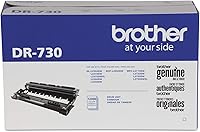
Brother Genuine DR730 Drum Unit
9.6/10 our score
See it on Amazon -
3
 Best for 2-pack DR630 value
MCYCOLOR DR630 Drum Unit High Yield Compatible
9.5/10 our score
See it on Amazon
- 4
 Best for newer DR830 printersCheck it
- 5
 Check it
WOEBYAS DR820 Drum Unit Compatible for Brother
Best for a DR820 two-pack - 6
 Check it
E-Z Ink Compatible DR420 Drum Unit
Best for older DR420 printers - 7
 Check it
Ankink DR730 Compatible Drum Unit
Best for a DR730 two-pack - 8
 Best for a single DR630 replacementCheck it
The best Brother laser printer drum options by model family
The right Brother laser printer drum is the one with the exact family code for your printer. Our top picks cover DR820, DR730, DR630, DR830 and DR420 models, with genuine and compatible choices separated clearly.
Brother Genuine-Drum Unit: Best for high-volume DR820 printing
- Genuine Brother DR820 drum unit
- Yields up to 30,000 pages
- For listed Brother mono laser printers and all-in-ones
- Black drum
The genuine DR820 is the strongest fit for listed Brother business mono laser printers. Its stated yield is the highest in this comparison.
Pros
- Highest stated yield here
- Genuine Brother supply
- Broad listed compatibility
Cons
- Only for the DR820 printer family
- Toner is separate
The Brother Genuine-Drum Unit DR820 is the top choice for high-volume printing because its stated yield reaches up to 30,000 pages. It is a genuine black drum unit made for the Brother mono laser printers and all-in-ones named in its compatibility information.
Those models include the DCP-L5500DN, DCP-L5600DN, DCP-L5650DN, HL-L5000D, HL-L5100DN, HL-L5200DW, HL-L6200DW, HL-L6300DW, MFC-L5700DW, MFC-L5900DW, MFC-L5850DW, MFC-L5900DW, MFC-L6700DW and other listed members of the same family.
The main advantage is the direct match between the Brother brand, DR820 code and supported printer family. Brother describes it as part of a complete mono laser printing system designed to work with Brother printers and toner cartridges.
This is a 1-unit drum, and toner is separate. The stated yield is based on specific page and job conditions, so treat 30,000 pages as a rated figure rather than a promise for every print pattern.
Choose it when your printer uses DR820 and you want the highest stated yield in this group. If you have a lower-volume printer or want a 2-pack, compare the compatible DR820 option below.
Brother Genuine DR730 Drum Unit: Best for genuine DR730 replacement
- Genuine Brother DR730 drum unit
- Yields up to 12,000 pages
- For listed Brother mono laser printers and all-in-ones
- Toner not included
This genuine DR730 fits the Brother models named for the DR730 family. It suits buyers who want a direct Brother supply and do not need the higher DR820 yield.
Pros
- Genuine Brother supply
- Clear DR730 model match
- 12,000-page stated yield
Cons
- Toner is separate
- Not interchangeable with DR820
The Brother Genuine DR730 Drum Unit is the best genuine replacement for printers in the DR730 family. Its stated yield is up to 12,000 pages, and it is made for listed models such as the DCP-L2550DW, HL-L2350DW, HL-L2370DW, HL-L2390DW, HL-L2395DW, MFC-L2710DW and MFC-L2750DW.
The package is 1 drum unit, not a toner cartridge. That distinction matters because installing a drum will not refill toner, and the DR730 product specifically identifies toner as separate.
Genuine supplies can make the model check simpler when your Brother printer clearly calls for DR730. You still need to match the exact printer model, since DR730 is not a universal Brother drum code.
This suits home offices and small workplaces where the printer handles steady document printing rather than very heavy daily volumes. The 12,000 page figure should be read as a stated yield under standard conditions, not a guaranteed count for every kind of document.
Set up is straightforward when the model matches, but keep the old unit and toner separate so you can see which part the printer is asking you to change. Handle the drum carefully, avoid touching the imaging surface, and store any spare in a clean, dry place away from direct light.
Choose this one when you want a genuine Brother part for a DR730 printer. For a 2-pack of compatible DR730 units, compare the Ankink option later in this guide.
MCYCOLOR DR630 Drum Unit High Yield Compatible: Best for 2-pack DR630 value
- Compatible DR630 drum units
- 2 black drum units
- Up to 12,000 pages
- For listed Brother DR630 printers
The MCYCOLOR option gives DR630 owners 2 compatible drum units in one pack. Its listed printer range covers several Brother DCP, HL and MFC models.
Pros
- 2 drum units
- High-yield DR630 format
- Broad listed DR630 compatibility
Cons
- Compatible rather than genuine
- Toner is not included
MCYCOLOR's DR630 option is the best 2-pack choice for owners of listed Brother DR630 printers. It includes 2 black compatible drum units, with a stated yield of up to 12,000 pages.
The compatibility range includes Brother DCP-L2520DW, DCP-L2540DW, HL-L2300D, HL-L2305W, HL-L2320D, HL-L2340DW, HL-L2360DW, HL-L2380DW, MFC-L2700DW, MFC-L2720DW and other listed models.
A 2-pack can make sense if the printer is used often or if you want a spare ready for the next replacement. It also changes the buying decision compared with the single Ankink DR630, which uses the same broad drum family but gives you 1 unit.
This is a compatible DR630 replacement, not a Brother Genuine unit. The product is marked for plain paper and monochrome printing, so it fits standard black document work rather than color printing.
Choose it when your printer uses DR630 and you want 2 units in one order. Confirm the exact model before buying because the DR630 code alone does not cover every Brother laser printer.
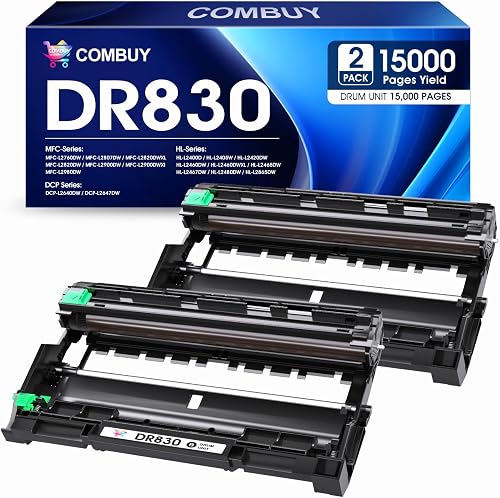
COMBUY DR830 Drum Unit 2 Pack: Best for newer DR830 printers
- 2 compatible DR830 drum units
- Up to 15,000 pages
- For listed Brother DR830 printers
- User guide included
COMBUY's 2-pack is aimed at newer Brother models using the DR830 family. Each drum has a stated 15,000-page yield at 5% coverage.
Pros
- 2-pack format
- Highest compatible yield in this comparison
- User guide included
Cons
- Only for listed DR830 models
- Toner is separate
COMBUY's DR830 2 Pack is the strongest compatible choice for Brother printers in the newer DR830 group. Each drum has a stated yield of 15,000 pages at 5% coverage, and the package includes 2 DR830 drum units plus a user guide.
The listed compatibility includes the Brother DCP-L2640DW, HL-L2400D, HL-L2405W, HL-L2460DW, HL-L2465DW, HL-L2480DW, HL-L2865DW, MFC-L2820DW, MFC-L2900DW and other named models.
The 2-pack gives you a replacement and a spare, but the toner cartridge is not included. Check whether your printer uses the TN830 toner family separately before ordering.
The stated 15,000-page yield is higher than the 12,000-page figures shown for several compatible options here. Page coverage affects real output, so the number is best used to compare the products under similar conditions.
For more detail on one of the supported printers, see our guide to the best Brother DCP-L2640DW drum. Choose COMBUY when your exact model uses DR830 and you want the highest compatible yield among these picks.
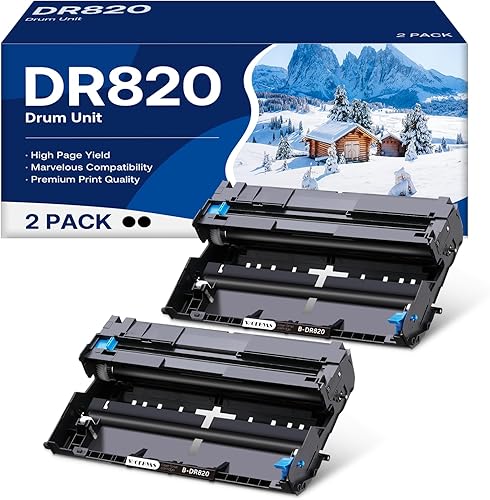
WOEBYAS DR820 Drum Unit Compatible for Brother: Best for a DR820 two-pack
- 2 compatible DR820 drum units
- Up to 12,000 pages per drum
- For listed Brother DR820 printers
- Reset required after installation
WOEBYAS gives DR820 printer owners 2 compatible replacement drums. It covers many of the same models as the genuine DR820, but its stated yield is lower.
Pros
- 2 drum units
- Broad listed DR820 compatibility
- 12,000 pages per drum
Cons
- Compatible rather than genuine
- Reset required after installation
WOEBYAS is the best compatible DR820 choice when you want 2 drum units instead of the genuine Brother single unit. Each DR820 drum has a stated yield of up to 12,000 pages.
Its listed compatibility includes the DCP-L5500DN, DCP-L5600DN, DCP-L5650DN, HL-L5000D, HL-L5100DN, HL-L5200DW, HL-L6200DW, HL-L6300DW, MFC-L5700DW, MFC-L5800DW, MFC-L5850DW, MFC-L5900DW, MFC-L6700DW and other named DR820 models.
The main trade-off is yield versus quantity. Brother's genuine DR820 has the highest stated single-unit yield here, while WOEBYAS provides 2 compatible units at 12,000 pages per drum.
The drum must be reset after installation. Keep the printer instructions nearby and complete the reset for your exact model when the printer continues to show a drum warning.
Choose this option when your DR820 printer is on the compatibility list and a spare matters more than the genuine Brother label. The product is not created or sold by Brother, so treat it as a compatible alternative.
E-Z Ink Compatible DR420 Drum Unit: Best for older DR420 printers
- Compatible DR420 drum unit
- Up to 12,000 pages
- 1 drum unit and user guide
- For listed older Brother laser printers
E-Z Ink serves the older DR420 family, including listed Brother DCP, HL, MFC and Intellifax models. The package includes 1 drum unit and a user guide.
Pros
- Fits a wide listed model range
- 12,000-page stated yield
- User guide included
Cons
- 1-pack format
- Compatible rather than genuine
E-Z Ink's DR420 is the best choice for older Brother laser printers that use the DR420 family. It includes 1 compatible DR420 black drum unit and 1 user guide, with a stated yield of up to 12,000 pages.
The listed models include the Brother DCP-7060D, DCP-7065D, HL-2130, HL-2132, HL-2220, HL-2230, HL-2240, HL-2240D, HL-2250DN, HL-2270DW, HL-2280DW, MFC-7240, MFC-7360N, MFC-7365DN, MFC-7460DN, MFC-7860DW and Intellifax 2840 and 2940.
Its wide model range is useful for older office and home printers, but the long compatibility list also makes model checking essential. DR420 is not the same family as DR430, DR630, DR730, DR820 or DR830.
The product is a drum only, so toner is not included. It is intended for black-and-white laser printing and suits documents, homework printing and office printing described for this family.
Choose it when your printer specifically calls for DR420 and you want a single replacement. Do not use the older model list as a reason to fit it into a newer Brother printer.
Ankink DR730 Compatible Drum Unit: Best for a DR730 two-pack
- 2 compatible DR730 drum units
- Up to 12,000 pages per drum
- For listed Brother DR730 printers
- Reset required after installation
Ankink offers 2 compatible DR730 drums for the Brother models named in its compatibility range. It suits buyers who want a spare unit as well as a replacement.
Pros
- 2-pack format
- 12,000 pages per drum
- Broad listed DR730 compatibility
Cons
- Compatible rather than genuine
- Reset required after installation
Ankink's DR730 Compatible Drum Unit is the best 2-pack alternative for listed Brother DR730 printers. It includes 2 compatible drum units, and each unit has a stated yield of up to 12,000 pages.
The listed models include HL-L2325DW, HL-L2350DW, HL-L2370DW, HL-L2390DW, HL-L2395DW, HL-L2370DWXL, DCP-L2550DW, MFC-L2710DW, MFC-L2717DW, MFC-L2750DW, MFC-L2730DW and MFC-L2690DW.
The 2-pack suits regular printing or buyers who want a spare stored for the next replacement. Toner is not included, and the product is compatible rather than an OEM Brother supply.
Ankink states that the drum must be reset after installation if the printer shows messages such as “Drum Ends Soon,” “Replace Drum” or “Drum Ended.” Follow the instructions for your specific Brother model rather than guessing from another printer.
Choose this option when the printer model matches and a 2-pack is more useful than the genuine Brother DR730 unit. For a genuine replacement, the Brother DR730 above is the closer match.
Ankink DR630 Drum Unit: Best for a single DR630 replacement
- 1 compatible DR630 drum unit
- Up to 12,000 pages
- For listed Brother DR630 printers
- Reset required after installation
This single Ankink DR630 drum fits the listed Brother laser models and provides a 1-unit replacement. It is a practical match when you do not want a 2-pack.
Pros
- Single replacement unit
- 12,000-page stated yield
- Long listed compatibility range
Cons
- Compatible rather than genuine
- Reset required after installation
Ankink's single DR630 is the best fit when you need 1 compatible drum unit for a listed Brother DR630 printer. It has a stated yield of up to 12,000 pages and covers a long list of DCP, HL and MFC laser models.
The compatibility list includes DCP-L2500D, DCP-L2520DW, DCP-L2540DN, DCP-L2540DW, DCP-L2560DW, HL-L2300D, HL-L2305W, HL-L2320D, HL-L2340DW, HL-L2360DW, HL-L2365DW, HL-L2380DW, MFC-L2680W, MFC-L2700DW, MFC-L2705DW, MFC-L2720DW and MFC-L2740DW.
This choice is useful when you want one replacement rather than the 2-pack MCYCOLOR option. It is also marked as requiring a reset after installation, so allow time to clear the printer's drum message.
The product is compatible, not a Brother Genuine unit, and toner is not included. Match the exact model before ordering because the DR630 family covers many printers but does not fit every Brother laser machine.
Choose it for a single DR630 replacement and a lower commitment than a 2-pack. If your printer is used heavily, compare the MCYCOLOR 2-pack before deciding.
How do Brother drum families compare?
The main Brother drum families here differ by printer model, yield and supply type. The code on your printer matters more than the pack size or a similar product name.
| Drum family | Strongest match in this guide | Stated yield | Pack |
|---|---|---|---|
| DR820 | Brother Genuine-Drum Unit | Up to 30,000 pages | 1 |
| DR730 | Brother Genuine DR730 Drum Unit | Up to 12,000 pages | 1 |
| DR630 | MCYCOLOR DR630 | Up to 12,000 pages | 2 |
| DR830 | COMBUY DR830 | 15,000 pages at 5% coverage | 2 |
| DR820 | WOEBYAS compatible DR820 | Up to 12,000 pages per drum | 2 |
| DR420 | E-Z Ink compatible DR420 | Up to 12,000 pages | 1 |
DR820 and DR730 are not interchangeable even though both are Brother drum families. DR630, DR830 and DR420 also require their own model match.
The family code controls fit in a way that pack size cannot fix. A drum that looks similar in shape may still be rejected by the printer or may not seat correctly in the imaging unit.
Yield also helps separate the families in daily use. The genuine DR820 is stated at up to 30,000 pages, while the genuine DR730 and several other options here are stated at up to 12,000 pages.
That gap matters most for busy offices that print long reports and forms every week. A lower stated yield can still be fine for lighter home use, but it means more frequent replacement over the life of the printer.
Genuine and compatible status is another practical split within each family. Brother genuine units are direct supplies, while compatible units such as the DR830 and DR820 alternatives may need a reset after fitting.
For a different printer brand, our guide to how to replace and reinstall a Xerox B230 imaging unit shows why the exact imaging-unit family matters.
The lesson carries across brands even though the parts are not shared. Matching the code first saves time, avoids returns, and stops a new drum being fitted to the wrong machine.
Check the label on the current drum and the printer manual before you order. That small step is more useful than choosing the largest pack in the list.
Genuine or compatible Brother laser printer drum?
A genuine Brother drum is simpler when your printer is on the supported list and you want a direct Brother supply. A compatible drum can give you 2 units in a pack, but fit and reset steps need closer checking.
The genuine choices here are the Brother DR820 and Brother DR730. They suit buyers whose printer family matches exactly.
The compatible choices include 2-pack DR630, DR830 and DR820 units, plus single or 2-pack DR730 and DR420 options. They suit buyers who want a spare, with compatibility left to you to confirm.
Do not treat a drum as a toner refill. The DR730, DR830 and DR420 listings separate drum from toner, and compatible options also state that toner is separate.
For daily use, genuine units suit owners who prefer a like for like swap. The trade-off is staying with the Brother supply chain and that family's stated yield.
Compatible units suit owners who value a second drum ready in the drawer. That can cut downtime in a busy office, but allow extra time for fitting and any required reset.
Keep a spare sealed until needed, away from dust and moisture. Do not handle the imaging surface during fitting.
Price is not the only difference. Warranty terms, reset needs, pack size and exact printer model can matter just as much.
Start with the family code, then decide if genuine simplicity or a compatible spare fits your routine. For an older or less common model, confirm the full model number before ordering.
How do you know when to replace a Brother drum?
Replace the drum when the printer shows a drum warning or repeated defects remain after you check toner and the paper path. A faded page alone does not prove the drum is at fault.
Look for repeated marks, streaks or ghosted areas in the same place on many pages. Then check the printer instructions for its drum message and confirm the correct family code.
Some compatible products require a reset after installation. The reset clears the drum counter, but it does not fix a wrong model match or a separate toner problem.
A printer imaging system also includes other parts. Learn what a print engine in laser printers does before troubleshooting a fault that may not come from the drum.
Start with simple checks that do not involve opening the printer. Confirm the toner cartridge is seated properly and the paper is the right type and size.
Print a test page with text and a small graphic. If the defect repeats in the same position on every sheet, that pattern points more strongly to the drum or another imaging part.
If pages are light overall but clean in shape, toner level or coverage settings may be involved. Changing the drum may not fix that output.
When the printer displays a clear drum message, follow the manual for that exact model. Note the family code on the old drum before you remove it.
During fitting, work in a clean area and keep fingers off the imaging surface. Refit the toner cartridge carefully and check every latch and guide is back in place.
After installation, print test pages and check for even density and sharp text. If a reset is required, complete it as instructed and clear any remaining warning.
Keep the old drum for recycling where local supply schemes allow it. Check packaging or supplier information rather than putting it straight in general waste.
For older printers such as those using DR420, compare the fault with the condition of the machine. A drum change helps when the drum is worn, but it will not cure unrelated mechanical wear.
In a busy office, note the date and page count when you change the drum. That record helps you judge whether the next fault is normal wear or another problem.
How should you install and care for a replacement drum?
Install the drum with the printer powered and handled according to the printer manual. Keep the drum clean, avoid touching the imaging surface, and use the reset procedure when the replacement instructions require it.
Before opening the package, confirm the printer model and drum code. Prepare a clean area because loose toner or dust can affect print quality during replacement.
Do not discard the toner cartridge just because the drum needs changing. Several products here state that toner is separate, so keep the usable toner cartridge if it is compatible with the new drum.
If the printer uses a corona wire, cleaning or replacement may be part of troubleshooting. Read what a corona wire is for laser printers and our guide to printer corona wire replacement before taking apart a printer component.
Which Brother laser printer drum should you choose?
Choose the Brother Genuine-Drum Unit DR820 for a listed DR820 printer and the highest stated yield. Pick the genuine DR730 for a listed DR730 printer when you want a Brother-branded replacement.
Choose COMBUY for a listed DR830 printer and a 2-pack with a 15,000-page stated yield. Choose MCYCOLOR or Ankink for DR630 printers based on whether you want 2 units or 1.
For a DR820 2-pack, WOEBYAS gives you 2 compatible units with a lower stated yield per drum than the genuine DR820. For an older DR420 printer, E-Z Ink is the dedicated match in this comparison.
Match the family code first, then compare genuine status, yield, pack size and reset needs. A correct model match matters more than choosing the largest pack.
For high volume DR820 use, the genuine unit suits offices that want the longest stated life from a single drum. It also suits teams that prefer a direct Brother supply with no extra reset step described in the listing.
For DR730 machines, the genuine unit is the cleanest choice when the model list matches. If you print often and prefer a spare on site, the compatible 2-pack may be more practical despite the lower status.
For DR830 printers, the COMBUY 2-pack is aimed at newer models and gives a stated 15,000 pages per drum at 5 percent coverage. Dense graphics and full pages will use a drum faster than light text pages.
For DR630 machines, decide mainly on pack size. MCYCOLOR provides 2 units for users who want stock ready, while the single Ankink unit suits a one-off replacement with less storage needed at home.
For older DR420 printers, E-Z Ink covers a long list of DCP, HL, MFC and Intellifax models. Double check the full model number, because an older machine may have close variants that use a different family.
In every case, confirm whether toner is included before you order. Most options here are drum only, so a new drum will not solve a low toner problem on its own.
Allow time after fitting to run test pages and complete any reset your model requires. Clean handling and proper storage of spares help you get the full value from the stated yield.
Our top 3 picks at a glance
-
1
-
2
Best for genuine DR730 replacement
Brother Genuine DR730 Drum Unit
9.6/10 our score
See it on Amazon -
3
Best for 2-pack DR630 value
MCYCOLOR DR630 Drum Unit High Yield Compatible
9.5/10 our score
See it on Amazon
Frequently asked questions
How do I choose the right Brother laser printer drum?
Choose the drum code printed in your printer instructions, on the current drum unit, or in the printer's supplies menu. DR820, DR730, DR630, DR830 and DR420 are different families.
A similar-looking code does not make the units interchangeable.
Then compare genuine and compatible options, pack size, stated yield and whether the replacement requires a reset.
Is a Brother drum unit the same as toner?
No. A drum unit transfers toner onto the page, while toner supplies the black printing material.
Several products here state that toner is not included, including the Brother Genuine DR730, COMBUY DR830 and E-Z Ink DR420.
Check both the drum code and toner code before ordering.
How long does a Brother laser printer drum last?
The stated yield depends on the drum family and how pages are counted. The genuine DR820 is rated up to 30,000 pages, the compatible DR830 is rated at 15,000 pages, and several DR730, DR630, DR820 and DR420 options state up to 12,000 pages.
Actual output can vary with print coverage, paper and use.
Do compatible Brother drums need a reset?
Some compatible Brother drums require a reset after installation. WOEBYAS DR820, Ankink DR730 and Ankink DR630 specifically state that a reset is required, while MCYCOLOR DR630 describes replacing and resetting the unit.
Follow the instructions for your exact printer model after fitting the drum.